 wehub-resource-sync
Find moments in robot demonstrations by describing them in plain language, and jump straight to the matching frame in the Rerun viewer.
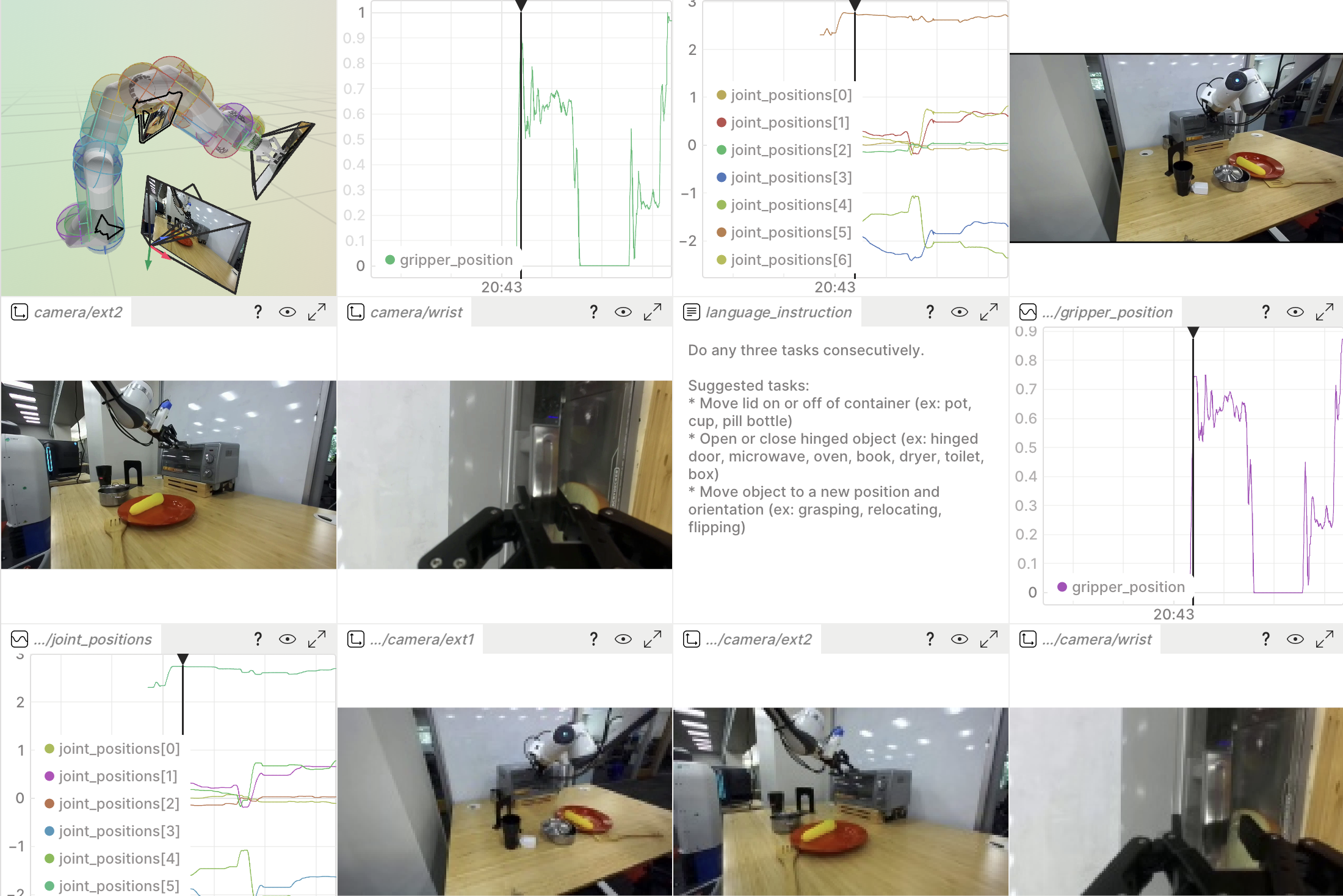
This pulls frame embeddings from a Rerun dataset, indexes them in an external vector store, and resolves text queries back into deep-links that open the relevant frames in the viewer.
It ships two interchangeable backends — LanceDB (default) and Qdrant, both fully local on disk and selected with --backend.
They're worked examples of one pattern — embeddings out of Rerun, search in your vector database of choice, deep-links back into the viewer — that applies to any vector store.
What it shows off
- Schema introspection and DataFusion content-filtered reads.
- The experimental video dataloader (
DataSource/Field/VideoFrameDecoder) for streaming and decoding H.264 frames on demand. - SigLIP-2 embeddings, with text and image features sharing one vector space.
segment_urldeep-links that focus the viewer on a specific frame.
How it works
Three scripts:
-
prepare_dataset.py— registers a few DROID episodes to your local catalog as a dataset (using the episodes bundled in the repo, or downloading them from the Hugging Face Hub when those aren't present). This is the data the other two scripts read. -
ingest.py— builds the index. For each camera it auto-detects the embedding source:- Read path: if the dataset already has a
/camera/{role}/embeddingcolumn (DROID registered with--create-embeddings), it reads those vectors directly via a DataFusion query — no model, no video decoding. - Compute path: otherwise it streams the
VideoStreamthrough the dataloader, decodes frames, and embeds them with SigLIP-2.
Either way it writes
(segment_id, camera, timestamp_ms, vector)rows into the selected vector store: LanceDB by default, or Qdrant with--backend qdrant. - Read path: if the dataset already has a
-
search.py— embeds your example image or text prompt with the SigLIP-2 encoder, runs a vector search over that store (pass the same--backend), prints the ranked matches, and opens the best one in the viewer.
Both scripts reach the store only through a small VectorStore interface in vector_store.py, so picking a backend is one --backend choice and adding one is a single subclass.
Each backend keeps its index in its own directory (./droid_lancedb vs ./droid_qdrant, override with --db-path), so the --backend you pass to search.py must match the one ingest.py wrote.
Run the code
1. Install dependencies
This example has its own uv project, separate from the workspace .venv, because it needs the experimental rerun-sdk[dataloader] extras plus heavy ML deps (transformers, lancedb).
Standalone (sparse-checkout of just this directory, no local Rerun build):
uv sync --no-sources --no-dev
Monorepo dev (full repo checkout, editable local rerun-sdk):
cd examples/python/droid_semantic_search
RERUN_ALLOW_MISSING_BIN=1 uv sync
uv pip install ../../../rerun_py/rerun_dev_fixup
The second command installs the .pth shim that points import rerun (and the rerun CLI) at the in-repo editable source tree.
It's a separate uv pip install rather than a dev-group dependency because uv resolves all dependency groups unconditionally, so a path-only package in pyproject.toml would break the standalone --no-sources resolution above.
Then either source .venv/bin/activate or prefix subsequent commands with uv run.
2. Start a local Rerun server
This example reads data from a local open-source Rerun catalog server. In a separate terminal, start one:
rerun server
This serves a catalog at rerun+http://127.0.0.1:51234 — the default the scripts use.
Leave it running; the steps below connect to it.
3. Register a dataset
Registers a few DROID episodes to the catalog as droid:sample:
uv run python prepare_dataset.py
By default it auto-selects the source:
- Monorepo checkout — it uses the episodes bundled in the repo at
tests/assets/rrd/sample_5(via git-LFS), so there's nothing to download. If those are un-pulled LFS pointers, rungit lfs install && git lfs pullfirst. - Standalone checkout — when the bundled episodes aren't present, it downloads a few from
rerun/droid_sampleon the Hugging Face Hub into./data.
Useful flags:
--source bundled|huggingfaceto force a source (defaultauto).--num-episodes Nto register more (or fewer) episodes;0for all (the full Hub dataset is ~3.3 GB).--dataset-nameto register under a different name (pass the same name toingest.py/search.py).--no-optimizeto register episodes as-is (see the video decode yield note below).--catalog-url ""to skip registration.
4. Build the search index
Index a handful of segments (the exterior camera works well for scene-level search):
uv run python ingest.py --num-segments 15 --cameras ext1
These sample episodes ship video only (no pre-computed embeddings), so ingest.py takes the compute path:
the first run downloads the SigLIP-2 model (a few hundred MB) and then decodes and embeds frames — the slow step.
Start with a small --num-segments to keep it quick; raise it once you've seen it work.
5. Search
Search by text and open the best hit in the viewer:
uv run python search.py "an open drawer full of tools" --top-k 5
Or search by example image instead of text (same vector space):
uv run python search.py --image ./query.jpg --top-k 5
Both scripts default to LanceDB; pass --backend qdrant to use Qdrant instead.
Give the same --backend to ingest.py and search.py, since each writes to its own directory:
uv run python ingest.py --backend qdrant --num-segments 15 --cameras ext1
uv run python search.py --backend qdrant "an open drawer full of tools" --top-k 5
Queries that discriminate well on DROID describe concrete, visible objects/scenes, e.g. "a pink flower", "a cardboard box", "a white plastic bag", "a robot arm over an empty table".
Run ingest.py --help and search.py --help for the full flag list — index multiple cameras, change the sampling rate, widen the time selection around a hit, and more.
Scope and extension points
- Text or image queries. Search by a text prompt or, with
--image <path>, by an example frame. SigLIP-2 puts text and image features in one space, so image-to-image search reuses the exact same index and ranking — only the query encoder differs. - Bring your own vector store. Rerun supplies the embeddings (read from the dataset, or computed from platform-hosted video) and resolves matches back into viewer deep-links; search itself runs in an external store. This example ships two backends, LanceDB and Qdrant, behind the small
VectorStoreinterface invector_store.py— the same write-then-query flow drops onto any vector database, so adding a third is a single subclass.
Notes and gotchas
- SigLIP text tokenization. SigLIP is trained with a fixed 64-token sequence and must be tokenized with
padding="max_length", max_length=64. With dynamic padding the text embeddings are malformed and text→image retrieval collapses onto a single "hub" frame that wins every query. - Video decode yield. DROID doesn't log the
VideoStream:is_keyframemarkers the decoder needs to seek, so without them only ~25 % of sampled frames decode.prepare_dataset.pyderives the markers up front (viaoptimize), which brings yield to ~100 %. Optimized copies land in./optimized; the originals are untouched. Skip it with--no-optimizeif you'd rather register the raw episodes.
Files
prepare_dataset.py— register DROID sample episodes (bundled or downloaded) to the catalog.ingest.py— build the vector index from the dataset.search.py— query the index and open results in the viewer.vector_store.py— theVectorStoreinterface, with LanceDB and Qdrant backends.embeddings.py— SigLIP-2 helpers (adapted from the DROID loader'sembedding_util.py).