wehub-resource-sync
3.5 KiB
orphan
| orphan |
|---|
| true |
(serve-object-detection-tutorial)=
Building a Real-time Object Detection Service with Ray Serve
Overview
This tutorial demonstrates how to deploy a production-ready object detection service using Ray Serve. You will learn how to serve a YOLOv5 object detection model efficiently with automatic GPU resource management and scaling capabilities.
Installation
Install the required dependencies:
pip install "ray[serve]" requests torch pillow numpy opencv-python-headless pandas "gitpython>=3.1.30"
Implementation
This example uses the ultralytics/yolov5 model for object detection and FastAPI for creating the web API.
Code Structure
Save the following code to a file named object_detection.py:
:language: python
:start-after: __example_code_start__
:end-before: __example_code_end__
The code consists of two main deployments:
- APIIngress: A FastAPI-based frontend that handles HTTP requests
- ObjectDetection: The backend deployment that loads the YOLOv5 model and performs inference on GPU
:::{note} Understanding Autoscaling
The configuration in this example sets min_replicas to 0, which means:
- The deployment starts with no
ObjectDetectionreplicas - Ray Serve creates replicas only when requests arrive
- After a period of inactivity, Ray Serve scales down the replicas back to 0
- This "scale-to-zero" capability helps conserve GPU resources when the service isn't being actively used :::
Deployment
Deploy the service with:
serve run object_detection:entrypoint
When successfully deployed, you should see log messages similar to:
(ServeReplica:ObjectDection pid=4747)   warnings.warn(
(ServeReplica:ObjectDection pid=4747) Downloading: "https://github.com/ultralytics/yolov5/zipball/master" to /home/ray/.cache/torch/hub/master.zip
(ServeReplica:ObjectDection pid=4747) YOLOv5 🚀 2023-3-8 Python-3.9.16 torch-1.13.0+cu116 CUDA:0 (Tesla T4, 15110MiB)
(ServeReplica:ObjectDection pid=4747)
(ServeReplica:ObjectDection pid=4747) Fusing layers...
(ServeReplica:ObjectDection pid=4747) YOLOv5s summary: 213 layers, 7225885 parameters, 0 gradients
(ServeReplica:ObjectDection pid=4747) Adding AutoShape...
2023-03-08 21:10:21,685 SUCC <string>:93 -- Deployed Serve app successfully.
Troubleshooting
:::{tip} Common OpenCV Error
You might encounter this error when running the example:
ImportError: libGL.so.1: cannot open shared object file: No such file or directory
This typically happens when running opencv-python in headless environments like containers. The solution is to use the headless version:
pip uninstall opencv-python; pip install opencv-python-headless
:::
Testing the Service
Once the service is running, you can test it with the following Python code:
import requests

# Sample image URL for testing
image_url = "https://ultralytics.com/images/zidane.jpg"

# Send request to the object detection service
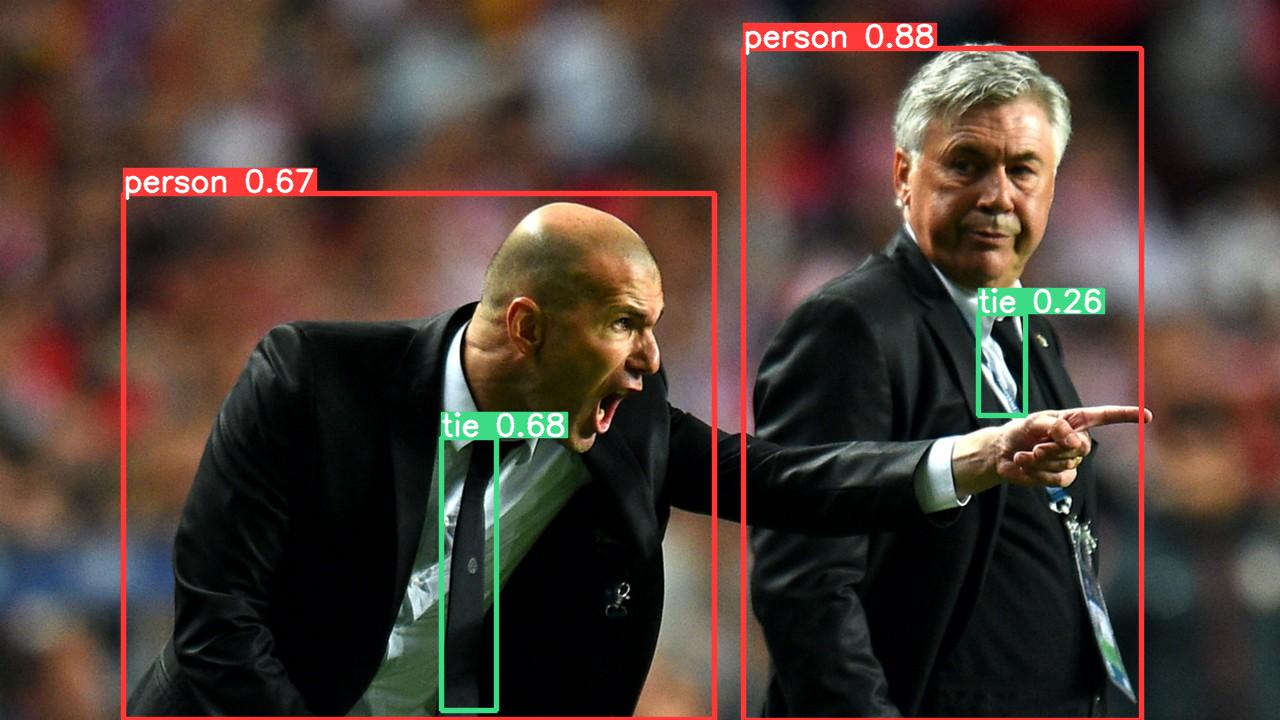
resp = requests.get(f"http://127.0.0.1:8000/detect?image_url={image_url}")

# Save the annotated image with detected objects
with open("output.jpeg", 'wb') as f:
    f.write(resp.content)
Example Output
The service processes the image and returns it with bounding boxes around detected objects: