 wehub-resource-sync
118 lines
5.9 KiB
Markdown
118 lines
5.9 KiB
Markdown
# Vertex AI Search Web App Demo
|
|
|
|
> NOTE: Some of the features in this demo require allowlist access. If you would like early access, apply to become a [Trusted Tester for Google Cloud Generative AI][trustedtester].
|
|
|
|
This demo illustrates how to search through a corpus of documents using [Vertex AI Search][enterprisesearch] (formerly known as Enterprise Search).
|
|
|
|
Additional features include how to search the public Cloud Knowledge Graph using the [Enterprise Knowledge Graph][enterpriseknowledgegraph] API.
|
|
|
|
## Video Walkthrough
|
|
|
|
[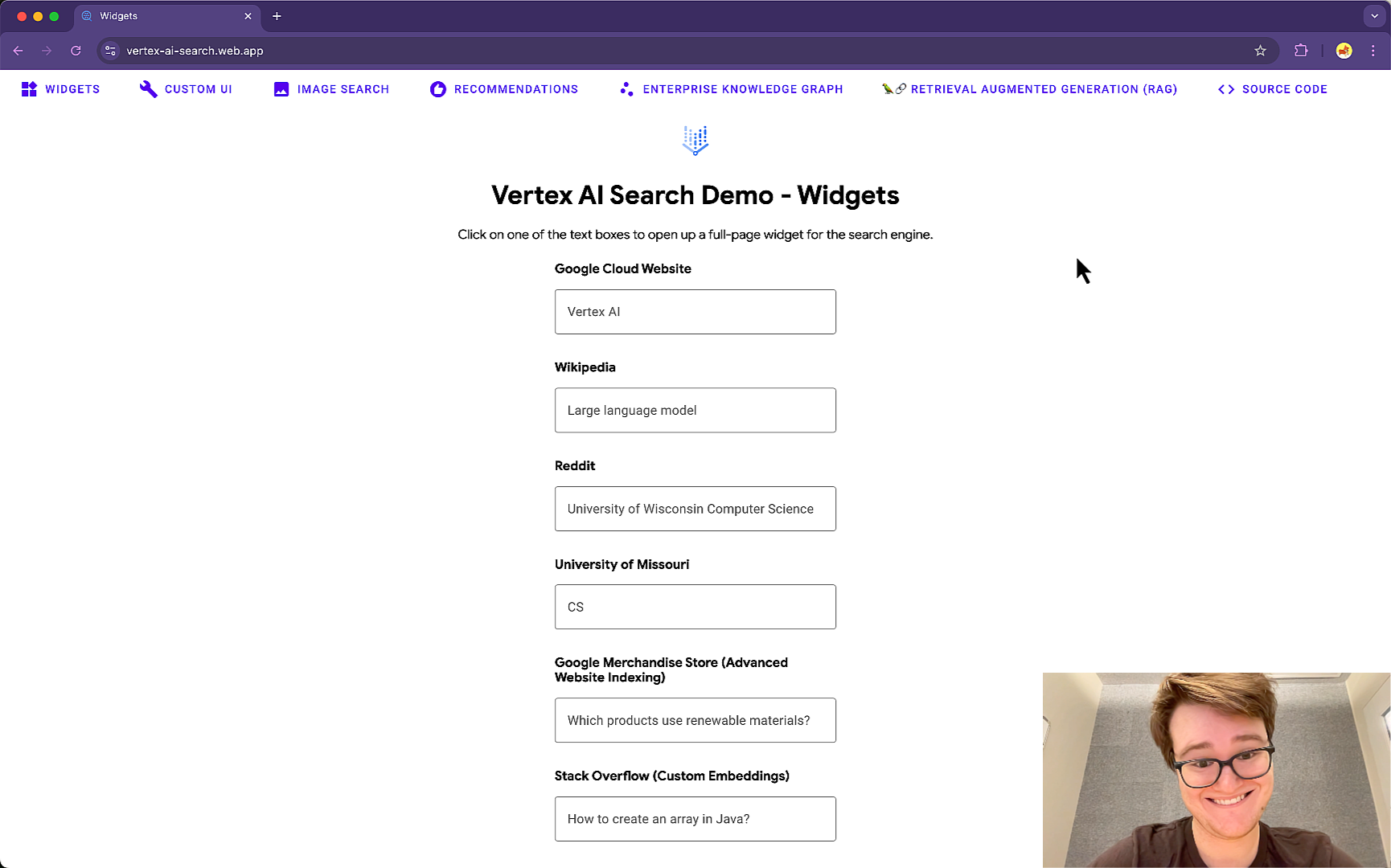](https://storage.googleapis.com/github-repo/search/web-app/vais_web_app_walkthrough.mp4)
|
|
|
|
## Architecture
|
|
|
|
### Google Cloud Products Used
|
|
|
|
- [Vertex AI Search][enterprisesearch]
|
|
- [Vertex AI Search: Recommendations][try_recommendations]
|
|
- [Cloud Run][cloudrun]
|
|
- [Enterprise Knowledge Graph][enterpriseknowledgegraph]
|
|
|
|
## Setup
|
|
|
|
- Follow steps in [Get started with Vertex AI Search][try_search] for Unstructured Data.
|
|
|
|
- Sample Data Sources used in the deployed demo:
|
|
- [Contract Understanding Atticus Dataset (CUAD)](https://www.atticusprojectai.org/cuad)
|
|
- `gs://cloud-samples-data/gen-app-builder/search/CUAD_v1`
|
|
- [Alphabet Earnings Reports](https://abc.xyz/investor/)
|
|
- `gs://cloud-samples-data/gen-app-builder/search/alphabet-investor-pdfs`
|
|
|
|
- Follow steps in [Get started with Vertex AI Search][try_search] for Websites
|
|
|
|
- [Google Cloud site](https://cloud.google.com)
|
|
- `https://cloud.google.com`
|
|
|
|
- Follow steps in [Get started with Recommendations][try_recommendations] for Unstructured Data.
|
|
|
|
- Sample Data Sources used in the deployed demo:
|
|
- [Natural language papers from arXiv](https://arxiv.org)
|
|
- `gs://cloud-samples-data/gen-app-builder/search/arxiv`
|
|
|
|
### Dependencies
|
|
|
|
1. [Install Python](https://www.python.org/downloads/)
|
|
2. Install the [Google Cloud SDK](https://cloud.google.com/sdk/docs/install)
|
|
3. Install the prerequisites:
|
|
- `pip install -r requirements.txt`
|
|
4. Run `gcloud init`, create a new project, and
|
|
[enable billing](https://cloud.google.com/billing/docs/how-to/modify-project#enable_billing_for_a_project)
|
|
5. Enable the Vertex AI Search API:
|
|
- `gcloud services enable discoveryengine.googleapis.com`
|
|
6. Enable the Enterprise Knowledge Graph API:
|
|
- `gcloud services enable enterpriseknowledgegraph.googleapis.com`
|
|
7. Enable Cloud Run:
|
|
- `gcloud services enable run.googleapis.com`
|
|
8. Setup application default authentication, run:
|
|
- `gcloud auth application-default login`
|
|
9. Give the Cloud Run service account required permissions:
|
|
|
|
```sh
|
|
gcloud projects add-iam-policy-binding [PROJECT_ID or PROJECT_NUMBER] \
|
|
--member='serviceAccount:[PROJECT_NUMBER]-compute@developer.gserviceaccount.com' \
|
|
--role='roles/discoveryengine.viewer'
|
|
```
|
|
|
|
10. (Optional) If your Google Cloud organization has polices to [restrict sharing by domain](https://cloud.google.com/resource-manager/docs/organization-policy/restricting-domains), then you'll need to change this to allow all domains for the Cloud Run application to be open to the public Internet.
|
|
|
|
### Demo Deployment
|
|
|
|
1. Update the `consts.py` file with your own `PROJECT_ID` and `LOCATION`.
|
|
|
|
2. Configure Vertex AI Search
|
|
|
|
- To use the [prebuilt widget](https://cloud.google.com/generative-ai-app-builder/docs/add-widget), copy the `configId` from the `<gen-search-widget>` in the `Integration > Widget` tab in the [Cloud Console](https://console.cloud.google.com/gen-app-builder).
|
|
- 
|
|
- Be sure to set authorization type as `Public Access` and add your web application url to the `Allowed Domains` once it's deployed.
|
|
- Add the `configId` for your Search Engines to `WIDGET_CONFIGS` in `consts.py`
|
|
- To use the Custom UI, add the engine id for your search engine to `CUSTOM_UI_ENGINE_IDS` in `consts.py`
|
|
- This is the string after `/engines/` in the Cloud Console URL.
|
|
- `https://console.cloud.google.com/gen-app-builder/engines/website-search-engine_1681248733152/...`
|
|
- Engine ID is `website-search-engine_1681248733152`
|
|
|
|
3. Configure Recommendations
|
|
|
|
- Add the datastore id and engine id for your recommendations engine to `RECOMMENDATIONS_DATASTORE_IDs` in `consts.py`.
|
|
- The datastore id is visible on the `Data > Details` page.
|
|
- The engine id is the string after `/engines/` in the Cloud Console URL.
|
|
- `https://console.cloud.google.com/gen-app-builder/engines/contracts-personalize_1687884886933/data/records`
|
|
- Engine ID is `contracts-personalize_1687884886933`
|
|
|
|
4. Configure Image Search
|
|
|
|
- Follow the instructions in the documentation to [enable image search](https://cloud.google.com/generative-ai-app-builder/docs/image-search#enable-advanced) for a website search engine.
|
|
- NOTE: You must enable [Advanced Website Indexing](https://cloud.google.com/generative-ai-app-builder/docs/about-advanced-features#advanced-website-indexing) which requires [domain verification](https://cloud.google.com/generative-ai-app-builder/docs/domain-verification).
|
|
- Add the engine id for your search engine to `IMAGE_SEARCH_DATASTORE_IDs` in `consts.py`.
|
|
|
|
5. Deploy the Cloud Run app in your project.
|
|
|
|
- `gcloud run deploy vertex-ai-search-demo --source .`
|
|
|
|
- To test locally: `flask --app main run`
|
|
|
|
6. Visit the deployed web page
|
|
- Example: [`https://vertex-ai-search-demo-lnppzg3rxa-uc.a.run.app`](https://vertex-ai-search.web.app/)
|
|
|
|
---
|
|
|
|
> Copyright 2023 Google LLC
|
|
> Author: Holt Skinner @holtskinner
|
|
|
|
[cloudrun]: https://cloud.google.com/run
|
|
[enterpriseknowledgegraph]: https://cloud.google.com/enterprise-knowledge-graph/docs/overview
|
|
[enterprisesearch]: https://cloud.google.com/enterprise-search
|
|
[try_recommendations]: https://cloud.google.com/generative-ai-app-builder/docs/try-personalize
|
|
[try_search]: https://cloud.google.com/generative-ai-app-builder/docs/try-enterprise-search
|
|
[trustedtester]: https://cloud.google.com/ai/earlyaccess/join
|