 wehub-resource-sync
115 lines
2.4 KiB
Markdown
115 lines
2.4 KiB
Markdown
# CoAgents Research Canvas Example
|
|
|
|
This example demonstrates a research canvas UI.
|
|
|
|
**Live demo:** https://copilotkit.ai/examples/canvas-research
|
|
|
|
Tutorial Video:
|
|
|
|
[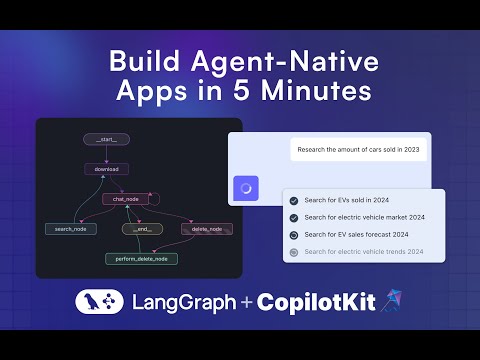](http://www.youtube.com/watch?v=0b6BVqPwqA0 "Build Agent-Native Apps with LangGraph & CoAgents (tutorial)")
|
|
|
|
---
|
|
|
|
## Running the Agent
|
|
|
|
**These instructions assume you are in the `coagents-research-canvas/` directory**
|
|
|
|
## Running the Agent
|
|
|
|
First, install the backend dependencies:
|
|
|
|
### Python SDK
|
|
|
|
```sh
|
|
cd agent-py
|
|
poetry install
|
|
```
|
|
|
|
### JS-SDK
|
|
|
|
```sh
|
|
cd agent-js
|
|
pnpm install
|
|
```
|
|
|
|
Then, create a `.env` file inside `./agent-py` or `./agent-js` with the following:
|
|
|
|
```
|
|
OPENAI_API_KEY=...
|
|
TAVILY_API_KEY=...
|
|
LANGSMITH_API_KEY=...(JS ONLY)
|
|
```
|
|
|
|
⚠️ IMPORTANT:
|
|
Make sure the OpenAI API Key you provide, supports gpt-4o.
|
|
|
|
Then, run the demo:
|
|
|
|
### Python
|
|
|
|
```sh
|
|
poetry run demo
|
|
```
|
|
|
|
## Running the UI
|
|
|
|
First, install the dependencies:
|
|
|
|
```sh
|
|
cd ./ui
|
|
pnpm i
|
|
```
|
|
|
|
Then, create a `.env` file inside `./ui` with the following:
|
|
|
|
```
|
|
OPENAI_API_KEY=...
|
|
```
|
|
|
|
Then, run the Next.js project:
|
|
|
|
```sh
|
|
pnpm run dev
|
|
```
|
|
|
|
⚠️ IMPORTANT:
|
|
If you're using the JS agent, follow the steps and uncomment the code inside the `app/api/copilotkit/route.ts`, `remoteEndpoints` action:
|
|
|
|
```ts
|
|
//const runtime = new CopilotRuntime({
|
|
// remoteEndpoints: [
|
|
// Uncomment this if you want to use LangGraph JS, make sure to
|
|
// remove the remote action url below too.
|
|
//
|
|
// langGraphPlatformEndpoint({
|
|
// deploymentUrl: "http://localhost:8123",
|
|
// langsmithApiKey: process.env.LANGSMITH_API_KEY || "", // only used in LangGraph Platform deployments
|
|
// agents: [{
|
|
// name: "research_agentt",
|
|
// description: "Research agent"
|
|
// }]
|
|
// }),
|
|
// ],
|
|
//});
|
|
```
|
|
|
|
**Next for JS run these commands:**
|
|
|
|
- Run this command to start your LangGraph server `npx @langchain/langgraph-cli dev --host localhost --port 8123`
|
|
- Run this command to connect your Copilot Cloud Tunnel to the LangGraph server `npx copilotkit@latest dev --port 8123`
|
|
|
|
## Usage
|
|
|
|
Navigate to [http://localhost:3000](http://localhost:3000).
|
|
|
|
# LangGraph Studio
|
|
|
|
Run LangGraph studio, then load the `./agent-py` folder into it.
|
|
|
|
# Troubleshooting
|
|
|
|
A few things to try if you are running into trouble:
|
|
|
|
1. Make sure there is no other local application server running on the 8000 port.
|
|
2. Under `/agent/research_canvas/demo.py`, change `0.0.0.0` to `127.0.0.1` or to `localhost`
|