 wehub-resource-sync
5a558eb09e
wehub-resource-sync
5a558eb09e
TypeScript SDK Compatibility V1.x E2E Tests / Select Node version matrix (push) Has been cancelled
TypeScript SDK Compatibility V1.x E2E Tests / TypeScript SDK Compatibility V1.x E2E Tests Node ${{matrix.node_version}} (push) Has been cancelled
TypeScript SDK E2E Tests / TypeScript SDK E2E Tests Node ${{matrix.node_version}} (push) Has been cancelled
Opik Optimizer - E2E Tests / build-opik (push) Has been cancelled
TypeScript SDK Compatibility V1.x E2E Tests / build-opik (push) Has been cancelled
Python SDK E2E Tests / Select Python version matrix (push) Has been cancelled
Python SDK E2E Tests / Python SDK E2E Tests ${{matrix.python_version}} (push) Has been cancelled
Python SDK E2E Tests / build-opik (push) Has been cancelled
Python SDK Compatibility V1.x E2E Tests / Select Python version matrix (push) Has been cancelled
Python SDK Compatibility V1.x E2E Tests / Python SDK Compatibility V1.x E2E Tests ${{matrix.python_version}} (push) Has been cancelled
Python SDK Compatibility V1.x E2E Tests / build-opik (push) Has been cancelled
TypeScript SDK E2E Tests / Select Node version matrix (push) Has been cancelled
TypeScript SDK E2E Tests / build-opik (push) Has been cancelled
Opik Optimizer - E2E Tests / Opik Optimizer E2E Tests Python ${{matrix.python_version}} (push) Has been cancelled
Opik Optimizer - E2E Tests / Opik Optimizer Integration Smoke Tests (push) Has been cancelled
🐙 Code Quality / detect (push) Has been cancelled
🐙 Code Quality / lint (${{ matrix.leg.name }}) (push) Has been cancelled
🐙 Code Quality / summary (push) Has been cancelled
TypeScript SDK Library Integration Tests / Check Secrets (push) Has been cancelled
TypeScript SDK Library Integration Tests / opik-vercel (Vercel AI SDK / eve) (push) Has been cancelled
SDK Library Integration Tests Runner / Check Secrets (push) Has been cancelled
SDK Library Integration Tests Runner / Missed OpenAI API Key Warning (push) Has been cancelled
SDK Library Integration Tests Runner / Build (push) Has been cancelled
SDK Library Integration Tests Runner / openai_tests (push) Has been cancelled
SDK Library Integration Tests Runner / langchain_tests (push) Has been cancelled
SDK Library Integration Tests Runner / langchain_legacy_tests (push) Has been cancelled
SDK Library Integration Tests Runner / llama_index_tests (push) Has been cancelled
SDK Library Integration Tests Runner / anthropic_tests (push) Has been cancelled
SDK Library Integration Tests Runner / mistral_tests (push) Has been cancelled
SDK Library Integration Tests Runner / groq_tests (push) Has been cancelled
SDK Library Integration Tests Runner / aisuite_tests (push) Has been cancelled
SDK Library Integration Tests Runner / haystack_tests (push) Has been cancelled
SDK Library Integration Tests Runner / dspy_tests (push) Has been cancelled
SDK Library Integration Tests Runner / crewai_v0_tests (push) Has been cancelled
SDK Library Integration Tests Runner / crewai_v1_tests (push) Has been cancelled
SDK Library Integration Tests Runner / genai_tests (push) Has been cancelled
SDK Library Integration Tests Runner / adk_tests (push) Has been cancelled
SDK Library Integration Tests Runner / adk_legacy_1_3_0_tests (push) Has been cancelled
SDK Library Integration Tests Runner / evaluation_metrics_tests (push) Has been cancelled
SDK Library Integration Tests Runner / bedrock_tests (push) Has been cancelled
SDK Library Integration Tests Runner / litellm_tests (push) Has been cancelled
SDK Library Integration Tests Runner / harbor_tests (push) Has been cancelled
SDK Library Integration Tests Runner / Slack Notification (push) Has been cancelled
Lint Opik Helm Chart / render-equality (push) Has been cancelled
Opik Optimizer - Unit Tests / Opik Optimizer Unit Tests Python ${{matrix.python_version}} (push) Has been cancelled
Python BE E2E Tests / Python BE E2E (push) Has been cancelled
Python Backend Tests / run-python-backend-tests (push) Has been cancelled
Python SDK Unit Tests / Python SDK Unit Tests ${{matrix.python_version}} (push) Has been cancelled
Release Drafter / update_release_draft (push) Has been cancelled
SDK E2E Libraries Integration Tests / Check Secrets (push) Has been cancelled
SDK E2E Libraries Integration Tests / Missed OpenAI API Key Warning (push) Has been cancelled
SDK E2E Libraries Integration Tests / build-opik (push) Has been cancelled
SDK E2E Libraries Integration Tests / E2E Lib Integration Python ${{matrix.python_version}} (push) Has been cancelled
TypeScript SDK Integration Build & Publish / build-and-publish (opik-gemini) (push) Has been cancelled
TypeScript SDK Integration Build & Publish / build-and-publish (opik-langchain) (push) Has been cancelled
TypeScript SDK Integration Build & Publish / build-and-publish (opik-openai) (push) Has been cancelled
TypeScript SDK Integration Build & Publish / build-and-publish (opik-otel) (push) Has been cancelled
TypeScript SDK Integration Build & Publish / build-and-publish (opik-vercel) (push) Has been cancelled
TypeScript SDK Build & Publish / build-and-publish (push) Has been cancelled
TypeScript SDK Unit Tests / Test on Node ${{ matrix.node-version }} (push) Has been cancelled
Backend Tests / discover-tests (push) Has been cancelled
Backend Tests / ${{ matrix.name }} (push) Has been cancelled
Build and Publish SDK / build-and-publish (push) Has been cancelled
Build Opik Docker Images / set-version (push) Has been cancelled
Build Opik Docker Images / build-backend (push) Has been cancelled
Build Opik Docker Images / build-sandbox-executor-python (push) Has been cancelled
Build Opik Docker Images / build-python-backend (push) Has been cancelled
Build Opik Docker Images / build-frontend (push) Has been cancelled
Build Opik Docker Images / create-git-tag (push) Has been cancelled
ClickHouse Migration Cluster Check / validate-clickhouse-migrations (push) Has been cancelled
Docs - Publish / run (push) Has been cancelled
E2E Tests - Post Merge (v2) / 🧪 E2E v2 Tests (${{ github.event.inputs.tier || 't1' }}) (push) Has been cancelled
E2E Tests - Post Merge (v2) / 📢 Slack Notification (push) Has been cancelled
Frontend Unit Tests / Test on Node 20 (push) Has been cancelled
Guardrails E2E Tests / Select Python version matrix (push) Has been cancelled
Guardrails E2E Tests / Guardrails E2E Tests ${{matrix.python_version}} (push) Has been cancelled
Guardrails E2E Tests / 📢 Slack Notification (push) Has been cancelled
Guardrails Backend Unit Tests / Guardrails Backend Unit Tests (push) Has been cancelled
Guardrails Backend Unit Tests / 📢 Slack Notification (push) Has been cancelled
Lint Opik Helm Chart / lint-helm-chart (Helm v3.21.0) (push) Has been cancelled
Lint Opik Helm Chart / lint-helm-chart (Helm v4.2.0) (push) Has been cancelled
Lint Opik Helm Chart / unittest-helm-chart (push) Has been cancelled
325 lines
31 KiB
Markdown
325 lines
31 KiB
Markdown
> Hinweis: Diese Datei wurde automatisch übersetzt. Verbesserungen der Übersetzung sind willkommen!
|
|
|
|
<div align="center"><b><a href="README.md">English</a> | <a href="readme_CN.md">简体中文</a> | <a href="readme_JP.md">日本語</a> | <a href="readme_PT_BR.md">Português (Brasil)</a> | <a href="readme_KO.md">한국어</a><br><a href="readme_ES.md">Español</a> | <a href="readme_FR.md">Français</a> | <a href="readme_DE.md">Deutsch</a> | <a href="readme_RU.md">Русский</a> | <a href="readme_AR.md">العربية</a> | <a href="readme_HI.md">हिन्दी</a> | <a href="readme_TR.md">Türkçe</a></b></div>
|
|
|
|
|
|
<h1 align="center" style="border-bottom: none">
|
|
<div>
|
|
<a href="https://www.comet.com/site/products/opik/?from=llm&utm_source=opik&utm_medium=github&utm_content=header_img&utm_campaign=opik"><picture>
|
|
<source media="(prefers-color-scheme: dark)" srcset="https://raw.githubusercontent.com/comet-ml/opik/refs/heads/main/apps/opik-documentation/documentation/static/img/logo-dark-mode.svg">
|
|
<source media="(prefers-color-scheme: light)" srcset="https://raw.githubusercontent.com/comet-ml/opik/refs/heads/main/apps/opik-documentation/documentation/static/img/opik-logo.svg">
|
|
<img alt="Comet Opik-Logo" src="https://raw.githubusercontent.com/comet-ml/opik/refs/heads/main/apps/opik-documentation/documentation/static/img/opik-logo.svg" width="200" />
|
|
</picture></a>
|
|
<br>
|
|
Opik
|
|
</div>
|
|
</h1>
|
|
<h2 align="center" style="border-bottom: none">Open-Source-KI-Beobachtbarkeit, -Bewertung und -Optimierung</h2>
|
|
<p align="center">
|
|
Opik hilft Ihnen beim Erstellen, Testen und Optimieren generativer KI-Anwendungen, die vom Prototyp bis zur Produktion besser laufen. Von RAG-Chatbots über Code-Assistenten bis hin zu komplexen Agentensystemen bietet Opik umfassende Nachverfolgung, Auswertung sowie automatische Eingabeaufforderungs- und Tool-Optimierung, um das Rätselraten bei der KI-Entwicklung zu beseitigen.
|
|
</p>
|
|
|
|
<div align="center">
|
|
|
|
[](https://pypi.org/project/opik/)
|
|
[](https://github.com/comet-ml/opik/blob/main/LICENSE)
|
|
[](https://github.com/comet-ml/opik/actions/workflows/build_apps.yml)
|
|
|
|
<!-- [](https://colab.research.google.com/github/comet-ml/opik/blob/main/apps/opik-documentation/documentation/docs/cookbook/opik_quickstart.ipynb) -->
|
|
|
|
</div>
|
|
|
|
<p align="center">
|
|
<a href="https://www.comet.com/site/products/opik/?from=llm&utm_source=opik&utm_medium=github&utm_content=website_button&utm_campaign=opik"><b>Website</b></a> •
|
|
<a href="https://chat.comet.com"><b>Slack-Community</b></a> •
|
|
<a href="https://x.com/Cometml"><b>Twitter</b></a> •
|
|
<a href="https://www.comet.com/docs/opik/changelog"><b>Änderungsprotokoll</b></a> •
|
|
<a href="https://www.comet.com/docs/opik/?from=llm&utm_source=opik&utm_medium=github&utm_content=docs_button&utm_campaign=opik"><b>Dokumentation</b></a>
|
|
</p>
|
|
|
|
<div align="center" style="margin-top: 1em; margin-bottom: 1em;">
|
|
<a href="#-what-is-opik">🚀 Was ist Opik?</a> • <a href="#%EF%B8%8F-opik-server-installation">🛠️ Opik Server-Installation</a> • <a href="#-opik-client-sdk">💻 Opik Client SDK</a> • <a href="#-logging-traces-with-integrations">📝 Protokollierungsspuren</a><br>
|
|
<a href="#-llm-as-a-judge-metrics">🧑⚖️ LLM als Richter</a> • <a href="#-evaluating-your-llm-application">🔍 Bewertung Ihrer Bewerbung</a> • <a href="#-star-us-on-github">⭐ Star Us</a> • <a href="#-contributing">🤝 Mitwirken</a>
|
|
</div>
|
|
|
|
<br>
|
|
|
|
[](https://www.comet.com/signup?from=llm&utm_source=opik&utm_medium=github&utm_content=readme_banner&utm_campaign=opik)
|
|
|
|
<a id="-what-is-opik"></a>
|
|
## 🚀 Was ist Opik?
|
|
|
|
Opik (erstellt von [Comet](https://www.comet.com?from=llm&utm_source=opik&utm_medium=github&utm_content=what_is_opik_link&utm_campaign=opik)) ist eine Open-Source-Plattform, die den gesamten Lebenszyklus von LLM-Anwendungen optimieren soll. Es ermöglicht Entwicklern, ihre Modelle und Agentensysteme zu bewerten, zu testen, zu überwachen und zu optimieren. Zu den wichtigsten Angeboten gehören:
|
|
|
|
- **Umfassende Beobachtbarkeit**: Umfassende Nachverfolgung von LLM-Anrufen, Gesprächsprotokollierung und Agentenaktivität.
|
|
- **Erweiterte Bewertung**: Robuste sofortige Bewertung, LLM-as-a-Judge und Experimentmanagement.
|
|
- **Produktionsbereit**: Skalierbare Überwachungs-Dashboards und Online-Auswertungsregeln für die Produktion.
|
|
- **Opik Agent Optimizer**: Spezielles SDK und eine Reihe von Optimierern zur Verbesserung von Eingabeaufforderungen und Agenten.
|
|
- **Opik Guardrails**: Funktionen, die Sie bei der Implementierung sicherer und verantwortungsvoller KI-Praktiken unterstützen.
|
|
|
|
<br>
|
|
|
|
Zu den wichtigsten Fähigkeiten gehören:
|
|
|
|
- **Entwicklung & Rückverfolgung:**
|
|
- Verfolgen Sie alle LLM-Aufrufe und Traces mit detailliertem Kontext während der Entwicklung und in der Produktion ([Quickstart](https://www.comet.com/docs/opik/quickstart/?from=llm&utm_source=opik&utm_medium=github&utm_content=quickstart_link&utm_campaign=opik)).
|
|
- Umfangreiche Integrationen von Drittanbietern für einfache Beobachtbarkeit: Nahtlose Integration in eine wachsende Liste von Frameworks, wobei viele der größten und beliebtesten nativ unterstützt werden (einschließlich neuer Ergänzungen wie **Google ADK**, **Autogen** und **Flowise AI**). ([Integrationen](https://www.comet.com/docs/opik/integrations/overview/?from=llm&utm_source=opik&utm_medium=github&utm_content=integrations_link&utm_campaign=opik))
|
|
- Kommentieren Sie Traces und Spans mit Feedback-Scores über das [Python SDK](https://www.comet.com/docs/opik/tracing/annotate_traces/#annotating-traces-and-spans-using-the-sdk?from=llm&utm_source=opik&utm_medium=github&utm_content=sdk_link&utm_campaign=opik) oder das [UI](https://www.comet.com/docs/opik/tracing/annotate_traces/#annotating-traces-through-the-ui?from=llm&utm_source=opik&utm_medium=github&utm_content=ui_link&utm_campaign=opik).
|
|
- Experimentieren Sie mit Eingabeaufforderungen und Modellen im [Prompt Playground](https://www.comet.com/docs/opik/prompt_engineering/playground).
|
|
|
|
- **Bewertung und Tests**:
|
|
- Automatisieren Sie Ihre LLM-Anwendungsbewertung mit [Datasets](https://www.comet.com/docs/opik/evaluation/manage_datasets/?from=llm&utm_source=opik&utm_medium=github&utm_content=datasets_link&utm_campaign=opik) und [Experimente](https://www.comet.com/docs/opik/evaluation/evaluate_your_llm/?from=llm&utm_source=opik&utm_medium=github&utm_content=eval_link&utm_campaign=opik).
|
|
- Nutzen Sie leistungsstarke LLM-als-Richter-Metriken für komplexe Aufgaben wie [Halluzinationserkennung](https://www.comet.com/docs/opik/evaluation/metrics/hallucination/?from=llm&utm_source=opik&utm_medium=github&utm_content=hallucination_link&utm_campaign=opik), [Moderation](https://www.comet.com/docs/opik/evaluation/metrics/moderation/?from=llm&utm_source=opik&utm_medium=github&utm_content=moderation_link&utm_campaign=opik) und RAG-Bewertung ([Antwort Relevanz](https://www.comet.com/docs/opik/evaluation/metrics/answer_relevance/?from=llm&utm_source=opik&utm_medium=github&utm_content=alex_link&utm_campaign=opik), [Kontext Präzision](https://www.comet.com/docs/opik/evaluation/metrics/context_precision/?from=llm&utm_source=opik&utm_medium=github&utm_content=context_link&utm_campaign=opik)).
|
|
- Integrieren Sie Auswertungen in Ihre CI/CD-Pipeline mit unserer [PyTest-Integration](https://www.comet.com/docs/opik/testing/pytest_integration/?from=llm&utm_source=opik&utm_medium=github&utm_content=pytest_link&utm_campaign=opik).
|
|
|
|
- **Produktionsüberwachung und -optimierung**:
|
|
- Protokollieren Sie große Mengen an Produktionsspuren: Opik ist für den Maßstab ausgelegt (über 40 Mio. Spuren/Tag).
|
|
- Überwachen Sie Feedback-Scores, Trace-Zählungen und Token-Nutzung im Laufe der Zeit im [Opik Dashboard](https://www.comet.com/docs/opik/production/production_monitoring/?from=llm&utm_source=opik&utm_medium=github&utm_content=dashboard_link&utm_campaign=opik).
|
|
- Nutzen Sie [Online-Bewertungsregeln](https://www.comet.com/docs/opik/production/rules/?from=llm&utm_source=opik&utm_medium=github&utm_content=dashboard_link&utm_campaign=opik) mit LLM-as-a-Judge-Metriken, um Produktionsprobleme zu identifizieren.
|
|
- Nutzen Sie **Opik Agent Optimizer** und **Opik Guardrails**, um Ihre LLM-Anwendungen in der Produktion kontinuierlich zu verbessern und zu sichern.
|
|
|
|
> [!TIP]
|
|
> Wenn Sie nach Funktionen suchen, die Opik heute nicht bietet, stellen Sie bitte eine neue [Funktionsanfrage](https://github.com/comet-ml/opik/issues/new/choose) 🚀
|
|
|
|
<br>
|
|
|
|
<a id="%EF%B8%8F-opik-server-installation"></a>
|
|
## 🛠️ Opik Server-Installation
|
|
|
|
Bringen Sie Ihren Opik-Server in wenigen Minuten zum Laufen. Wählen Sie die Option, die Ihren Anforderungen am besten entspricht:
|
|
|
|
### Option 1: Comet.com Cloud (am einfachsten und empfohlen)
|
|
|
|
Greifen Sie sofort und ohne Einrichtung auf Opik zu. Ideal für schnelle Starts und problemlose Wartung.
|
|
|
|
👉 [Erstellen Sie Ihr kostenloses Comet-Konto](https://www.comet.com/signup?from=llm&utm_source=opik&utm_medium=github&utm_content=install_create_link&utm_campaign=opik)
|
|
|
|
### Option 2: Opik selbst hosten für volle Kontrolle
|
|
|
|
Stellen Sie Opik in Ihrer eigenen Umgebung bereit. Wählen Sie zwischen Docker für lokale Setups oder Kubernetes für Skalierbarkeit.
|
|
|
|
#### Selbsthosting mit Docker Compose (für lokale Entwicklung und Tests)
|
|
|
|
Dies ist der einfachste Weg, eine lokale Opik-Instanz zum Laufen zu bringen. Beachten Sie das neue Installationsskript „./opik.sh“:
|
|
|
|
In einer Linux- oder Mac-Umgebung:
|
|
|
|
```bash
|
|
# Clone the Opik repository
|
|
git clone https://github.com/comet-ml/opik.git
|
|
|
|
# Navigate to the repository
|
|
cd opik
|
|
|
|
# Start the Opik platform
|
|
./opik.sh
|
|
```
|
|
|
|
In einer Windows-Umgebung:
|
|
|
|
```powershell
|
|
# Clone the Opik repository
|
|
git clone https://github.com/comet-ml/opik.git
|
|
|
|
# Navigate to the repository
|
|
cd opik
|
|
|
|
# Start the Opik platform
|
|
powershell -ExecutionPolicy ByPass -c ".\\opik.ps1"
|
|
```
|
|
|
|
**Serviceprofile für die Entwicklung**
|
|
|
|
Die Opik-Installationsskripte unterstützen jetzt Dienstprofile für verschiedene Entwicklungsszenarien:
|
|
|
|
|
|
```bash
|
|
# Start full Opik suite (default behavior)
|
|
./opik.sh
|
|
|
|
# Start only infrastructure services (databases, caches etc.)
|
|
./opik.sh --infra
|
|
|
|
# Start infrastructure + backend services
|
|
./opik.sh --backend
|
|
|
|
# Enable guardrails with any profile
|
|
./opik.sh --guardrails # Guardrails with full Opik suite
|
|
./opik.sh --backend --guardrails # Guardrails with infrastructure + backend
|
|
```
|
|
|
|
Verwenden Sie die Optionen „--help“ oder „--info“, um Probleme zu beheben. Dockerfiles stellen jetzt sicher, dass Container als Nicht-Root-Benutzer ausgeführt werden, um die Sicherheit zu erhöhen. Sobald alles betriebsbereit ist, können Sie jetzt [localhost:5173](http://localhost:5173) in Ihrem Browser aufrufen! Ausführliche Anweisungen finden Sie im [Local Deployment Guide](https://www.comet.com/docs/opik/self-host/local_deployment?from=llm&utm_source=opik&utm_medium=github&utm_content=self_host_link&utm_campaign=opik).
|
|
|
|
#### Selbsthosting mit Kubernetes & Helm (für skalierbare Bereitstellungen)
|
|
|
|
Für Produktions- oder größere selbstgehostete Bereitstellungen kann Opik mithilfe unseres Helm-Charts auf einem Kubernetes-Cluster installiert werden. Klicken Sie auf das Abzeichen, um das vollständige [Kubernetes-Installationshandbuch mit Helm](https://www.comet.com/docs/opik/self-host/kubernetes/#kubernetes-installation?from=llm&utm_source=opik&utm_medium=github&utm_content=kubernetes_link&utm_campaign=opik) anzuzeigen.
|
|
|
|
[](https://www.comet.com/docs/opik/self-host/kubernetes/#kubernetes-installation?from=llm&utm_source=opik&utm_medium=github&utm_content=kubernetes_link&utm_campaign=opik)
|
|
|
|
> [!IMPORTANT]
|
|
> **Änderungen in Version 1.7.0**: Bitte überprüfen Sie das [Änderungsprotokoll](https://github.com/comet-ml/opik/blob/main/CHANGELOG.md) auf wichtige Updates und wichtige Änderungen.
|
|
|
|
<a id="-opik-client-sdk"></a>
|
|
## 💻 Opik Client SDK
|
|
|
|
Opik bietet eine Reihe von Client-Bibliotheken und eine REST-API für die Interaktion mit dem Opik-Server. Dazu gehören SDKs für Python, TypeScript und Ruby (über OpenTelemetry), die eine nahtlose Integration in Ihre Arbeitsabläufe ermöglichen. Ausführliche API- und SDK-Referenzen finden Sie in der [Opik Client-Referenzdokumentation](https://www.comet.com/docs/opik/reference/overview?from=llm&utm_source=opik&utm_medium=github&utm_content=reference_link&utm_campaign=opik).
|
|
|
|
### Python SDK-Schnellstart
|
|
|
|
So beginnen Sie mit dem Python SDK:
|
|
|
|
Installieren Sie das Paket:
|
|
|
|
```bash
|
|
# install using pip
|
|
pip install opik
|
|
|
|
# or install with uv
|
|
uv pip install opik
|
|
```
|
|
|
|
Konfigurieren Sie das Python-SDK, indem Sie den Befehl „opik configure“ ausführen, der Sie zur Eingabe Ihrer Opik-Serveradresse (für selbst gehostete Instanzen) oder Ihres API-Schlüssels und Arbeitsbereichs (für Comet.com) auffordert:
|
|
|
|
|
|
```bash
|
|
opik configure
|
|
```
|
|
|
|
> [!TIP]
|
|
> Sie können auch „opik.configure(use_local=True)“ aus Ihrem Python-Code aufrufen, um das SDK für die Ausführung auf einer lokalen selbstgehosteten Installation zu konfigurieren oder API-Schlüssel und Arbeitsbereichsdetails direkt für Comet.com bereitzustellen. Weitere Konfigurationsoptionen finden Sie in der [Python SDK-Dokumentation](https://www.comet.com/docs/opik/python-sdk-reference/?from=llm&utm_source=opik&utm_medium=github&utm_content=python_sdk_docs_link&utm_campaign=opik).
|
|
|
|
Sie können jetzt mit der Protokollierung von Ablaufverfolgungen mit dem [Python SDK](https://www.comet.com/docs/opik/python-sdk-reference/?from=llm&utm_source=opik&utm_medium=github&utm_content=sdk_link2&utm_campaign=opik) beginnen.
|
|
|
|
<a id="-logging-traces-with-integrations"></a>
|
|
### 📝 Protokollierung von Traces mit Integrationen
|
|
|
|
Der einfachste Weg, Traces zu protokollieren, ist die Verwendung einer unserer direkten Integrationen. Opik unterstützt eine breite Palette von Frameworks, einschließlich neuerer Ergänzungen wie **Google ADK**, **Autogen**, **AG2** und **Flowise AI**:
|
|
|
|
| Integration | Beschreibung | Dokumentation |
|
|
| --------------------- | ------------------------------------------------------- | --------------------------------------------------------------------------------------------------------------
|
|
| ADK | Protokollspuren für Google Agent Development Kit (ADK) | [Dokumentation](https://www.comet.com/docs/opik/integrations/adk?utm_source=opik&utm_medium=github&utm_content=google_adk_link&utm_campaign=opik) |
|
|
| AG2 | Protokollspuren für AG2-LLM-Aufrufe | [Dokumentation](https://www.comet.com/docs/opik/integrations/ag2?utm_source=opik&utm_medium=github&utm_content=ag2_link&utm_campaign=opik) |
|
|
| AIsuite | Protokollspuren für aisuite LLM-Aufrufe | [Dokumentation](https://www.comet.com/docs/opik/integrations/aisuite?utm_source=opik&utm_medium=github&utm_content=aisuite_link&utm_campaign=opik) |
|
|
| Agno | Protokollierungsspuren für Agno Agent Orchestration Framework-Aufrufe | [Dokumentation](https://www.comet.com/docs/opik/integrations/agno?utm_source=opik&utm_medium=github&utm_content=agno_link&utm_campaign=opik) |
|
|
| Anthropisch | Protokollspuren für Anthropic LLM-Aufrufe | [Dokumentation](https://www.comet.com/docs/opik/integrations/anthropic?utm_source=opik&utm_medium=github&utm_content=anthropic_link&utm_campaign=opik) |
|
|
| Autogen | Protokollspuren für Autogen-Agent-Workflows | [Dokumentation](https://www.comet.com/docs/opik/integrations/autogen?utm_source=opik&utm_medium=github&utm_content=autogen_link&utm_campaign=opik) |
|
|
| Grundgestein | Protokollspuren für Amazon Bedrock LLM-Aufrufe | [Dokumentation](https://www.comet.com/docs/opik/integrations/bedrock?utm_source=opik&utm_medium=github&utm_content=bedrock_link&utm_campaign=opik) |
|
|
| BeeAI (Python) | Protokollierungsspuren für BeeAI-Python-Agent-Framework-Aufrufe | [Dokumentation](https://www.comet.com/docs/opik/integrations/beeai?utm_source=opik&utm_medium=github&utm_content=beeai_link&utm_campaign=opik) |
|
|
| BeeAI (TypeScript) | Protokollspuren für BeeAI TypeScript-Agent-Framework-Aufrufe | [Dokumentation](https://www.comet.com/docs/opik/integrations/beeai-typescript?utm_source=opik&utm_medium=github&utm_content=beeai_typescript_link&utm_campaign=opik) |
|
|
| BytePlus | Protokollspuren für BytePlus LLM-Aufrufe | [Dokumentation](https://www.comet.com/docs/opik/integrations/byteplus?utm_source=opik&utm_medium=github&utm_content=byteplus_link&utm_campaign=opik) |
|
|
| Cloudflare Workers AI | Protokollspuren für Cloudflare Workers AI-Aufrufe | [Dokumentation](https://www.comet.com/docs/opik/integrations/cloudflare-workers-ai?utm_source=opik&utm_medium=github&utm_content=cloudflare_workers_ai_link&utm_campaign=opik) |
|
|
| Kohärent | Protokollspuren für Cohere LLM-Aufrufe | [Dokumentation](https://www.comet.com/docs/opik/integrations/cohere?utm_source=opik&utm_medium=github&utm_content=cohere_link&utm_campaign=opik) |
|
|
| CrewAI | Protokollspuren für CrewAI-Aufrufe | [Dokumentation](https://www.comet.com/docs/opik/integrations/crewai?utm_source=opik&utm_medium=github&utm_content=crewai_link&utm_campaign=opik) |
|
|
| Cursor | Protokollspuren für Cursor-Konversationen | [Dokumentation](https://www.comet.com/docs/opik/integrations/cursor?utm_source=opik&utm_medium=github&utm_content=cursor_link&utm_campaign=opik) |
|
|
| DeepSeek | Protokollspuren für DeepSeek LLM-Aufrufe | [Dokumentation](https://www.comet.com/docs/opik/integrations/deepseek?utm_source=opik&utm_medium=github&utm_content=deepseek_link&utm_campaign=opik) |
|
|
| Verändern | Protokollierungsspuren für Dify-Agent-Ausführungen | [Dokumentation](https://www.comet.com/docs/opik/integrations/dify?utm_source=opik&utm_medium=github&utm_content=dify_link&utm_campaign=opik) |
|
|
| DSPY | Protokollspuren für DSPy-Läufe | [Dokumentation](https://www.comet.com/docs/opik/integrations/dspy?utm_source=opik&utm_medium=github&utm_content=dspy_link&utm_campaign=opik) |
|
|
| Feuerwerk KI | Protokollspuren für Fireworks AI LLM-Aufrufe | [Dokumentation](https://www.comet.com/docs/opik/integrations/fireworks-ai?utm_source=opik&utm_medium=github&utm_content=fireworks_ai_link&utm_campaign=opik) |
|
|
| Flowise KI | Protokollspuren für Flowise AI Visual LLM Builder | [Dokumentation](https://www.comet.com/docs/opik/integrations/flowise?utm_source=opik&utm_medium=github&utm_content=flowise_link&utm_campaign=opik) |
|
|
| Zwillinge (Python) | Protokollspuren für Google Gemini LLM-Aufrufe | [Dokumentation](https://www.comet.com/docs/opik/integrations/gemini?utm_source=opik&utm_medium=github&utm_content=gemini_link&utm_campaign=opik) |
|
|
| Gemini (TypeScript) | Protokollierungsspuren für Google Gemini TypeScript SDK-Aufrufe | [Dokumentation](https://www.comet.com/docs/opik/integrations/gemini-typescript?utm_source=opik&utm_medium=github&utm_content=gemini_typescript_link&utm_campaign=opik) |
|
|
| Groq | Protokollspuren für Groq LLM-Aufrufe | [Dokumentation](https://www.comet.com/docs/opik/integrations/groq?utm_source=opik&utm_medium=github&utm_content=groq_link&utm_campaign=opik) |
|
|
| Leitplanken | Protokollspuren für Guardrails AI-Validierungen | [Dokumentation](https://www.comet.com/docs/opik/integrations/guardrails-ai?utm_source=opik&utm_medium=github&utm_content=guardrails_link&utm_campaign=opik) |
|
|
| Heuhaufen | Protokollspuren für Haystack-Aufrufe | [Dokumentation](https://www.comet.com/docs/opik/integrations/haystack?utm_source=opik&utm_medium=github&utm_content=haystack_link&utm_campaign=opik) |
|
|
| Hafen | Protokollspuren für Harbor-Benchmark-Bewertungsversuche | [Dokumentation](https://www.comet.com/docs/opik/integrations/harbor?utm_source=opik&utm_medium=github&utm_content=harbor_link&utm_campaign=opik) |
|
|
| Instructor | Log traces for LLM calls made with Instructor | [Documentation](https://www.comet.com/docs/opik/integrations/instructor?utm_source=opik&utm_medium=github&utm_content=instructor_link&utm_campaign=opik) |
|
|
| LangChain (Python) | Protokollspuren für LangChain LLM-Aufrufe | [Dokumentation](https://www.comet.com/docs/opik/integrations/langchain?utm_source=opik&utm_medium=github&utm_content=langchain_link&utm_campaign=opik) |
|
|
| LangChain (JS/TS) | Protokollspuren für LangChain JavaScript/TypeScript-Aufrufe | [Dokumentation](https://www.comet.com/docs/opik/integrations/langchainjs?utm_source=opik&utm_medium=github&utm_content=langchainjs_link&utm_campaign=opik) |
|
|
| LangGraph | Protokollspuren für LangGraph-Ausführungen | [Dokumentation](https://www.comet.com/docs/opik/integrations/langgraph?utm_source=opik&utm_medium=github&utm_content=langgraph_link&utm_campaign=opik) |
|
|
| Langflow | Protokollspuren für Langflow Visual AI Builder | [Dokumentation](https://www.comet.com/docs/opik/integrations/langflow?utm_source=opik&utm_medium=github&utm_content=langflow_link&utm_campaign=opik) |
|
|
| LiteLLM | Protokollierungsspuren für LiteLLM-Modellaufrufe | [Dokumentation](https://www.comet.com/docs/opik/integrations/litellm?utm_source=opik&utm_medium=github&utm_content=litellm_link&utm_campaign=opik) |
|
|
| LiveKit-Agenten | Protokollierungsspuren für LiveKit Agents AI-Agent-Framework-Aufrufe | [Dokumentation](https://www.comet.com/docs/opik/integrations/livekit?utm_source=opik&utm_medium=github&utm_content=livekit_link&utm_campaign=opik) |
|
|
| LamaIndex | Protokollspuren für LlamaIndex LLM-Aufrufe | [Dokumentation](https://www.comet.com/docs/opik/integrations/llama_index?utm_source=opik&utm_medium=github&utm_content=llama_index_link&utm_campaign=opik) |
|
|
| Mastra | Protokollierungsspuren für Aufrufe des Mastra AI-Workflow-Frameworks | [Dokumentation](https://www.comet.com/docs/opik/integrations/mastra?utm_source=opik&utm_medium=github&utm_content=mastra_link&utm_campaign=opik) |
|
|
| Microsoft Agent Framework (Python) | Protokollverfolgungen für Microsoft Agent Framework-Aufrufe | [Dokumentation](https://www.comet.com/docs/opik/integrations/microsoft-agent-framework?utm_source=opik&utm_medium=github&utm_content=agent_framework_link&utm_campaign=opik) |
|
|
| Microsoft Agent Framework (.NET) | Protokollierungsspuren für Microsoft Agent Framework .NET-Aufrufe | [Dokumentation](https://www.comet.com/docs/opik/integrations/microsoft-agent-framework-dotnet?utm_source=opik&utm_medium=github&utm_content=agent_framework_dotnet_link&utm_campaign=opik) |
|
|
| Mistral KI | Protokollspuren für Mistral AI LLM-Aufrufe | [Dokumentation](https://www.comet.com/docs/opik/integrations/mistral?utm_source=opik&utm_medium=github&utm_content=mistral_link&utm_campaign=opik) |
|
|
| n8n | Protokollierungsspuren für N8N-Workflow-Ausführungen | [Dokumentation](https://www.comet.com/docs/opik/integrations/n8n?utm_source=opik&utm_medium=github&utm_content=n8n_link&utm_campaign=opik) |
|
|
| Novita AI | Protokollspuren für Novita AI LLM-Aufrufe | [Dokumentation](https://www.comet.com/docs/opik/integrations/novita-ai?utm_source=opik&utm_medium=github&utm_content=novita_ai_link&utm_campaign=opik) |
|
|
| Ollama | Protokollspuren für Ollama LLM-Aufrufe | [Dokumentation](https://www.comet.com/docs/opik/integrations/ollama?utm_source=opik&utm_medium=github&utm_content=ollama_link&utm_campaign=opik) |
|
|
| OpenAI (Python) | Protokollspuren für OpenAI LLM-Aufrufe | [Dokumentation](https://www.comet.com/docs/opik/integrations/openai?utm_source=opik&utm_medium=github&utm_content=openai_link&utm_campaign=opik) |
|
|
| OpenAI (JS/TS) | Protokollspuren für OpenAI JavaScript/TypeScript-Aufrufe | [Dokumentation](https://www.comet.com/docs/opik/integrations/openai-typescript?utm_source=opik&utm_medium=github&utm_content=openai_typescript_link&utm_campaign=opik) |
|
|
| OpenAI-Agenten | Protokollierungsspuren für OpenAI Agents SDK-Aufrufe | [Dokumentation](https://www.comet.com/docs/opik/integrations/openai_agents?utm_source=opik&utm_medium=github&utm_content=openai_agents_link&utm_campaign=opik) |
|
|
| OpenClaw | Protokollspuren für OpenClaw-Agentenläufe | [Dokumentation](https://www.comet.com/docs/opik/integrations/openclaw?utm_source=opik&utm_medium=github&utm_content=openclaw_link&utm_campaign=opik) |
|
|
| OpenRouter | Protokollspuren für OpenRouter LLM-Aufrufe | [Dokumentation](https://www.comet.com/docs/opik/integrations/openrouter?utm_source=opik&utm_medium=github&utm_content=openrouter_link&utm_campaign=opik) |
|
|
| OpenTelemetry | Protokollspuren für von OpenTelemetry unterstützte Aufrufe | [Dokumentation](https://www.comet.com/docs/opik/tracing/opentelemetry/overview?utm_source=opik&utm_medium=github&utm_content=opentelemetry_link&utm_campaign=opik) |
|
|
| OpenWebUI | Protokollspuren für OpenWebUI-Konversationen | [Dokumentation](https://www.comet.com/docs/opik/integrations/openwebui?utm_source=opik&utm_medium=github&utm_content=openwebui_link&utm_campaign=opik) |
|
|
| Pipecat | Protokollierungsspuren für Pipecat-Echtzeit-Voice-Agent-Anrufe | [Dokumentation](https://www.comet.com/docs/opik/integrations/pipecat?utm_source=opik&utm_medium=github&utm_content=pipecat_link&utm_campaign=opik) |
|
|
| Prädibase | Protokollspuren für Predibase LLM-Aufrufe | [Dokumentation](https://www.comet.com/docs/opik/integrations/predibase?utm_source=opik&utm_medium=github&utm_content=predibase_link&utm_campaign=opik) |
|
|
| Pydantische KI | Protokollierungsspuren für PydanticAI-Agentenaufrufe | [Dokumentation](https://www.comet.com/docs/opik/integrations/pydantic-ai?utm_source=opik&utm_medium=github&utm_content=pydantic_ai_link&utm_campaign=opik) |
|
|
| Ragas | Protokollspuren für Ragas-Auswertungen | [Dokumentation](https://www.comet.com/docs/opik/integrations/ragas?utm_source=opik&utm_medium=github&utm_content=ragas_link&utm_campaign=opik) |
|
|
| Semantischer Kernel | Protokollspuren für Microsoft Semantic Kernel-Aufrufe | [Dokumentation](https://www.comet.com/docs/opik/integrations/semantic-kernel?utm_source=opik&utm_medium=github&utm_content=semantic_kernel_link&utm_campaign=opik) |
|
|
| Smolagenzien | Protokollspuren für Smolagents-Agenten | [Dokumentation](https://www.comet.com/docs/opik/integrations/smolagents?utm_source=opik&utm_medium=github&utm_content=smolagents_link&utm_campaign=opik) |
|
|
| Frühlings-KI | Protokollierungsspuren für Spring AI-Framework-Aufrufe | [Dokumentation](https://www.comet.com/docs/opik/integrations/spring-ai?utm_source=opik&utm_medium=github&utm_content=spring_ai_link&utm_campaign=opik) |
|
|
| Strands-Agenten | Protokollspuren für Strands-Agentenanrufe | [Dokumentation](https://www.comet.com/docs/opik/integrations/strands-agents?utm_source=opik&utm_medium=github&utm_content=strands_agents_link&utm_campaign=opik) |
|
|
| Zusammen KI | Protokollierungsspuren für Together AI LLM-Aufrufe | [Dokumentation](https://www.comet.com/docs/opik/integrations/together-ai?utm_source=opik&utm_medium=github&utm_content=together_ai_link&utm_campaign=opik) |
|
|
| Vercel AI SDK | Protokollierungsspuren für Vercel AI SDK-Aufrufe | [Dokumentation](https://www.comet.com/docs/opik/integrations/vercel-ai-sdk?utm_source=opik&utm_medium=github&utm_content=vercel_ai_sdk_link&utm_campaign=opik) |
|
|
| VoltAgent | Protokollierungsspuren für VoltAgent-Agenten-Framework-Aufrufe | [Dokumentation](https://www.comet.com/docs/opik/integrations/voltagent?utm_source=opik&utm_medium=github&utm_content=voltagent_link&utm_campaign=opik) |
|
|
| WatsonX | Protokollspuren für IBM Watsonx LLM-Aufrufe | [Dokumentation](https://www.comet.com/docs/opik/integrations/watsonx?utm_source=opik&utm_medium=github&utm_content=watsonx_link&utm_campaign=opik) |
|
|
| xAI Grok | Protokollspuren für xAI Grok LLM-Aufrufe | [Dokumentation](https://www.comet.com/docs/opik/integrations/xai-grok?utm_source=opik&utm_medium=github&utm_content=xai_grok_link&utm_campaign=opik) |
|
|
|
|
> [!TIP]
|
|
> Wenn das von Ihnen verwendete Framework oben nicht aufgeführt ist, können Sie gerne [ein Problem eröffnen](https://github.com/comet-ml/opik/issues) oder eine PR mit der Integration einreichen.
|
|
|
|
Wenn Sie keines der oben genannten Frameworks verwenden, können Sie auch den „track“-Funktionsdekorator verwenden, um [Traces zu protokollieren](https://www.comet.com/docs/opik/tracing/log_traces/?from=llm&utm_source=opik&utm_medium=github&utm_content=traces_link&utm_campaign=opik):
|
|
|
|
```python
|
|
import opik
|
|
|
|
opik.configure(use_local=True) # Run locally
|
|
|
|
@opik.track
|
|
def my_llm_function(user_question: str) -> str:
|
|
# Your LLM code here
|
|
|
|
return "Hello"
|
|
```
|
|
|
|
> [!TIP]
|
|
> Der Track Decorator kann in Verbindung mit jeder unserer Integrationen verwendet werden und kann auch zum Verfolgen verschachtelter Funktionsaufrufe verwendet werden.
|
|
|
|
<a id="-llm-as-a-judge-metrics"></a>
|
|
### 🧑⚖️ LLM als Richtermetriken
|
|
|
|
Das Python Opik SDK enthält eine Reihe von LLM-Bewertungsmetriken, die Ihnen bei der Bewertung Ihrer LLM-Anwendung helfen. Erfahren Sie mehr darüber in der [Metrikdokumentation](https://www.comet.com/docs/opik/evaluation/metrics/overview/?from=llm&utm_source=opik&utm_medium=github&utm_content=metrics_2_link&utm_campaign=opik).
|
|
|
|
Um sie zu verwenden, importieren Sie einfach die entsprechende Metrik und verwenden Sie die Funktion „Score“:
|
|
|
|
```python
|
|
from opik.evaluation.metrics import Hallucination
|
|
|
|
metric = Hallucination()
|
|
score = metric.score(
|
|
input="What is the capital of France?",
|
|
output="Paris",
|
|
context=["France is a country in Europe."]
|
|
)
|
|
print(score)
|
|
```
|
|
|
|
Opik umfasst außerdem eine Reihe vorgefertigter heuristischer Metriken sowie die Möglichkeit, eigene zu erstellen. Erfahren Sie mehr darüber in der [Metrikdokumentation](https://www.comet.com/docs/opik/evaluation/metrics/overview?from=llm&utm_source=opik&utm_medium=github&utm_content=metrics_3_link&utm_campaign=opik).
|
|
|
|
<a id="-evaluating-your-llm-application"></a>
|
|
### 🔍 Bewertung Ihrer LLM-Bewerbungen
|
|
|
|
Mit Opik können Sie Ihre LLM-Anwendung während der Entwicklung über [Datasets](https://www.comet.com/docs/opik/evaluation/manage_datasets/?from=llm&utm_source=opik&utm_medium=github&utm_content=datasets_2_link&utm_campaign=opik) bewerten [Experimente](https://www.comet.com/docs/opik/evaluation/evaluate_your_llm/?from=llm&utm_source=opik&utm_medium=github&utm_content=experiments_link&utm_campaign=opik). Das Opik-Dashboard bietet erweiterte Diagramme für Experimente und eine bessere Handhabung großer Spuren. Sie können Auswertungen auch als Teil Ihrer CI/CD-Pipeline mit unserer [PyTest-Integration](https://www.comet.com/docs/opik/testing/pytest_integration/?from=llm&utm_source=opik&utm_medium=github&utm_content=pytest_2_link&utm_campaign=opik) ausführen.
|
|
|
|
<a id="-star-us-on-github"></a>
|
|
## ⭐ Star uns auf GitHub
|
|
|
|
Wenn Sie Opik nützlich finden, geben Sie uns bitte einen Stern! Ihre Unterstützung hilft uns, unsere Community zu vergrößern und das Produkt weiter zu verbessern.
|
|
|
|
[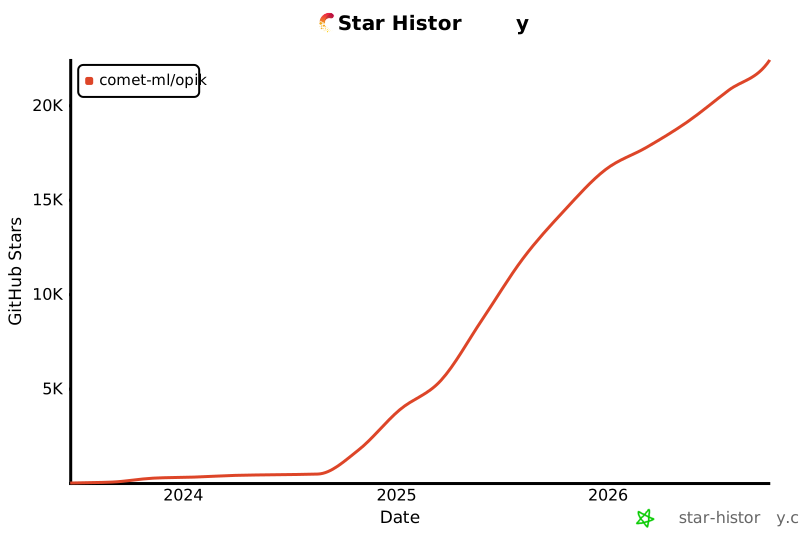](https://github.com/comet-ml/opik)
|
|
|
|
<a id="-contributing"></a>
|
|
## 🤝 Mitwirken
|
|
|
|
Es gibt viele Möglichkeiten, zu Opik beizutragen:
|
|
|
|
- Senden Sie [Fehlerberichte](https://github.com/comet-ml/opik/issues) und [Funktionsanfragen](https://github.com/comet-ml/opik/issues).
|
|
- Überprüfen Sie die Dokumentation und senden Sie [Pull Requests](https://github.com/comet-ml/opik/pulls), um sie zu verbessern
|
|
- Sprechen oder schreiben Sie über Opik und [lassen Sie es uns wissen](https://chat.comet.com)
|
|
- Upvoting für [beliebte Funktionsanfragen](https://github.com/comet-ml/opik/issues?q=is%3Aissue+is%3Aopen+label%3A%22enhancement%22), um Ihre Unterstützung zu zeigen
|
|
|
|
Um mehr darüber zu erfahren, wie Sie zu Opik beitragen können, lesen Sie bitte unsere [Beitragsrichtlinien](CONTRIBUTING.md).
|