 wehub-resource-sync
da6a09ff09
wehub-resource-sync
da6a09ff09
Auto Bump and Release / auto-bump-and-release (push) Has been cancelled
style-check / pre-commit (push) Has been cancelled
unit-test / unit testing with python (push) Has been cancelled
unit-test / unit testing with python 3.10 (push) Has been cancelled
unit-test / unit testing with python 3.11 (push) Has been cancelled
14 lines
1.1 KiB
Markdown
14 lines
1.1 KiB
Markdown
## Installation (Online HuggingFace Space)
|
|
|
|
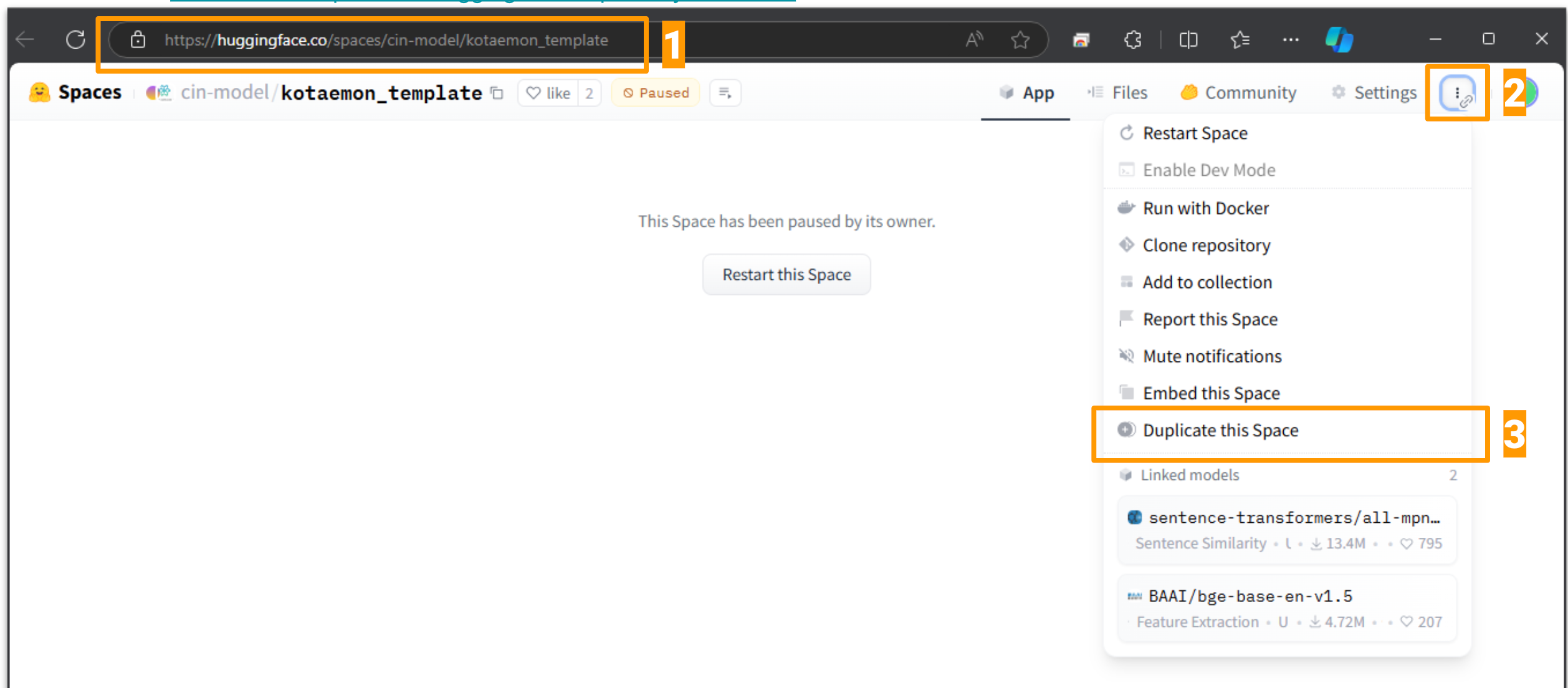
1. Go to [HF kotaemon_template](https://huggingface.co/spaces/cin-model/kotaemon_template).
|
|
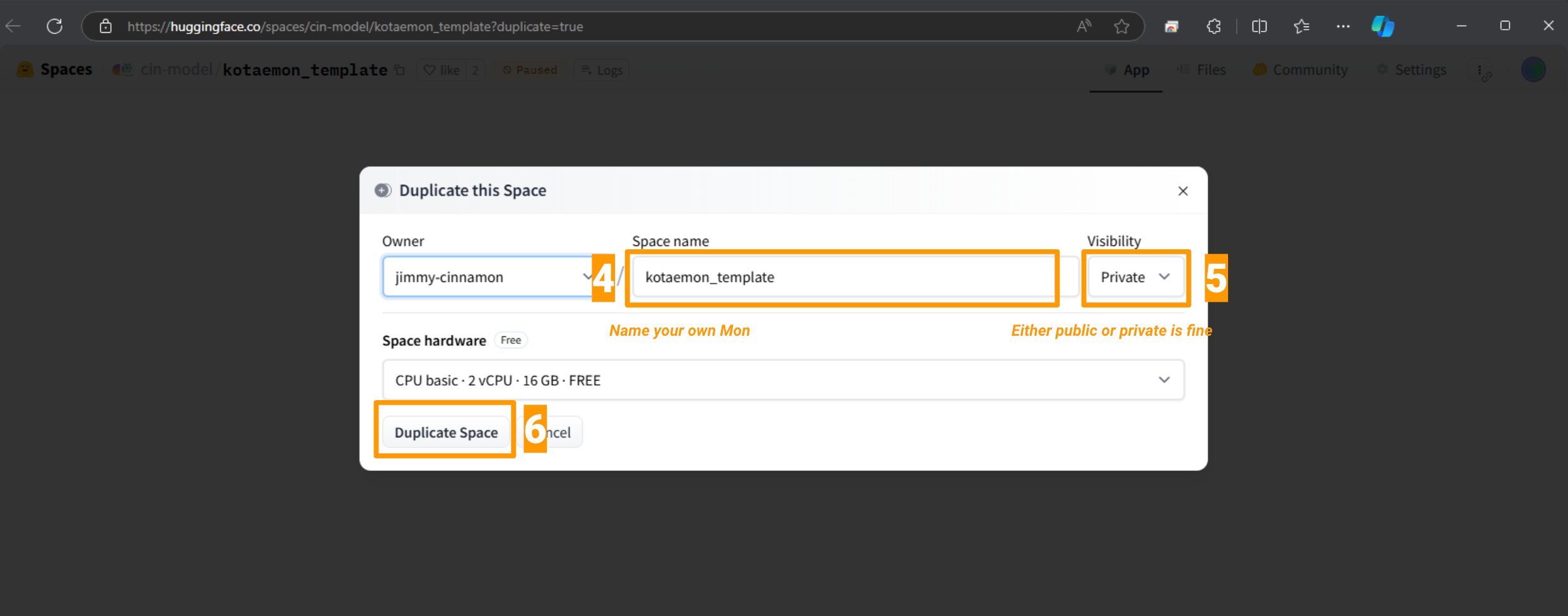
2. Use Duplicate function to create your own space. Or use this [direct link](https://huggingface.co/spaces/cin-model/kotaemon_template?duplicate=true).
|
|
|
|
|
|
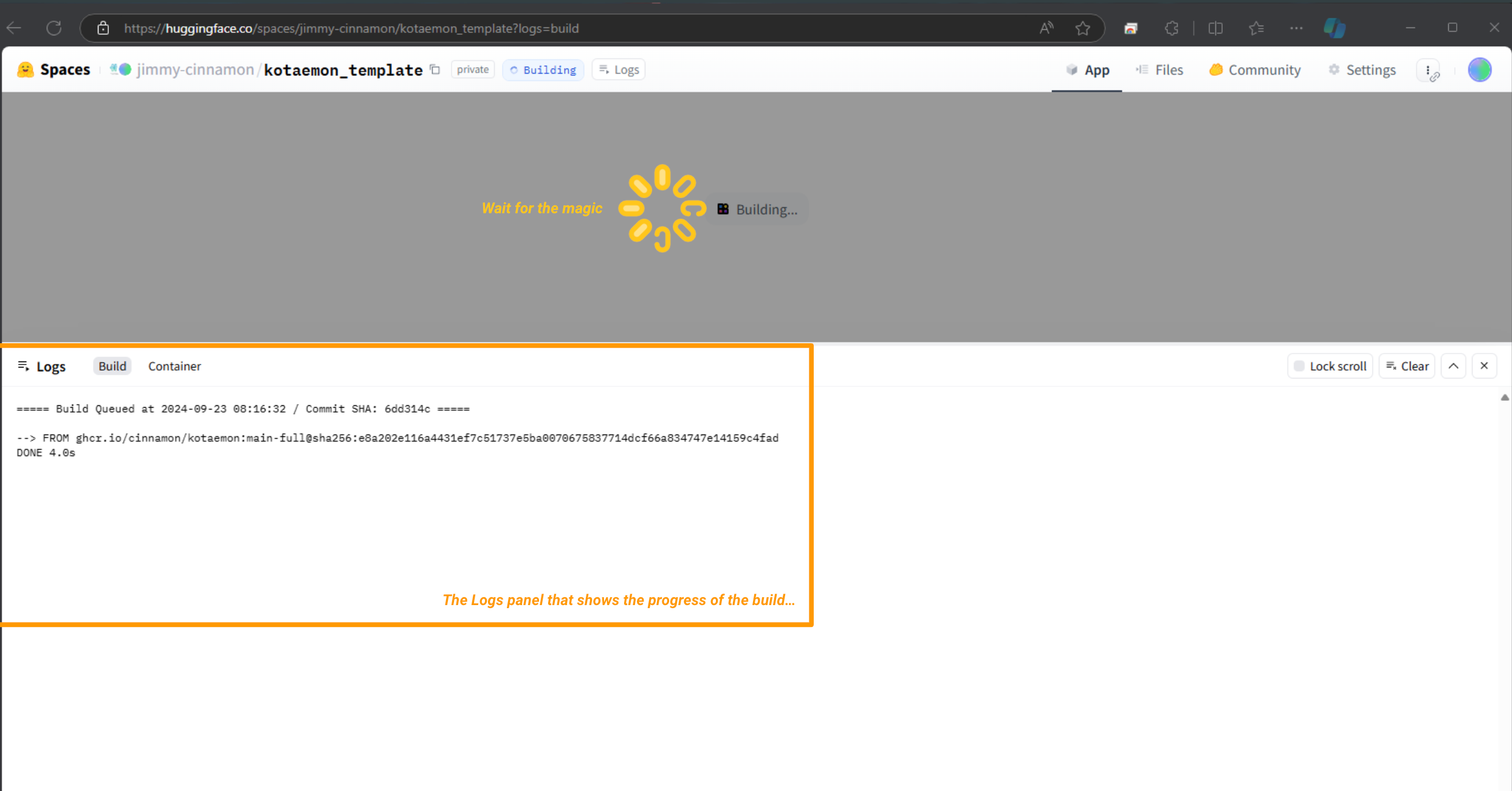
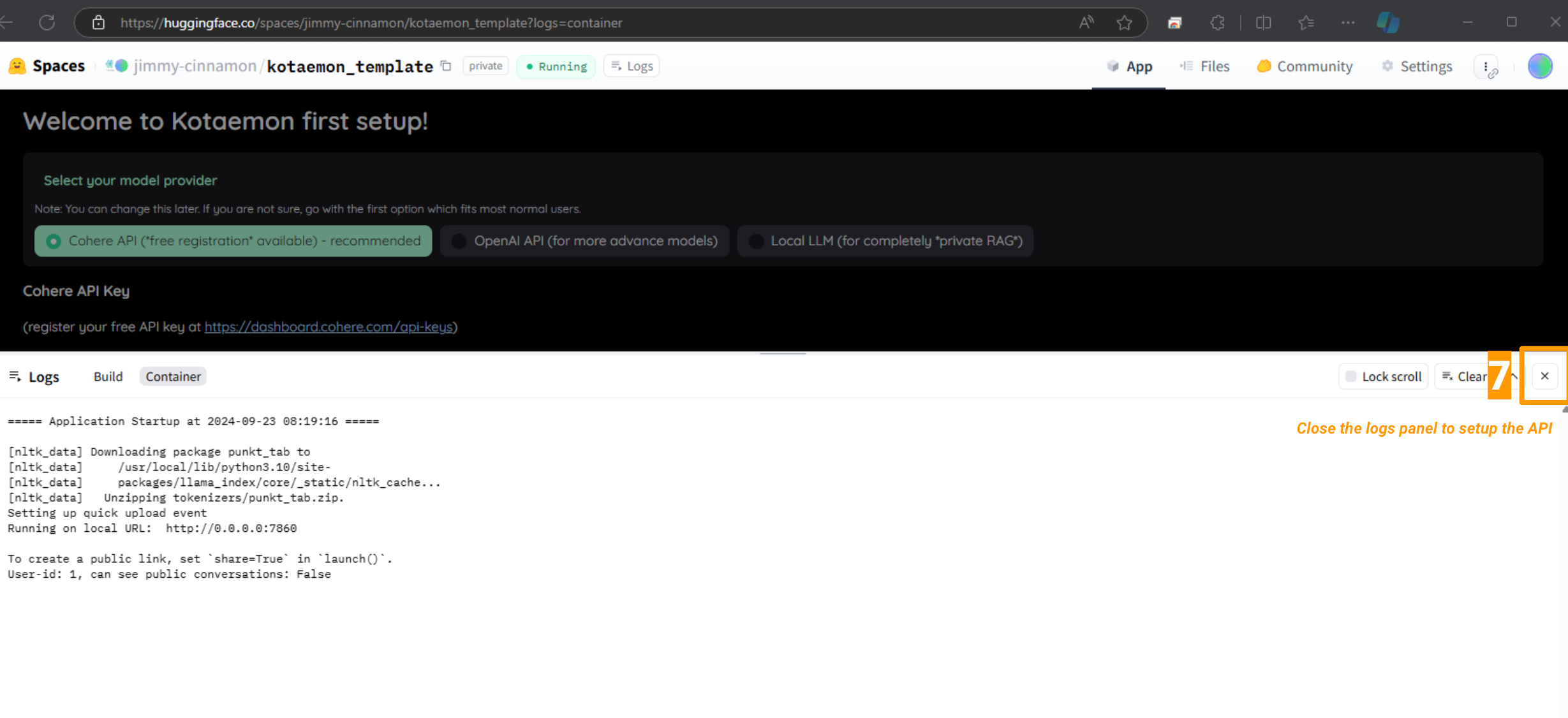
3. Wait for the build to complete and start up (apprx 10 mins).
|
|
|
|
|
|
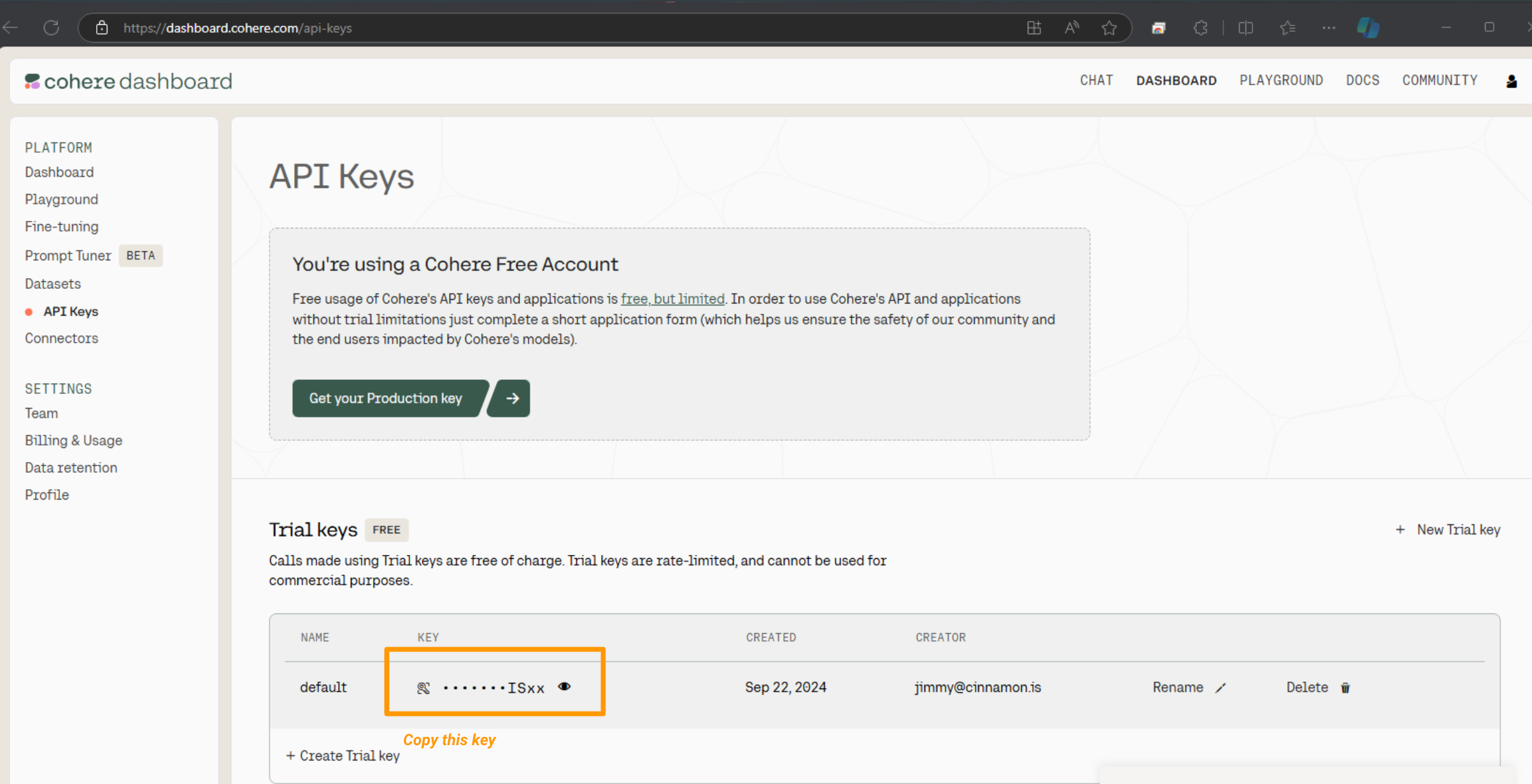
4. Follow the first setup instructions (and register for Cohere API key if needed).
|
|
|
|
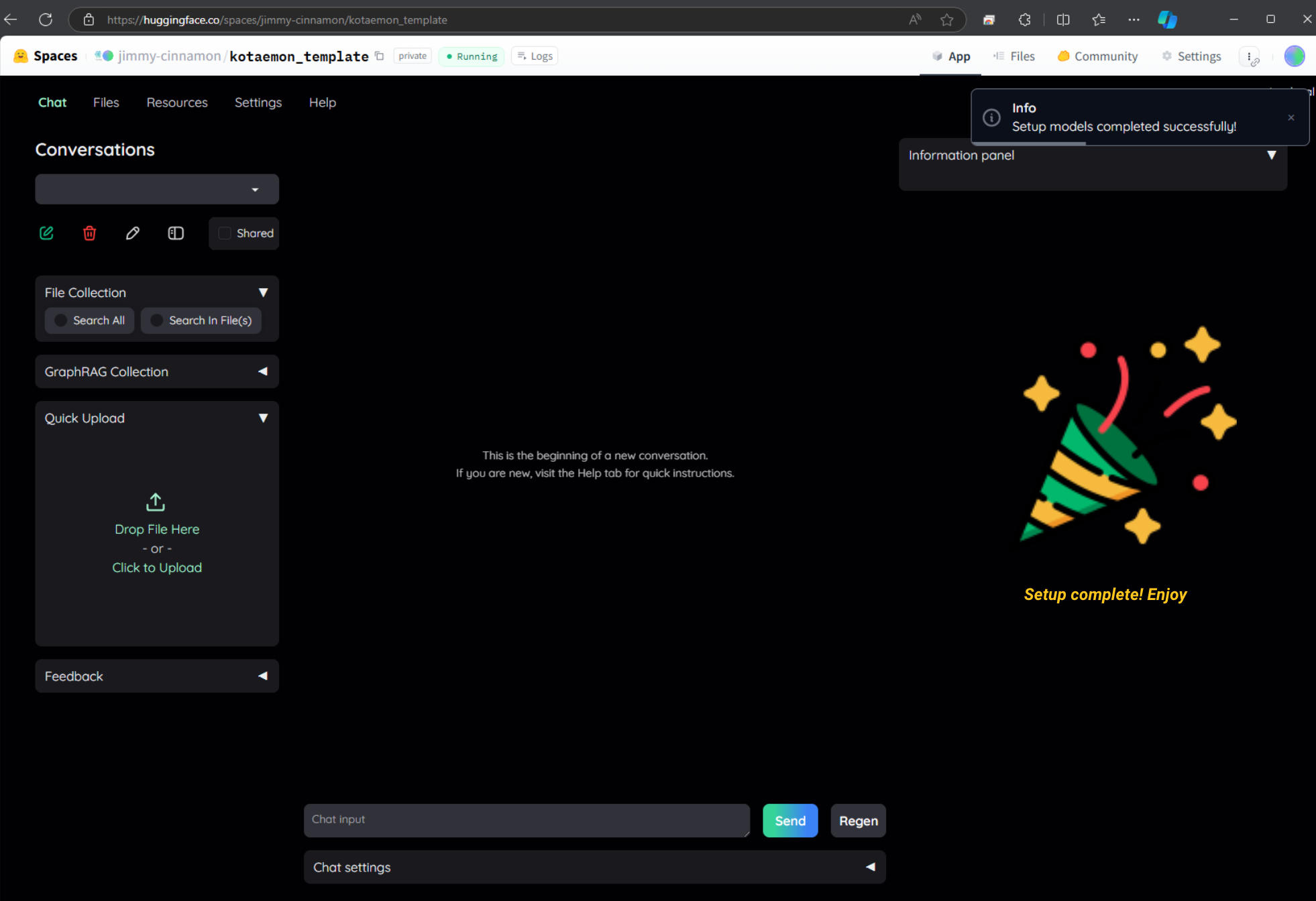
5. Complete the setup and use your own private space!
|
|
|