 wehub-resource-sync
9.3 KiB
中文 | English
R2 Web
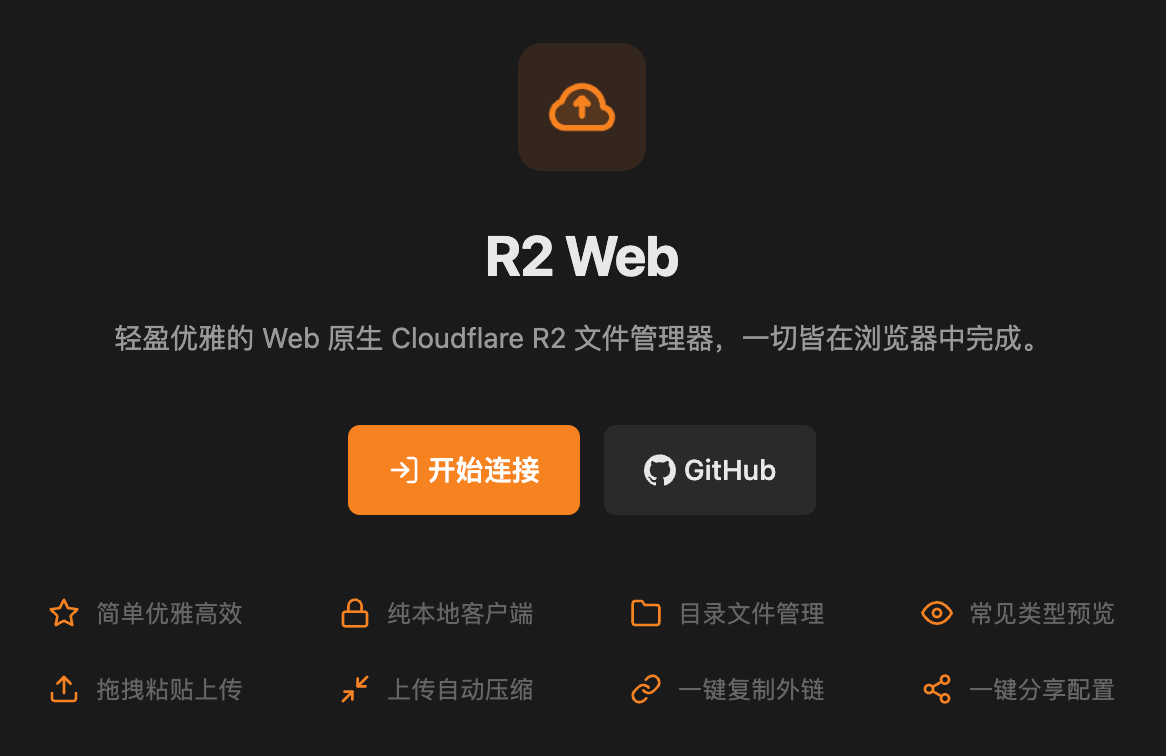
📁 A lightweight, elegant, pure-browser Cloudflare R2 file manager. Everything happens right in your browser.
This project was recommended by Ruanyifeng in Tech Enthusiast Weekly (Issue 387), many thanks for the support!
Also welcome everyone to try it out and provide valuable feedback to make this tool even better and more user-friendly!
Live Demo
Follow the CORS setup guide below, then visit r2.viki.moe to start managing your R2 bucket immediately.
Self-Hosting
Here are some common static hosting platforms for deployment. Click the buttons for one-click deployment:
| Platform | Quick Deploy |
|---|---|
| Vercel | |
| Netlify |  |
| Cloudflare Pages |
Other services can simply deploy the src directory. After deployment, remember to update your CORS rules to allow your domain to access the R2 API.
Feedback
- GitHub Issues — bug reports, feature requests
- QQ Group — real-time discussion (Group ID: 1091212613)
Why R2 Web?
Pain points with traditional solutions:
- The official Cloudflare console is basic and cumbersome to use, especially for managing large numbers of files (copying, moving, renaming, etc.)
- Third-party desktop clients require installation, painful across platforms
- CLI tools have a steep learning curve, not suited for quick ad-hoc tasks
- Other web tools aren't R2-focused, leaving gaps in features and experience
What R2 Web solves:
- Open in a browser and start immediately — zero installation, zero platform friction
- Drag & paste upload with image compression — save bandwidth and time
- PWA support — install to your home screen and use like a native app
- Pure client-side — your data never passes through a third-party server
Where R2 Web falls short:
- Very large file uploads (>300 MB) — use rclone or similar tools instead
- Complex permission management — use the official Cloudflare console
- Automated scripts — use the official SDK or CLI
- API integration — no backend; use the official SDK or call the R2 API directly
Use Cases
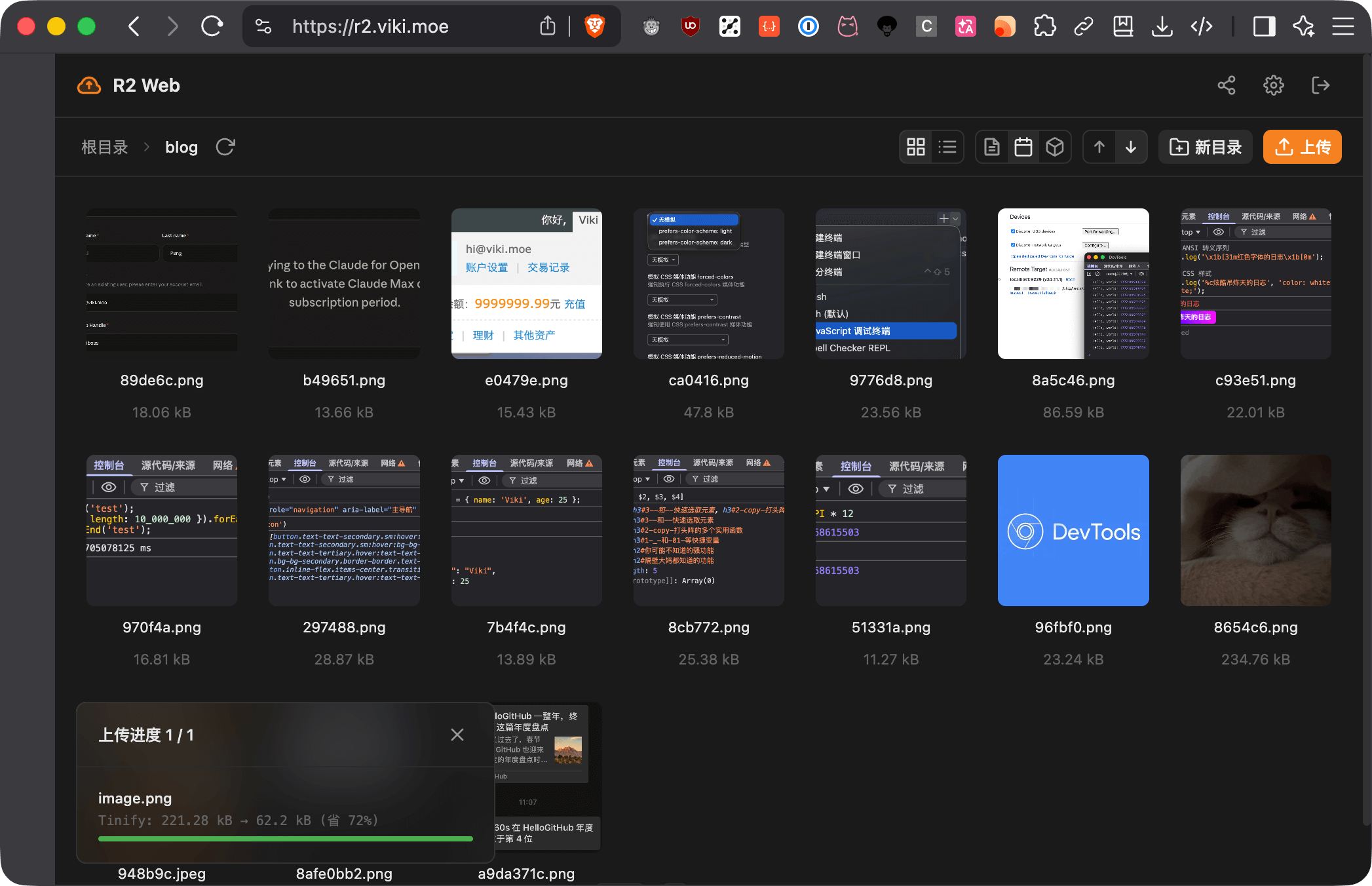
- File management: Browse directories, rename, move, delete — easily handle large collections of files.
- File browsing: Built-in image/video/audio/text preview — quickly inspect content without downloading.
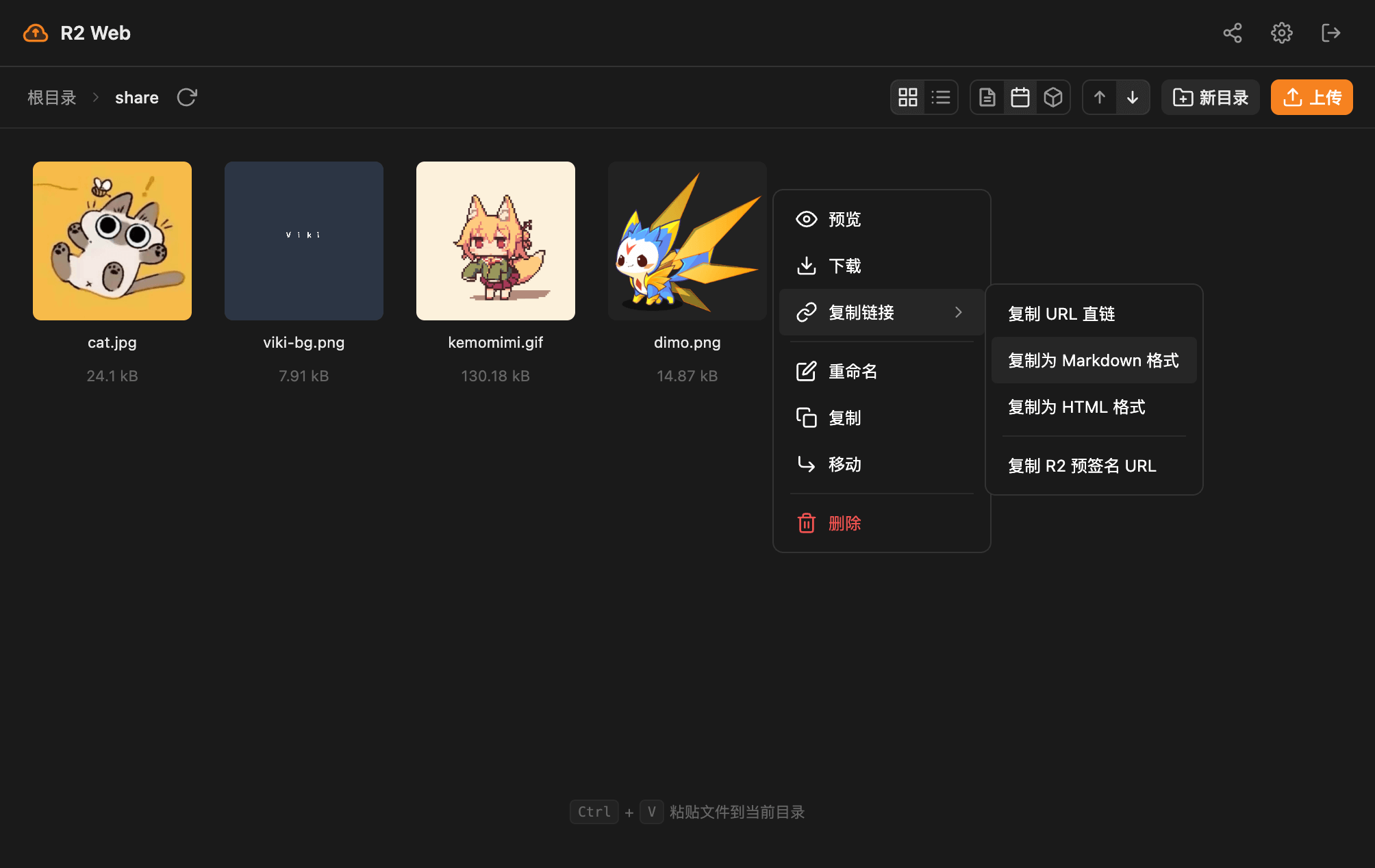
- Private image hosting: Drag & paste upload, auto compression, one-click copy as Markdown/HTML.
Design Philosophy
- Zero build — source is the artifact, no compilation needed
- Zero framework — native Web APIs first, no framework dependency
- Zero backend — all logic runs in the browser, direct R2 API access
- Minimal aesthetic — black/white/grey + R2 orange, small radius, flat design
- Performance first — lazy loading, debounce/throttle, request caching
- Detail-oriented — smooth animations, immediate feedback, keyboard navigation
Screenshots
Feature Overview
| Category | Details |
|---|---|
| File Management | Directory browsing, paginated loading, lazy thumbnail loading; Sort by name / date / size; Rename, move, copy, delete (recursive); Batch operations with multi-select |
| File Upload | Drag / paste / picker upload; Filename templates (hash, date, UUID placeholders); Auto image compression before upload (WebAssembly) |
| File Preview | Image preview (common formats); Inline video / audio player; Text file preview with syntax highlighting |
| Link Copy | Direct URL, Markdown, HTML, pre-signed URL |
| Personalization | Simplified / Traditional Chinese, English, Japanese; Dark mode (follows system); Config share link / QR code |
| PWA | Install to desktop, native-like experience |
Quick Start
1. Configure R2 Bucket CORS
In the Cloudflare dashboard, go to R2 → Bucket → Settings → CORS Policy and add:
[
  {
    "AllowedOrigins": ["https://r2.viki.moe"],
    "AllowedMethods": ["GET", "POST", "PUT", "DELETE", "HEAD"],
    "AllowedHeaders": ["*"],
    "ExposeHeaders": ["etag"],
    "MaxAgeSeconds": 86400
  }
]
Tip
Self-hosting? Just replace
AllowedOriginswith your own domain.
2. Enter Credentials
Visit r2.viki.moe, enter your R2 credentials, and connect. Credentials are stored only in your browser's localStorage and never uploaded anywhere.
3. Start Using
Browse files, drag & drop or press Ctrl+V to upload, right-click any file to rename, copy link, and more.
For image hosting, set a filename template with a hash placeholder, enable image compression for better performance and security.
Tips & Tricks
Filename Template Examples
[name]_[hash:6].[ext]— original name + 6-char hash (default)images/[date:YYYY/MM/DD]/[uuid].[ext]— date-based directory structurebackup/[timestamp]-[name].[ext]— timestamp-prefixed backup
Config Share Link
Generate a "Config Share Link" or "Config QR Code" to quickly sync your settings across devices.
Caution
The link contains your R2 access credentials. Do not share it on public platforms.
Cache Optimization
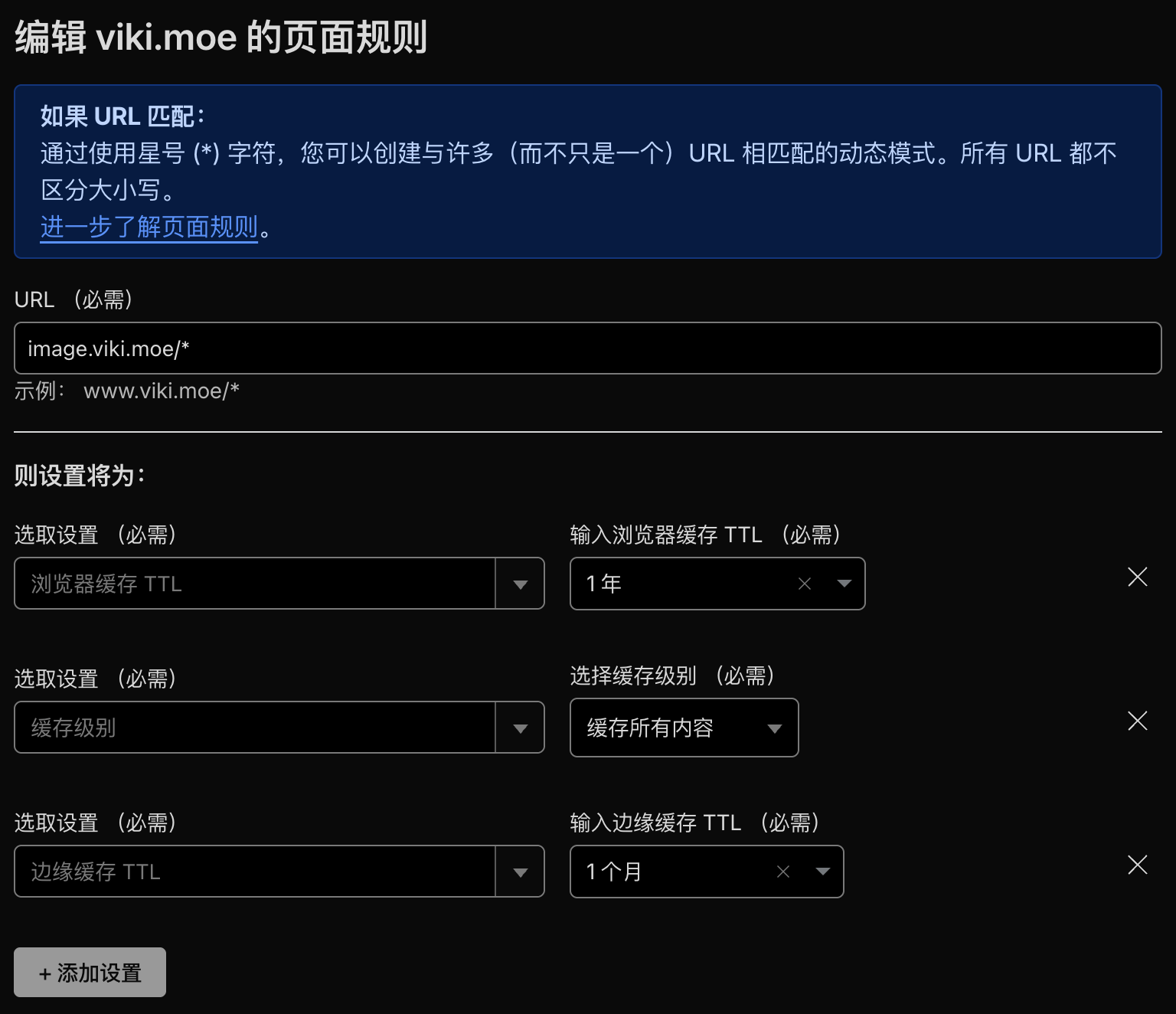
R2 Web has built-in request caching for common operations like directory listings. For CDN caching, configure cache rules in the Cloudflare dashboard to improve load speeds.
Technical Details
A pure frontend application with no build step — write code and deploy immediately.
Core technologies: HTML5/CSS3/ES6+, CSS Layers, native <dialog>, native Fetch, Import Maps, WebAssembly
Dependencies:
aws4fetch— AWS4 request signing for R2 S3 APIdayjs— date formatting@jsquash/*— WebAssembly image compression (MozJPEG, OxiPNG, libwebp, libavif)qrcode— QR code generation
Not required: Node.js, Webpack, Vite, React, Vue or any other build tool or framework — keeping the project lightweight and dependency-free.
Local Development
git clone https://github.com/vikiboss/r2-web.git
cd r2-web

# Install dependencies (for type hints only)
pnpm install

# Start local dev server
npx serve src
# or
python3 -m http.server 5500 --directory src
See CLAUDE.md for the full development guide.
FAQ
Q: Are my credentials safe?
A: Credentials are stored only in your browser's localStorage and are never sent to any server. It is recommended to use API tokens with permissions limited to the specific bucket and non-admin read/write access.
Q: Which browsers are supported?
A: Modern browsers (latest Chrome/Edge/Firefox/Safari). No IE support.
Q: Where does image compression happen?
A: Local compression uses WebAssembly and runs entirely in your browser — no files are sent to any third-party server. If you use cloud compression (Tinify), images are sent to Tinify's servers.
Q: Can I self-host?
A: Yes — fork the repo, update AllowedOrigins in the CORS config to your domain, then deploy to any static hosting service (Cloudflare Pages, Vercel, Netlify, etc.).
Q: What does the config share link contain?
A: It includes your Access Key ID, Secret Access Key, bucket name, and other sensitive information. Do not share it publicly.
Q: Why is my upload failing?
A: Check that your CORS policy is correct, your credentials are valid, and that the file is under 300 MB (use rclone for large files).
Roadmap
- Continuous UI/UX improvements and more shortcut actions
Development Story
This project was built with Claude Opus 4.6 via vibe coding — entirely prompt-driven from requirements to implementation. See plan.md for the initial architecture and design prompts.
License
MIT License