# CHANGELOG.md
## unreleased
- **Access logs now go to stdout.** SQLPage now writes the single per-request completion log line to stdout with the target `sqlpage::access`, matching common application-server and container logging conventions. Diagnostic logs, warnings, and internal errors still go to stderr. If your `LOG_LEVEL` or `RUST_LOG` filter is scoped to a specific old target such as `sqlpage::webserver::http=info`, add `sqlpage::access=info` so request-completion logs are still emitted. If your log pipeline only collects stderr, update it to collect stdout too.
- **OIDC redirects are no longer cacheable.** Authorization redirects contain one-time state and post-login redirects set session cookies. SQLPage now sends `Cache-Control: no-store` for these responses, preventing a browser or intermediary from replaying an expired authorization redirect.
## v0.44.1
An AI-assisted security audit found three vulnerabilities: one authentication bypass that is high severity for affected OIDC deployments, and two lower-severity issues. It also led to three hardening changes. Upgrade now if you use custom OIDC protected paths.
Security fixes:
- **High severity for affected OIDC deployments: protected path bypass.** Affected: sites using OIDC with custom `oidc_protected_paths`, such as `["/admin"]`, to protect only part of the site. Not affected: sites not using OIDC, or using the default `oidc_protected_paths = ["/"]` to protect the whole site. Impact: an unauthenticated attacker could use percent-encoded URLs to access pages that should require login. The fix checks decoded request paths against decoded `oidc_protected_paths` and `oidc_public_paths`.
- **Medium severity: private SQL files could be served after privileged `run_sql` includes.** Affected: apps that call `sqlpage.run_sql(...)` on private paths such as `sqlpage/`, dotfiles, absolute paths, or `../` paths. Impact: an attacker who knew the path could request the cached file directly and run it as a public page for a few milliseconds.
- **Low severity: debug error messages displayed in production** Affected: `environment = "production"` and pages that can error while serving JSON, NDJSON, SSE, or CSV contents. Impact: an attacker could gather private information about your database schema through error messages.
Additional hardening:
- Safely quote `csv` and `download` `filename` values in `Content-Disposition`, preventing download filename corruption.
- Reject unsafe OIDC redirect targets containing backslashes or control characters, affecting user-controlled login return targets and `sqlpage.oidc_logout_url`.
- Bind `sqlpage.oidc_logout_url` links to the current session, preventing forced logout of another browser.
## v0.44.0
This release focuses on making production SQLPage apps easier to understand, debug, and operate. Most apps should keep working without SQL changes, but maintainers should review the notes about logging and uploaded-file permissions.
- **Find out why a page is slow.** SQLPage can now produce a timeline for every request: when the request arrived, which `.sql` file ran, how long it waited for a database connection, which SQL queries ran, and how long calls to `sqlpage.fetch`, `sqlpage.run_sql`, or `sqlpage.exec` took. This kind of request timeline is called a trace. SQLPage emits it using [OpenTelemetry](https://opentelemetry.io/), the standard format understood by tools such as Grafana, Jaeger, Datadog, Honeycomb, New Relic, and others.
- **Easy start:** run the ready-to-use [`examples/telemetry`](https://github.com/sqlpage/SQLPage/tree/main/examples/telemetry#readme) Docker Compose setup. It starts SQLPage, PostgreSQL, Grafana, Tempo, Loki, Prometheus, and an OpenTelemetry collector, so you can click through a sample app and immediately see request timelines and logs.
- **If you already have a monitoring backend:** set `OTEL_EXPORTER_OTLP_ENDPOINT` and, optionally, `OTEL_SERVICE_NAME=sqlpage`.
 - **Logging is now structured and safer.** `LOG_LEVEL` is the preferred environment variable for SQLPage log filtering. `RUST_LOG` still works as an alias, so existing deployments do not need an immediate change. Debug logs for OIDC and `sqlpage.fetch` no longer dump raw tokens, cookies, claims, or response bodies, while still keeping useful request and response metadata.
- **New function: `sqlpage.regex_match(pattern, text)`.** It returns regex capture groups as JSON, or `NULL` when there is no match. This is especially useful in custom `404.sql` files for clean dynamic routes such as `/categories/sql/post/42` without creating one SQL file per possible URL.
- **Uploaded files can now get explicit Unix permissions.** `sqlpage.persist_uploaded_file(field, folder, allowed_extensions, mode)` accepts a fourth `mode` argument such as `'644'`. On Unix, uploaded files default to `600`, meaning only the SQLPage process owner can read them. If you serve uploaded files directly from nginx, Caddy, or another reverse proxy, pass an appropriate mode such as `'644'`.
- **Charts are easier to tune and more accessible.** The chart component now supports `show_legend` to hide or show the series legend. ApexCharts was updated from 5.3.6 to [5.13.0](https://github.com/apexcharts/apexcharts.js/releases/tag/v5.13.0). It brings fixes for datetime axes, annotations, data labels, legend state, tooltips, keyboard navigation, reduced-motion handling, and built-in palette contrast. SQLPage also fixes the chart toolbar menu in dark mode.
- **The SQL parser was updated to [sqlparser-rs 0.62.0](https://github.com/apache/datafusion-sqlparser-rs/blob/3dd0e30d8bb1d2a6775f62d2b84839b60133effb/changelog/0.62.0.md), which is the latest published version at release time.** For SQLPage users, this mainly means fewer false parse errors when using database-specific SQL. Notable additions include more PostgreSQL, MySQL, MSSQL, Snowflake, Redshift, Databricks, Spark SQL, and Teradata syntax, plus a SQLite parser panic fix for incomplete `REGEXP`/`MATCH` expressions.
- **Card image galleries can avoid layout shifts.** The card component now supports `top_image_lazy`, `top_image_width`, and `top_image_height`, so pages with many card images can load more smoothly.
- **Datagrid rows can now have stable HTML anchors.** The datagrid component supports a row-level `id` parameter, useful for links, targeted CSS, and small bits of custom JavaScript.
- **OIDC login is more robust under repeated unauthenticated requests.** SQLPage now caps temporary login-state cookies, avoiding the unbounded cookie growth that could happen when many protected pages were requested before authentication completed.
- **HTTP error statuses are more accurate.** Malformed multipart form data and invalid UTF-8 text fields now return `400 Bad Request`; database connection-pool exhaustion now returns `429 Too Many Requests`; invalid non-Unicode static paths now return `400 Bad Request`; and paths that accidentally descend into a file now behave like normal missing resources. This should make monitoring dashboards and reverse-proxy logs easier to interpret.
- **Invalid response headers no longer crash SQLPage.** If a header-only page tries to return an invalid header value, SQLPage now returns a normal error response instead of crashing the request handling path.
- **DuckDB `::` casts are handled better.** SQLPage no longer warns unnecessarily when using DuckDB-style casts.
- **Database-backed filesystems fail earlier and more clearly when misconfigured.** SQLPage now checks that the `sqlpage_files` table is available before preparing database filesystem queries, so a missing or inaccessible table produces a direct startup error.
- **Dependencies and release tooling were refreshed.** This includes updates to Rust, OpenTelemetry, `sqlx-oldapi`, frontend assets, Docker images, and GitHub Actions used by CI and release builds.
## 0.43.0
- OIDC protected and public paths now respect the site prefix when it is defined.
- Fix: OIDC provider metadata refreshes now always happen in the background, and with a timeout. Previously, a slow OIDC provider could prevent SQLPage from handling requests for an arbitrary amount of time.
- Fix: forms without submit or reset buttons no longer keep extra bottom spacing.
- add submit and reset form button icons: validate_icon, reset_icon, reset_color
- improve error messages when sqlpage functions are used incorrectly. Include precise file reference and line number
- updated sql parser: https://github.com/apache/datafusion-sqlparser-rs/blob/main/changelog/0.61.0.md
- Add margin bottom in the [big number](https://sql-page.com/component?component=big%5Fnumber) component
- In forms without a submit button (such as auto_submit forms), remove awkward padding at the end of the form
## 0.42.0 (2026-01-17)
- **New Function**: `sqlpage.web_root()` - Returns the web root directory where SQLPage serves `.sql` files from. This is more reliable than `sqlpage.current_working_directory()` when you need to reference the location of your SQL files, especially when the `--web-root` argument or `WEB_ROOT` environment variable is used.
- **New Function**: `sqlpage.configuration_directory()` - Returns the configuration directory where SQLPage looks for `sqlpage.json`, templates, and migrations. Useful when you need to reference configuration-related files in your SQL code.
- fix: The default welcome page (`index.sql`) now correctly displays the web root and configuration directory paths instead of showing the current working directory.
- fix: `sqlpage.variables()` now does not return json objects with duplicate keys when post, get and set variables of the same name are present. The semantics of the returned values remains the same (precedence: set > post > get).
- add support for some duckdb-specific (like `select {'a': 1, 'b': 2}`), and oracle-specific syntax dynamically when connected through odbc.
- better oidc support. Single-sign-on now works with sites:
- using a non-default `site_prefix`
- hosted behind an ssl-terminating reverse proxy
- New docker image variant: `lovasoa/sqlpage:latest-duckdb`, `lovasoa/sqlpage:main-duckdb` with preconfigured duckdb odbc drivers.
- New config option: `cache_stale_duration_ms` to control the duration for which cached sql files are considered fresh.
## 0.41.0 (2025-12-28)
- **New Function**: `sqlpage.oidc_logout_url(redirect_uri)` - Generates a secure logout URL for OIDC-authenticated users with support for [RP-Initiated Logout](https://openid.net/specs/openid-connect-rpinitiated-1_0.html#RPLogout)
- Fix compatibility with Auth0 for OpenID-Connect authentification. See https://github.com/ramosbugs/openidconnect-rs/issues/23
- updated sql parser: https://github.com/apache/datafusion-sqlparser-rs/blob/main/changelog/0.60.0.md
- updated apexcharts to 5.3.6:
- https://github.com/apexcharts/apexcharts.js/compare/v5.3.0...v5.3.6
- https://github.com/apexcharts/apexcharts.js/releases/tag/v5.3.6
- re-add the `lime` color option to charts
- update default chart color palette; use [Open Colors](https://yeun.github.io/open-color/)
-
- **Logging is now structured and safer.** `LOG_LEVEL` is the preferred environment variable for SQLPage log filtering. `RUST_LOG` still works as an alias, so existing deployments do not need an immediate change. Debug logs for OIDC and `sqlpage.fetch` no longer dump raw tokens, cookies, claims, or response bodies, while still keeping useful request and response metadata.
- **New function: `sqlpage.regex_match(pattern, text)`.** It returns regex capture groups as JSON, or `NULL` when there is no match. This is especially useful in custom `404.sql` files for clean dynamic routes such as `/categories/sql/post/42` without creating one SQL file per possible URL.
- **Uploaded files can now get explicit Unix permissions.** `sqlpage.persist_uploaded_file(field, folder, allowed_extensions, mode)` accepts a fourth `mode` argument such as `'644'`. On Unix, uploaded files default to `600`, meaning only the SQLPage process owner can read them. If you serve uploaded files directly from nginx, Caddy, or another reverse proxy, pass an appropriate mode such as `'644'`.
- **Charts are easier to tune and more accessible.** The chart component now supports `show_legend` to hide or show the series legend. ApexCharts was updated from 5.3.6 to [5.13.0](https://github.com/apexcharts/apexcharts.js/releases/tag/v5.13.0). It brings fixes for datetime axes, annotations, data labels, legend state, tooltips, keyboard navigation, reduced-motion handling, and built-in palette contrast. SQLPage also fixes the chart toolbar menu in dark mode.
- **The SQL parser was updated to [sqlparser-rs 0.62.0](https://github.com/apache/datafusion-sqlparser-rs/blob/3dd0e30d8bb1d2a6775f62d2b84839b60133effb/changelog/0.62.0.md), which is the latest published version at release time.** For SQLPage users, this mainly means fewer false parse errors when using database-specific SQL. Notable additions include more PostgreSQL, MySQL, MSSQL, Snowflake, Redshift, Databricks, Spark SQL, and Teradata syntax, plus a SQLite parser panic fix for incomplete `REGEXP`/`MATCH` expressions.
- **Card image galleries can avoid layout shifts.** The card component now supports `top_image_lazy`, `top_image_width`, and `top_image_height`, so pages with many card images can load more smoothly.
- **Datagrid rows can now have stable HTML anchors.** The datagrid component supports a row-level `id` parameter, useful for links, targeted CSS, and small bits of custom JavaScript.
- **OIDC login is more robust under repeated unauthenticated requests.** SQLPage now caps temporary login-state cookies, avoiding the unbounded cookie growth that could happen when many protected pages were requested before authentication completed.
- **HTTP error statuses are more accurate.** Malformed multipart form data and invalid UTF-8 text fields now return `400 Bad Request`; database connection-pool exhaustion now returns `429 Too Many Requests`; invalid non-Unicode static paths now return `400 Bad Request`; and paths that accidentally descend into a file now behave like normal missing resources. This should make monitoring dashboards and reverse-proxy logs easier to interpret.
- **Invalid response headers no longer crash SQLPage.** If a header-only page tries to return an invalid header value, SQLPage now returns a normal error response instead of crashing the request handling path.
- **DuckDB `::` casts are handled better.** SQLPage no longer warns unnecessarily when using DuckDB-style casts.
- **Database-backed filesystems fail earlier and more clearly when misconfigured.** SQLPage now checks that the `sqlpage_files` table is available before preparing database filesystem queries, so a missing or inaccessible table produces a direct startup error.
- **Dependencies and release tooling were refreshed.** This includes updates to Rust, OpenTelemetry, `sqlx-oldapi`, frontend assets, Docker images, and GitHub Actions used by CI and release builds.
## 0.43.0
- OIDC protected and public paths now respect the site prefix when it is defined.
- Fix: OIDC provider metadata refreshes now always happen in the background, and with a timeout. Previously, a slow OIDC provider could prevent SQLPage from handling requests for an arbitrary amount of time.
- Fix: forms without submit or reset buttons no longer keep extra bottom spacing.
- add submit and reset form button icons: validate_icon, reset_icon, reset_color
- improve error messages when sqlpage functions are used incorrectly. Include precise file reference and line number
- updated sql parser: https://github.com/apache/datafusion-sqlparser-rs/blob/main/changelog/0.61.0.md
- Add margin bottom in the [big number](https://sql-page.com/component?component=big%5Fnumber) component
- In forms without a submit button (such as auto_submit forms), remove awkward padding at the end of the form
## 0.42.0 (2026-01-17)
- **New Function**: `sqlpage.web_root()` - Returns the web root directory where SQLPage serves `.sql` files from. This is more reliable than `sqlpage.current_working_directory()` when you need to reference the location of your SQL files, especially when the `--web-root` argument or `WEB_ROOT` environment variable is used.
- **New Function**: `sqlpage.configuration_directory()` - Returns the configuration directory where SQLPage looks for `sqlpage.json`, templates, and migrations. Useful when you need to reference configuration-related files in your SQL code.
- fix: The default welcome page (`index.sql`) now correctly displays the web root and configuration directory paths instead of showing the current working directory.
- fix: `sqlpage.variables()` now does not return json objects with duplicate keys when post, get and set variables of the same name are present. The semantics of the returned values remains the same (precedence: set > post > get).
- add support for some duckdb-specific (like `select {'a': 1, 'b': 2}`), and oracle-specific syntax dynamically when connected through odbc.
- better oidc support. Single-sign-on now works with sites:
- using a non-default `site_prefix`
- hosted behind an ssl-terminating reverse proxy
- New docker image variant: `lovasoa/sqlpage:latest-duckdb`, `lovasoa/sqlpage:main-duckdb` with preconfigured duckdb odbc drivers.
- New config option: `cache_stale_duration_ms` to control the duration for which cached sql files are considered fresh.
## 0.41.0 (2025-12-28)
- **New Function**: `sqlpage.oidc_logout_url(redirect_uri)` - Generates a secure logout URL for OIDC-authenticated users with support for [RP-Initiated Logout](https://openid.net/specs/openid-connect-rpinitiated-1_0.html#RPLogout)
- Fix compatibility with Auth0 for OpenID-Connect authentification. See https://github.com/ramosbugs/openidconnect-rs/issues/23
- updated sql parser: https://github.com/apache/datafusion-sqlparser-rs/blob/main/changelog/0.60.0.md
- updated apexcharts to 5.3.6:
- https://github.com/apexcharts/apexcharts.js/compare/v5.3.0...v5.3.6
- https://github.com/apexcharts/apexcharts.js/releases/tag/v5.3.6
- re-add the `lime` color option to charts
- update default chart color palette; use [Open Colors](https://yeun.github.io/open-color/)
-  - re-enable text drop shadow in chart data labels
## 0.40.0 (2025-11-28)
- OIDC login redirects now use HTTP 303 responses so POST submissions are converted to safe GET requests before reaching the identity provider, fixing incorrect reuse of the original POST (HTTP 307) that could break standard auth flows.
- SQLPage now respects [HTTP accept headers](https://developer.mozilla.org/en-US/docs/Web/HTTP/Reference/Headers/Accept) for JSON. You can now easily process the contents of any existing sql page programmatically with:
- `curl -H "Accept: application/json" http://example.com/page.sql`: returns a json array
- `curl -H "Accept: application/x-ndjson" http://example.com/page.sql`: returns one json object per line.
- Fixed a bug in `sqlpage.link`: a link with no path (link to the current page) and no url parameter now works as expected. It used to keep the existing url parameters instead of removing them. `sqlpage.link('', '{}')` now returns `'?'` instead of the empty string.
- `sqlpage.fetch(null)` and `sqlpage.fetch_with_meta(null)` now return `null` instead of throwing an error.
- **New Function**: `sqlpage.set_variable(name, value)`
- Returns a URL with the specified variable set to the given value, preserving other existing variables.
- This is a shorthand for `sqlpage.link(sqlpage.path(), json_patch(sqlpage.variables('get'), json_object(name, value)))`.
- **Variable System Improvements**: URL and POST parameters are now immutable, preventing accidental modification. User-defined variables created with `SET` remain mutable.
- **BREAKING**: `$variable` no longer accesses POST parameters. Use `:variable` instead.
- **What changed**: Previously, `$x` would return a POST parameter value if no GET parameter named `x` existed.
- **Fix**: Replace `$x` with `:x` when you need to access form field values.
- **Example**: Change `SELECT $username` to `SELECT :username` when reading form submissions.
- **BREAKING**: `SET $name` no longer makes GET (URL) parameters inaccessible when a URL parameter with the same name exists.
- **What changed**: `SET $name = 'value'` would previously overwrite the URL parameter `$name`. Now it creates an independent SET variable that shadows the URL parameter.
- **Fix**: This is generally the desired behavior. If you need to access the original URL parameter after setting a variable with the same name, extract it from the JSON returned by `sqlpage.variables('get')`.
- **Example**: If your URL is `page.sql?name=john`, and you do `SET $name = 'modified'`, then:
- `$name` will be `'modified'` (the SET variable)
- The original URL parameter is still preserved and accessible:
- `sqlpage.variables('get')->>'name'` returns `'john'`
- **New behavior**: Variable lookup now follows this precedence:
- `$variable` checks SET variables first, then URL parameters
- SET variables always shadow URL/POST parameters with the same name
- **New sqlpage.variables() filters**:
- `sqlpage.variables('get')` returns only URL parameters as JSON
- `sqlpage.variables('post')` returns only POST parameters as JSON
- `sqlpage.variables('set')` returns only user-defined SET variables as JSON
- `sqlpage.variables()` returns all variables merged together, with SET variables taking precedence
- **Deprecation warnings**: Using `$var` when both a URL parameter and POST parameter exist with the same name now shows a warning. In a future version, you'll need to explicitly choose between `$var` (URL) and `:var` (POST).
- Improved performance of `sqlpage.run_sql`.
- On a simple test that just runs 4 run_sql calls, the new version is about 2.7x faster (15,708 req/s vs 5,782 req/s) with lower latency (0.637 ms vs 1.730 ms per request).
- add support for postgres range types
## v0.39.1 (2025-11-08)
- More precise server timing tracking to debug performance issues
- Fix missing server timing header in some cases
- Implement nice error messages for some header-related errors such as invalid header values.
- `compress_responses` is now set to `false` by default in the configuration.
- When response compression is enabled, additional buffering is needed. Users reported a better experience with pages that load more progressively, reducing the time before the pages' shell is rendered.
- When SQLPage is deployed behind a reverse proxy, compressing responses between sqlpage and the proxy is wasteful.
- In the table component, allow simple objects in custom_actions instead of requiring arrays of objects.
- Fatser icon loading. Previously, even a page containing a single icon required downloading and parsing a ~2MB file. This resulted in a delay where pages initially appeared with a blank space before icons appeared. Icons are now inlined inside pages and appear instantaneously.
- Updated tabler icons to 3.35
- Fix inaccurate ODBC warnings
- Added support for Microsoft SQL Server named instances: `mssql://user:pass@localhost/db?instance_name=xxx`
- Added a detailed [performance guide](https://sql-page.com/blog?post=Performance+Guide) to the docs.
## v0.39.0 (2025-10-28)
- Ability to execute sql for URL paths with another extension. If you create sitemap.xml.sql, it will be executed for example.com/sitemap.xml
- Display source line info in errors even when the database does not return a precise error position. In this case, the entire problematic SQL statement is referenced.
- The shell with a vertical sidebar can now have "active" elements, just like the horizontal header bar.
- New `edit_url`, `delete_url`, and `custom_actions` properties in the [table](https://sql-page.com/component.sql?component=table) component to easily add nice icon buttons to a table.
- SQLPage now sets the [`Server-Timing` header](https://developer.mozilla.org/en-US/docs/Web/HTTP/Reference/Headers/Server-Timing) in development. So when you have a page that loads slowly, you can open your browser's network inspector, click on the slow request, then open the timing tab to understand where it's spending its time.
-
- re-enable text drop shadow in chart data labels
## 0.40.0 (2025-11-28)
- OIDC login redirects now use HTTP 303 responses so POST submissions are converted to safe GET requests before reaching the identity provider, fixing incorrect reuse of the original POST (HTTP 307) that could break standard auth flows.
- SQLPage now respects [HTTP accept headers](https://developer.mozilla.org/en-US/docs/Web/HTTP/Reference/Headers/Accept) for JSON. You can now easily process the contents of any existing sql page programmatically with:
- `curl -H "Accept: application/json" http://example.com/page.sql`: returns a json array
- `curl -H "Accept: application/x-ndjson" http://example.com/page.sql`: returns one json object per line.
- Fixed a bug in `sqlpage.link`: a link with no path (link to the current page) and no url parameter now works as expected. It used to keep the existing url parameters instead of removing them. `sqlpage.link('', '{}')` now returns `'?'` instead of the empty string.
- `sqlpage.fetch(null)` and `sqlpage.fetch_with_meta(null)` now return `null` instead of throwing an error.
- **New Function**: `sqlpage.set_variable(name, value)`
- Returns a URL with the specified variable set to the given value, preserving other existing variables.
- This is a shorthand for `sqlpage.link(sqlpage.path(), json_patch(sqlpage.variables('get'), json_object(name, value)))`.
- **Variable System Improvements**: URL and POST parameters are now immutable, preventing accidental modification. User-defined variables created with `SET` remain mutable.
- **BREAKING**: `$variable` no longer accesses POST parameters. Use `:variable` instead.
- **What changed**: Previously, `$x` would return a POST parameter value if no GET parameter named `x` existed.
- **Fix**: Replace `$x` with `:x` when you need to access form field values.
- **Example**: Change `SELECT $username` to `SELECT :username` when reading form submissions.
- **BREAKING**: `SET $name` no longer makes GET (URL) parameters inaccessible when a URL parameter with the same name exists.
- **What changed**: `SET $name = 'value'` would previously overwrite the URL parameter `$name`. Now it creates an independent SET variable that shadows the URL parameter.
- **Fix**: This is generally the desired behavior. If you need to access the original URL parameter after setting a variable with the same name, extract it from the JSON returned by `sqlpage.variables('get')`.
- **Example**: If your URL is `page.sql?name=john`, and you do `SET $name = 'modified'`, then:
- `$name` will be `'modified'` (the SET variable)
- The original URL parameter is still preserved and accessible:
- `sqlpage.variables('get')->>'name'` returns `'john'`
- **New behavior**: Variable lookup now follows this precedence:
- `$variable` checks SET variables first, then URL parameters
- SET variables always shadow URL/POST parameters with the same name
- **New sqlpage.variables() filters**:
- `sqlpage.variables('get')` returns only URL parameters as JSON
- `sqlpage.variables('post')` returns only POST parameters as JSON
- `sqlpage.variables('set')` returns only user-defined SET variables as JSON
- `sqlpage.variables()` returns all variables merged together, with SET variables taking precedence
- **Deprecation warnings**: Using `$var` when both a URL parameter and POST parameter exist with the same name now shows a warning. In a future version, you'll need to explicitly choose between `$var` (URL) and `:var` (POST).
- Improved performance of `sqlpage.run_sql`.
- On a simple test that just runs 4 run_sql calls, the new version is about 2.7x faster (15,708 req/s vs 5,782 req/s) with lower latency (0.637 ms vs 1.730 ms per request).
- add support for postgres range types
## v0.39.1 (2025-11-08)
- More precise server timing tracking to debug performance issues
- Fix missing server timing header in some cases
- Implement nice error messages for some header-related errors such as invalid header values.
- `compress_responses` is now set to `false` by default in the configuration.
- When response compression is enabled, additional buffering is needed. Users reported a better experience with pages that load more progressively, reducing the time before the pages' shell is rendered.
- When SQLPage is deployed behind a reverse proxy, compressing responses between sqlpage and the proxy is wasteful.
- In the table component, allow simple objects in custom_actions instead of requiring arrays of objects.
- Fatser icon loading. Previously, even a page containing a single icon required downloading and parsing a ~2MB file. This resulted in a delay where pages initially appeared with a blank space before icons appeared. Icons are now inlined inside pages and appear instantaneously.
- Updated tabler icons to 3.35
- Fix inaccurate ODBC warnings
- Added support for Microsoft SQL Server named instances: `mssql://user:pass@localhost/db?instance_name=xxx`
- Added a detailed [performance guide](https://sql-page.com/blog?post=Performance+Guide) to the docs.
## v0.39.0 (2025-10-28)
- Ability to execute sql for URL paths with another extension. If you create sitemap.xml.sql, it will be executed for example.com/sitemap.xml
- Display source line info in errors even when the database does not return a precise error position. In this case, the entire problematic SQL statement is referenced.
- The shell with a vertical sidebar can now have "active" elements, just like the horizontal header bar.
- New `edit_url`, `delete_url`, and `custom_actions` properties in the [table](https://sql-page.com/component.sql?component=table) component to easily add nice icon buttons to a table.
- SQLPage now sets the [`Server-Timing` header](https://developer.mozilla.org/en-US/docs/Web/HTTP/Reference/Headers/Server-Timing) in development. So when you have a page that loads slowly, you can open your browser's network inspector, click on the slow request, then open the timing tab to understand where it's spending its time.
-  - Fixed a memory corruption issue in the builtin odbc driver manager
- ODBC: fix using globally installed system drivers by their name in debian-based linux distributions.
- New [login](https://sql-page.com/component.sql?component=table) component.
## v0.38.0
- Added support for the Open Database Connectivity (ODBC) standard.
- This makes SQLPage compatible with many new databases, including:
- [_ClickHouse_](https://github.com/ClickHouse/clickhouse-odbc),
- [_MongoDB_](https://www.mongodb.com/docs/atlas/data-federation/query/sql/drivers/odbc/connect),
- [_DuckDB_](https://duckdb.org/docs/stable/clients/odbc/overview.html), and through it [many other data sources](https://duckdb.org/docs/stable/data/data_sources),
- [_Oracle_](https://www.oracle.com/database/technologies/releasenote-odbc-ic.html),
- [_Snowflake_](https://docs.snowflake.com/en/developer-guide/odbc/odbc),
- [_BigQuery_](https://cloud.google.com/bigquery/docs/reference/odbc-jdbc-drivers),
- [_IBM DB2_](https://www.ibm.com/support/pages/db2-odbc-cli-driver-download-and-installation-information),
- [_Trino_](https://docs.starburst.io/clients/odbc/odbc-v2.html), and through it [many other data sources](https://trino.io/docs/current/connector.html)
- Added a new `sqlpage.hmac()` function for cryptographic HMAC (Hash-based Message Authentication Code) operations.
- Create and verify secure signatures for webhooks (Shopify, Stripe, GitHub, etc.)
- Generate tamper-proof tokens for API authentication
- Secure download links and temporary access codes
- Supports SHA-256 (default) and SHA-512 algorithms
- Output formats: hexadecimal (default) or base64 (e.g., `sha256-base64`)
- See the [function documentation](https://sql-page.com/functions.sql?function=hmac) for detailed examples
- Fixed a slight spacing issue in the list components empty value display.
- Improved performance of setting a variable to a literal value. `SET x = 'hello'` is now executed locally by SQLPage and does not send anything to the database. This completely removes the cost of extracting static values into variables for cleaner SQL files.
- Enable arbitrary precision in the internal representation of numbers. This guarantees zero precision loss when the database returns very large or very small DECIMAL or NUMERIC values.
## v0.37.1
- fixed decoding of UUID values
- Fixed handling of NULL values in `sqlpage.link`. They were encoded as the string `'null'` instead of being omitted from the link's parameters.
- Enable submenu autoclosing (on click) in the shell. This is not ideal, but this prevents a bug introduced in v0.36.0 where the page would scroll back to the top when clicking anywhere on the page after navigating from a submenu. The next version will fix this properly. See https://github.com/sqlpage/SQLPage/issues/1011
- Adopt the new nice visual errors introduced in v0.37.1 for "403 Forbidden" and "429 Too Many Requests" errors.
- Fix a bug in oidc login flows. When two tabs in the same browser initiated a login at the same time, an infinite redirect loop could be triggered. This mainly occured when restoring open tabs after a period of inactivity, often in mobile browsers.
- Multiple small sql parser improvements.
- Adds support for MERGE queries inside CTEs, and MERGE queries with a RETURNING clause.
- https://github.com/apache/datafusion-sqlparser-rs/blob/main/changelog/0.59.0.md
## v0.37.0
- We now cryptographically sign the Windows app during releases, which proves the file hasn’t been tampered with. Once the production certificate is active, Windows will show a "verified publisher" and should stop showing screens saying "This app might harm your device", "Windows protected your PC" or "Are you sure you want to run this application ?".
- Thanks to https://signpath.io for providing us with a windows signing certificate !
- Added a new parameter `encoding` to the [fetch](https://sql-page.com/functions.sql?function=fetch) function:
- All [standard web encodings](https://encoding.spec.whatwg.org/#concept-encoding-get) are supported.
- Additionally, `base64` can be specified to decode binary data as base64 (compatible with [data URI](https://developer.mozilla.org/en-US/docs/Web/HTTP/Basics_of_HTTP/Data_URIs))
- By default, the old behavior of the `fetch_with_meta` function is preserved: the response body is decoded as `utf-8` if possible, otherwise the response is encoded in `base64`.
- Added a specific warning when a URL parameter and a form field have the same name. The previous general warning about referencing form fields with the `$var` syntax was confusing in that case.
- [modal](https://sql-page.com/component.sql?component=modal) component: allow opening modals with a simple link.
- This allows you to trigger modals from any other component, including tables, maps, forms, lists and more.
- Since modals have their own url inside the page, you can now link to a modal from another page, and if you refresh a page while the modal is open, the modal will stay open.
- modals now have an `open` parameter to open the modal automatically when the page is loaded.
- New [download](https://sql-page.com/component.sql?component=download) component to let the user download files. The files may be stored as BLOBs in the database, local files on the server, or may be fetched from a different server.
- **Enhanced BLOB Support**. You can now return binary data (BLOBs) directly to sqlpage, and it will automatically convert them to data URLs. This allows you to use database BLOBs directly wherever a link is expected, including in the new download component.
- supports columns of type `BYTEA` (PostgreSQL), `BLOB` (MySQL, SQLite), `VARBINARY` and `IMAGE` (mssql)
- Automatic detection of common file types based on magic bytes
- This means you can use a BLOB wherever an image url is expected. For instance:
```sql
select 'list' as component;
select username as title, avatar_blob as image_url
from users;
```
- When a sql file is saved with the wrong character encoding (not UTF8), SQLPage now displays a helpful error messages that points to exactly where in the file the problem is.
- More visual error messages: errors that occured before (such as file access issues) used to generate plain text messages that looked scary to non-technical users. All errors are now displayed nicely in the browser.
- The form component now considers numbers and their string representation as equal when comparing the `value` parameter and the values from the `options` parameter in dropdowns. This makes it easier to use variables (which are always strings) in the value parameter in order to preserve a dropdown field value across page reloads. The following is now valid:
- ```sql
select 'form' as component;
select
'select' as type,
true as create_new,
true as dropdown,
'2' as value, -- passed as text even if the option values are passed as integers
'[{"label": "A", "value": 1}, {"label": "B", "value": 2}]' as options;
```
## v0.36.1
- Fix regression introduced in v0.36.0: PostgreSQL money values showed as 0.0
- The recommended way to display money values in postgres is still to format them in the way you expect in SQL. See https://github.com/sqlpage/SQLPage/issues/983
- updated dependencies
## v0.36.0
- added support for the MONEY and SMALLMONEY types in MSSQL.
- include [math functions](https://sqlite.org/lang_mathfunc.html) in the builtin sqlite3 database.
- the sqlpage binary can now help you create new empty migration files from the command line:
```
❯ ./sqlpage create-migration my_new_table
Migration file created: sqlpage/migrations/20250627095944_my_new_table.sql
```
- New [modal](https://sql-page.com/component.sql?component=modal) component
- In bar charts: Sort chart categories by name instead of first appearance. This is useful when displaying cumulative bar charts with some series missing data for some x values.
- Updated tabler to v1.4 https://github.com/tabler/tabler/releases/tag/%40tabler%2Fcore%401.4.0
- Updated tabler-icons to v3.34 (19 new icons) https://tabler.io/changelog#/changelog/tabler-icons-3.34
- Added support for partially private sites when using OIDC single sign-on:
- The same SQLPage application can now have both publicly accessible and private pages accessible to users authenticated with SSO.
- This allows easily creating a "log in page" that redirects to the OIDC provider.
- See the [configuration](./configuration.md) for `oidc_protected_paths`
- Chart component: accept numerical values passed as strings in pie charts.
- updated sql parser: [v0.57](https://github.com/apache/datafusion-sqlparser-rs/blob/main/changelog/0.57.0.md) [v0.58](https://github.com/apache/datafusion-sqlparser-rs/blob/main/changelog/0.58.0.md)
- **Postgres text search types**: allows `tsquery` and `tsvector` data types
```sql
SELECT 'OpenAI'::text @@ 'open:*'::tsquery;
```
- **LIMIT in subqueries**: fixes parsing of `LIMIT` inside subselects
```sql
SELECT id FROM (SELECT id FROM users ORDER BY id LIMIT 5) AS sub;
```
- **MySQL `MEMBER OF`**: JSON array membership test
```sql
SELECT 17 MEMBER OF('[23, "abc", 17, "ab", 10]')
```
- **Join precedence fix**: corrects interpretation of mixed `JOIN` types without join conditions
```sql
SELECT * FROM t1 NATURAL JOIN t2
```
- **Unicode identifiers**: allows non‑ASCII names in MySQL/Postgres/SQLite
```sql
SELECT 用户 AS chinese_name FROM accounts;
```
- **Regex and `LIKE` operator fixes**: allow using `~` and `LIKE` with arrays
```sql
select a ~ any(array['x']);
```
- MSSQL output and default keywords in `EXEC` statements
```sql
EXECUTE dbo.proc1 DEFAULT
```
- The file-based routing system was improved. Now, requests to `/xxx` redirect to `/xxx/` only if `/xxx/index.sql` exists.
- fix: When single sign on is enabled, and an anonymous user visits a page with URL parameters, the user is correctly redirected to the page with the parameters after login.
- SQLPage can now read custom claims from Single-Sign-On (SSO) tokens. This allows you to configure your identity provider to include user-specific data, such as roles or permissions, directly in the login token. This information becomes available in your SQL queries, enabling you to build pages that dynamically adapt their content to the authenticated user.
- A bug that caused SSO logins to fail over time has been fixed. The issue occurred because identity providers regularly rotate their security keys, but SQLPage previously only fetched them at startup. The application now automatically refreshes this provider metadata periodically and after login errors, ensuring stable authentication without requiring manual restarts.
## v0.35.2
- Fix a bug with zero values being displayed with a non-zero height in stacked bar charts.
- Updated dependencies, including the embedded SQLite database.
- Release binaries are now dynamically linked again, but use GLIBC 2.28 ([released in 2018](https://sourceware.org/glibc/wiki/Glibc%20Timeline)), with is compatible with older linux distributions.
- fixes an issue introduced in 0.35 where custom SQLite extension loading would not work.
- When an user requests a page that does not exist (and the site owner did not provide a custom 404.sql file), we now serve a nice visual 404 web page instead of the ugly textual message and the verbose log messages we used to have.
- 
- still returns plain text 404 for non-HTML requests
- Rich text editor: implement a readonly mode, activated when the field is not editable
- [chart](https://sql-page.com/component.sql?component=chart): remove automatic sorting of categories. Values are now displayed in the order they are returned by the query.
## v0.35.1
- improve color palette for charts
- Fix some color names not working in the datagrid component
## v0.35
- Add support for [single sign-on using OIDC](sql-page.com/sso)
- Allows protecting access to your website using "Sign in with Google/Microsoft/..."
- Fix tooltips not showing on line charts with one or more hidden series
- Update default chart colors and text shadows for better readability with all themes
- Optimize memory layout by boxing large structs. Slightly reduces memory usage.
- New example: [Rich text editor](./examples/rich-text-editor/). Let your users safely write formatted text with links and images.
- Update the Tabler CSS library to [v1.3](https://tabler.io/changelog#/changelog/tabler-1.3). This fixes issues with
- the alignment inside chart tooltips
- the display of lists
- update to [tabler incons v1.33](https://tabler.io/changelog#/changelog/tabler-icons-3.33) with many new icons.
- Add an `active` top-level parameter to the shell component to highlight one of the top bar menu items. Thanks to @andrewsinnovations !
- Make the [Content-Security-Policy](https://developer.mozilla.org/en-US/docs/Web/HTTP/Guides/CSP) customization more flexible, allowing you to harden the default security rules. Thanks to @guspower !
- Fix vertically truncated text in the list component on empty descriptions.
- 
- Updated sqlparser to [v0.56](https://github.com/apache/datafusion-sqlparser-rs/blob/main/changelog/0.56.0.md), with many improvements including:
- Add support for the xmltable(...) function in postgres
- Add support for MSSQL IF/ELSE statements.
- Added four optional properties to the `big_number` component:
- title_link (string): the URL or path that the Big Number’s title should link to, if any
- title_link_new_tab (bool): how the title link is opened
- value_link (string): the URL or path that the Big Number’s value should link to, if any
- value_link_new_tab (bool): open the link in a new tab
- Add support for nice "switch" checkboxes in the form component using `'switch' as type`
- Add support for headers in the form component using
- Release binaries are statically linked on linux
## v0.34 (2025-03-23)
### ✨ Top Features at a Glance
- **Safer deletion flows** in lists
- **Better table styling control** with CSS updates
- **Right-to-Left language support**
- **HTML-enhanced Markdown** in text components
- **Sticky table footers** for better data presentation
### 🔒 Security First
#### **POST-based Deletions**
List component's `delete_link` now uses secure POST requests:
```sql
SELECT 'list' AS component;
SELECT 'Delete me' AS title, 'delete_item.sql?id=77' AS delete_link;
```
_Prevents accidental deletions by web crawlers and follows REST best practices_
#### **Protected Internal Files**
- Files/folders starting with `.` (e.g., `.utils/`) are now inaccessible
- Perfect for internal scripts used with `sqlpage.run_sql()`
### 🎨 UI & Component Upgrades
#### **Table Styling Revolution**
```css
/* Before: .price | After: */
._col_price {
background: #f8f9fa;
border-right: 2px solid #dee2e6;
}
```
- New CSS class pattern: `._col_{column_name}`
- Fixes [#830](https://github.com/sqlpage/SQLPage/issues/830)
#### **Column component**
```sql
SELECT 'columns' AS component;
SELECT 'View details' AS title; -- No button shown
```
- Columns without button text now hide empty buttons
- Cleaner interfaces by default
#### **Sticky Table Footers**
```sql
SELECT
'table' AS component,
true AS freeze_footers;
SELECT
'Total' AS label,
SUM(price) AS value,
true AS _sqlpage_footer;
```
- Keep summary rows visible during scroll
- Use `_sqlpage_footer` on your final data row
### 🌍 Internationalization
#### **Right-to-Left Support**
```sql
SELECT 'shell' AS component, true AS rtl;
```
- Enable RTL mode per page via shell component
- Perfect for Arabic, Hebrew, and Persian content
### 📝 Content Handling
#### **Rich Text Power**
```sql
SELECT 'text' AS component,
'
- Fixed a memory corruption issue in the builtin odbc driver manager
- ODBC: fix using globally installed system drivers by their name in debian-based linux distributions.
- New [login](https://sql-page.com/component.sql?component=table) component.
## v0.38.0
- Added support for the Open Database Connectivity (ODBC) standard.
- This makes SQLPage compatible with many new databases, including:
- [_ClickHouse_](https://github.com/ClickHouse/clickhouse-odbc),
- [_MongoDB_](https://www.mongodb.com/docs/atlas/data-federation/query/sql/drivers/odbc/connect),
- [_DuckDB_](https://duckdb.org/docs/stable/clients/odbc/overview.html), and through it [many other data sources](https://duckdb.org/docs/stable/data/data_sources),
- [_Oracle_](https://www.oracle.com/database/technologies/releasenote-odbc-ic.html),
- [_Snowflake_](https://docs.snowflake.com/en/developer-guide/odbc/odbc),
- [_BigQuery_](https://cloud.google.com/bigquery/docs/reference/odbc-jdbc-drivers),
- [_IBM DB2_](https://www.ibm.com/support/pages/db2-odbc-cli-driver-download-and-installation-information),
- [_Trino_](https://docs.starburst.io/clients/odbc/odbc-v2.html), and through it [many other data sources](https://trino.io/docs/current/connector.html)
- Added a new `sqlpage.hmac()` function for cryptographic HMAC (Hash-based Message Authentication Code) operations.
- Create and verify secure signatures for webhooks (Shopify, Stripe, GitHub, etc.)
- Generate tamper-proof tokens for API authentication
- Secure download links and temporary access codes
- Supports SHA-256 (default) and SHA-512 algorithms
- Output formats: hexadecimal (default) or base64 (e.g., `sha256-base64`)
- See the [function documentation](https://sql-page.com/functions.sql?function=hmac) for detailed examples
- Fixed a slight spacing issue in the list components empty value display.
- Improved performance of setting a variable to a literal value. `SET x = 'hello'` is now executed locally by SQLPage and does not send anything to the database. This completely removes the cost of extracting static values into variables for cleaner SQL files.
- Enable arbitrary precision in the internal representation of numbers. This guarantees zero precision loss when the database returns very large or very small DECIMAL or NUMERIC values.
## v0.37.1
- fixed decoding of UUID values
- Fixed handling of NULL values in `sqlpage.link`. They were encoded as the string `'null'` instead of being omitted from the link's parameters.
- Enable submenu autoclosing (on click) in the shell. This is not ideal, but this prevents a bug introduced in v0.36.0 where the page would scroll back to the top when clicking anywhere on the page after navigating from a submenu. The next version will fix this properly. See https://github.com/sqlpage/SQLPage/issues/1011
- Adopt the new nice visual errors introduced in v0.37.1 for "403 Forbidden" and "429 Too Many Requests" errors.
- Fix a bug in oidc login flows. When two tabs in the same browser initiated a login at the same time, an infinite redirect loop could be triggered. This mainly occured when restoring open tabs after a period of inactivity, often in mobile browsers.
- Multiple small sql parser improvements.
- Adds support for MERGE queries inside CTEs, and MERGE queries with a RETURNING clause.
- https://github.com/apache/datafusion-sqlparser-rs/blob/main/changelog/0.59.0.md
## v0.37.0
- We now cryptographically sign the Windows app during releases, which proves the file hasn’t been tampered with. Once the production certificate is active, Windows will show a "verified publisher" and should stop showing screens saying "This app might harm your device", "Windows protected your PC" or "Are you sure you want to run this application ?".
- Thanks to https://signpath.io for providing us with a windows signing certificate !
- Added a new parameter `encoding` to the [fetch](https://sql-page.com/functions.sql?function=fetch) function:
- All [standard web encodings](https://encoding.spec.whatwg.org/#concept-encoding-get) are supported.
- Additionally, `base64` can be specified to decode binary data as base64 (compatible with [data URI](https://developer.mozilla.org/en-US/docs/Web/HTTP/Basics_of_HTTP/Data_URIs))
- By default, the old behavior of the `fetch_with_meta` function is preserved: the response body is decoded as `utf-8` if possible, otherwise the response is encoded in `base64`.
- Added a specific warning when a URL parameter and a form field have the same name. The previous general warning about referencing form fields with the `$var` syntax was confusing in that case.
- [modal](https://sql-page.com/component.sql?component=modal) component: allow opening modals with a simple link.
- This allows you to trigger modals from any other component, including tables, maps, forms, lists and more.
- Since modals have their own url inside the page, you can now link to a modal from another page, and if you refresh a page while the modal is open, the modal will stay open.
- modals now have an `open` parameter to open the modal automatically when the page is loaded.
- New [download](https://sql-page.com/component.sql?component=download) component to let the user download files. The files may be stored as BLOBs in the database, local files on the server, or may be fetched from a different server.
- **Enhanced BLOB Support**. You can now return binary data (BLOBs) directly to sqlpage, and it will automatically convert them to data URLs. This allows you to use database BLOBs directly wherever a link is expected, including in the new download component.
- supports columns of type `BYTEA` (PostgreSQL), `BLOB` (MySQL, SQLite), `VARBINARY` and `IMAGE` (mssql)
- Automatic detection of common file types based on magic bytes
- This means you can use a BLOB wherever an image url is expected. For instance:
```sql
select 'list' as component;
select username as title, avatar_blob as image_url
from users;
```
- When a sql file is saved with the wrong character encoding (not UTF8), SQLPage now displays a helpful error messages that points to exactly where in the file the problem is.
- More visual error messages: errors that occured before (such as file access issues) used to generate plain text messages that looked scary to non-technical users. All errors are now displayed nicely in the browser.
- The form component now considers numbers and their string representation as equal when comparing the `value` parameter and the values from the `options` parameter in dropdowns. This makes it easier to use variables (which are always strings) in the value parameter in order to preserve a dropdown field value across page reloads. The following is now valid:
- ```sql
select 'form' as component;
select
'select' as type,
true as create_new,
true as dropdown,
'2' as value, -- passed as text even if the option values are passed as integers
'[{"label": "A", "value": 1}, {"label": "B", "value": 2}]' as options;
```
## v0.36.1
- Fix regression introduced in v0.36.0: PostgreSQL money values showed as 0.0
- The recommended way to display money values in postgres is still to format them in the way you expect in SQL. See https://github.com/sqlpage/SQLPage/issues/983
- updated dependencies
## v0.36.0
- added support for the MONEY and SMALLMONEY types in MSSQL.
- include [math functions](https://sqlite.org/lang_mathfunc.html) in the builtin sqlite3 database.
- the sqlpage binary can now help you create new empty migration files from the command line:
```
❯ ./sqlpage create-migration my_new_table
Migration file created: sqlpage/migrations/20250627095944_my_new_table.sql
```
- New [modal](https://sql-page.com/component.sql?component=modal) component
- In bar charts: Sort chart categories by name instead of first appearance. This is useful when displaying cumulative bar charts with some series missing data for some x values.
- Updated tabler to v1.4 https://github.com/tabler/tabler/releases/tag/%40tabler%2Fcore%401.4.0
- Updated tabler-icons to v3.34 (19 new icons) https://tabler.io/changelog#/changelog/tabler-icons-3.34
- Added support for partially private sites when using OIDC single sign-on:
- The same SQLPage application can now have both publicly accessible and private pages accessible to users authenticated with SSO.
- This allows easily creating a "log in page" that redirects to the OIDC provider.
- See the [configuration](./configuration.md) for `oidc_protected_paths`
- Chart component: accept numerical values passed as strings in pie charts.
- updated sql parser: [v0.57](https://github.com/apache/datafusion-sqlparser-rs/blob/main/changelog/0.57.0.md) [v0.58](https://github.com/apache/datafusion-sqlparser-rs/blob/main/changelog/0.58.0.md)
- **Postgres text search types**: allows `tsquery` and `tsvector` data types
```sql
SELECT 'OpenAI'::text @@ 'open:*'::tsquery;
```
- **LIMIT in subqueries**: fixes parsing of `LIMIT` inside subselects
```sql
SELECT id FROM (SELECT id FROM users ORDER BY id LIMIT 5) AS sub;
```
- **MySQL `MEMBER OF`**: JSON array membership test
```sql
SELECT 17 MEMBER OF('[23, "abc", 17, "ab", 10]')
```
- **Join precedence fix**: corrects interpretation of mixed `JOIN` types without join conditions
```sql
SELECT * FROM t1 NATURAL JOIN t2
```
- **Unicode identifiers**: allows non‑ASCII names in MySQL/Postgres/SQLite
```sql
SELECT 用户 AS chinese_name FROM accounts;
```
- **Regex and `LIKE` operator fixes**: allow using `~` and `LIKE` with arrays
```sql
select a ~ any(array['x']);
```
- MSSQL output and default keywords in `EXEC` statements
```sql
EXECUTE dbo.proc1 DEFAULT
```
- The file-based routing system was improved. Now, requests to `/xxx` redirect to `/xxx/` only if `/xxx/index.sql` exists.
- fix: When single sign on is enabled, and an anonymous user visits a page with URL parameters, the user is correctly redirected to the page with the parameters after login.
- SQLPage can now read custom claims from Single-Sign-On (SSO) tokens. This allows you to configure your identity provider to include user-specific data, such as roles or permissions, directly in the login token. This information becomes available in your SQL queries, enabling you to build pages that dynamically adapt their content to the authenticated user.
- A bug that caused SSO logins to fail over time has been fixed. The issue occurred because identity providers regularly rotate their security keys, but SQLPage previously only fetched them at startup. The application now automatically refreshes this provider metadata periodically and after login errors, ensuring stable authentication without requiring manual restarts.
## v0.35.2
- Fix a bug with zero values being displayed with a non-zero height in stacked bar charts.
- Updated dependencies, including the embedded SQLite database.
- Release binaries are now dynamically linked again, but use GLIBC 2.28 ([released in 2018](https://sourceware.org/glibc/wiki/Glibc%20Timeline)), with is compatible with older linux distributions.
- fixes an issue introduced in 0.35 where custom SQLite extension loading would not work.
- When an user requests a page that does not exist (and the site owner did not provide a custom 404.sql file), we now serve a nice visual 404 web page instead of the ugly textual message and the verbose log messages we used to have.
- 
- still returns plain text 404 for non-HTML requests
- Rich text editor: implement a readonly mode, activated when the field is not editable
- [chart](https://sql-page.com/component.sql?component=chart): remove automatic sorting of categories. Values are now displayed in the order they are returned by the query.
## v0.35.1
- improve color palette for charts
- Fix some color names not working in the datagrid component
## v0.35
- Add support for [single sign-on using OIDC](sql-page.com/sso)
- Allows protecting access to your website using "Sign in with Google/Microsoft/..."
- Fix tooltips not showing on line charts with one or more hidden series
- Update default chart colors and text shadows for better readability with all themes
- Optimize memory layout by boxing large structs. Slightly reduces memory usage.
- New example: [Rich text editor](./examples/rich-text-editor/). Let your users safely write formatted text with links and images.
- Update the Tabler CSS library to [v1.3](https://tabler.io/changelog#/changelog/tabler-1.3). This fixes issues with
- the alignment inside chart tooltips
- the display of lists
- update to [tabler incons v1.33](https://tabler.io/changelog#/changelog/tabler-icons-3.33) with many new icons.
- Add an `active` top-level parameter to the shell component to highlight one of the top bar menu items. Thanks to @andrewsinnovations !
- Make the [Content-Security-Policy](https://developer.mozilla.org/en-US/docs/Web/HTTP/Guides/CSP) customization more flexible, allowing you to harden the default security rules. Thanks to @guspower !
- Fix vertically truncated text in the list component on empty descriptions.
- 
- Updated sqlparser to [v0.56](https://github.com/apache/datafusion-sqlparser-rs/blob/main/changelog/0.56.0.md), with many improvements including:
- Add support for the xmltable(...) function in postgres
- Add support for MSSQL IF/ELSE statements.
- Added four optional properties to the `big_number` component:
- title_link (string): the URL or path that the Big Number’s title should link to, if any
- title_link_new_tab (bool): how the title link is opened
- value_link (string): the URL or path that the Big Number’s value should link to, if any
- value_link_new_tab (bool): open the link in a new tab
- Add support for nice "switch" checkboxes in the form component using `'switch' as type`
- Add support for headers in the form component using
- Release binaries are statically linked on linux
## v0.34 (2025-03-23)
### ✨ Top Features at a Glance
- **Safer deletion flows** in lists
- **Better table styling control** with CSS updates
- **Right-to-Left language support**
- **HTML-enhanced Markdown** in text components
- **Sticky table footers** for better data presentation
### 🔒 Security First
#### **POST-based Deletions**
List component's `delete_link` now uses secure POST requests:
```sql
SELECT 'list' AS component;
SELECT 'Delete me' AS title, 'delete_item.sql?id=77' AS delete_link;
```
_Prevents accidental deletions by web crawlers and follows REST best practices_
#### **Protected Internal Files**
- Files/folders starting with `.` (e.g., `.utils/`) are now inaccessible
- Perfect for internal scripts used with `sqlpage.run_sql()`
### 🎨 UI & Component Upgrades
#### **Table Styling Revolution**
```css
/* Before: .price | After: */
._col_price {
background: #f8f9fa;
border-right: 2px solid #dee2e6;
}
```
- New CSS class pattern: `._col_{column_name}`
- Fixes [#830](https://github.com/sqlpage/SQLPage/issues/830)
#### **Column component**
```sql
SELECT 'columns' AS component;
SELECT 'View details' AS title; -- No button shown
```
- Columns without button text now hide empty buttons
- Cleaner interfaces by default
#### **Sticky Table Footers**
```sql
SELECT
'table' AS component,
true AS freeze_footers;
SELECT
'Total' AS label,
SUM(price) AS value,
true AS _sqlpage_footer;
```
- Keep summary rows visible during scroll
- Use `_sqlpage_footer` on your final data row
### 🌍 Internationalization
#### **Right-to-Left Support**
```sql
SELECT 'shell' AS component, true AS rtl;
```
- Enable RTL mode per page via shell component
- Perfect for Arabic, Hebrew, and Persian content
### 📝 Content Handling
#### **Rich Text Power**
```sql
SELECT 'text' AS component,
'
**Important!**
New *HTML-enhanced* content.
'
AS unsafe_contents_md;
```
- New `unsafe_contents_md` allows HTML+Markdown mixing
#### **Base64 Image Support**
```markdown

```
- Embed images directly in Markdown fields
### ⚙️ Configuration Tweaks
```json
{
"markdown_allow_dangerous_html": false,
"markdown_allow_dangerous_protocol": false
}
```
- **Markdown safety controls** to change markdown rendering settings
### 🐛 Notable Fixes
- **SQL Server**
Fixed TINYINT handling crashes
- **Anchor Links**
Corrected display in tables with fixed headers
- **Form Inputs**
Proper handling of `0` values in number fields
### 💡 Upgrade Guide
1. **CSS Updates**
Search/replace `.your_column` → `._col_your_column` if you have custom css targetting tables.
2. **Deletion Flows**
Test list components using `delete_link`.
You can now add a check that the request method is POST if you want to forbid deletions by simply loading pages.
[View full configuration options →](./configuration.md)
## 0.33.1 (2025-02-25)
- Fix a bug where the table component would not format numbers if sorting was not enabled.
- Fix a bug with date sorting in the table component.
- Center table descriptions.
- Fix a rare crash on startup in some restricted linux environments.
- Fix a rare but serious issue when on SQLite and MySQL, some variable values were assigned incorrectly
- `CASE WHEN $a THEN $x WHEN $b THEN $y` would be executed as `CASE WHEN $a THEN $b WHEN $x THEN $y` on these databases.
- the issue only occured when using in case expressions where variables were used both in conditions and results.
- Implement parameter deduplication.
Now, when you write `select $x where $x is not null`, the value of `$x` is sent to the database only once. It used to be sent as many times as `$x` appeared in the statement.
- Improve error messages on invalid sqlpage function calls. The messages now contain actionable advice.
- Fix top navigation bar links color. They appeared "muted", with low contrast, since v0.33
- update to apex charts v4.5.0. This fixes a bug where tick positions in scatter plots would be incorrect.
- New function: `sqlpage.fetch_with_meta`
- This function is similar to `sqlpage.fetch`, but it returns a json object with the following properties:
- `status`: the http status code of the response.
- `headers`: a json object with the response headers.
- `body`: the response body.
- `error`: an error message if the request failed.
- This is useful when interacting with complex or unreliable external APIs.
## 0.33.0 (2025-02-15)
### 1. Routing & URL Enhancements 🔀
#### **Clean URLs:**
Access your pages without the extra “.sql” suffix. For instance, if your file is `page.sql`, you can now use either:
| Old URL | New URL |
| ------------------------------ | ------------------------------------------------------ |
| `https://example.com/page.sql` | `https://example.com/page` (or `page.sql` still works) |
Big thanks to [@guspower](https://github.com/guspower) for their contributions!
#### **Complete Routing Rewrite:**
We overhauled our request routing system for smoother, more predictable routing across every request.
---
### 2. SQLPage Functions ⚙️
#### **sqlpage.fetch (Calling External Services)**
- **HTTP Basic Authentication:**
SQLPage’s `sqlpage.fetch(request)` now supports HTTP Basic Auth. Easily call APIs requiring a username/password. For example:
```sql
SET result = sqlpage.fetch(json_object(
'url', 'https://api.example.com/data',
'username', 'user',
'password', 'pass'
));
```
Check out the [[fetch documentation](https://sql-page.com/documentation.sql?component=fetch#component)](https://sql-page.com/documentation.sql?component=fetch#component) for more.
- **Smarter Fetch Errors & Headers Defaults:**
Get clearer error messages if your HTTP request definition is off (unknown fields, etc.). Plus, if you omit the `headers` parameter, SQLPage now sends a default User‑Agent header that includes the SQLPage version.
- New Functions: [`sqlpage.request_body`](https://sql-page.com/functions.sql?function=request_body) and [`sqlpage.request_body_base64`](https://sql-page.com/functions.sql?function=request_body_base64)
- Return the raw request body as a string or base64 encoded string.
- Useful to build REST JSON APIs in SQL easily.
- Example:
```sql
INSERT INTO users (name, email)
VALUES (
json(sqlpage.request_body())->>'name',
json(sqlpage.request_body())->>'email'
);
```
- **New Function: [sqlpage.headers](https://sql-page.com/functions.sql?function=headers):**
Easily manage and inspect HTTP headers with the brand‑new [`sqlpage.headers`](https://sql-page.com/functions.sql?function=headers) function.
### 3. UI Component Enhancements 🎨
#### **Table & Card Components**
- **Table CSS Fixes:**
We fixed a bug where table cells weren’t getting the right CSS classes—your tables now align perfectly.
- **Native Number Formatting:**
Numeric values in tables are now automatically formatted to your visitor’s locale with proper thousands separators and decimal points, and sorted numerically.
_Example:_

- **Enhanced Card Layouts:**
Customizing your `card` components is now easier:
- The `embed` property auto‑appends the `_sqlpage_embed` parameter for embeddable fragments.
- When rendering an embedded page, the `shell` component is replaced by `shell-empty` to avoid duplicate headers and metadata.

#### **Form Component Boosts**
- **Auto‑Submit Forms:**
Set `auto_submit` to true and your form will instantly submit on any field change—ideal for dashboard filters.
_Example:_
```sql
SELECT 'form' AS component, 'Filter Results' AS title, true AS auto_submit;
SELECT 'date' AS name;
```
- **Dynamic Options for Dropdowns:**
Use `options_source` to load dropdown options dynamically from another SQL file. Perfect for autocomplete with large option sets.
_Example:_
```sql
SELECT 'form' AS component, 'Select Country' AS title, 'countries.sql' AS options_source;
SELECT 'country' AS name;
```
- **Markdown in Field Descriptions:**
With the new `description_md` property, render markdown in form field descriptions for improved guidance.
- **Improved Header Error Messages:**
Now you’ll get more helpful errors if header components (e.g., `json`, `cookie`) are used incorrectly.
---
### 4. Chart, Icons & CSS Updates 📊
- **ApexCharts Upgrade:**
We updated ApexCharts to [[v4.4.0](https://github.com/apexcharts/apexcharts.js/releases/tag/v4.4.0)](https://github.com/apexcharts/apexcharts.js/releases/tag/v4.4.0) for smoother charts and minor bug fixes.
- **Tabler Icons & CSS:**
Enjoy a refreshed look:
- Tabler Icons are now [[v3.30.0](https://tabler.io/changelog#/changelog/tabler-icons-3.30)](https://tabler.io/changelog#/changelog/tabler-icons-3.30) with many new icons.
- The CSS framework has been upgraded to [[Tabler 1.0.0](https://github.com/tabler/tabler/releases/tag/v1.0.0)](https://github.com/tabler/tabler/releases/tag/v1.0.0) for improved consistency and a sleeker interface.
---
### 5. CSV Import & Error Handling 📥
- **Enhanced CSV Error Messages:**
More descriptive error messages when a CSV import fails (via `copy` and file upload).
- **Postgres CSV Bug Fix:**
A bug that caused subsequent requests to fail after a CSV import error on PostgreSQL is now fixed.
(See [Issue #788](https://github.com/sqlpage/SQLPage/issues/788) for details.)
---
### 6. SQL Parser & Advanced SQL Support 🔍
**Upgraded SQL Parser ([v0.54](https://github.com/apache/datafusion-sqlparser-rs/blob/main/changelog/0.54.0.md)):**
Our sqlparser is now at [v0.54](https://github.com/apache/datafusion-sqlparser-rs/blob/main/changelog/0.54.0.md), with support for advanced SQL syntax:
- **INSERT...SELECT...RETURNING:**
```sql
INSERT INTO users (name, email)
SELECT :name, :email
WHERE :name IS NOT NULL
RETURNING 'redirect' AS component, 'user.sql?id=' || id AS link;
```
- **PostgreSQL’s overlaps operator:**
```sql
SELECT 'card' AS component,
event_name AS title,
start_time::text || ' - ' || end_time::text AS description
FROM events
WHERE
(start_time, end_time)
OVERLAPS
($start_filter::timestamp, $end_filter::timestamp);
```
- **MySQL’s INSERT...SET syntax:**
```sql
INSERT INTO users
SET name = :name, email = :email;
```
---
## 0.32.1 (2025-01-03)
This is a bugfix release.
- Fix a bug where the form component would not display the right checked state in radio buttons and checkboxes.
- https://github.com/sqlpage/SQLPage/issues/751
- Fix a bug in the [link](https://sql-page.com/component.sql?component=link) component where the properties `view_link`, `edit_link`, and `delete_link` had become incompatible with the main `link` property.
- Updated sqlparser to [v0.53](https://github.com/apache/datafusion-sqlparser-rs/blob/main/changelog/0.53.0.md) which fixes parse errors when using some advanced SQL syntax
- adds support for SQLite's `UPDATE OR REPLACE` syntax
- adds support for MSSQL's `JSON_ARRAY` and `JSON_OBJECT` functions
- adds support for PostgreSQL's `JSON_OBJECT(key : value)` and `JSON_OBJECT(key VALUE value)` syntax
- fixes the parsing of `true` and `false` in Microsoft SQL Server (mssql): they are now correctly parsed as column names, not as boolean values, since mssql does not support boolean literals. This means you may have to replace `TRUE as some_property` with `1 as some_property` in your SQL code when working with mssql.
- When your SQL contains errors, the error message now displays the precise line(s) number(s) of your file that contain the error.
## 0.32.0 (2024-12-29)
- Rollback any open transactions when an error occurs in a SQL file.
- Previously, if an error occurred in the middle of a transaction, the transaction would be left open, and the connection would be returned to the pool. The next request could get a connection with an open half-completed transaction, which could lead to hard to debug issues.
- This allows safely using features that require a transaction, like
- ```sql
BEGIN;
CREATE TEMPORARY TABLE t (x int) ON COMMIT DROP; -- postgres syntax
-- do something with t
-- previously, if an error occurred, the transaction would be left open, and the connection returned to the pool.
-- the next request could get a connection where the table `t` still exists, leading to a new hard to debug error.
COMMIT;
```
- This will now automatically rollback the transaction, even if an error occurs in the middle of it.
- Fix a bug where one additional SQL statement was executed after an error occurred in a SQL file. This could cause surprising unexpected behavior.
- ```sql
insert into t values ($invalid_value); -- if this statement fails, ...
insert into t values (42); -- this next statement should not be executed
```
- Fix `error returned from database: 1295 (HY000): This command is not supported in the prepared statement protocol yet` when trying to use transactions with MySQL. `START TRANSACTION` now works as expected in MySQL.
- Fix a bug where a multi-select dropdown would unexpectedly open when the form was reset.
- Add a new optional `sqlpage/on_reset.sql` file that can be used to execute some SQL code after the end of each page execution.
- Useful to reset a connection to the database after each request.
- Fix a bug where the `sqlpage.header` function would not work with headers containing uppercase letters.
- Fix a bug where the table component would not sort columns that contained a space in their name.
- Fix a bug where stacked bar charts would not stack the bars correctly in some cases.
- Update ApexCharts to [v4.1.0](https://github.com/apexcharts/apexcharts.js/releases/tag/v4.1.0).
- Temporarily disable automatic tick amount calculation in the chart component. This was causing issues with mislabeled x-axis data, because of a bug in ApexCharts.
- Add a new `max_recursion_depth` configuration option to limit the depth of recursion allowed in the `run_sql` function.
- Fix a bug where the results of the `JSON` function in sqlite would be interpreted as a string instead of a json object.
- Fix a bug where the `sqlpage.environment_variable` function would return an error if the environment variable was not set. Now it returns `null` instead.
- Update ApexCharts to [v4.3.0](https://github.com/apexcharts/apexcharts.js/releases/tag/v4.3.0).
- New `article` property in the text component to display text in a more readable, article-like format.
- Add support for evaluating calls to `coalesce` inside sqlpage functions. This means you can now use `coalesce` inside arguments of sqlpage functions, and it will be evaluated inside sqlpage. For instance, this lets you call `sqlpage.link(coalesce($url, 'https://sql-page.com'))` to create a link that will use the value of `$url` if it is not null, or fallback to `https://sql-page.com` if it is null.
- In the form component, allow the usage of the `value` property in checkboxes and radio buttons. The custom `checked` property still works, but it is now optional.
- Updated the welcome message displayed on the terminal when starting the server to be friendlier and more helpful.
- Display the page footer (by default: `Built with SQLPage`) at the bottom of the page instead of immediately after the main content.
- Improve links in the list component: The entire list item is now clickable, when a `link` property is provided.
- When using the map component without a basemap, use a light background color that respects the theme color.
## 0.31.0 (2024-11-24)
### 🚀 **New Features**
#### **Improved Components**
- [**Columns Component**](https://sql-page.com/component.sql?component=columns)
- Markdown-supported descriptions (`description_md`) allow richer formatting.
- Add simple text items without needing JSON handling.
- Optionally skip displaying items (`null as item`).
- 
- [**Table Component**](https://sql-page.com/component.sql?component=table)
- New **freeze headers and columns** feature improves usability with large tables.
- Enhanced search logic ensures more precise matches (e.g., `"xy"` no longer matches separate `x` and `y` cells in adjacent columns).
- Search box visibility is retained during horizontal scrolling.
_Technical:_ Adds `freeze_headers`, `freeze_columns`, and improves the internal search algorithm.
- 
- [**Form Component**](https://sql-page.com/component.sql?component=form)
- Added an empty option (`empty_option`) to dropdowns, enabling placeholder-like behavior.
- 
- Improved handling of large form submissions with configurable size limits (`max_uploaded_file_size`, default 5MB).
_Technical:_ There used to be a hardcoded limit to 16kB for all forms.
---
#### **Database Enhancements**
- **Support for New Data Types**:
- Microsoft SQL Server now supports `BIT` columns.
- Improved handling of `DATETIMEOFFSET` in MSSQL and `TIMESTAMPTZ` in PostgreSQL, preserving their timezones instead of converting them to UTC.
- **Better JSON Handling**:
- Accept nested JSON objects and arrays as function parameters.
Useful for advanced usage like calling external APIs using `sqlpage.fetch` with complex data structures.
- **SQL Parser Update**:
- Upgraded to [v0.52.0](https://github.com/apache/datafusion-sqlparser-rs/blob/main/changelog/0.52.0.md) with new features:
- Added support for:
- advanced `JSON_TABLE` usage in MySQL for working with JSON arrays.
- `EXECUTE` statements with parameters in MSSQL for running stored procedures.
- MSSQL's `TRY_CONVERT` function for type conversion.
- `ANY`, `ALL`, and `SOME` subqueries (e.g., `SELECT * FROM t WHERE a = ANY (SELECT b FROM t2)`).
- `LIMIT max_rows, offset` syntax in SQLite.
- Assigning column names aliases using `=` in MSSQL (e.g., `SELECT col_name = value`).
- Fixes a bug where the parser would fail parse a `SET` clause for a variable named `role`.
---
#### **Security and Performance**
- **Encrypted Login Support for MSSQL**:
- Ensures secure connections with flexible encryption modes:
- No encryption (`?encrypt=not_supported`): For legacy systems and environments where SSL is blocked
- Partial encryption (`?encrypt=off`): Protects login credentials but not data packets.
- Full encryption (`?encrypt=on`): Secures both login and data.
_Technical:_ Controlled using the `encrypt` parameter (`not_supported`, `off`, or `strict`) in mssql connection strings.
- **Chart Library Optimization**:
- Updated ApexCharts to v4.0.0.
- Fixed duplicate library loads, speeding up pages with multiple charts.
- Fixed a bug where [timeline chart tooltips displayed the wrong labels](https://github.com/sqlpage/SQLPage/issues/659).
---
### 🛠 **Bug Fixes**
#### Database and Compatibility Fixes
- **Microsoft SQL Server**:
- Fixed decoding issues for less common data types.
- Resolved bugs in reading `VARCHAR` columns from non-European collations.
- Correctly handles `REAL` values.
- **SQLite**:
- Eliminated spurious warnings when using SQLPage functions with JSON arguments.
_Technical:_ Avoids warnings like `The column _sqlpage_f0_a1 is missing`.
#### Component Fixes
- **Card Component**:
- Fixed layout issues with embedded content (e.g., removed double borders).
- 
- Corrected misaligned loading spinners.
- **Form Dropdowns**:
- Resolved state retention after form resets, ensuring dropdowns reset correctly.
#### Usability Enhancements
- Removed unnecessary padding around tables for cleaner layouts.
- Increased spacing between items in the columns component for improved readability.
- Database errors are now consistently logged and displayed with more actionable details.
- 
_Technical:_ Ensures warnings in the browser and console for faster debugging.
---
## 0.30.1 (2024-10-31)
- fix a bug where table sorting would break if table search was not also enabled.
## 0.30.0 (2024-10-30)
### 🤖 Easy APIs
- **Enhanced CSV Support**: The [CSV component](https://sql-page.com/component.sql?component=csv) can now create URLs that trigger a CSV download directly on page load.
- This finally makes it possible to allow the download of large datasets as CSV
- This makes it possible to create an API that returns data as CSV and can be easily exposed to other software for interoperabily.
- **Easy [json](https://sql-page.com/component.sql?component=json) APIs**
- The json component now accepts a second sql query, and will return the results as a json array in a very resource-efficient manner. This makes it easier and faster than ever to build REST APIs entirely in SQL.
- ```sql
select 'json' as component;
select * from users;
```
- ```json
[
{ "id": 0, "name": "Jon Snow" },
{ "id": 1, "name": "Tyrion Lannister" }
]
```
- **Ease of use** : the component can now be used to automatically format any query result as a json array, without manually using your database''s json functions.
- **server-sent events** : the component can now be used to stream query results to the client in real-time using server-sent events.
### 🔒 Database Connectivity
- **Encrypted Microsoft SQL Server Connections**: SQLPage now supports encrypted connections to SQL Server databases, enabling connections to secure databases (e.g., those hosted on Azure).
- **Separate Database Password Setting**: Added `database_password` [configuration option](https://github.com/sqlpage/SQLPage/blob/main/configuration.md) to store passwords securely outside the connection string. This is useful for security purposes, to avoid accidentally leaking the password in logs. This also allows setting the database password as an environment variable directly, without having to URL-encode it inside the connection string.
### 😎 Developer experience improvements
- **Improved JSON Handling**: SQLPage now automatically converts JSON strings to JSON objects in databases like SQLite and MariaDB, making it easier to use JSON-based components.
- ```sql
-- Now works out of the box in SQLite
select 'big_number' as component;
select 'Daily performance' as title, perf as value;
json_object(
'label', 'Monthly',
'link', 'monthly.sql'
) as dropdown_item
from performance;
```
### 📈 Table & Search Improvements
- **Initial Search Value**: Pre-fill the search bar with a default value in tables with `initial_search_value`, making it easier to set starting filters.
- **Faster Sorting and Searching**: Table filtering and sorting has been entirely rewritten.
- filtering is much faster for large datasets
- sorting columns that contain images and links now works as expected
- Since the new code is smaller, initial page loads should be slightly faster, even on pages that do not use tables
### 🖼️ UI & UX Improvements
- **[Carousel](https://sql-page.com/component.sql?component=carousel) Updates**:
- Autoplay works as expected when embedded in a card.
- Set image width and height to prevent layout shifts due to varying image sizes.
- **Improved Site SEO**: The site title in the shell component is no longer in `` tags, which should aid search engines in understanding content better, and avoid confusing between the site name and the page's title.
### 🛠️ Fixes and improvements
- **Shell Component Search**: Fixed search feature when no menu item is defined.
- **Updated Icons**: The Tabler icon set has been refreshed from 3.10 to 3.21, making many new icons available: https://tabler.io/changelog
## 0.29.0 (2024-09-25)
- New columns component: `columns`. Useful to display a comparison between items, or large key figures to an user.
- 
- New foldable component: `foldable`. Useful to display a list of items that can be expanded individually.
- 
- CLI arguments parsing: SQLPage now processes command-line arguments to set the web root and configuration directory. It also allows getting the currently installed version of SQLPage with `sqlpage --version` without starting the server.
- ```
$ sqlpage --help
Build data user interfaces entirely in SQL. A web server that takes .sql files and formats the query result using pre-made configurable professional-looking components.
Usage: sqlpage [OPTIONS]
Options:
-w, --web-root The directory where the .sql files are located
-d, --config-dir The directory where the sqlpage.json configuration, the templates, and the migrations are located
-c, --config-file The path to the configuration file
-h, --help Print help
-V, --version Print version
```
- Configuration checks: SQLPage now checks if the configuration file is valid when starting the server. This allows to display a helpful error message when the configuration is invalid, instead of crashing or behaving unexpectedly. Notable, we now ensure critical configuration values like directories, timeouts, and connection pool settings are valid.
- ```
./sqlpage --web-root /xyz
[ERROR sqlpage] The provided configuration is invalid
Caused by:
Web root is not a valid directory: "/xyz"
```
- The configuration directory is now created if it does not exist. This allows to start the server without having to manually create the directory.
- The default database URL is now computed from the configuration directory, instead of being hardcoded to `sqlite://./sqlpage/sqlpage.db`. So when using a custom configuration directory, the default SQLite database will be created inside it. When using the default `./sqlpage` configuration directory, or when using a custom database URL, the default behavior is unchanged.
- New `navbar_title` property in the [shell](https://sql-page.com/documentation.sql?component=shell#component) component to set the title of the top navigation bar. This allows to display a different title in the top menu than the one that appears in the tab of the browser. This can also be set to the empty string to hide the title in the top menu, in case you want to display only a logo for instance.
- Fixed: The `font` property in the [shell](https://sql-page.com/documentation.sql?component=shell#component) component was mistakingly not applied since v0.28.0. It works again.
- Updated SQL parser to [v0.51.0](https://github.com/sqlparser-rs/sqlparser-rs/blob/main/CHANGELOG.md#0510-2024-09-11). Improved `INTERVAL` parsing.
- **Important note**: this version removes support for the `SET $variable = ...` syntax in SQLite. This worked only with some databases. You should replace all occurrences of this syntax with `SET variable = ...` (without the `$` prefix).
- slightly reduce the margin at the top of pages to make the content appear higher on the screen.
- fix the display of the page title when it is long and the sidebar display is enabled.
- Fix an issue where the color name `blue` could not be used in the chart component.
- **divider component**: Add new properties to the divider component: `link`, `bold`, `italics`, `underline`, `size`.
- 
- **form component**: fix slight misalignment and sizing issues of checkboxes and radio buttons.
- 
- **table component**: fixed a bug where markdown contents of table cells would not be rendered as markdown if the column name contained uppercase letters on Postgres. Column name matching is now case-insensitive, so `'title' as markdown` will work the same as `'Title' as markdown`. In postgres, non-double-quoted identifiers are always folded to lowercase.
- **shell component**: fixed a bug where the mobile menu would display even when no menu items were provided.
## 0.28.0 (2024-08-31)
- Chart component: fix the labels of pie charts displaying too many decimal places.
- 
- You can now create a `404.sql` file anywhere in your SQLPage project to handle requests to non-existing pages. This allows you to create custom 404 pages, or create [nice URLs](https://sql-page.com/your-first-sql-website/custom_urls.sql) that don't end with `.sql`.
- Create if `/folder/404.sql` exists, then it will be called for all URLs that start with `folder` and do not match an existing file.
- Updated SQL parser to [v0.50.0](https://github.com/sqlparser-rs/sqlparser-rs/blob/main/CHANGELOG.md#0500-2024-08-15)
- Support postgres String Constants with Unicode Escapes, like `U&'\2713'`. Fixes https://github.com/sqlpage/SQLPage/discussions/511
- New [big_number](https://sql-page.com/documentation.sql?component=big_number#component) component to display key statistics and indicators in a large, easy-to-read format. Useful for displaying KPIs, metrics, and other important numbers in dashboards and reports.
- 
- Fixed small display inconsistencies in the shell component with the new sidebar feature ([#556](https://github.com/sqlpage/SQLPage/issues/556)).
- Cleanly close all open database connections when shutting down sqlpage. Previously, when shutting down SQLPage, database connections that were opened during the session were not explicitly closed. These connections could remain open until the database closes it. Now, SQLPage ensures that all opened database connections are cleanly closed during shutdown. This guarantees that resources are freed immediately, ensuring more reliable operation, particularly in environments with limited database connections.
## 0.27.0 (2024-08-17)
- updated Apex Charts to v3.52.0
- see https://github.com/apexcharts/apexcharts.js/releases
- Fixed a bug where in very specific conditions, sqlpage functions could mess up the order of the arguments passed to a sql query. This would happen when a sqlpage function was called with both a column from the database and a sqlpage variable in its arguments, and the query also contained references to other sqlpage variables **after** the sqlpage function call. An example would be `select sqlpage.exec('xxx', some_column = $a) as a, $b as b from t`. A test was added for this case.
- added a new `url_encode` helper for [custom components](https://sql-page.com/custom_components.sql) to encode a string for use in a URL.
- fixed a bug where the CSV component would break when the data contained a `#` character.
- properly escape fields in the CSV component to avoid generating invalid CSV files.
- Nicer inline code style in markdown.
- Fixed `width` attribute in the card component not being respected when the specified width was < 6.
- Fixed small inaccuracies in decimal numbers leading to unexpectedly long numbers in the output, such as `0.47000000000000003` instead of `0.47`.
- [chart component](https://sql-page.com/documentation.sql?component=chart#component)
- TreeMap charts in the chart component allow you to visualize hierarchical data structures.
- Timeline charts allow you to visualize time intervals.
- Fixed multiple small display issues in the chart component.
- When no series name nor top-level `title` is provided, display the series anyway (with no name) instead of throwing an error in the javascript console.
- Better error handling: Stop processing the SQL file after the first error is encountered.
- The previous behavior was to try paresing a new statement after a syntax error, leading to a cascade of irrelevant error messages after a syntax error.
- Allow giving an id to HTML rows in the table component. This allows making links to specific rows in the table using anchor links. (`my-table.sql#myid`)
- Fixed a bug where long menu items in the shell component's menu would wrap on multiple lines.
- Much better error messages when a call to sqlpage.fetch fails.
## 0.26.0 (2024-08-06)
### Components
#### Card
New `width` attribute in the [card](https://sql-page.com/documentation.sql?component=card#component) component to set the width of the card. This finally allows you to create custom layouts, by combining the `embed` and `width` attributes of the card component! This also updates the default layout of the card component: when `columns` is not set, there is now a default of 4 columns instead of 5.

#### Datagrid
fix [datagrid](https://sql-page.com/documentation.sql?component=datagrid#component) color pills display when they contain long text.

#### Table
Fixed a bug that could cause issues with other components when a table was empty.
Improved handling of empty tables. Added a new `empty_description` attribute, which defaults to `No data`. This allows you to display a custom message when a table is empty.

#### Form
- Fixed a bug where a form input with a value of `0` would diplay as empty instead of showing the `0`.
- Reduced the margin at the botton of forms to fix the appearance of forms that are validated by a `button` component declared separately from the form.
#### Shell
Fixed ugly wrapping of items in the header when the page title is long. We now have a nice text ellipsis (...) when the title is too long.

Fixed the link to the website title in the shell component.
Allow loading javascript ESM modules in the shell component with the new `javascript_module` property.
#### html
Added `text` and `post_html` properties to the [html](https://sql-page.com/documentation.sql?component=html#component) component. This allows to include sanitized user-generated content in the middle of custom HTML.
```sql
select
'html' as component;
select
'Username: ' as html,
'username that will be safely escaped: <"& ' as text,
'' as post_html;
```
### Other
- allow customizing the [Content-Security-Policy](https://developer.mozilla.org/en-US/docs/Web/HTTP/Headers/Content-Security-Policy) in the configuration.
- the new default _content security policy_ is both more secure and easier to use. You can now include inline javascript in your custom components with ``.
- update to [sqlparser v0.49.0](https://github.com/sqlparser-rs/sqlparser-rs/blob/main/CHANGELOG.md#0490-2024-07-23)
- support [`WITH ORDINALITY`](https://www.postgresql.org/docs/current/queries-table-expressions.html#QUERIES-TABLEFUNCTIONS) in postgres `FROM` clauses
- update to [handlebars-rs v6](https://github.com/sunng87/handlebars-rust/blob/master/CHANGELOG.md#600---2024-07-20)
- fix the "started successfully" message being displayed before the error message when the server failed to start.
- add support for using the system's native SSL Certificate Authority (CA) store in `sqlpage.fetch`. See the new `system_root_ca_certificates` configuration option.
## 0.25.0 (2024-07-13)
- hero component: allow reversing the order of text and images. Allows hero components with the text on the right and the image on the left.
- Reduce the max item width in the datagrid component for a better and more compact display on small screens. This makes the datagrid component more mobile-friendly. If you have a datagrid with long text items, this may impact the layout of your page. You can override this behavior by manually changing the `--tblr-datagrid-item-width` CSS variable in your custom CSS.
- Apply migrations before initializing the on-database file system. This allows migrations to create files in the database file system.
- Added a [new example](https://github.com/sqlpage/SQLPage/tree/main/examples/CRUD%20-%20Authentication) to the documentation
- Bug fix: points with a latitude of 0 are now displayed correctly on the map component.
- Bug fix: in sqlite, lower(NULL) now returns NULL instead of an empty string. This is consistent with the standard behavior of lower() in other databases. SQLPage has its own implementation of lower() that supports unicode characters, and our implementation now matches the standard behavior of lower() in mainstream SQLite.
- Allow passing data from the database to sqlpage functions.
- SQLPage functions are special, because they are not executed inside your database, but by SQLPage itself before sending the query to your database. Thus, they used to require all the parameters to be known at the time the query is sent to your database.
- This limitation is now relaxed, and you can pass data from your database to SQLPage functions, at one condition: the function must be called at the top level of a `SELECT` statement. In this case, SQLPage will get the value of the function arguments from the database, and then execute the function after the query has been executed.
- This fixes most errors like: `Arbitrary SQL expressions as function arguments are not supported.`.
- Better error messages in the dynamic component when properties are missing.
- Bug fix: the top bar was shown only when page title was defined. Now icon, image, and menu_item are also considered.
- [54 new icons](https://tabler.io/icons/changelog) (tabler icons updated from 3.4 to 3.7)
- updated the SQL parser to [v0.48](https://github.com/sqlparser-rs/sqlparser-rs/blob/main/CHANGELOG.md#0480-2024-07-09)
- upport UPDATE statements that contain tuple assignments , like `UPDATE table SET (a, b) = (SELECT 1, 2)`
- support custom operators in postgres. Usefull when using extensions like PostGIS, PGroonga, pgtrgm, or pg_similarity, which define custom operators like `&&&`, `@>`, `<->`, `~>`, `~>=`, `~<=`, `<@`...
- New `html` component to display raw HTML content. This component is meant to be used by advanced users who want to display HTML content that cannot be expressed with the other components. Make sure you understand the security implications before using this component, as using untrusted HTML content can expose your users to [cross-site scripting (XSS)](https://en.wikipedia.org/wiki/Cross-site_scripting) attacks.
- New parameter in the [`run_sql`](https://sql-page.com/functions.sql?function=run_sql#function) function to pass variables to the included SQL file, instead of using the global variables. Together with the new ability to pass data from the database to SQLPage functions, this allows you to create more modular and reusable SQL files. For instance, the following is finally possible:
```sql
select 'dynamic' as component, sqlpage.run_sql('display_product.sql', json_object('product_id', product_id)) as properties from products;
```
- New icons (see [tabler icons 3.10](https://tabler.io/changelog))
- Updated apexcharts.js to [v3.50.0](https://github.com/apexcharts/apexcharts.js/releases/tag/v3.50.0)
- Improve truncation of long page titles
- 
- new function: [`sqlpage.link`](https://sql-page.com/functions.sql?function=link#function) to easily create links with parameters between pages. For instance, you can now use
```sql
select 'list' as component;
select
product_name as title,
sqlpage.link('product.sql', json_object('product', product_name)) as link
from products;
```
- Before, you would usually build the link manually with `CONCAT('/product.sql?product=', product_name)`, which would fail if the product name contained special characters like '&'. The new `sqlpage.link` function takes care of encoding the parameters correctly.
- Calls to `json_object` are now accepted as arguments to SQLPage functions. This allows you to pass complex data structures to functions such as `sqlpage.fetch`, `sqlpage.run_sql`, and `sqlpage.link`.
- Better syntax error messages, with a short quotation of the part of the SQL file that caused the error:
- 
## 0.24.0 (2024-06-23)
- in the form component, searchable `select` fields now support more than 50 options. They used to display only the first 50 options.
- 
- map component
- automatically center the map on the contents when no top-level latitude and longitude properties are provided even when the map contains geojson data.
- allow using `FALSE as tile_source` to completely remove the base map. This makes the map component useful to display even non-geographical geometric data.
- Fix a bug that occured when no `database_url` was provided in the configuration file. SQLPage would generate an incorrect default SQLite database URL.
- Add a new `background_color` attribute to the [card](https://sql-page.com/documentation.sql?component=card#component) component to set the background color of the card.
- 
- new handlebars helper for [custom components](https://sql-page.com/custom_components.sql): `{{app_config 'property'}}` to access the configuration object from the handlebars template.
- Prevent form validation and give a helpful error message when an user tries to submit a form with a file upload field that is above the maximum file size.
- 
- Fix a bug in [`sqlpage.read_file_as_data_url`](https://sql-page.com/functions.sql?function=read_file_as_data_url#function) where it would truncate the mime subtype of the file. This would cause the browser to refuse to display SVG files, for instance.
- Avoid vertical scrolling caused by the footer even when the page content is short.
- Add a new `compact` attribute to the [list](https://sql-page.com/documentation.sql?component=list#component), allowing to display more items in a list without taking up too much space. Great for displaying long lists of items.
- 
- Add property `narrow` to the [button](https://sql-page.com/documentation.sql?component=button#component) component to make the button narrower. Ideal for buttons with icons.
- 
- new `tooltip` property in the datagrid component.
- 
- datagrids are now slightly more compact, with less padding and less space taken by each item.
- fix a bug in the [card](https://sql-page.com/documentation.sql?component=card#component) component where the icon would sometimes overflow the card's text content.
- new `image` property in the [button](https://sql-page.com/documentation.sql?component=button#component) component to display a small image inside a button.
- 
- In the `shell` component
- allow easily creating complex menus even in SQLite:
```sql
select 'shell' as component, 'My Website' as title, '{"title":"About","submenu":[{"link":"/x.sql","title":"X"},{"link":"/y.sql","title":"Y"}]}' as menu_item;
```
- allow easily creating optional menu items that are only displayed in some conditions:
```sql
select 'shell' as component, 'My Website' as title, CASE WHEN $role = 'admin' THEN 'Admin' END as menu_item;
```
- Add the ability to use local Woff2 fonts in the [shell](https://sql-page.com/documentation.sql?component=shell#component) component. This is useful to use custom fonts in your website, without depending on google fonts (and disclosing your users' IP addresses to google).
- Add a `fixed_top_menu` attribute to make the top menu sticky. This is useful to keep the menu visible even when the user scrolls down the page.
- 
- Add a `wrap` attribute to the `list` component to wrap items on multiple lines when they are too long.
- New `max_pending_rows` [configuration option](https://sql-page.com/configuration.md) to limit the number of messages that can be sent to the client before they are read. Usefule when sending large amounts of data to slow clients.
- New `compress_responses` configuration option. Compression is still on by default, but can now be disabled to allow starting sending the page sooner. It's sometimes better to start displaying the shell immediateley and render components as soon as they are ready, even if that means transmitting more data over the wire.
- Update sqlite to v3.46: https://www.sqlite.org/releaselog/3_46_0.html
- major upgrades to PRAGMA optimize, making it smarter and more efficient on large databases
- enhancements to [date and time functions](https://www.sqlite.org/lang_datefunc.html), including easy week-of-year calculations
- support for underscores in numeric literals. Write `1_234_567` instead of `1234567`
- new [`json_pretty()`](https://www.sqlite.org/json1.html) function
- Faster initial page load. SQLPage used to wait for the first component to be rendered before sending the shell to the client. We now send the shell immediately, and the first component as soon as it is ready. This can make the initial page load faster, especially when the first component requires a long computation on the database side.
- Include a default favicon when none is specified in the shell component. This fixes the `Unable to read file "favicon.ico"` error message that would appear in the logs by default.
- 
## 0.23.0 (2024-06-09)
- fix a bug in the [csv](https://sql-page.com/documentation.sql?component=csv#component) component. The `separator` parameter now works as expected. This facilitates creating excel-compatible CSVs in european countries where excel expects the separator to be `;` instead of `,`.
- new `tooltip` property in the button component.
- New `search_value` property in the shell component.
- Fixed a display issue in the hero component when the button text is long and the viewport is narrow.
- reuse the existing opened database connection for the current query in `sqlpage.run_sql` instead of opening a new one. This makes it possible to create a temporary table in a file, and reuse it in an included script, create a SQL transaction that spans over multiple run_sql calls, and should generally make run_sql more performant.
- Fixed a bug in the cookie component where removing a cookie from a subdirectory would not work.
- [Updated SQL parser](https://github.com/sqlparser-rs/sqlparser-rs/blob/main/CHANGELOG.md#0470-2024-06-01). Fixes support for `AT TIME ZONE` in postgres. Fixes `GROUP_CONCAT()` in MySQL.
- Add a new warning message in the logs when trying to use `set x = ` when there is already a form field named `x`.
- **Empty Uploaded files**: when a form contains an optional file upload field, and the user does not upload a file, the field used to still be accessible to SQLPage file-related functions such as `sqlpage.uploaded_file_path` and `sqlpage.uploaded_file_mime_type`. This is now fixed, and these functions will return `NULL` when the user does not upload a file. `sqlpage.persist_uploaded_file` will not create an empty file in the target directory when the user does not upload a file, instead it will do nothing and return `NULL`.
- In the [map](https://sql-page.com/documentation.sql?component=map#component) component, when top-level latitude and longitude properties are omitted, the map will now center on its markers. This makes it easier to create zoomed maps with a single marker.
- In the [button](https://sql-page.com/documentation.sql?component=button#component) component, add a `download` property to make the button download a file when clicked, a `target` property to open the link in a new tab, and a `rel` property to prevent search engines from following the link.
- New `timeout` option in the [sqlpage.fetch](https://sql-page.com/functions.sql?function=fetch#function) function to set a timeout for the request. This is useful when working with slow or unreliable APIs, large payloads, or when you want to avoid waiting too long for a response.
- In the [hero](https://sql-page.com/documentation.sql?component=hero#component) component, add a `poster` property to display a video poster image, a `loop` property to loop the video (useful for short animations), a `muted` property to mute the video, and a `nocontrols` property to hide video controls.
- Fix a bug where icons would disappear when serving a SQLPage website from a subdirectory and not the root of the (sub)domain using the `site_prefix` configuration option.
## 0.22.0 (2024-05-29)
- **Important Security Fix:** The behavior of `set x` has been modified to match `SELECT $x`.
- **Security Risk:** Previously, `set x` could be overwritten by a POST parameter named `x`.
- **Solution:** Upgrade to SQLPage v0.22. If not possible, then update your application to use `SET :x` instead of `set x`.
- For more information, see [GitHub Issue #342](https://github.com/sqlpage/SQLPage/issues/342).
- **Deprecation Notice:** Reading POST variables using `$x`.
- **New Standard:** Use `:x` for POST variables and `$x` for GET variables.
- **Current Release Warning:** Using `$x` for POST variables will display a console warning:
```
Deprecation warning! $x was used to reference a form field value (a POST variable) instead of a URL parameter. This will stop working soon. Please use :x instead.
```
- **Future Change:** `$x` will evaluate to `NULL` if no GET variable named `x` is present, regardless of any POST variables.
- **Detection and Update:** Use provided warnings to find and update deprecated usages in your code.
- **Reminder about GET and POST Variables:**
- **GET Variables:** Parameters included in the URL of an HTTP GET request, used to retrieve data. Example: `https://example.com/page?x=value`, where `x` is a GET variable.
- **POST Variables:** Parameters included in the body of an HTTP POST request, used for form submissions. Example: the value entered by the user in a form field named `x`.
- Two **backward-incompatible changes** in the [chart](https://sql-page.com/documentation.sql?component=chart#component) component's timeseries plotting feature (actioned with `TRUE as time`):
- when providing a number for the x value (time), it is now interpreted as a unix timestamp, in seconds (number of seconds since 1970-01-01 00:00:00 UTC). It used to be interpreted as milliseconds. If you were using the `TRUE as time` syntax with integer values, you will need to divide your time values by 1000 to get the same result as before.
- This change makes it easier to work with time series plots, as most databases return timestamps in seconds. For instance, in SQLite, you can store timestamps as integers with the [`unixepoch()`](https://www.sqlite.org/lang_datefunc.html) function, and plot them directly in SQLPage.
- when providing an ISO datetime string for the x value (time), without an explicit timezone, it is now interpreted and displayed in the local timezone of the user. It used to be interpreted as a local time, but displayed in UTC, which [was confusing](https://github.com/sqlpage/SQLPage/issues/324). If you were using the `TRUE as time` syntax with naive datetime strings (without timezone information), you will need to convert your datetime strings to UTC on the database side if you want to keep the same behavior as before. As a side note, it is always recommended to store and query datetime strings with timezone information in the database, to avoid ambiguity.
- This change is particularly useful in SQLite, which generates naive datetime strings by default. You should still store and query datetimes as unix timestamps when possible, to avoid ambiguity and reduce storage size.
- When calling a file with [`sqlpage.run_sql`](https://sql-page.com/functions.sql?function=run_sql#function), the target file now has access to uploaded files.
- New article by [Matthew Larkin](https://github.com/matthewlarkin) about [migrations](https://sql-page.com/your-first-sql-website/migrations.sql).
- Add a row-level `id` attribute to the button component.
- Static assets (js, css, svg) needed to build SQLPage are now cached individually, and can be downloaded separately from the build process. This makes it easier to build SQLPage without internet access. If you use pre-built SQLPage binaries, this change does not affect you.
- New `icon_after` row-level property in the button component to display an icon on the right of a button (after the text). Contributed by @amrutadotorg.
- New demo example: [dark theme](./examples/light-dark-toggle/). Contributed by @lyderic.
- Add the ability to [bind to a unix socket instead of a TCP port](https://sql-page.com/your-first-sql-website/nginx.sql) for better performance on linux. Contributed by @vlasky.
## 0.21.0 (2024-05-19)
- `sqlpage.hash_password(NULL)` now returns `NULL` instead of throwing an error. This behavior was changed unintentionally in 0.20.5 and could have broken existing SQLPage websites.
- The [dynamic](https://sql-page.com/documentation.sql?component=dynamic#component) component now supports multiple `properties` attributes. The following is now possible:
```sql
select 'dynamic' as component,
'{ "component": "card", "title": "Hello" }' as properties,
'{ "title": "World" }' as properties;
```
- Casting values from one type to another using the `::` operator is only supported by PostgreSQL. SQLPage versions before 0.20.5 would silently convert all casts to the `CAST(... AS ...)` syntax, which is supported by all databases. Since 0.20.5, SQLPage started to respect the original `::` syntax, and pass it as-is to the database. This broke existing SQLPage websites that used the `::` syntax with databases other than PostgreSQL. For backward compatibility, this version of SQLPage re-establishes the previous behavior, converts `::` casts on non-PostgreSQL databases to the `CAST(... AS ...)` syntax, but will display a warning in the logs.
- In short, if you saw an error like `Error: unrecognized token ":"` after upgrading to 0.20.5, this version should fix it.
- The `dynamic` component now properly displays error messages when its properties are invalid. There used to be a bug where errors would be silently ignored, making it hard to debug invalid dynamic components.
- New [`sqlpage.request_method`](https://sql-page.com/functions.sql?function=request_method#function) function to get the HTTP method used to access the current page. This is useful to create pages that behave differently depending on whether they are accessed with a GET request (to display a form, for instance) or a POST request (to process the form).
- include the trailing semicolon as a part of the SQL statement sent to the database. This doesn't change anything in most databases, but Microsoft SQL Server requires a trailing semicolon after certain statements, such as `MERGE`. Fixes [issue #318](https://github.com/sqlpage/SQLPage/issues/318)
- New `readonly` and `disabled` attributes in the [form](https://sql-page.com/documentation.sql?component=form#component) component to make form fields read-only or disabled. This is useful to prevent the user from changing some fields.
- 36 new icons [(tabler icons 3.4)](https://tabler.io/icons/changelog)
- Bug fixes in charts [(apexcharts.js v3.49.1)](https://github.com/apexcharts/apexcharts.js/releases)
## 0.20.5 (2024-05-07)
- Searchable multi-valued selects in the form component
- Fix missing visual indication of selected item in form dropdown fields.
- 
- fix autofocus on select fields with dropdown
- add _searchable_ as an alias for _dropdown_ in the form component
- Added support for SSL client certificates in MySQL and Postgres
- SSL client certificates are commonly used to secure connections to databases in cloud environments. To connect to a database that requires a client certificate, you can now use the ssl_cert and ssl_key connection options in the connection string. For example: postgres://user@host/db?ssl_cert=/path/to/client-cert.pem&ssl_key=/path/to/client-key.pem
- The SQLPage function system was greatly improved
- All the functions can now be freely combined and nested, without any limitation. No more `Expected a literal single quoted string.` errors when trying to nest functions.
- The error messages when a function call is invalid were rewritten, to include more context, and provide suggestions on how to fix the error. This should make it easier get started with SQLPage functions.
Error messages should always be clear and actionnable. If you encounter an error message you don't understand, please [open an issue](https://github.com/sqlpage/SQLPage/issues) on the SQLPage repository.
- Adding new functions is now easier, and the code is more maintainable. This should make it easier to contribute new functions to SQLPage. If you have an idea for a new function, feel free to open an issue or a pull request on the SQLPage repository. All sqlpage functions are defined in [`functions.rs`](./src/webserver/database/sqlpage_functions/functions.rs).
- The `shell-empty` component (used to create pages without a shell) now supports the `html` attribute, to directly set the raw contents of the page. This is useful to advanced users who want to generate the page content directly in SQL, without using the SQLPage components.
- Updated sqlparser to [v0.46](https://github.com/sqlparser-rs/sqlparser-rs/blob/main/CHANGELOG.md#0460-2024-05-03)
- The changes include support for DECLARE parsing and CONVERT styles in MSSQL, improved JSON access parsing and ?-based jsonb operators in Postgres, and `ALTER TABLE ... MODIFY` support for MySQL.
## 0.20.4 (2024-04-23)
- Improvements to the fetch function
- Set a default [user-agent header](https://en.wikipedia.org/wiki/User-Agent_header) when none is specified (`User-Agent: sqlpage`).
- bundle root certificates with sqlpage so that we can always access HTTPS URLs even on outdated or stripped-down systems.
- update our https library to the latest version everywhere, to avoid having to bundle two distinct versions of it.
## 0.20.3 (2024-04-22)
- New `dropdown` row-level property in the [`form` component](https://sql-page.com/documentation.sql?component=form#component)
- 
- 
- Adds a new [`sqlpage.fetch`](https://sql-page.com/functions.sql?function=fetch#function) function that allows sending http requests from SQLPage. This is useful to query external APIs. This avoids having to resort to `sqlpage.exec`.
- Fixed a bug that occured when using both HTTP and HTTPS in the same SQLPage instance. SQLPage tried to bind to the same (HTTP)
port twice instead of binding to the HTTPS port. This is now fixed, and SQLPage can now be used with both a non-443 `port` and
an `https_domain` set in the configuration file.
- [Updated sqlparser](https://github.com/sqlparser-rs/sqlparser-rs/blob/main/CHANGELOG.md)
- adds support for named windows in window functions
- New icons with tabler icons 3.2: https://tabler.io/icons/changelog
- Optimize queries like `select 'xxx' as component, sqlpage.some_function(...) as parameter`
to avoid making an unneeded database query.
This is especially important for the performance of `sqlpage.run_sql` and the `dynamic` component.
## 0.20.2 (2024-04-01)
- the **default component**, used when no `select '...' as component` is present, is now [table](https://sql-page.com/documentation.sql?component=table#component). It used to be the `debug` component instead. `table` makes it extremely easy to display the results of any SQL query in a readable manner. Just write any query in a `.sql` file open it in your browser, and you will see the results displayed in a table, without having to use any SQLPage-specific column names or attributes.
- Better error messages when a [custom component](https://sql-page.com/custom_components.sql) contains a syntax error. [Fix contributed upstream](https://github.com/sunng87/handlebars-rust/pull/638)
- Lift a limitation on **sqlpage function nesting**. In previous versions, some sqlpage functions could not be used inside other sqlpage functions. For instance, `sqlpage.url_encode(sqlpage.exec('my_program'))` used to throw an error saying `Nested exec() function not allowed`. This limitation is now lifted, and you can nest any sqlpage function inside any other sqlpage function.
- Allow **string concatenation in inside sqlpage function parameters**. For instance, `sqlpage.exec('echo', 'Hello ' || 'world')` is now supported, whereas it used to throw an error saying `exec('echo', 'Hello ' || 'world') is not a valid call. Only variables (such as $my_variable) and sqlpage function calls (such as sqlpage.header('my_header')) are supported as arguments to sqlpage functions.`.
- Bump the minimal supported rust version to 1.77 (this is what allows us to easily handle nested sqlpage functions)
## 0.20.1 (2024-03-23)
- More than 200 new icons, with [tabler icons v3](https://tabler.io/icons/changelog#3.0)
- New [`sqlpage.persist_uploaded_file`](https://sql-page.com/functions.sql?function=persist_uploaded_file#function) function to save uploaded files to a permanent location on the local filesystem (where SQLPage is running). This is useful to store files uploaded by users in a safe location, and to serve them back to users later.
- Correct error handling for file uploads. SQLPage used to silently ignore file uploads that failed (because they exceeded [max_uploaded_file_size](./configuration.md), for instance), but now it displays a clear error message to the user.
## 0.20.0 (2024-03-12)
- **file inclusion**. This is a long awaited feature that allows you to include the contents of one file in another. This is useful to factorize common parts of your website, such as the header, or the authentication logic. There is a new [`sqlpage.run_sql`](https://sql-page.com/functions.sql?function=run_sql#function) function that runs a given SQL file and returns its result as a JSON array. Combined with the existing [`dynamic`](https://sql-page.com/documentation.sql?component=dynamic#component) component, this allows you to include the content of a file in another, like this:
```sql
select 'dynamic' as component, sqlpage.run_sql('header.sql') as properties;
```
- **more powerful _dynamic_ component**: the [`dynamic`](https://sql-page.com/documentation.sql?component=dynamic#component) component can now be used to generate the special _header_ components too, such as the `redirect`, `cookie`, `authentication`, `http_header` and `json` components. The _shell_ component used to be allowed in dynamic components, but only if they were not nested (a dynamic component inside another one). This limitation is now lifted. This is particularly useful in combination with the new file inclusion feature, to factorize common parts of your website. There used to be a limited to how deeply nested dynamic components could be, but this limitation is now lifted too.
- Add an `id` attribute to form fields in the [form](https://sql-page.com/documentation.sql?component=form#component) component. This allows you to easily reference form fields in custom javascript code.
- New [`rss`](https://sql-page.com/documentation.sql?component=rss#component) component to create RSS feeds, including **podcast feeds**. You can now create and manage your podcast feed entirely in SQL, and distribute it to all podcast directories such as Apple Podcasts, Spotify, and Google Podcasts.
- Better error handling in template rendering. Many template helpers now display a more precise error message when they fail to execute. This makes it easier to debug errors when you [develop your own custom components](https://sql-page.com/custom_components.sql).
- better error messages when an error occurs when defining a variable with `SET`. SQLPage now displays the query that caused the error, and the name of the variable that was being defined.
- Updated SQL parser to [v0.44](https://github.com/sqlparser-rs/sqlparser-rs/blob/main/CHANGELOG.md#0440-2024-03-02)
- support [EXECUTE ... USING](https://www.postgresql.org/docs/current/plpgsql-statements.html#PLPGSQL-STATEMENTS-EXECUTING-DYN) in PostgreSQL
- support `INSERT INTO ... SELECT ... RETURNING`, which allows you to insert data into a table, and easily pass values from the inserted row to a SQLPage component. [postgres docs](https://www.postgresql.org/docs/current/dml-returning.html), [mysql docs](https://mariadb.com/kb/en/insertreturning/), [sqlite docs](https://sqlite.org/lang_returning.html)
- support [`UPDATE ... FROM`](https://www.sqlite.org/lang_update.html#update_from) in SQLite
- Bug fixes in charts. See [apexcharts.js v3.47.0](https://github.com/apexcharts/apexcharts.js/releases/tag/v3.47.0)
## 0.19.1 (2024-02-28)
- **SECURITY**: fixes users being able to re-run migrations by visiting `/sqlpage/migrations/NNNN_name.sql` pages. If you are using sqlpage migrations, your migrations are not idempotent, and you use the default SQLPAGE_WEB_ROOT (`./`) and `SQLPAGE_CONFIGURATION_DIRECTORY` (`./sqlpage/`), you should upgrade to this version as soon as possible. If you are using a custom `SQLPAGE_WEB_ROOT` or `SQLPAGE_CONFIGURATION_DIRECTORY` or your migrations are idempotent, you can upgrade at your convenience.
- Better error messages on invalid database connection strings. SQLPage now displays a more precise and useful message when an error occurs instead of a "panic" message.
## 0.19.0 (2024-02-25)
- New `SQLPAGE_CONFIGURATION_DIRECTORY` environment variable to set the configuration directory from the environment.
The configuration directory is where SQLPage looks for the `sqlpage.json` configuration file, for the `migrations` and `templates` directories, and the `on_connect.sql` file. It used to be hardcoded to `./sqlpage/`, which made each SQLPage invokation dependent on the [current working directory](https://en.wikipedia.org/wiki/Working_directory).
Now you can, for instance, set `SQLPAGE_CONFIGURATION_DIRECTORY=/etc/sqlpage/` in your environment, and SQLPage will look for its configuration files in `/etc/sqlpage`, which is a more standard location for configuration files in a Unix environment.
- The official docker image now sets `SQLPAGE_CONFIGURATION_DIRECTORY=/etc/sqlpage/` by default, and changes the working directory to `/var/www/` by default.
- **⚠️ WARNING**: This change can break your docker image if you relied on setting the working directory to `/var/www` and putting the configuration in `/var/www/sqlpage`. In this case, the recommended setup is to store your sqlpage configuration directory and sql files in different directory. For more information see [this issue](https://github.com/sqlpage/SQLPage/issues/246).
- Updated the chart component to use the latest version of the charting library
- https://github.com/apexcharts/apexcharts.js/releases/tag/v3.45.2
- https://github.com/apexcharts/apexcharts.js/releases/tag/v3.46.0
- Updated Tabler Icon library to v2.47 with new icons
- see: https://tabler.io/icons/changelog 
- Added `prefix`, `prefix_icon` and `suffix` attributes to the `form` component to create input groups. Useful to add a currency symbol or a unit to a form input, or to visually illustrate the type of input expected.
- Added `striped_rows`, `striped_columns`, `hover`,`border`, and `small` attributes to the [table component](https://sql-page.com/documentation.sql?component=table#component).
- In the cookie component, set cookies for the entire website by default. The old behavior was to set the cookie
only for files inside the current folder by default, which did not match the documentation, that says "If not specified, the cookie will be sent for all paths".
- Dynamic components at the top of sql files.
- If you have seen _Dynamic components at the top level are not supported, except for setting the shell component properties_ in the past, you can now forget about it. You can now use dynamic components at the top level of your sql files, and they will be interpreted as expected.
- [Custom shells](https://sql-page.com/custom_components.sql):
- It has always been possible to change the default shell of a SQLPage website by writing a `sqlpage/shell.handlebars` file. But that forced you to have a single shell for the whole website. It is now possible to have multiple shells, just by creating multiple `shell-*.handlebars` files in the `sqlpage` directory. A `shell-empty` file is also provided by default, to create pages without a shell (useful for returning non-html content, such as an RSS feed).
- New `edit_link`, `delete_link`, and `view_link` row-level attributes in the list component to add icons and links to each row.
- 
- **Multiple page layouts** : The page layout is now configurable from the [shell component](https://sql-page.com/documentation.sql?component=shell#component). 3 layouts are available: `boxed` (the default), `fluid` (full width), and `horizontal` (with boxed contents but a full-width header).
- 
## 0.18.3 (2024-02-03)
- Updated dependencies
- Updated sql parser, to add [support for new syntax](https://github.com/sqlparser-rs/sqlparser-rs/blob/main/CHANGELOG.md), including:
- MySQL's [`JSON_TABLE`](https://dev.mysql.com/doc/refman/8.0/en/json-table-functions.html) table-valued function, that allows easily iterating over json structures
- MySQL's [`CALL`](https://dev.mysql.com/doc/refman/8.0/en/call.html) statements, to call stored procedures.
- PostgreSQL `^@` starts-with operator
- New [carousel](https://sql-page.com/documentation.sql?component=carousel#component) component to display a carousel of images.
- For those who write [custom components](https://sql-page.com/custom_components.sql), a new `@component_index` variable is available in templates to get the index of the current component in the page. This makes it easy to generate unique ids for components.
## 0.18.2 (2024-01-29)
- Completes the 0.18.1 fix for the `chart` component: fix missing chart title.
## 0.18.1 (2024-01-28)
- Fixes a bug introduced in 0.18.0 where the `chart` component would not respect its `height` attribute.
## 0.18.0 (2024-01-28)
- Fix small display issue on cards without a title.
- New component: [`tracking`](https://sql-page.com/documentation.sql?component=tracking#component) for beautiful and compact status reports.
- New component: [`divider`](https://sql-page.com/documentation.sql?component=divider#component) to add a horizontal line between other components.
- New component: [`breadcrumb`](https://sql-page.com/documentation.sql?component=breadcrumb#component) to display a breadcrumb navigation bar.
- fixed a small visual bug in the `card` component, where the margin below footer text was too large.
- new `ystep` top-level attribute in the `chart` component to customize the y-axis step size.
- Updated default graph colors so that all series are easily distinguishable even when a large number of series are displayed.
- New `embed` attribute in the `card` component that lets you build multi-column layouts of various components with cards.
- 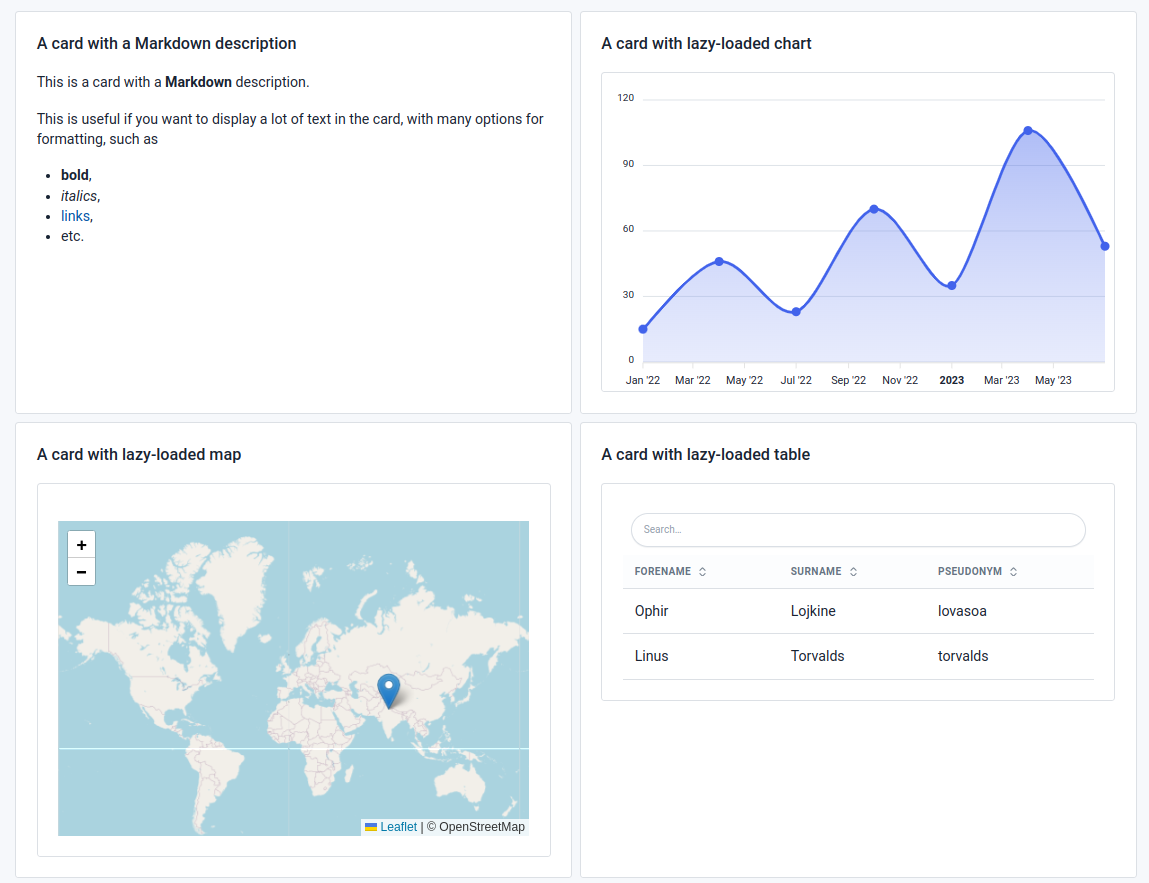
- Added `id` and `class` attributes to all components, to make it easier to style them with custom CSS and to reference them in intra-page links and custom javascript code.
- Implemented [uploaded_file_mime_type](https://sql-page.com/functions.sql?function=uploaded_file_mime_type#function)
- Update the built-in SQLite database to version 3.45.0: https://www.sqlite.org/releaselog/3_45_0.html
- Add support for unicode in the built-in SQLite database. This includes the `lower` and `upper` functions, and the `NOCASE` collation.
## 0.17.1 (2023-12-10)
- The previous version reduced log verbosity, but also removed the ability to see the HTTP requests in the logs.
This is now fixed, and you can see the HTTP requests again. Logging is still less verbose than before, but you can enable debug logs by setting the `RUST_LOG` environment variable to `debug`, or to `sqlpage=debug` to only see SQLPage debug logs.
- Better error message when failing to bind to a low port (<1024) on Linux. SQLPage now displays a message explaining how to allow SQLPage to bind to a low port.
- When https_domain is set, but a port number different from 443 is set, SQLPage now starts both an HTTP and an HTTPS server.
- Better error message when component order is invalid. SQLPage has "header" components, such as [redirect](https://sql-page.com/documentation.sql?component=redirect#component) and [cookie](https://sql-page.com/documentation.sql?component=cookie#component), that must be executed before the rest of the page. SQLPage now displays a clear error message when you try to use them after other components.
- Fix 404 error not displaying. 404 responses were missing a content-type header, which made them invisible in the browser.
- Add an `image_url` row-level attribute to the [datagrid](https://sql-page.com/documentation.sql?component=datagrid#component) component to display tiny avatar images in data grids.
- change breakpoints in the [hero](https://sql-page.com/documentation.sql?component=hero#component) component to make it more responsive on middle-sized screens such as tablets or small laptops. This avoids the hero image taking up the whole screen on these devices.
- add an `image_url` row-level attribute to the [list](https://sql-page.com/documentation.sql?component=list#component) component to display small images in lists.
- Fix bad contrast in links in custom page footers.
- Add a new [configuration option](./configuration.md): `environment`. This allows you to set the environment in which SQLPage is running. It can be either `development` or `production`. In `production` mode, SQLPage will hide error messages and stack traces from the user, and will cache sql files in memory to avoid reloading them from disk when under heavy load.
- Add support for `selected` in multi-select inputs in the [form](https://sql-page.com/documentation.sql?component=form#component) component. This allows you to pre-select some options in a multi-select input.
- New function: [`sqlpage.protocol`](https://sql-page.com/functions.sql?function=protocol#function) to get the protocol used to access the current page. This is useful to build links that point to your own site, and work both in http and https.
- Add an example to the documentation showing how to create heatmaps with the [chart](https://sql-page.com/documentation.sql?component=chart#component) component.
- 18 new icons available: https://tabler.io/icons/changelog#2.43
- New top-level attributes for the [`datagrid`](https://sql-page.com/documentation.sql?component=datagrid#component) component: `description`, `description_md` , `icon` , `image_url`.
## 0.17.0 (2023-11-28)
### Uploads
This release is all about a long awaited feature: file uploads.
Your SQLPage website can now accept file uploads from users, store them either in a directory or directly in a database table.
You can add a file upload button to a form with a simple
```sql
select 'form' as component;
select 'user_file' as name, 'file' as type;
```
when received by the server, the file will be saved in a temporary directory (customizable with `TMPDIR` on linux). You can access the temporary file path with the new [`sqlpage.uploaded_file_path`](https://sql-page.com/functions.sql?function=uploaded_file_path#function) function.
You can then persist the upload as a permanent file on the server with the [`sqlpage.exec`](https://sql-page.com/functions.sql?function=exec#function) function:
```sql
set file_path = sqlpage.uploaded_file_path('user_file');
select sqlpage.exec('mv', $file_path, '/path/to/my/file');
```
or you can store it directly in a database table with the new [`sqlpage.read_file_as_data_url`](https://sql-page.com/functions.sql?function=read_file#function) and [`sqlpage.read_file_as_text`](https://sql-page.com/functions.sql?function=read_file#function) functions:
```sql
insert into files (content) values (sqlpage.read_file_as_data_url(sqlpage.uploaded_file_path('user_file')))
returning 'text' as component, 'Uploaded new file with id: ' || id as contents;
```
The maximum size of uploaded files is configurable with the [`max_uploaded_file_size`](./configuration.md) configuration parameter. By default, it is set to 5 MiB.
#### Parsing CSV files
SQLPage can also parse uploaded CSV files and insert them directly into a database table.
SQLPage re-uses PostgreSQL's [`COPY` syntax](https://www.postgresql.org/docs/current/sql-copy.html)
to import the CSV file into the database.
When connected to a PostgreSQL database, SQLPage will use the native `COPY` statement,
for super fast and efficient on-database CSV parsing.
But it will also work with any other database as well, by
parsing the CSV locally and emulating the same behavior with simple `INSERT` statements.
`user_file_upload.sql` :
```sql
select 'form' as component, 'bulk_user_import.sql' as action;
select 'user_file' as name, 'file' as type, 'text/csv' as accept;
```
`bulk_user_import.sql` :
```sql
-- create a temporary table to preprocess the data
create temporary table if not exists csv_import(name text, age text);
delete from csv_import; -- empty the table
-- If you don't have any preprocessing to do, you can skip the temporary table and use the target table directly
copy csv_import(name, age) from 'user_file'
with (header true, delimiter ',', quote '"', null 'NaN'); -- all the options are optional
-- since header is true, the first line of the file will be used to find the "name" and "age" columns
-- if you don't have a header line, the first column in the CSV will be interpreted as the first column of the table, etc
-- run any preprocessing you want on the data here
-- insert the data into the users table
insert into users (name, email)
select upper(name), cast(email as int) from csv_import;
```
#### New functions
##### Handle uploaded files
- [`sqlpage.uploaded_file_path`](https://sql-page.com/functions.sql?function=uploaded_file_path#function) to get the temprary local path of a file uploaded by the user. This path will be valid until the end of the current request, and will be located in a temporary directory (customizable with `TMPDIR`). You can use [`sqlpage.exec`](https://sql-page.com/functions.sql?function=exec#function) to operate on the file, for instance to move it to a permanent location.
- [`sqlpage.uploaded_file_mime_type`](https://sql-page.com/functions.sql?function=uploaded_file_name#function) to get the type of file uploaded by the user. This is the MIME type of the file, such as `image/png` or `text/csv`. You can use this to easily check that the file is of the expected type before storing it.
The new _Image gallery_ example in the official repository shows how to use these functions to create a simple image gallery with user uploads.
##### Read files
These new functions are useful to read the content of a file uploaded by the user,
but can also be used to read any file on the server.
- [`sqlpage.read_file_as_text`](https://sql-page.com/functions.sql?function=read_file#function) reads the contents of a file on the server and returns a text string.
- [`sqlpage.read_file_as_data_url`](https://sql-page.com/functions.sql?function=read_file#function) reads the contents of a file on the server and returns a [data URL](https://developer.mozilla.org/en-US/docs/Web/HTTP/Basics_of_HTTP/Data_URIs). This is useful to embed images directly in web pages, or make link
### HTTPS
This is the other big feature of this release: SQLPage now supports HTTPS !
And it does not require you to do a lot of manual configuration
that will compromise your security if you get it wrong,
like most other web servers do. You just give SQLPage your domain name,
and it will take care of the rest.
And while we're at it, SQLPage also supports HTTP/2, for even faster page loads.
To enable HTTPS, you need to buy a [domain name](https://en.wikipedia.org/wiki/Domain_name)
and make it point to the server where SQLPage is running.
Then set the `https_domain` configuration parameter to `yourdomain.com` in your [`sqlpage.json` configuration file](./configuration.md).
```json
{
"https_domain": "my-cool-website.com"
}
```
That's it. No external tool to install, no certificate to generate, no configuration to tweak.
No need to restart SQLPage either, or to worry about renewing your certificate when it expires.
SQLPage will automatically request a certificate from [Let's Encrypt](https://letsencrypt.org/) by default,
and does not even need to listen on port 80 to do so.
### SQL parser improvements
SQLPage needs to parse SQL queries to be able to bind the right parameters to them,
and to inject the results of built-in sqlpage functions in them.
The parser we user is very powerful and supports most SQL features,
but there are some edge cases where it fails to parse a query.
That's why we contribute to it a lot, and bring the latest version of the parser to SQLPage as soon as it is released.
#### JSON functions in MS SQL Server
SQLPage now supports the [`FOR JSON` syntax](https://learn.microsoft.com/en-us/sql/relational-databases/json/format-query-results-as-json-with-for-json-sql-server?view=sql-server-ver16&tabs=json-path) in MS SQL Server.
This unlocks a lot of new possibilities, that were previously only available in other databases.
This is particularly interesting to build complex menus with the `shell` component,
to build multiple-answer select inputs with the `form` component,
and to create JSON APIs.
#### Other sql syntax enhancements
- SQLPage now supports the custom `CONVERT` expression syntax for MS SQL Server, and the one for MySQL.
- SQLPage now supports the `VARCHAR(MAX)` type in MS SQL Server and uses it for all variables bound as parameters to your SQL queries (we used to use `VARCHAR(8000)` before).
- `INSERT INTO ... DEFAULT VALUES ...` is now supported
### Other news
- Dates and timestamps returned from the database are now always formatted in ISO 8601 format, which is the standard format for dates in JSON. This makes it easier to use dates in SQLPage.
- The `cookie` component now supports setting an explicit expiration date for cookies.
- The `cookie` component now supports setting the `SameSite` attribute of cookies, and defaults to `SameSite=Strict` for all cookies. What this means in practice is that cookies set by SQLPage will not be sent to your website if the user is coming from another website. This prevents someone from tricking your users into executing SQLPage queries on your website by sending them a malicious link.
- Bugfix: setting `min` or `max` to `0` in a number field in the `form` component now works as expected.
- Added support for `.env` files to set SQLPage's [environment variables](./configuration.md#environment-variables).
- Better responsive design in the card component. Up to 5 cards per line on large screens. The number of cards per line is still customizable with the `columns` attribute.
- New icons:
- 
## 0.16.1 (2023-11-22)
- fix a bug where setting a variable to a non-string value would always set it to null
- clearer debug logs (https://github.com/wooorm/markdown-rs/pull/92)
- update compiler to rust 1.74
- use user id and group id 1000 in docker image (this is the default user id in most linux distributions)
## 0.16.0 (2023-11-19)
- Add special handling of hidden inputs in [forms](https://sql-page.com/documentation.sql?component=form#component). Hidden inputs are now completely invisible to the end user, facilitating the implementation of multi-step forms, csrf protaction, and other complex forms.
- 36 new icons available
- https://github.com/tabler/tabler-icons/releases/tag/v2.40.0
- https://github.com/tabler/tabler-icons/releases/tag/v2.41.0
- Support multiple statements in [`on_connect.sql`](./configuration.md) in MySQL.
- Randomize postgres prepared statement names to avoid name collisions. This should fix a bug where SQLPage would report errors like `prepared statement "sqlx_s_1" already exists` when using a connection pooler in front of a PostgreSQL database. It is still not recommended to use SQLPage with an external connection pooler (such as pgbouncer), because SQLPage already implements its own connection pool. If you really want to use a connection pooler, you should set the [`max_connections`](./configuration.md) configuration parameter to `1` to disable the connection pooling logic in SQLPage.
- SQL statements are now prepared lazily right before their first execution, instead of all at once when a file is first loaded, which allows **referencing a temporary table created at the start of a file in a later statement** in the same file. This works by delegating statement preparation to the database interface library we use (sqlx). The logic of preparing statements and caching them for later reuse is now entirely delegated to sqlx. This also nicely simplifies the code and logic inside sqlpage itself, and should slightly improve performance and memory usage.
- Creating temporary tables at the start of a file is a nice way to keep state between multiple statements in a single file, without having to use variables, which can contain only a single string value:
```sql
DROP VIEW IF EXISTS current_user;
CREATE TEMPORARY VIEW current_user AS
SELECT * FROM users
INNER JOIN sessions ON sessions.user_id = users.id
WHERE sessions.session_id = sqlpage.cookie('session_id');
SELECT 'card' as component,
'Welcome, ' || username as title
FROM current_user;
```
- Add support for resetting variables to a `NULL` value using `SET`. Previously, storing `NULL` in a variable would store the string `'null'` instead of the `NULL` value. This is now fixed.
```sql
SET myvar = NULL;
SELECT 'card' as component;
SELECT $myvar IS NULL as title; -- this used to display false, it now displays true
```
## 0.15.2 (2023-11-12)
- Several improvements were made to the **map** component
- Fix a bug where the new geojson support in the map component would not work when the geojson was passed as a string. This impacted databases that do not support native json objects, such as SQLite.
- Improve support for geojson points (in addition to polygons and lines) in the map component.
- Add a new `size` parameter to the map component to set the size of markers.
- Document the `height` parameter to customize the size of the map.
- `tile_source` parameter to customize the map tiles, giving completely free control over the map appearance.
- `attribution` parameter to customize or remove the small copyright information text box at the bottom of the map.
- Add the ability to customize top navigation links and to create submenus in the `shell` component.
- Postgres example:
```sql
select
'shell' as component,
'SQLPage' as title,
JSON('{ "link":"/", "title":"Home" }') as menu_item,
JSON('{ "title":"Options", "submenu":[
{"link":"1.sql","title":"Page 1"},
{"link":"2.sql","title":"Page 2"}
]}') as menu_item;
```
- _note_: this requires a database that supports json objects natively. If you are using SQLite, you can work around this limitation by using the `dynamic` component.
- Updated the embedded database to [SQLite 3.44](https://antonz.org/sqlite-3-44/), which improves performance, compatibility with other databases, and brings new date formatting functions. The new `ORDER BY` clause in aggregate functions is not supported yet in SQLPage.
## 0.15.1 (2023-11-07)
- Many improvements in the [`form`](https://sql-page.com/documentation.sql?component=form#component) component
- Multiple form fields can now be aligned on the same line using the `width` attribute.
- A _reset_ button can now be added to the form using the `reset` top-level attribute.
- The _submit_ button can now be customized, and can be removed completely, which is useful to create multiple submit buttons that submit the form to different targets.
- Support non-string values in markdown fields. `NULL` values are now displayed as empty strings, numeric values are displayed as strings, booleans as `true` or `false`, and arrays as lines of text. This avoids the need to cast values to strings in SQL queries.
- Revert a change introduced in v0.15.0:
- Re-add the systematic `CAST(? AS TEXT)` around variables, which helps the database know which type it is dealing with in advance. This fixes a regression in 0.15 where some SQLite websites were broken because of missing affinity information. In SQLite `SELECT '1' = 1` returns `false` but `SELECT CAST('1' AS TEXT) = 1` returns `true`. This also fixes error messages like `could not determine data type of parameter $1` in PostgreSQL.
- Fix a bug where [cookie](https://sql-page.com/documentation.sql?component=cookie#component) removal set the cookie value to the empty string instead of removing the cookie completely.
- Support form submission using the [button](https://sql-page.com/documentation.sql?component=button#component) component using its new `form` property. This allows you to create a form with multiple submit buttons that submit the form to different targets.
- Custom icons and colors for markers in the [map](https://sql-page.com/documentation.sql?component=map#component) component.
- Add support for GeoJSON in the [map](https://sql-page.com/documentation.sql?component=map#component) component. This makes it much more generic and allows you to display any kind of geographic data, including areas, on a map very easily. This plays nicely with PostGIS and Spatialite which can return GeoJSON directly from SQL queries.
## 0.15.0 (2023-10-29)
- New function: [`sqlpage.path`](https://sql-page.com/functions.sql?function=path#function) to get the path of the current page.
- Add a new `align_right` attribute to the [table](https://sql-page.com/documentation.sql?component=table#component) component to align a column to the right.
- Fix display of long titles in the shell component.
- New [`sqlpage.variables`](https://sql-page.com/functions.sql?function=variables#function) function for easy handling of complex forms
- `sqlpage.variables('get')` returns a json object containing all url parameters. Inside `/my_page.sql?x=1&y=2`, it returns the string `'{"x":"1","y":"2"}'`
- `sqlpage.variables('post')` returns a json object containg all variables passed through a form. This makes it much easier to handle a form with a variable number of fields.
- Remove systematic casting in SQL of all parameters to `TEXT`. The supported databases understand the type of the parameters natively.
- Some advanced or database-specific SQL syntax that previously failed to parse inside SQLPage is now supported. See [updates in SQLParser](https://github.com/sqlparser-rs/sqlparser-rs/blob/main/CHANGELOG.md#added)
## 0.14.0 (2023-10-19)
- Better support for time series in the [chart](https://sql-page.com/documentation.sql?component=chart#component) component. You can now use the `time` top-attribute to display a time series chart
with smart x-axis labels.
- **New component**: [button](https://sql-page.com/documentation.sql?component=button#component). This allows you to create rows of buttons that allow navigation between pages.
- Better error messages for Microsoft SQL Server. SQLPage now displays the line number of the error, which is especially useful for debugging long migration scripts.
- Many improvements in the official website and the documentation.
- Most notably, the documentation now has syntax highlighting on code blocks (using [prism](https://prismjs.com/) with a custom theme made for tabler). This also illustrates the usage of external javascript and css libraries in SQLPage. See [the shell component documentation](https://sql-page.com/documentation.sql?component=shell#component).
- Better display of example queries in the documentation, with smart indentation that makes it easier to read.
- Clarify some ambiguous error messages:
- make it clearer whether the error comes from SQLPage or from the database
- specific tokenization errors are now displayed as such
## 0.13.0 (2023-10-16)
- New [timeline](https://sql-page.com/documentation.sql?component=timeline#component) component to display a timeline of events.
- Add support for scatter and bubble plots in the chart component. See [the chart documentation](https://sql-page.com/documentation.sql?component=chart#component).
- further improve debuggability with more precise error messages. In particular, it usd to be hard to debug errors in long migration scripts, because the line number and position was not displayed. This is now fixed.
- Better logs on 404 errors. SQLPage used to log a message without the path of the file that was not found. This made it hard to debug 404 errors. This is now fixed.
- Add a new `top_image` attribute to the [card](https://sql-page.com/documentation.sql?component=card#component) component to display an image at the top of the card. This makes it possible to create beautiful image galleries with SQLPage.
- Updated dependencies, for bug fixes and performance improvements.
- New icons (see https://tabler-icons.io/changelog)
- When `NULL` is passed as an icon name, display no icon instead of raising an error.
- Official docker image folder structure changed. The docker image now expects
- the SQLPage website (`.sql` files) to be in `/var/www/`, and
- the SQLPage configuration folder to be in `/etc/sqlpage/`
- the configuration file should be in `/etc/sqlpage/sqlpage.json`
- the database file should be in `/etc/sqlpage/sqlpage.db`
- custom templates should be in `/etc/sqlpage/templates/`
- This configuration change concerns only the docker image. If you are using the sqlpage binary directly, nothing changes.
## 0.12.0 (2023-10-04)
- **variables** . SQLPage now support setting and reusing variables between statements. This allows you to write more complex SQL queries, and to reuse the result of a query in multiple places.
```sql
-- Set a variable
SET person = (select username from users where id = $id);
-- Use it in a query
SELECT 'text' AS component, 'Hello ' || $person AS contents;
```
- _asynchronous password hashing_ . SQLPage used to block a request processing thread while hashing passwords. This could cause a denial of service if an attacker sent many requests to a page that used `sqlpage.hash_password()`
(typically, the account creation page of your website).
SQLPage now launches password hashing operations on a separate thread pool, and can continue processing other requests while waiting for passwords to be hashed.
- Easier configuration for multiple menu items. Syntax like `SELECT 'shell' as component, '["page 1", "page 2"]' as menu_item'` now works as expected. See the new `sqlpage_shell` definition in [the small sql game example](./examples/corporate-conundrum/) and [this discussion](https://github.com/sqlpage/SQLPage/discussions/91).
- New `sqlpage.exec` function to execute a command on the server. This allows you to run arbitrary code on the server, and use the result in your SQL queries. This can be used to make external API calls, send emails, or run any other code on the server.
```sql
select 'card' as component;
select value->>'name' as title, value->>'email' as description
from json_each(sqlpage.exec('curl', 'https://jsonplaceholder.typicode.com/users'));
```
This function is disabled by default for security reasons. To enable it, set the `allow_exec` configuration parameter to `true` in the [configuration](./configuration.md). Enabling it gives full access to the server to anyone who can write SQL queries on your website (this includes users with access to the local filesystem and users with write access to the `sqlpage_files` table on your database), so be careful !
- New `sqlpage.url_encode` function to percent-encode URL parameters.
```sql
select 'card' as component;
select 'More...' as title, 'advanced_search.sql?query=' || sqlpage.url_encode($query)
```
- Add the ability to run a sql script on each database connection before it is used,
by simply creating `sqlpage/on_connect.sql` file. This has many interesting use cases:
- allows you to set up your database connection with custom settings, such as `PRAGMA` in SQLite
- set a custom `search_path`, `application_name` or other variables in PostgreSQL
- create temporary tables that will be available to all SQLPage queries but will not be persisted in the database
- [`ATTACH`](https://www.sqlite.org/lang_attach.html) a database in SQLite to query multiple database files at once
- Better error messages. SQLPage displays a more precise and useful message when an error occurs, and displays the position in the SQL statement where the error occured. Incorrect error messages on invalid migrations are also fixed.
- We now distribute docker images from ARM too. Say hello to SQLPage on your Raspberry Pi and your Mac M1 !
- Create the default SQLite database file in the "sqlpage" config directory instead of at the root of the web server by default. This makes it inaccessible from the web, which is a more secure default. If you want to keep the old behavior, set the `database_url` configuration parameter to `sqlite://sqlpage.db` in your [configuration](./configuration.md).
- New `empty_title`, `empty_description`, and `empty_link` top-level attributes on the [`list`](https://sql-page.com/documentation.sql?component=list#component) component to customize the text displayed when the list is empty.
## 0.11.0 (2023-09-17)
- Support for **environment variables** ! You can now read environment variables from sql code using `sqlpage.environment_variable('VAR_NAME')`.
- Better support for connection options in mssql.
- New icons (see https://tabler-icons.io/changelog)
- New version of the CSS library (see https://preview.tabler.io/changelog.html)
- configurable web root (see [configuration.md](./configuration.md))
- new welcome message
- ```
SQLPage is now running on http://127.0.0.1:8080/
You can write your code in .sql files in /path/to/your/website/directory.
```
- New `sqlpage.current_working_directory` function to get the [current working directory](https://en.wikipedia.org/wiki/Working_directory) of the SQLPage process.
- New `sqlpage.version` function to get the version of SQLPage.
## 0.10.3 (2023-09-14)
- Update database drivers to the latest version.
- Adds new connection string options for mssql, including `app_name` and `instance`.
Set them with `DATABASE_URL=mssql://user:password@host:port/database?app_name=My%20App&instance=My%20Instance`
## 0.10.2 (2023-09-04)
- Fix a bug where the `map` component followed by another component would break the page layout.
## 0.10.1 (2023-08-27)
- Update the SQL parser, with multiple fixes. See https://github.com/sqlparser-rs/sqlparser-rs/blob/main/CHANGELOG.md#0370-2023-08-22
- Display all parameters in the debug component (instead of only row-level parameters).
- Update dashmap for better file lookup performance.
- Fix table sorting.
- Fix a bug with Basic Authentication.
See [#72](https://github.com/sqlpage/SQLPage/pull/72). Thanks to @edgrip for the contribution !
## 0.10.0 (2023-08-20)
- `.sql` files are now parsed in the dialect of the database they are executed against,
instead of always being parsed as a "Generic" dialect.
This allows using more database-specific features in SQLPage and avoids confusion.
This should not change anything in most cases, but could break your web application
if you were relying on an SQL dialect syntax that is not directly supported by your database,
hence the major version change.
- Added the ability to download chart data as SVG, PNG, and **CSV** using the new `toolbar` attribute of the `chart` component.
This makes it easy to provide a large data set and allow users to download it as a CSV file from a nice UI.
```sql
SELECT 'chart' as component, 1 as toolbar;
SELECT quarter as label, sum(sales) as value FROM sales GROUP BY quarter;
```
- Added a dark theme ! You can now choose between a light and a dark theme for your SQLPage website.
Select the dark theme using the `theme` parameter of the `shell` component:
```sql
SELECT 'shell' AS component, 'dark' AS theme;
```
See https://github.com/sqlpage/SQLPage/issues/50
- Fixed a bug where the default index page would be displayed when `index.sql` could not be loaded,
instead of displaying an error page explaining the issue.
- Improved the appearance of scrollbars. (Workaround for https://github.com/tabler/tabler/issues/1648).
See https://github.com/sqlpage/SQLPage/discussions/17
- Create a single database connection by default when using `sqlite://:memory:` as the database URL.
This makes it easier to use temporary tables and other connection-specific features.
- When no component is selected, display data with the `debug` component by default.
This makes any simple `SELECT` statement a valid SQLPage file.
Before, data returned outside of a component would be ignored.
- Improved error handling. SQLPage now displays a nice error page when an error occurs, even if it's at the top of the page.
This makes it easier to debug SQLPage websites. Before, errors that occured before SQLPage had started to render the page would be displayed as a raw text error message without any styling.
- Added the ability to retry database connections when they fail on startup.
This makes it easier to start SQLPage concurrently with the database, and have it wait for the database to become available.
See the [`database_connection_retries` and `database_connection_acquire_timeout_seconds` configuration parameter](./configuration.md).
## 0.9.5 (2023-08-12)
- New `tab` component to create tabbed interfaces. See [the documentation](https://sql-page.com/documentation.sql?component=tab#component).
- Many improvements in database drivers.
- performance and numeric precision improvements,
- multiple fixes around passing NUMERIC, DECIMAL, and JSON values to SQLPage.
## 0.9.4 (2023-08-04)
Small bugfix release
- Fix a bug with simple queries (ones with only static values) that contained multiple repeated columns
(such as `SELECT 'hello' AS menu_item, 'world' AS menu_item`). Only the last column would be taken into account.
This could manifest as a bug where
- only the last menu item in the shell component would be displayed,
- only the last markdown column in a table would be interpreted as markdown,
- only the last icon column in a table would be displayed as an icon.
## 0.9.3 (2023-08-03)
- Icons are now loaded directly from the sqlpage binary instead of loading them from a CDN.
This allows pages to load faster, and to get a better score on google's performance audits, potentially improving your position in search results.
- This also makes it possible to host a SQLPage website on an intranet without access to the internet.
- Fixes https://github.com/sqlpage/SQLPage/issues/37
- store compressed frontend assets in the SQLPage binary:
- smaller SQLPage binary
- Faster page loads, less work on the server
- Fix a bug where table search would fail to find a row if the search term contained some special characters.
- Fixes https://github.com/sqlpage/SQLPage/issues/46
- Split the charts javascript code from the rest of the frontend code, and load it only when necessary.
This greatly diminishes the amount of js loaded by default, and achieves very good performance scores by default.
SQLPage websites now load even faster, een on slow mobile connections.
## 0.9.2 (2023-08-01)
- Added support for more SQL data types. This notably fixes an issue with the display of datetime columns in tables.
- See: https://github.com/sqlpage/SQLPage/issues/41
- Updated dependencies, better SQL drivers
## 0.9.1 (2023-07-30)
- Fix issues with the new experimental mssql driver.
## 0.9.0 (2023-07-30)
- Added a new `json` component, which allows building a JSON API entirely in SQL with SQLPage !
Now creating an api over your database is as simple as `SELECT 'json' AS component, JSON_OBJECT('hello', 'world') AS contents`.
- `SELECT` statements that contain only static values are now interpreted directly by SQLPage, and do not result in a database query. This greatly improves the performance of pages that contain many static elements.
- Redirect index pages without a trailing slash to the same page with the trailing slash. This ensures that relative links work correctly, and gives each page a unique canonical URL. (For instance, if you have a file in `myfolder/index.sql`, then it will be accessible at `mysite.com/myfolder/` and `mysite.com/myfolder` will redirect to `mysite.com/myfolder/`).
- Update the database drivers to the latest version, and switch to a fork of `sqlx`. This also updates the embedded version of SQLite to 3.41.2, with [many cool new features](https://www.sqlite.org/changes.html) such as:
- better json support
- better performance
- Add experimental support for _Microsoft SQL Server_. If you have a SQL Server database lying around, please test it and report any issue you might encounter !
## 0.8.0 (2023-07-17)
- Added a new [`sqlite_extensions` configuration parameter](./configuration.md) to load SQLite extensions. This allows many interesting use cases, such as
- [using spatialite to build a geographic data application](./examples/make%20a%20geographic%20data%20application%20using%20sqlite%20extensions/),
- querying CSV data from SQLPage with [vsv](https://github.com/nalgeon/sqlean/blob/main/docs/vsv.md),
- or building a search engine for your data with [FTS5](https://www.sqlite.org/fts5.html).
- Breaking: change the order of priority for loading configuration parameters: the environment variables have priority over the configuration file. This makes it easier to tweak the configuration of a SQLPage website when deploying it.
- Fix the default index page in MySQL. Fixes [#23](https://github.com/sqlpage/SQLPage/issues/23).
- Add a new [map](https://sql-page.com/documentation.sql?component=map#component) component to display a map with markers on it. Useful to display geographic data from PostGIS or Spatialite.
- Add a new `icon` attribute to the [table](https://sql-page.com/documentation.sql?component=table#component) component to display icons in the table.
- Fix `textarea` fields in the [form](https://sql-page.com/documentation.sql?component=table#component) component to display the provided `value` attribute. Thanks Frank for the contribution !
- SQLPage now guarantees that a single web request will be handled by a single database connection. Previously, connections were repeatedly taken and put back to the connection pool between each statement, preventing the use of temporary tables, transactions, and other connection-specific features such as [`last_insert_rowid`](https://www.sqlite.org/lang_corefunc.html#last_insert_rowid). This makes it much easier to keep state between SQL statements in a single `.sql` file. Please report any performance regression you might encounter. See [the many-to-many relationship example](./examples/modeling%20a%20many%20to%20many%20relationship%20with%20a%20form/).
- The [table](https://sql-page.com/documentation.sql?component=table#component) component now supports setting a custom background color, and a custom CSS class on a given table line.
- New `checked` attribute for checkboxes and radio buttons.
## 0.7.2 (2023-07-10)
### [SQL components](https://sql-page.com/documentation.sql)
- New [authentication](https://sql-page.com/documentation.sql?component=authentication#component) component to handle user authentication, and password checking
- New [redirect](https://sql-page.com/documentation.sql?component=redirect#component) component to stop rendering the current page and redirect the user to another page.
- The [debug](https://sql-page.com/documentation.sql?component=debug#component) component is now documented
- Added properties to the [shell](https://sql-page.com/documentation.sql?component=shell#component) component:
- `css` to add custom CSS to the page
- `javascript` to add custom Javascript to the page. An example of [how to use it to integrate a react component](https://github.com/sqlpage/SQLPage/tree/main/examples/using%20react%20and%20other%20custom%20scripts%20and%20styles) is available.
- `footer` to set a message in the footer of the page
### [SQLPage functions](https://sql-page.com/functions.sql)
- New [`sqlpage.basic_auth_username`](https://sql-page.com/functions.sql?function=basic_auth_username#function) function to get the name of the user logged in with HTTP basic authentication
- New [`sqlpage.basic_auth_password`](https://sql-page.com/functions.sql?function=basic_auth_password#function) function to get the password of the user logged in with HTTP basic authentication.
- New [`sqlpage.hash_password`](https://sql-page.com/functions.sql?function=hash_password#function) function to hash a password with the same algorithm as the [authentication](https://sql-page.com/documentation.sql?component=authentication#component) component uses.
- New [`sqlpage.header`](https://sql-page.com/functions.sql?function=header#function) function to read an HTTP header from the request.
- New [`sqlpage.random_string`](https://sql-page.com/functions.sql?function=random_string#function) function to generate a random string. Useful to generate session ids.
### Bug fixes
- Fix a bug where the page style would not load in pages that were not in the root directory: https://github.com/sqlpage/SQLPage/issues/19
- Fix resources being served with the wrong content type
- Fix compilation of SQLPage as an AWS lambda function
- Fixed logging and display of errors, to make them more useful