 wehub-resource-sync
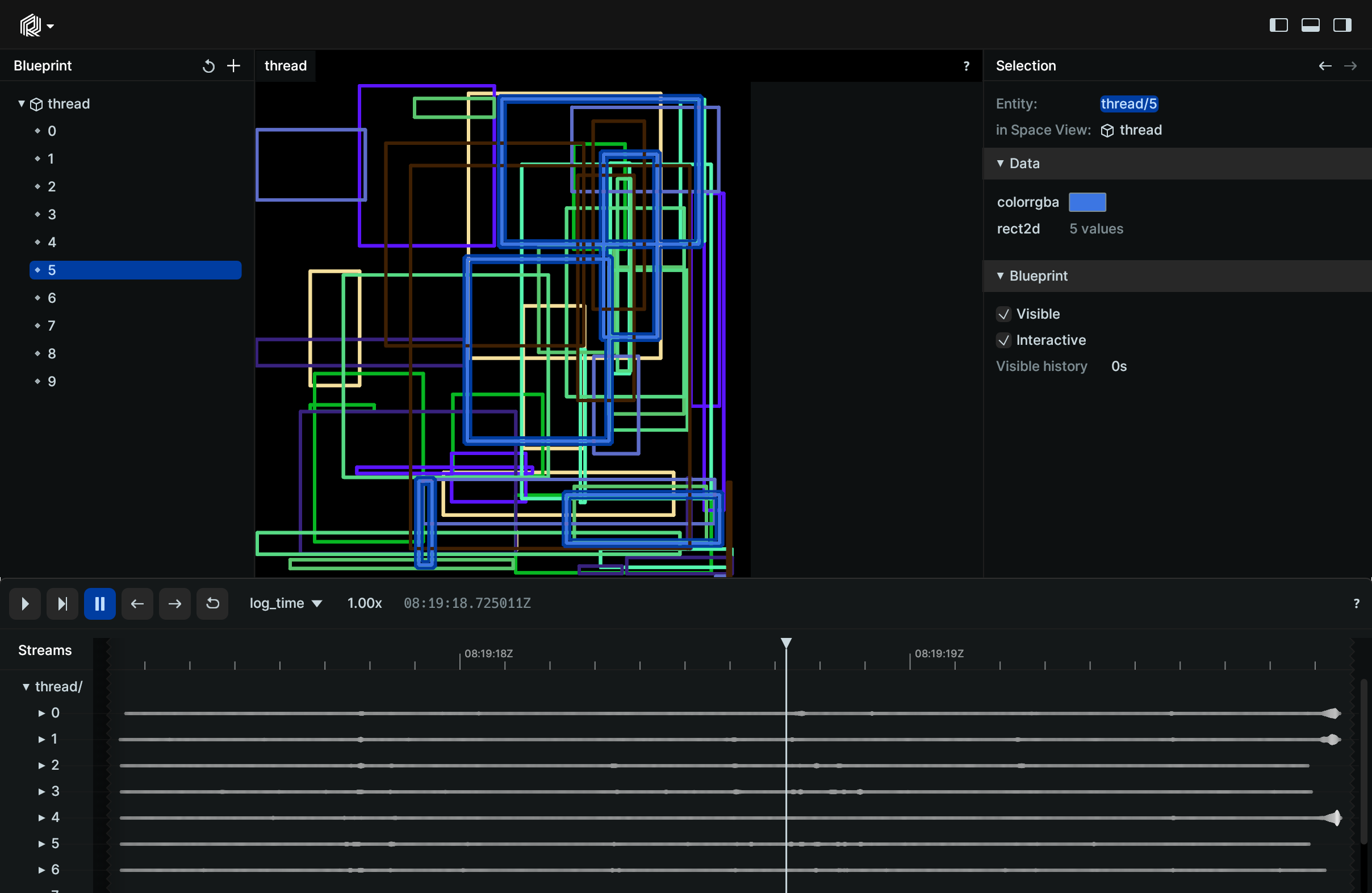
Demonstration of logging to Rerun from multiple threads.
Used Rerun types
Logging and visualizing with Rerun
This example showcases logging from multiple threads, starting with the definition of the function for logging, the rect_logger, followed by typical usage of Python's threading module in the main function.
def rect_logger(path: str, color: npt.NDArray[np.float32]) -> None:
    for _ in range(1000):
        rects_xy = np.random.rand(5, 2) * 1024
        rects_wh = np.random.rand(5, 2) * (1024 - rects_xy + 1)
        rects = np.hstack((rects_xy, rects_wh))
        rr.log(
            path, rr.Boxes2D(array=rects, array_format=rr.Box2DFormat.XYWH, colors=color)
        )  # Log the rectangles using Rerun
The main function manages the multiple threads for logging data to the Rerun viewer.
def main() -> None:
    # … existing code …

    threads = []

    for i in range(10):  # Create 10 threads to run the rect_logger function with different paths and colors.
        t = threading.Thread(target=rect_logger, args=(f"thread/{i}", [random.randrange(255) for _ in range(3)]))
        t.start()
        threads.append(t)

    for t in threads:  # Wait for all threads to complete before proceeding.
        t.join()

    # … existing code …
Run the code
To run this example, make sure you have the Rerun repository checked out and the latest SDK installed:
pip install --upgrade rerun-sdk  # install the latest Rerun SDK
git clone git@github.com:rerun-io/rerun.git  # Clone the repository
cd rerun
git checkout latest  # Check out the commit matching the latest SDK release
Install the necessary libraries specified in the requirements file:
pip install -e examples/python/multithreading
To experiment with the provided example, simply execute the main Python script:
python -m multithreading # run the example
If you wish to customize it, explore additional features, or save it use the CLI with the --help option for guidance:
python -m multithreading --help