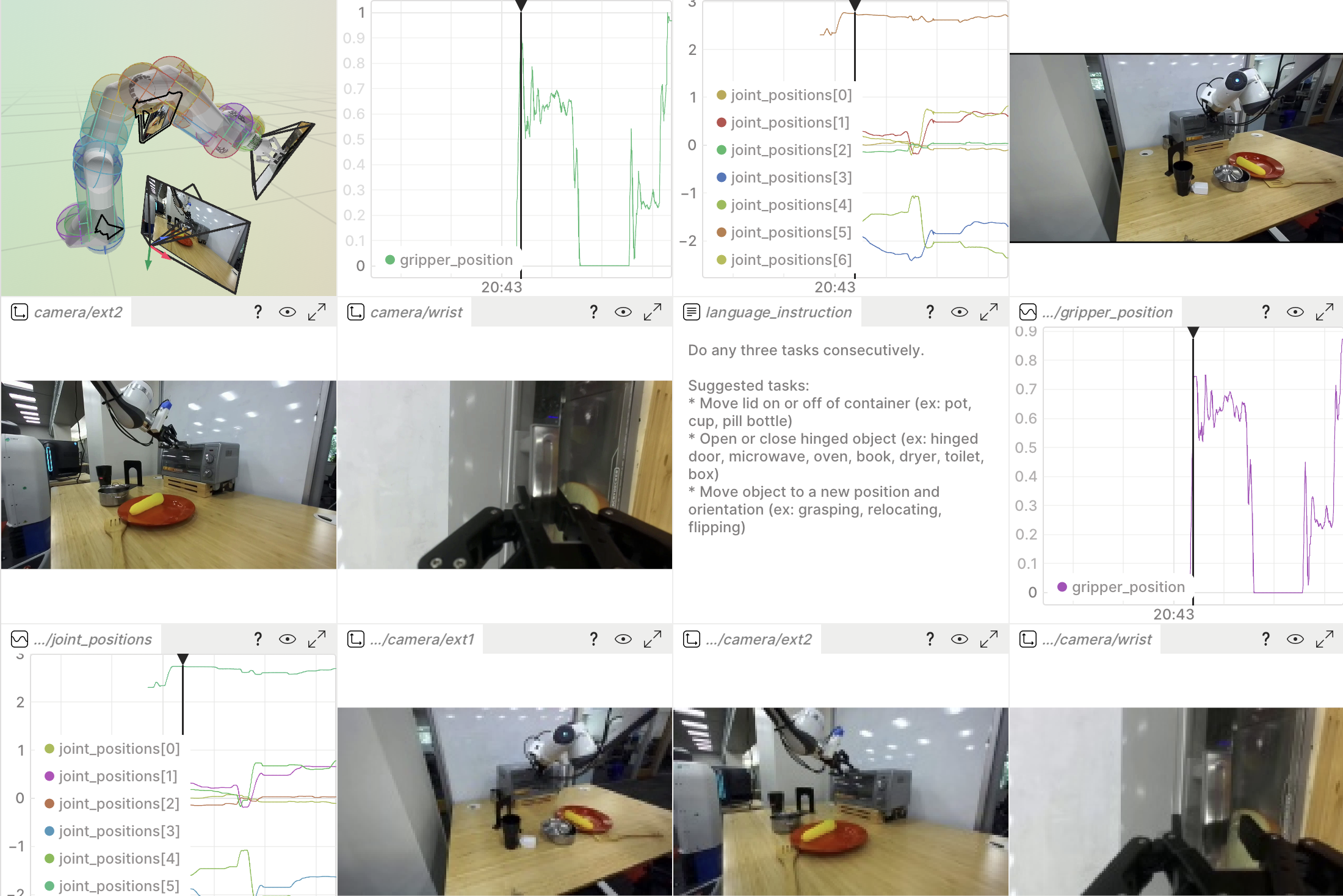
Find moments in robot demonstrations by describing them in plain language, and jump straight to the matching frame in the Rerun viewer.
This pulls frame embeddings from a Rerun dataset, indexes them in an external vector store, and resolves text queries back into deep-links that open the relevant frames in the viewer.
It ships two interchangeable backends — [LanceDB](https://lancedb.com) (default) and [Qdrant](https://qdrant.tech), both fully local on disk and selected with `--backend`.
They're worked examples of one pattern — embeddings out of Rerun, search in your vector database of choice, deep-links back into the viewer — that applies to any vector store.
## What it shows off
- Schema introspection and DataFusion content-filtered reads.
- The experimental video dataloader (`DataSource` / `Field` / `VideoFrameDecoder`) for streaming and decoding H.264 frames on demand.
- SigLIP-2 embeddings, with text and image features sharing one vector space.
- `segment_url` deep-links that focus the viewer on a specific frame.
## How it works
Three scripts:
1. `prepare_dataset.py` — registers a few DROID episodes to your local catalog as a dataset (using the episodes bundled in the repo, or downloading them from the Hugging Face Hub when those aren't present). This is the data the other two scripts read.
2. `ingest.py` — builds the index. For each camera it **auto-detects** the embedding source:
- **Read path:** if the dataset already has a `/camera/{role}/embedding` column (DROID registered with `--create-embeddings`), it reads those vectors directly via a DataFusion query — no model, no video decoding.
- **Compute path:** otherwise it streams the `VideoStream` through the dataloader, decodes frames, and embeds them with SigLIP-2.
Either way it writes `(segment_id, camera, timestamp_ms, vector)` rows into the selected vector store: LanceDB by default, or Qdrant with `--backend qdrant`.
3. `search.py` — embeds your example image or text prompt with the SigLIP-2 encoder, runs a vector search over that store (pass the same `--backend`), prints the ranked matches, and opens the best one in the viewer.
Both scripts reach the store only through a small `VectorStore` interface in `vector_store.py`, so picking a backend is one `--backend` choice and adding one is a single subclass.
Each backend keeps its index in its own directory (`./droid_lancedb` vs `./droid_qdrant`, override with `--db-path`), so the `--backend` you pass to `search.py` must match the one `ingest.py` wrote.
## Run the code
### 1. Install dependencies
This example has its own `uv` project, separate from the workspace `.venv`, because it needs the experimental `rerun-sdk[dataloader]` extras plus heavy ML deps (`transformers`, `lancedb`).
**Standalone** (sparse-checkout of just this directory, no local Rerun build):
```bash
uv sync --no-sources --no-dev
```
**Monorepo dev** (full repo checkout, editable local `rerun-sdk`):
```bash
cd examples/python/droid_semantic_search
RERUN_ALLOW_MISSING_BIN=1 uv sync
uv pip install ../../../rerun_py/rerun_dev_fixup
```
The second command installs the `.pth` shim that points `import rerun` (and the `rerun` CLI) at the in-repo editable source tree.
It's a separate `uv pip install` rather than a dev-group dependency because uv resolves all dependency groups unconditionally, so a path-only package in `pyproject.toml` would break the standalone `--no-sources` resolution above.
Then either `source .venv/bin/activate` or prefix subsequent commands with `uv run`.
### 2. Start a local Rerun server
This example reads data from a local open-source Rerun catalog server.
In a separate terminal, start one:
```bash
rerun server
```
This serves a catalog at `rerun+http://127.0.0.1:51234` — the default the scripts use.
Leave it running; the steps below connect to it.
### 3. Register a dataset
Registers a few DROID episodes to the catalog as `droid:sample`:
```bash
uv run python prepare_dataset.py
```
By default it auto-selects the source:
- **Monorepo checkout** — it uses the episodes bundled in the repo at `tests/assets/rrd/sample_5` (via git-LFS), so there's nothing to download. If those are un-pulled LFS pointers, run `git lfs install && git lfs pull` first.
- **Standalone checkout** — when the bundled episodes aren't present, it downloads a few from [`rerun/droid_sample`](https://huggingface.co/datasets/rerun/droid_sample) on the Hugging Face Hub into `./data`.
Useful flags:
- `--source bundled|huggingface` to force a source (default `auto`).
- `--num-episodes N` to register more (or fewer) episodes; `0` for all (the full Hub dataset is ~3.3 GB).
- `--dataset-name` to register under a different name (pass the same name to `ingest.py`/`search.py`).
- `--no-optimize` to register episodes as-is (see the video decode yield note below).
- `--catalog-url ""` to skip registration.
### 4. Build the search index
Index a handful of segments (the exterior camera works well for scene-level search):
```bash
uv run python ingest.py --num-segments 15 --cameras ext1
```
These sample episodes ship video only (no pre-computed embeddings), so `ingest.py` takes the **compute path**:
the first run downloads the SigLIP-2 model (a few hundred MB) and then decodes and embeds frames — the slow step.
Start with a small `--num-segments` to keep it quick; raise it once you've seen it work.
### 5. Search
Search by text and open the best hit in the viewer:
```bash
uv run python search.py "an open drawer full of tools" --top-k 5
```
Or search by example image instead of text (same vector space):
```bash
uv run python search.py --image ./query.jpg --top-k 5
```
Both scripts default to LanceDB; pass `--backend qdrant` to use [Qdrant](https://qdrant.tech) instead.
Give the same `--backend` to `ingest.py` and `search.py`, since each writes to its own directory:
```bash
uv run python ingest.py --backend qdrant --num-segments 15 --cameras ext1
uv run python search.py --backend qdrant "an open drawer full of tools" --top-k 5
```
Queries that discriminate well on DROID describe concrete, visible objects/scenes, e.g. `"a pink flower"`, `"a cardboard box"`, `"a white plastic bag"`, `"a robot arm over an empty table"`.
Run `ingest.py --help` and `search.py --help` for the full flag list — index multiple cameras, change the sampling rate, widen the time selection around a hit, and more.
## Scope and extension points
- **Text or image queries.** Search by a text prompt or, with `--image `, by an example frame. SigLIP-2 puts text and image features in one space, so image-to-image search reuses the exact same index and ranking — only the query encoder differs.
- **Bring your own vector store.** Rerun supplies the embeddings (read from the dataset, or computed from platform-hosted video) and resolves matches back into viewer deep-links; search itself runs in an external store. This example ships two backends, LanceDB and Qdrant, behind the small `VectorStore` interface in `vector_store.py` — the same write-then-query flow drops onto any vector database, so adding a third is a single subclass.
## Notes and gotchas
- **SigLIP text tokenization.** SigLIP is trained with a fixed 64-token sequence and *must* be tokenized with `padding="max_length", max_length=64`. With dynamic padding the text embeddings are malformed and text→image retrieval collapses onto a single "hub" frame that wins every query.
- **Video decode yield.** DROID doesn't log the `VideoStream:is_keyframe` markers the decoder needs to seek, so without them only ~25 % of sampled frames decode.
`prepare_dataset.py` derives the markers up front (via `optimize`), which brings yield to ~100 %.
Optimized copies land in `./optimized`; the originals are untouched.
Skip it with `--no-optimize` if you'd rather register the raw episodes.
## Files
- `prepare_dataset.py` — register DROID sample episodes (bundled or downloaded) to the catalog.
- `ingest.py` — build the vector index from the dataset.
- `search.py` — query the index and open results in the viewer.
- `vector_store.py` — the `VectorStore` interface, with LanceDB and Qdrant backends.
- `embeddings.py` — SigLIP-2 helpers (adapted from the DROID loader's `embedding_util.py`).