 wehub-resource-sync
1425 lines
51 KiB
Plaintext
1425 lines
51 KiB
Plaintext
{
|
||
"cells": [
|
||
{
|
||
"cell_type": "code",
|
||
"execution_count": null,
|
||
"metadata": {
|
||
"id": "483138c1a042"
|
||
},
|
||
"outputs": [],
|
||
"source": [
|
||
"# Copyright 2026 Google LLC\n",
|
||
"#\n",
|
||
"# Licensed under the Apache License, Version 2.0 (the \"License\");\n",
|
||
"# you may not use this file except in compliance with the License.\n",
|
||
"# You may obtain a copy of the License at\n",
|
||
"#\n",
|
||
"# https://www.apache.org/licenses/LICENSE-2.0\n",
|
||
"#\n",
|
||
"# Unless required by applicable law or agreed to in writing, software\n",
|
||
"# distributed under the License is distributed on an \"AS IS\" BASIS,\n",
|
||
"# WITHOUT WARRANTIES OR CONDITIONS OF ANY KIND, either express or implied.\n",
|
||
"# See the License for the specific language governing permissions and\n",
|
||
"# limitations under the License."
|
||
]
|
||
},
|
||
{
|
||
"cell_type": "markdown",
|
||
"metadata": {
|
||
"id": "f715acebeb38"
|
||
},
|
||
"source": [
|
||
"# 🪙 Local Token Counting for Gemini\n"
|
||
]
|
||
},
|
||
{
|
||
"cell_type": "markdown",
|
||
"metadata": {
|
||
"id": "271cf5454871"
|
||
},
|
||
"source": [
|
||
"<table align=\"left\">\n",
|
||
" <td style=\"text-align: center\">\n",
|
||
" <a href=\"https://colab.research.google.com/github/GoogleCloudPlatform/generative-ai/blob/main/gemini/token-counting/local_token_counting.ipynb\">\n",
|
||
" <img width=\"32px\" src=\"https://www.gstatic.com/pantheon/images/bigquery/welcome_page/colab-logo.svg\" alt=\"Google Colaboratory logo\"><br> Open in Colab\n",
|
||
" </a>\n",
|
||
" </td>\n",
|
||
" <td style=\"text-align: center\">\n",
|
||
" <a href=\"https://console.cloud.google.com/agent-platform/colab/import/https:%2F%2Fraw.githubusercontent.com%2FGoogleCloudPlatform%2Fgenerative-ai%2Fmain%2Fgemini%2Ftoken-counting%2Flocal_token_counting.ipynb\">\n",
|
||
" <img width=\"32px\" src=\"https://lh3.googleusercontent.com/JmcxdQi-qOpctIvWKgPtrzZdJJK-J3sWE1RsfjZNwshCFgE_9fULcNpuXYTilIR2hjwN\" alt=\"Google Cloud Colab Enterprise logo\"><br> Open in Colab Enterprise\n",
|
||
" </a>\n",
|
||
" </td>\n",
|
||
" <td style=\"text-align: center\">\n",
|
||
" <a href=\"https://console.cloud.google.com/agent-platform/workbench/instances?download_url=https://raw.githubusercontent.com/GoogleCloudPlatform/generative-ai/main/gemini/token-counting/local_token_counting.ipynb\">\n",
|
||
" <img width=\"32px\" src=\"https://storage.googleapis.com/github-repo/workbench-icon.svg\" alt=\"Workbench logo\"><br> Open in Workbench\n",
|
||
" </a>\n",
|
||
" </td>\n",
|
||
" <td style=\"text-align: center\">\n",
|
||
" <a href=\"https://github.com/GoogleCloudPlatform/generative-ai/blob/main/gemini/token-counting/local_token_counting.ipynb\">\n",
|
||
" <img width=\"32px\" src=\"https://raw.githubusercontent.com/primer/octicons/refs/heads/main/icons/mark-github-24.svg\" alt=\"GitHub logo\"><br> View on GitHub\n",
|
||
" </a>\n",
|
||
" </td>\n",
|
||
"</table>\n",
|
||
"\n",
|
||
"<div style=\"clear: both;\"></div>\n",
|
||
"\n",
|
||
"<p>\n",
|
||
"<b>Share to:</b>\n",
|
||
"\n",
|
||
"<a href=\"https://www.linkedin.com/sharing/share-offsite/?url=https%3A//github.com/GoogleCloudPlatform/generative-ai/blob/main/gemini/token-counting/local_token_counting.ipynb\" target=\"_blank\">\n",
|
||
" <img width=\"20px\" src=\"https://upload.wikimedia.org/wikipedia/commons/8/81/LinkedIn_icon.svg\" alt=\"LinkedIn logo\">\n",
|
||
"</a>\n",
|
||
"\n",
|
||
"<a href=\"https://bsky.app/intent/compose?text=https%3A//github.com/GoogleCloudPlatform/generative-ai/blob/main/gemini/token-counting/local_token_counting.ipynb\" target=\"_blank\">\n",
|
||
" <img width=\"20px\" src=\"https://upload.wikimedia.org/wikipedia/commons/7/7a/Bluesky_Logo.svg\" alt=\"Bluesky logo\">\n",
|
||
"</a>\n",
|
||
"\n",
|
||
"<a href=\"https://twitter.com/intent/tweet?url=https%3A//github.com/GoogleCloudPlatform/generative-ai/blob/main/gemini/token-counting/local_token_counting.ipynb\" target=\"_blank\">\n",
|
||
" <img width=\"20px\" src=\"https://upload.wikimedia.org/wikipedia/commons/5/5a/X_icon_2.svg\" alt=\"X logo\">\n",
|
||
"</a>\n",
|
||
"\n",
|
||
"<a href=\"https://reddit.com/submit?url=https%3A//github.com/GoogleCloudPlatform/generative-ai/blob/main/gemini/token-counting/local_token_counting.ipynb\" target=\"_blank\">\n",
|
||
" <img width=\"20px\" src=\"https://redditinc.com/hubfs/Reddit%20Inc/Brand/Reddit_Logo.png\" alt=\"Reddit logo\">\n",
|
||
"</a>\n",
|
||
"\n",
|
||
"<a href=\"https://www.facebook.com/sharer/sharer.php?u=https%3A//github.com/GoogleCloudPlatform/generative-ai/blob/main/gemini/token-counting/local_token_counting.ipynb\" target=\"_blank\">\n",
|
||
" <img width=\"20px\" src=\"https://upload.wikimedia.org/wikipedia/commons/5/51/Facebook_f_logo_%282019%29.svg\" alt=\"Facebook logo\">\n",
|
||
"</a>\n",
|
||
"</p>\n"
|
||
]
|
||
},
|
||
{
|
||
"cell_type": "markdown",
|
||
"metadata": {
|
||
"id": "c659c424dc78"
|
||
},
|
||
"source": [
|
||
"| Author(s) |\n",
|
||
"| ------------------------------------------------ |\n",
|
||
"| [Laurent Picard](https://github.com/PicardParis) |\n"
|
||
]
|
||
},
|
||
{
|
||
"cell_type": "markdown",
|
||
"metadata": {
|
||
"id": "b290cca63bbb"
|
||
},
|
||
"source": [
|
||
"---\n",
|
||
"\n",
|
||
"## ✨ Overview\n"
|
||
]
|
||
},
|
||
{
|
||
"cell_type": "markdown",
|
||
"metadata": {
|
||
"id": "2bdfbb16707c"
|
||
},
|
||
"source": [
|
||
"\n",
|
||
"\n",
|
||
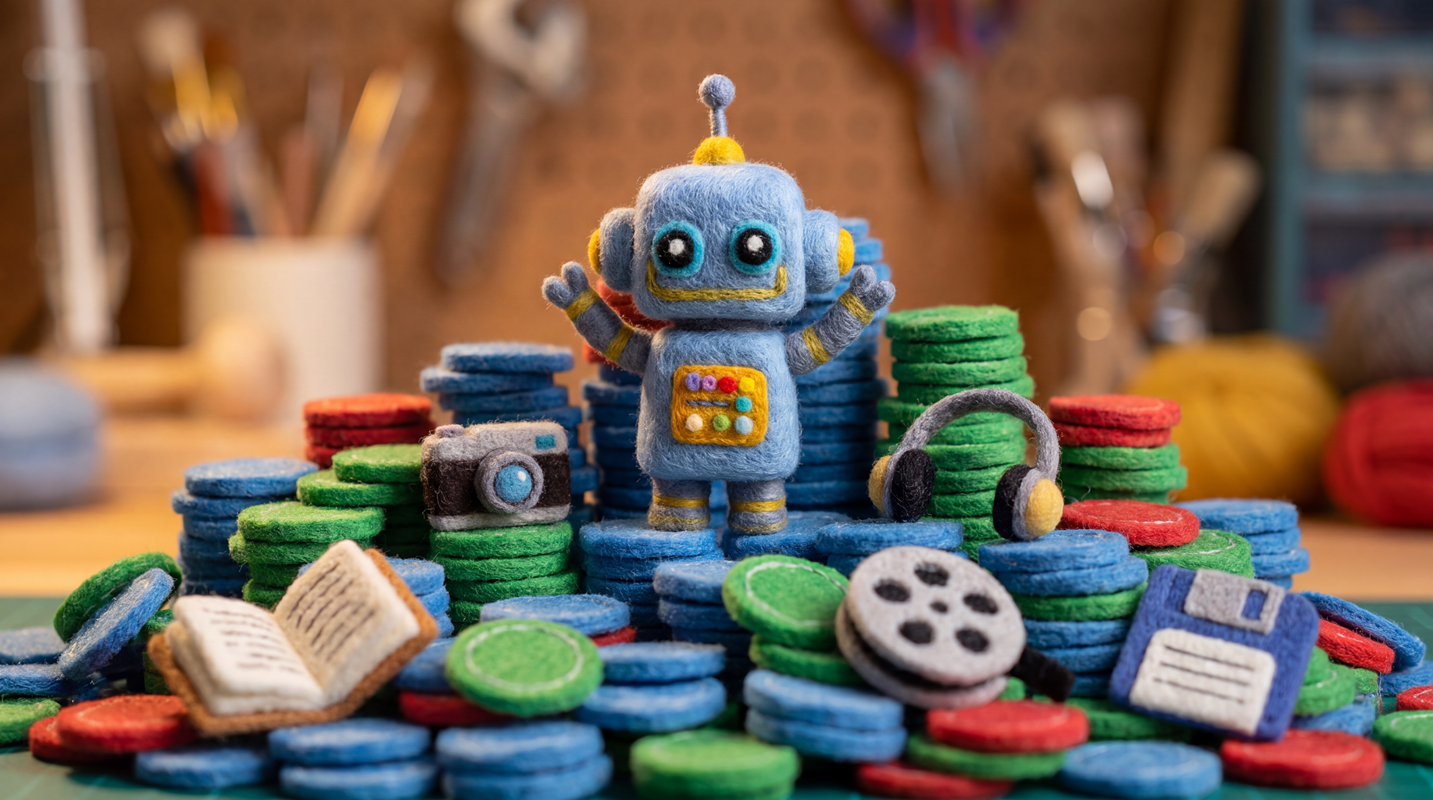
"This notebook demonstrates how to count and analyze tokens locally using the Google Gen AI Python SDK. You'll learn how to use the `LocalTokenizer` to estimate text token counts offline, understand how different modalities (images, audio, video, and PDFs) are tokenized, and see how to retrieve precise token usage metadata from Gemini API responses.\n"
|
||
]
|
||
},
|
||
{
|
||
"cell_type": "markdown",
|
||
"metadata": {
|
||
"id": "61ae1a234536"
|
||
},
|
||
"source": [
|
||
"---\n",
|
||
"\n",
|
||
"## ⚙️ Setup\n"
|
||
]
|
||
},
|
||
{
|
||
"cell_type": "markdown",
|
||
"metadata": {
|
||
"id": "59ab08032d8c"
|
||
},
|
||
"source": [
|
||
"---\n",
|
||
"\n",
|
||
"### 🐍 Google Gen AI Python SDK\n",
|
||
"\n",
|
||
"To call the Gemini API, we'll use the [Google Gen AI Python SDK](https://pypi.org/project/google-genai). The Gemini API provides a `count_tokens` method, and the SDK offers an experimental implementation of a `LocalTokenizer` class.\n"
|
||
]
|
||
},
|
||
{
|
||
"cell_type": "markdown",
|
||
"metadata": {
|
||
"id": "f3df3fbbb5e7"
|
||
},
|
||
"source": [
|
||
"Make sure you have a recent version of the `google-genai` package with its `local-tokenizer` extra:\n"
|
||
]
|
||
},
|
||
{
|
||
"cell_type": "code",
|
||
"execution_count": null,
|
||
"metadata": {
|
||
"id": "3effa6dc4bb0"
|
||
},
|
||
"outputs": [],
|
||
"source": [
|
||
"%pip install --quiet \"google-genai[local-tokenizer]>=2.9.0\""
|
||
]
|
||
},
|
||
{
|
||
"cell_type": "markdown",
|
||
"metadata": {
|
||
"id": "f237f55cb971"
|
||
},
|
||
"source": [
|
||
"---\n",
|
||
"\n",
|
||
"### 🔑 Google Colab Authentication\n",
|
||
"\n",
|
||
"If you are running this notebook in **Google Colab**, run the cell below to authenticate your account.\n"
|
||
]
|
||
},
|
||
{
|
||
"cell_type": "code",
|
||
"execution_count": null,
|
||
"metadata": {
|
||
"id": "0080a36ae450"
|
||
},
|
||
"outputs": [],
|
||
"source": [
|
||
"import sys\n",
|
||
"\n",
|
||
"if \"google.colab\" in sys.modules:\n",
|
||
" from google.colab import auth # type: ignore\n",
|
||
"\n",
|
||
" auth.authenticate_user()"
|
||
]
|
||
},
|
||
{
|
||
"cell_type": "markdown",
|
||
"metadata": {
|
||
"id": "5eb3096228eb"
|
||
},
|
||
"source": [
|
||
"---\n",
|
||
"\n",
|
||
"### 🛠️ Google Cloud Project\n",
|
||
"\n",
|
||
"To get started using the Gemini API on Agent Platform, you must have an existing Google Cloud project and [enable the Agent Platform API](https://console.cloud.google.com/flows/enableapi?apiid=aiplatform.googleapis.com).\n",
|
||
"\n",
|
||
"Learn more about [setting up a project](https://docs.cloud.google.com/resource-manager/docs/creating-managing-projects) and a [development environment](https://docs.cloud.google.com/docs/authentication/set-up-adc-local-dev-environment).\n"
|
||
]
|
||
},
|
||
{
|
||
"cell_type": "code",
|
||
"execution_count": null,
|
||
"metadata": {
|
||
"id": "266fbcb27e26"
|
||
},
|
||
"outputs": [],
|
||
"source": [
|
||
"import os\n",
|
||
"\n",
|
||
"# fmt: off\n",
|
||
"PROJECT_ID = \"\" # @param {type: \"string\", placeholder: \"[your-project-id]\", isTemplate: true}\n",
|
||
"LOCATION = \"global\" # @param {type: \"string\", placeholder: \"[your-region]\", isTemplate: true}\n",
|
||
"# fmt: on\n",
|
||
"\n",
|
||
"if not PROJECT_ID:\n",
|
||
" PROJECT_ID = os.environ.get(\"GOOGLE_CLOUD_PROJECT\")\n",
|
||
" assert PROJECT_ID, \"❌ Please set the PROJECT_ID variable\"\n",
|
||
"if not LOCATION:\n",
|
||
" LOCATION = os.environ.get(\"GOOGLE_CLOUD_REGION\", \"global\")"
|
||
]
|
||
},
|
||
{
|
||
"cell_type": "markdown",
|
||
"metadata": {
|
||
"id": "53bd8452b5cb"
|
||
},
|
||
"source": [
|
||
"---\n",
|
||
"\n",
|
||
"### 🤖 Gen AI SDK Client\n",
|
||
"\n",
|
||
"To interact with the Gemini API, we initialize a `genai.Client`. Since we're using the enterprise-ready Agent Platform backend (formerly Vertex AI), we pass `enterprise=True` along with our Google Cloud `project` and `location`:\n"
|
||
]
|
||
},
|
||
{
|
||
"cell_type": "code",
|
||
"execution_count": null,
|
||
"metadata": {
|
||
"id": "dd22683317ec"
|
||
},
|
||
"outputs": [],
|
||
"source": [
|
||
"from google import genai\n",
|
||
"\n",
|
||
"def print_configuration(client: genai.Client) -> None:\n",
|
||
" service = \"Agent Platform\" if client.vertexai else \"Google AI\"\n",
|
||
" print(f\"ℹ️ Using the {service} API\", end=\"\")\n",
|
||
" if client._api_client.project:\n",
|
||
" print(f' with project \"{client._api_client.project[:7]}…\"', end=\"\")\n",
|
||
" print(f' in location \"{client._api_client.location}\"')\n",
|
||
" elif client._api_client.api_key:\n",
|
||
" api_key = client._api_client.api_key\n",
|
||
" print(f' with API key \"{api_key[:5]}…{api_key[-5:]}\"', end=\"\")\n",
|
||
" print(f\" (in case of error, make sure it was created for {service})\")\n",
|
||
"\n",
|
||
"\n",
|
||
"client = genai.Client(enterprise=True, project=PROJECT_ID, location=LOCATION)\n",
|
||
"\n",
|
||
"print_configuration(client)"
|
||
]
|
||
},
|
||
{
|
||
"cell_type": "markdown",
|
||
"metadata": {
|
||
"id": "447c2358dfff"
|
||
},
|
||
"source": [
|
||
"---\n",
|
||
"\n",
|
||
"### 🧠 Gemini Model\n",
|
||
"\n",
|
||
"We'll use `gemini-3.1-flash-lite` as our default model for token counting and content generation. This lightweight, fast model is ideal for high-throughput tasks.\n"
|
||
]
|
||
},
|
||
{
|
||
"cell_type": "code",
|
||
"execution_count": null,
|
||
"metadata": {
|
||
"id": "84c89dfa75b9"
|
||
},
|
||
"outputs": [],
|
||
"source": [
|
||
"MODEL_ID = \"gemini-3.1-flash-lite\""
|
||
]
|
||
},
|
||
{
|
||
"cell_type": "markdown",
|
||
"metadata": {
|
||
"id": "70bf1cd86554"
|
||
},
|
||
"source": [
|
||
"---\n",
|
||
"\n",
|
||
"## 🧩 The Basics: Tokens and Tokenizers\n"
|
||
]
|
||
},
|
||
{
|
||
"cell_type": "markdown",
|
||
"metadata": {
|
||
"id": "c83b26aa4325"
|
||
},
|
||
"source": [
|
||
"**Tokens**\n",
|
||
"\n",
|
||
"Large language models (LLMs) don't process our inputs directly, nor do they generate the final text or media we see. Instead, they operate on fundamental units called tokens, ingesting them as inputs and generating them as outputs.\n",
|
||
"\n",
|
||
"Here's what happens when we send an LLM request:\n",
|
||
"\n",
|
||
"1. Our inputs are transformed into tokens. In other words, they are tokenized.\n",
|
||
"2. The model generates output tokens, which represent the most likely next tokens based on the overall context.\n",
|
||
"3. These output tokens are transformed back into the final content we can use.\n",
|
||
"\n",
|
||
"You can think of a token as a piece of information, and this tokenization process acts as an information compression codec:\n",
|
||
"\n",
|
||
"1. Encoding: Input → Input tokens\n",
|
||
"2. Decoding: Output tokens → Output\n",
|
||
"\n",
|
||
"Tokenization is necessary to compress information to the right level of semantic granularity, allowing the model's attention mechanism to focus and develop an understanding of the provided data.\n"
|
||
]
|
||
},
|
||
{
|
||
"cell_type": "markdown",
|
||
"metadata": {
|
||
"id": "7b22f3a2cdc0"
|
||
},
|
||
"source": [
|
||
"**Tokenizers**\n",
|
||
"\n",
|
||
"Gemini is natively multimodal and accepts text, images, audio, video, and PDFs. These media types can be processed by a set of three tokenizers:\n",
|
||
"\n",
|
||
"| Input | Text Tokenizer | Image Tokenizer | Audio Tokenizer | Comment |\n",
|
||
"| ----- | :------------: | :-------------: | :-------------: | :----------------------------------------------------------------------------------------------------------------- |\n",
|
||
"| Text | ✅ | | | The original tokenizer type, when LLMs were only chatbots. |\n",
|
||
"| Image | | ✅ | | An image ~~is~~ can be worth a thousand ~~words~~ tokens! |\n",
|
||
"| Audio | ✅ | | ✅ | Text tokens are used for timestamps (`MM:SS` or `H:MM:SS`). |\n",
|
||
"| Video | ✅ | ✅ | [✅] | By default, one frame is sampled per second, along with its corresponding timestamp. Audio is optional for videos. |\n",
|
||
"| PDF | ✅ | ✅ | | PDFs are processed by vision tokenizers. Text tokens are used for OCR and pagination data. |\n",
|
||
"\n",
|
||
"As you can see, up to three tokenizers can be involved, depending on the modality.\n",
|
||
"\n",
|
||
"> 💡 Keep in mind that not all underlying tokens are necessarily billed. See the `usage_metadata` section below for examples of tokens actually billed per modality.\n"
|
||
]
|
||
},
|
||
{
|
||
"cell_type": "markdown",
|
||
"metadata": {
|
||
"id": "d84582ebec9e"
|
||
},
|
||
"source": [
|
||
"**Vocabulary**\n",
|
||
"\n",
|
||
"The complete set of unique tokens that an LLM can ingest or generate makes up its vocabulary. Once an LLM is trained, its vocabulary is fixed and is used for inference.\n",
|
||
"\n",
|
||
"A vocabulary is essentially a lookup table mapping text sequences to token IDs (which correspond to vector representations in a semantic space). This means tokenizers are simply algorithms that use this vocabulary to encode and decode tokens (i.e., to convert data to and from token IDs).\n",
|
||
"\n",
|
||
"For example, the Gemini text tokenizers process common words like this:\n",
|
||
"\n",
|
||
"| Text | Tokens | Tokenization | Token IDs |\n",
|
||
"| ---------------- | :----: | --------------------------------------------- | --------------- |\n",
|
||
"| `hello` | 1 | A single token for most common sequences | `23391` |\n",
|
||
"| `passion` | 1 | `passion` | `208039` |\n",
|
||
"| `passionate` | 2 | `pass • ionate` | `4373 • 84242` |\n",
|
||
"| `passionné` | 2 | `passion • né` (passionate in French) | `208039 • 8504` |\n",
|
||
"| `passionately` | 2 | `passion • ately` | `208039 • 2295` |\n",
|
||
"| `passionalmente` | 2 | `pass • ionalmente` (passionately in Italian) | `4373 • 134916` |\n",
|
||
"\n",
|
||
"> 💡 As you can see, words with the same root aren't necessarily split the same way. Text tokenizers have no concept of syllables, prefixes, or suffixes. They don't think like linguists or grammarians; they think like statisticians and look for statistically optimal combinations.\n"
|
||
]
|
||
},
|
||
{
|
||
"cell_type": "markdown",
|
||
"metadata": {
|
||
"id": "c61a95379a77"
|
||
},
|
||
"source": [
|
||
"---\n",
|
||
"\n",
|
||
"## 🌐 Baseline: API Token Counting\n"
|
||
]
|
||
},
|
||
{
|
||
"cell_type": "markdown",
|
||
"metadata": {
|
||
"id": "9690ad1a9521"
|
||
},
|
||
"source": [
|
||
"The Gemini API lets you count tokens for any multimodal input by sending a `count_tokens` request. While you need to be authenticated to use it, this method is free of charge, so you can audit your prompts before committing to a paid request. Likewise, the `compute_tokens` method lets you retrieve the list of corresponding tokens and token IDs.\n",
|
||
"\n",
|
||
"Let's reproduce the previous table:\n"
|
||
]
|
||
},
|
||
{
|
||
"cell_type": "code",
|
||
"execution_count": null,
|
||
"metadata": {
|
||
"id": "b0b71071e8a6"
|
||
},
|
||
"outputs": [],
|
||
"source": [
|
||
"from collections.abc import Iterator\n",
|
||
"\n",
|
||
"import IPython.display\n",
|
||
"from google.genai.types import (\n",
|
||
" ComputeTokensResponse,\n",
|
||
" ComputeTokensResult,\n",
|
||
" CountTokensResponse,\n",
|
||
" CountTokensResult,\n",
|
||
")\n",
|
||
"\n",
|
||
"RowData = tuple[str, str, str, str]\n",
|
||
"\n",
|
||
"\n",
|
||
"def display_token_info_from_api(model: str, texts: list[str]) -> None:\n",
|
||
" def yield_data() -> Iterator[RowData]:\n",
|
||
" for text in texts:\n",
|
||
" count_result = client.models.count_tokens(model=model, contents=text)\n",
|
||
" compute_result = client.models.compute_tokens(model=model, contents=text)\n",
|
||
" yield get_text_token_info(text, count_result, compute_result)\n",
|
||
"\n",
|
||
" display_token_info(yield_data())\n",
|
||
"\n",
|
||
"\n",
|
||
"def display_token_info(yield_data: Iterator[RowData]) -> None:\n",
|
||
" def yield_row() -> Iterator[RowData]:\n",
|
||
" yield \"Text\", \"Tokens\", \"Tokenization\", \"Token IDs\"\n",
|
||
" yield \"-\", \":-:\", \"-\", \"-\"\n",
|
||
" yield from yield_data\n",
|
||
"\n",
|
||
" markdown = \"\\n\".join(\"| \" + \" | \".join(row) + \" |\" for row in yield_row())\n",
|
||
" IPython.display.display(IPython.display.Markdown(markdown))\n",
|
||
"\n",
|
||
"\n",
|
||
"def get_text_token_info(\n",
|
||
" text: str,\n",
|
||
" count_tokens_res: CountTokensResponse | CountTokensResult,\n",
|
||
" compute_tokens_res: ComputeTokensResponse | ComputeTokensResult,\n",
|
||
") -> RowData:\n",
|
||
" def inline_code(s: str) -> str:\n",
|
||
" return f\"`{s}`\"\n",
|
||
"\n",
|
||
" total_tokens = count_tokens_res.total_tokens\n",
|
||
" tokens_info = compute_tokens_res.tokens_info\n",
|
||
" assert tokens_info is not None and len(tokens_info) == 1\n",
|
||
" info = tokens_info[0]\n",
|
||
" assert info.tokens is not None and info.token_ids is not None\n",
|
||
" tokenization = \" • \".join(t.decode(\"utf-8\", errors=\"replace\") for t in info.tokens)\n",
|
||
" token_ids = \" • \".join(str(token_id) for token_id in info.token_ids)\n",
|
||
"\n",
|
||
" return (\n",
|
||
" inline_code(text),\n",
|
||
" str(total_tokens),\n",
|
||
" inline_code(tokenization),\n",
|
||
" inline_code(token_ids),\n",
|
||
" )\n",
|
||
"\n",
|
||
"\n",
|
||
"TEXTS = [\n",
|
||
" \"hello\",\n",
|
||
" \"passion\",\n",
|
||
" \"passionate\",\n",
|
||
" \"passionné\",\n",
|
||
" \"passionately\",\n",
|
||
" \"passionalmente\",\n",
|
||
"]\n",
|
||
"display_token_info_from_api(MODEL_ID, TEXTS)"
|
||
]
|
||
},
|
||
{
|
||
"cell_type": "markdown",
|
||
"metadata": {
|
||
"id": "16e28d6f2a63"
|
||
},
|
||
"source": [
|
||
"---\n",
|
||
"\n",
|
||
"## 🚀 Why Count Tokens Locally?\n"
|
||
]
|
||
},
|
||
{
|
||
"cell_type": "markdown",
|
||
"metadata": {
|
||
"id": "55ec32576d98"
|
||
},
|
||
"source": [
|
||
"Here are a few use cases where counting (or just estimating) tokens locally is useful:\n",
|
||
"\n",
|
||
"- **Offline & Speed:** You can count tokens completely offline. Plus, even when you're online, doing it locally means you don't have to wait for a network round-trip to the Gemini API just to check your prompt size.\n",
|
||
"- **Quotas:** While the `count_tokens` method is free, counting locally saves bandwidth and prevents you from hitting API rate limits, especially during high-volume token counting.\n",
|
||
"- **Latency:** You can estimate how much time is needed to process your text input before you start receiving a response (for a given model, the time-to-first-token latency is roughly proportional to the number of input tokens).\n",
|
||
"- **Cost Control:** You can estimate and budget your API costs before committing to a paid request.\n",
|
||
"- **Routing:** Knowing which token-count bucket your input falls into lets you route requests to different models based on speed, cost, or context size.\n",
|
||
"- **Privacy:** You can audit the token count of sensitive data without sending it over your network.\n"
|
||
]
|
||
},
|
||
{
|
||
"cell_type": "markdown",
|
||
"metadata": {
|
||
"id": "bf072680cb47"
|
||
},
|
||
"source": [
|
||
"---\n",
|
||
"\n",
|
||
"## 🔤 Using the Local Text Tokenizer\n"
|
||
]
|
||
},
|
||
{
|
||
"cell_type": "markdown",
|
||
"metadata": {
|
||
"id": "84fb998d1e55"
|
||
},
|
||
"source": [
|
||
"Create a local tokenizer for the specific Gemini model you're using:\n"
|
||
]
|
||
},
|
||
{
|
||
"cell_type": "code",
|
||
"execution_count": null,
|
||
"metadata": {
|
||
"id": "873c6f062470"
|
||
},
|
||
"outputs": [],
|
||
"source": [
|
||
"from google.genai.local_tokenizer import LocalTokenizer\n",
|
||
"\n",
|
||
"tokenizer = LocalTokenizer(model_name=MODEL_ID)"
|
||
]
|
||
},
|
||
{
|
||
"cell_type": "markdown",
|
||
"metadata": {
|
||
"id": "19a8a5787f7d"
|
||
},
|
||
"source": [
|
||
"> 💡 Remarks\n",
|
||
">\n",
|
||
"> - Creating a tokenizer takes a few seconds, during which the configuration and vocabulary are loaded into memory.\n",
|
||
"> - On the first call, the tokenizer data is downloaded and stored in a local cache. This step requires an internet connection and about 30MB of storage.\n",
|
||
"> - If you want to build a fully offline solution, you can check out the SDK source code and persist the tokenizer assets (e.g., by configuring a persistent cache directory or building a container image).\n"
|
||
]
|
||
},
|
||
{
|
||
"cell_type": "markdown",
|
||
"metadata": {
|
||
"id": "e184ec0f8633"
|
||
},
|
||
"source": [
|
||
"Checking the internal tokenizer name confirms that the Gemma open-weight models share the same text tokenizer as the Gemini 3 family:\n"
|
||
]
|
||
},
|
||
{
|
||
"cell_type": "code",
|
||
"execution_count": null,
|
||
"metadata": {
|
||
"id": "e75584dab3fa"
|
||
},
|
||
"outputs": [],
|
||
"source": [
|
||
"print(f'Text tokenizer name for \"{MODEL_ID}\": \"{tokenizer._tokenizer_name}\"')"
|
||
]
|
||
},
|
||
{
|
||
"cell_type": "markdown",
|
||
"metadata": {
|
||
"id": "055e946e6c84"
|
||
},
|
||
"source": [
|
||
"Call the `count_tokens()` method on a small text input:\n"
|
||
]
|
||
},
|
||
{
|
||
"cell_type": "code",
|
||
"execution_count": null,
|
||
"metadata": {
|
||
"id": "35060d07ec1e"
|
||
},
|
||
"outputs": [],
|
||
"source": [
|
||
"contents = \"Hello World!\"\n",
|
||
"result = tokenizer.count_tokens(contents)\n",
|
||
"\n",
|
||
"print(f\"{result.total_tokens=}\")"
|
||
]
|
||
},
|
||
{
|
||
"cell_type": "markdown",
|
||
"metadata": {
|
||
"id": "133cf17ecdae"
|
||
},
|
||
"source": [
|
||
"Now, let's reproduce the previous API tokenization tests with our local tokenizer:\n"
|
||
]
|
||
},
|
||
{
|
||
"cell_type": "code",
|
||
"execution_count": null,
|
||
"metadata": {
|
||
"id": "a1f1de88d956"
|
||
},
|
||
"outputs": [],
|
||
"source": [
|
||
"def display_token_info_from_local_tokenizer(\n",
|
||
" tokenizer: LocalTokenizer, texts: list[str]\n",
|
||
") -> None:\n",
|
||
" def yield_data() -> Iterator[RowData]:\n",
|
||
" for text in texts:\n",
|
||
" count_result = tokenizer.count_tokens(contents=text)\n",
|
||
" compute_result = tokenizer.compute_tokens(contents=text)\n",
|
||
" yield get_text_token_info(text, count_result, compute_result)\n",
|
||
"\n",
|
||
" display_token_info(yield_data())\n",
|
||
"\n",
|
||
"\n",
|
||
"display_token_info_from_local_tokenizer(tokenizer, TEXTS)"
|
||
]
|
||
},
|
||
{
|
||
"cell_type": "markdown",
|
||
"metadata": {
|
||
"id": "d6f2fceb5e37"
|
||
},
|
||
"source": [
|
||
"> 💡 As expected, we get exactly the same results, but with 100% local execution this time.\n"
|
||
]
|
||
},
|
||
{
|
||
"cell_type": "markdown",
|
||
"metadata": {
|
||
"id": "87a0a7bc585f"
|
||
},
|
||
"source": [
|
||
"Finally, let's download a longer text, like _Hamlet_:\n"
|
||
]
|
||
},
|
||
{
|
||
"cell_type": "code",
|
||
"execution_count": null,
|
||
"metadata": {
|
||
"id": "9360b3f481ba"
|
||
},
|
||
"outputs": [],
|
||
"source": [
|
||
"import requests\n",
|
||
"\n",
|
||
"def get_text_from_url(content_url: str, force_encoding: str = \"\") -> str:\n",
|
||
" response = requests.get(content_url, timeout=10)\n",
|
||
" response.raise_for_status()\n",
|
||
" if force_encoding: # Use for HTTP headers with unknown/incorrect charset\n",
|
||
" response.encoding = force_encoding\n",
|
||
" return response.text\n",
|
||
"\n",
|
||
"\n",
|
||
"TEXT_URL = \"https://storage.googleapis.com/dataflow-samples/shakespeare/hamlet.txt\"\n",
|
||
"contents = get_text_from_url(TEXT_URL)\n",
|
||
"\n",
|
||
"print(contents[:256] + \"[…]\")"
|
||
]
|
||
},
|
||
{
|
||
"cell_type": "markdown",
|
||
"metadata": {
|
||
"id": "e0eefc6cb099"
|
||
},
|
||
"source": [
|
||
"How many tokens do we need to encode _Hamlet_?\n"
|
||
]
|
||
},
|
||
{
|
||
"cell_type": "code",
|
||
"execution_count": null,
|
||
"metadata": {
|
||
"id": "9e75cf418178"
|
||
},
|
||
"outputs": [],
|
||
"source": [
|
||
"result = tokenizer.count_tokens(contents)\n",
|
||
"\n",
|
||
"print(f\"{result.total_tokens=:,}\")"
|
||
]
|
||
},
|
||
{
|
||
"cell_type": "markdown",
|
||
"metadata": {
|
||
"id": "de16e96e8c72"
|
||
},
|
||
"source": [
|
||
"> 💡 _Hamlet_ gets broken down locally into 50k+ tokens in a fraction of a second. If you tokenize _War and Peace_, you'll get 850k+ tokens.\n"
|
||
]
|
||
},
|
||
{
|
||
"cell_type": "markdown",
|
||
"metadata": {
|
||
"id": "08da8c9a8c97"
|
||
},
|
||
"source": [
|
||
"---\n",
|
||
"\n",
|
||
"## 🕵️♂️ Accounting for \"Hidden\" Tokens\n"
|
||
]
|
||
},
|
||
{
|
||
"cell_type": "markdown",
|
||
"metadata": {
|
||
"id": "f1a4b7604cd6"
|
||
},
|
||
"source": [
|
||
"When you send a request to Gemini, the total input token count isn't always just the sum of your input data.\n",
|
||
"\n",
|
||
"To keep things simple, we tested text token counts with default parameters. The `count_tokens` and `compute_tokens` methods both have a `config` parameter. Depending on your request configuration, your inputs and outputs may include additional tokens.\n",
|
||
"\n",
|
||
"Keep an eye out for these hidden additions:\n",
|
||
"\n",
|
||
"- **System Instructions:** Any system prompt you set will add to the total token count.\n",
|
||
"- **Thinking:** If thinking is enabled, an internal chain of thought can generate additional thinking tokens.\n",
|
||
"- **Tools and Functions:** If you provide a list of tools (like Python execution or custom functions), their declarations, calls, and responses are part of your prompt payload.\n",
|
||
"- **Response Schema:** Enforcing structured outputs (like JSON) requires the model to process the schema definition you provide, which consumes input tokens.\n",
|
||
"- **Chat History:** In multi-turn conversations, the entire chat history is sent back to the model with every new message, meaning your input token count grows with each turn.\n"
|
||
]
|
||
},
|
||
{
|
||
"cell_type": "markdown",
|
||
"metadata": {
|
||
"id": "7680e4605950"
|
||
},
|
||
"source": [
|
||
"---\n",
|
||
"\n",
|
||
"## 🧮 Multimodal Token Math\n"
|
||
]
|
||
},
|
||
{
|
||
"cell_type": "markdown",
|
||
"metadata": {
|
||
"id": "ddc6e4dc5ed9"
|
||
},
|
||
"source": [
|
||
"Multimodal inputs (images, audio, video, and documents) aren't tokenized like text. They usually have specific calculation rules based on the model (and its underlying tokenizers), the media type, and the request configuration.\n",
|
||
"\n",
|
||
"For multimodal inputs, refer to the documentation for details on how token counts are calculated for different media types:\n",
|
||
"\n",
|
||
"- [Image understanding](https://docs.cloud.google.com/gemini-enterprise-agent-platform/models/capabilities/image-understanding)\n",
|
||
"- [Audio understanding](https://docs.cloud.google.com/gemini-enterprise-agent-platform/models/capabilities/audio-understanding)\n",
|
||
"- [Video understanding](https://docs.cloud.google.com/gemini-enterprise-agent-platform/models/capabilities/video-understanding)\n",
|
||
"- [Document understanding](https://docs.cloud.google.com/gemini-enterprise-agent-platform/models/capabilities/document-understanding)\n",
|
||
"\n",
|
||
"There are generally multiple tokenization options, even for a single modality. You can use the `count_tokens` method and the calculation rules to estimate the token count of your own payloads. To get a clearer picture, let's look at actual requests and see how token counts are broken down by modality…\n"
|
||
]
|
||
},
|
||
{
|
||
"cell_type": "markdown",
|
||
"metadata": {
|
||
"id": "b399dec264b7"
|
||
},
|
||
"source": [
|
||
"---\n",
|
||
"\n",
|
||
"## 🎯 Tracking Actual Token Usage\n"
|
||
]
|
||
},
|
||
{
|
||
"cell_type": "markdown",
|
||
"metadata": {
|
||
"id": "14c0ac69fa3e"
|
||
},
|
||
"source": [
|
||
"While estimating token counts is super useful, you should always rely on the `usage_metadata` returned in the API response when you need to track your actual usage down to the exact token. It's the single source of truth for billing.\n"
|
||
]
|
||
},
|
||
{
|
||
"cell_type": "markdown",
|
||
"metadata": {
|
||
"id": "d258108cabcb"
|
||
},
|
||
"source": [
|
||
"Here's the gist of how `usage_metadata` lets you get the token counts by modality:\n",
|
||
"\n",
|
||
"```python\n",
|
||
"class GenerateContentResponse:\n",
|
||
" # …\n",
|
||
" usage_metadata: Optional[GenerateContentResponseUsageMetadata]\n",
|
||
" # …\n",
|
||
"\n",
|
||
"\n",
|
||
"class GenerateContentResponseUsageMetadata:\n",
|
||
" # …\n",
|
||
" prompt_token_count: Optional[int]\n",
|
||
" prompt_tokens_details: Optional[list[ModalityTokenCount]]\n",
|
||
" # …\n",
|
||
"\n",
|
||
"\n",
|
||
"class ModalityTokenCount:\n",
|
||
" modality: Optional[MediaModality]\n",
|
||
" token_count: Optional[int]\n",
|
||
"\n",
|
||
"\n",
|
||
"class MediaModality(StrEnum):\n",
|
||
" MODALITY_UNSPECIFIED = \"MODALITY_UNSPECIFIED\"\n",
|
||
" TEXT = \"TEXT\"\n",
|
||
" IMAGE = \"IMAGE\"\n",
|
||
" VIDEO = \"VIDEO\"\n",
|
||
" AUDIO = \"AUDIO\"\n",
|
||
" DOCUMENT = \"DOCUMENT\"\n",
|
||
"```\n"
|
||
]
|
||
},
|
||
{
|
||
"cell_type": "markdown",
|
||
"metadata": {
|
||
"id": "55236501b41b"
|
||
},
|
||
"source": [
|
||
"🐍 Let's define a few helpers:\n"
|
||
]
|
||
},
|
||
{
|
||
"cell_type": "code",
|
||
"execution_count": null,
|
||
"metadata": {
|
||
"id": "c998f8ef84c6"
|
||
},
|
||
"outputs": [],
|
||
"source": [
|
||
"from google.genai.types import (\n",
|
||
" FileData,\n",
|
||
" GenerateContentResponse,\n",
|
||
" MediaModality,\n",
|
||
" Part,\n",
|
||
" PartMediaResolution,\n",
|
||
" PartMediaResolutionLevel,\n",
|
||
" VideoMetadata,\n",
|
||
")\n",
|
||
"\n",
|
||
"TokensPerModality = dict[MediaModality, int]\n",
|
||
"\n",
|
||
"\n",
|
||
"def display_tokens_per_modality(response: GenerateContentResponse) -> None:\n",
|
||
" usage_metadata = response.usage_metadata\n",
|
||
" if not usage_metadata:\n",
|
||
" print(\"⚠️ No usage metadata found in the response.\")\n",
|
||
" return\n",
|
||
" prompt_tokens_details = usage_metadata.prompt_tokens_details or []\n",
|
||
" tokens_per_modality = get_empty_tokens_per_modality()\n",
|
||
"\n",
|
||
" for tokens_details in prompt_tokens_details:\n",
|
||
" modality = tokens_details.modality\n",
|
||
" if modality and modality in tokens_per_modality:\n",
|
||
" tokens_per_modality[modality] += tokens_details.token_count or 0\n",
|
||
"\n",
|
||
" prompt_token_count = usage_metadata.prompt_token_count or 0\n",
|
||
" display_token_table(tokens_per_modality, prompt_token_count)\n",
|
||
"\n",
|
||
"\n",
|
||
"def get_empty_tokens_per_modality() -> TokensPerModality:\n",
|
||
" return {\n",
|
||
" modality: 0\n",
|
||
" for modality in MediaModality\n",
|
||
" if modality != MediaModality.MODALITY_UNSPECIFIED\n",
|
||
" }\n",
|
||
"\n",
|
||
"\n",
|
||
"def display_token_table(\n",
|
||
" tokens_per_modality: TokensPerModality,\n",
|
||
" total_tokens: int,\n",
|
||
") -> None:\n",
|
||
" def yield_row() -> Iterator[list[str]]:\n",
|
||
" yield [mod.value for mod in tokens_per_modality.keys()] + [\"Total\"]\n",
|
||
" yield [\":-:\" for _ in range(len(tokens_per_modality) + 1)]\n",
|
||
" yield [f\"{t:,d}\" for t in tokens_per_modality.values()] + [f\"{total_tokens:,d}\"]\n",
|
||
"\n",
|
||
" markdown = \"\\n\".join(\"| \" + \" | \".join(row) + \" |\" for row in yield_row())\n",
|
||
" IPython.display.display(IPython.display.Markdown(markdown))"
|
||
]
|
||
},
|
||
{
|
||
"cell_type": "markdown",
|
||
"metadata": {
|
||
"id": "00203dc2790a"
|
||
},
|
||
"source": [
|
||
"Let's check a few examples…\n"
|
||
]
|
||
},
|
||
{
|
||
"cell_type": "markdown",
|
||
"metadata": {
|
||
"id": "e27421b8d0b2"
|
||
},
|
||
"source": [
|
||
"---\n"
|
||
]
|
||
},
|
||
{
|
||
"cell_type": "markdown",
|
||
"metadata": {
|
||
"id": "51f00e6f607f"
|
||
},
|
||
"source": [
|
||
"### 🖼️ Image Tokenization\n",
|
||
"\n",
|
||
"Image token counts depend on the image itself and the configured media resolution:\n",
|
||
"\n",
|
||
"```python\n",
|
||
"class PartMediaResolutionLevel(StrEnum):\n",
|
||
" MEDIA_RESOLUTION_UNSPECIFIED = \"MEDIA_RESOLUTION_UNSPECIFIED\"\n",
|
||
" MEDIA_RESOLUTION_LOW = \"MEDIA_RESOLUTION_LOW\"\n",
|
||
" MEDIA_RESOLUTION_MEDIUM = \"MEDIA_RESOLUTION_MEDIUM\"\n",
|
||
" MEDIA_RESOLUTION_HIGH = \"MEDIA_RESOLUTION_HIGH\"\n",
|
||
" MEDIA_RESOLUTION_ULTRA_HIGH = \"MEDIA_RESOLUTION_ULTRA_HIGH\"\n",
|
||
"```\n",
|
||
"\n",
|
||
"For a given media resolution level, the Gemini 3 tokenizers will use these maximum token budgets per image:\n",
|
||
"\n",
|
||
"| `media_resolution` | Tokens |\n",
|
||
"| --------------------------------- | -----: |\n",
|
||
"| `MEDIA_RESOLUTION_LOW` | 280 |\n",
|
||
"| `MEDIA_RESOLUTION_MEDIUM` | 560 |\n",
|
||
"| `MEDIA_RESOLUTION_HIGH` (default) | 1,120 |\n",
|
||
"| `MEDIA_RESOLUTION_ULTRA_HIGH` | 2,240 |\n"
|
||
]
|
||
},
|
||
{
|
||
"cell_type": "markdown",
|
||
"metadata": {
|
||
"id": "7e794542f383"
|
||
},
|
||
"source": [
|
||
"🐍 Check how this cat image is tokenized by default:\n"
|
||
]
|
||
},
|
||
{
|
||
"cell_type": "code",
|
||
"execution_count": null,
|
||
"metadata": {
|
||
"id": "372de2a3390f"
|
||
},
|
||
"outputs": [],
|
||
"source": [
|
||
"def display_tokens_for_image(\n",
|
||
" image_uri: str,\n",
|
||
" media_resolution_level: PartMediaResolutionLevel | None = None,\n",
|
||
") -> None:\n",
|
||
" print(f\"🧪 {media_resolution_level=}\")\n",
|
||
" contents = Part.from_uri(\n",
|
||
" file_uri=image_uri,\n",
|
||
" mime_type=\"image/*\",\n",
|
||
" media_resolution=(\n",
|
||
" PartMediaResolution(level=media_resolution_level)\n",
|
||
" if media_resolution_level\n",
|
||
" else None\n",
|
||
" ),\n",
|
||
" )\n",
|
||
" response = client.models.generate_content(model=MODEL_ID, contents=contents)\n",
|
||
" display_tokens_per_modality(response)\n",
|
||
"\n",
|
||
"\n",
|
||
"IMAGE_URI = \"https://storage.googleapis.com/cloud-samples-data/generative-ai/image/chair-cat.png\"\n",
|
||
"display_tokens_for_image(IMAGE_URI)"
|
||
]
|
||
},
|
||
{
|
||
"cell_type": "markdown",
|
||
"metadata": {
|
||
"id": "c01333d460dc"
|
||
},
|
||
"source": [
|
||
"> 💡 This image is tokenized into only 1,080 tokens (instead of the maximum 1,120), saving us 40 tokens! It's a nice touch that helps keep costs down rather than defaulting to the upper limit.\n"
|
||
]
|
||
},
|
||
{
|
||
"cell_type": "markdown",
|
||
"metadata": {
|
||
"id": "cf5b5cd4a64a"
|
||
},
|
||
"source": [
|
||
"🐍 For less detailed images, you can reduce token counts by a factor of 2 or 4 using the medium or low levels:\n"
|
||
]
|
||
},
|
||
{
|
||
"cell_type": "code",
|
||
"execution_count": null,
|
||
"metadata": {
|
||
"id": "66d55269cb87"
|
||
},
|
||
"outputs": [],
|
||
"source": [
|
||
"display_tokens_for_image(IMAGE_URI, PartMediaResolutionLevel.MEDIA_RESOLUTION_LOW)"
|
||
]
|
||
},
|
||
{
|
||
"cell_type": "markdown",
|
||
"metadata": {
|
||
"id": "f1504242b84b"
|
||
},
|
||
"source": [
|
||
"> 💡 At the other end of the media resolution range, the ultra-high level is great for detailed images (like a photo of a circuit board with many components), ensuring maximum visual understanding. An image at this level uses between 2,000 and 2,240 tokens.\n"
|
||
]
|
||
},
|
||
{
|
||
"cell_type": "markdown",
|
||
"metadata": {
|
||
"id": "4e51500157d4"
|
||
},
|
||
"source": [
|
||
"---\n"
|
||
]
|
||
},
|
||
{
|
||
"cell_type": "markdown",
|
||
"metadata": {
|
||
"id": "1d1e0801c499"
|
||
},
|
||
"source": [
|
||
"### 🔊 Audio Tokenization\n",
|
||
"\n",
|
||
"Audio tokenization currently uses 25 tokens per second to represent the audio stream semantically.\n"
|
||
]
|
||
},
|
||
{
|
||
"cell_type": "markdown",
|
||
"metadata": {
|
||
"id": "bb0cf82b97d3"
|
||
},
|
||
"source": [
|
||
"🐍 Here is the tokenization for a 3.049-second audio file:\n"
|
||
]
|
||
},
|
||
{
|
||
"cell_type": "code",
|
||
"execution_count": null,
|
||
"metadata": {
|
||
"id": "7d7b298c022d"
|
||
},
|
||
"outputs": [],
|
||
"source": [
|
||
"def display_tokens_for_audio(audio_uri: str) -> None:\n",
|
||
" contents = Part.from_uri(file_uri=audio_uri, mime_type=\"audio/*\")\n",
|
||
" response = client.models.generate_content(model=MODEL_ID, contents=contents)\n",
|
||
" display_tokens_per_modality(response)\n",
|
||
"\n",
|
||
"\n",
|
||
"AUDIO_URI = \"https://storage.googleapis.com/cloud-samples-data/generative-ai/audio/hello_gemini_are_you_there.wav\"\n",
|
||
"display_tokens_for_audio(AUDIO_URI)"
|
||
]
|
||
},
|
||
{
|
||
"cell_type": "markdown",
|
||
"metadata": {
|
||
"id": "4218b7f807da"
|
||
},
|
||
"source": [
|
||
"> 💡 `ceil(3.049 s × 25 tok/s) = ceil(76.225 tok) = 77 tok`\n"
|
||
]
|
||
},
|
||
{
|
||
"cell_type": "markdown",
|
||
"metadata": {
|
||
"id": "7780c8be15f0"
|
||
},
|
||
"source": [
|
||
"🐍 A longer, 30.772-second audio file requires 10 times as many tokens, as expected:\n"
|
||
]
|
||
},
|
||
{
|
||
"cell_type": "code",
|
||
"execution_count": null,
|
||
"metadata": {
|
||
"id": "06d6d54e98d8"
|
||
},
|
||
"outputs": [],
|
||
"source": [
|
||
"AUDIO_URI = \"https://storage.googleapis.com/cloud-samples-data/generative-ai/audio/sailor_audio.mp3\"\n",
|
||
"display_tokens_for_audio(AUDIO_URI)"
|
||
]
|
||
},
|
||
{
|
||
"cell_type": "markdown",
|
||
"metadata": {
|
||
"id": "4ad5d9a0834c"
|
||
},
|
||
"source": [
|
||
"> 💡 `ceil(30.772 s × 25 tok/s) = ceil(769.3 tok) = 770 tok`\n"
|
||
]
|
||
},
|
||
{
|
||
"cell_type": "markdown",
|
||
"metadata": {
|
||
"id": "e93b1d6a7340"
|
||
},
|
||
"source": [
|
||
"---\n"
|
||
]
|
||
},
|
||
{
|
||
"cell_type": "markdown",
|
||
"metadata": {
|
||
"id": "79aab236e3c3"
|
||
},
|
||
"source": [
|
||
"### 🎬 Video Tokenization\n",
|
||
"\n",
|
||
"For videos:\n",
|
||
"\n",
|
||
"- The audio tokenizer is the same as for standalone audio (25 tokens per second).\n",
|
||
"- Video frames are sampled (1 FPS by default) and tokenized based on the media resolution.\n",
|
||
"\n",
|
||
"For a given media resolution level, the Gemini 3 tokenizers will use these maximum token budgets per sampled frame:\n",
|
||
"\n",
|
||
"| `media_resolution` | Max. tokens |\n",
|
||
"| ---------------------------------------------------------- | ----------: |\n",
|
||
"| `MEDIA_RESOLUTION_LOW`/`MEDIA_RESOLUTION_MEDIUM` (default) | 70 |\n",
|
||
"| `MEDIA_RESOLUTION_HIGH` | 280 |\n"
|
||
]
|
||
},
|
||
{
|
||
"cell_type": "markdown",
|
||
"metadata": {
|
||
"id": "ea4cd90767f1"
|
||
},
|
||
"source": [
|
||
"🐍 Here's the tokenization for a 59-second video:\n"
|
||
]
|
||
},
|
||
{
|
||
"cell_type": "code",
|
||
"execution_count": null,
|
||
"metadata": {
|
||
"id": "c6818766c3c5"
|
||
},
|
||
"outputs": [],
|
||
"source": [
|
||
"def display_tokens_for_video(\n",
|
||
" video_uri: str,\n",
|
||
" fps: float | None = None,\n",
|
||
" media_resolution_level: PartMediaResolutionLevel | None = None,\n",
|
||
") -> None:\n",
|
||
" print(f\"🧪 {fps=}, {media_resolution_level=}\")\n",
|
||
" contents = Part(\n",
|
||
" file_data=FileData(file_uri=video_uri, mime_type=\"video/*\"),\n",
|
||
" video_metadata=VideoMetadata(fps=fps) if fps is not None else None,\n",
|
||
" media_resolution=(\n",
|
||
" PartMediaResolution(level=media_resolution_level)\n",
|
||
" if media_resolution_level\n",
|
||
" else None\n",
|
||
" ),\n",
|
||
" )\n",
|
||
" response = client.models.generate_content(model=MODEL_ID, contents=contents)\n",
|
||
" display_tokens_per_modality(response)\n",
|
||
"\n",
|
||
"\n",
|
||
"VIDEO_URI = \"https://www.youtube.com/watch?v=0pJn3g8dfwk\"\n",
|
||
"display_tokens_for_video(VIDEO_URI)"
|
||
]
|
||
},
|
||
{
|
||
"cell_type": "markdown",
|
||
"metadata": {
|
||
"id": "911750d99ada"
|
||
},
|
||
"source": [
|
||
"> 💡 Details\n",
|
||
">\n",
|
||
"> - Video: `ceil(59 s × 1 frame/s × 66 tok/frame) = ceil(3894 tok) = 3894 tok`\n",
|
||
"> - Audio: `ceil(59 s × 25 tok/s) = ceil(1475 tok) = 1475 tok`\n"
|
||
]
|
||
},
|
||
{
|
||
"cell_type": "markdown",
|
||
"metadata": {
|
||
"id": "61c68473fd31"
|
||
},
|
||
"source": [
|
||
"🐍 Doubling the sampling rate requires twice as many video tokens:\n"
|
||
]
|
||
},
|
||
{
|
||
"cell_type": "code",
|
||
"execution_count": null,
|
||
"metadata": {
|
||
"id": "72c5a4c54cf1"
|
||
},
|
||
"outputs": [],
|
||
"source": [
|
||
"display_tokens_for_video(VIDEO_URI, fps=2)"
|
||
]
|
||
},
|
||
{
|
||
"cell_type": "markdown",
|
||
"metadata": {
|
||
"id": "99603286f424"
|
||
},
|
||
"source": [
|
||
"> 💡 Details\n",
|
||
">\n",
|
||
"> - Video: `ceil(59 s × 2 frame/s × 66 tok/frame) = ceil(7788 tok) = 7788 tok`\n",
|
||
"> - Audio: `ceil(59 s × 25 tok/s) = ceil(1475 tok) = 1475 tok`\n"
|
||
]
|
||
},
|
||
{
|
||
"cell_type": "markdown",
|
||
"metadata": {
|
||
"id": "ee0634f9462e"
|
||
},
|
||
"source": [
|
||
"🐍 If you switch from low/medium to high media resolution, sampled frames are tokenized in greater detail, requiring four times as many video tokens:\n"
|
||
]
|
||
},
|
||
{
|
||
"cell_type": "code",
|
||
"execution_count": null,
|
||
"metadata": {
|
||
"id": "1636c1c58644"
|
||
},
|
||
"outputs": [],
|
||
"source": [
|
||
"VIDEO_URI = \"https://www.youtube.com/watch?v=0pJn3g8dfwk\"\n",
|
||
"display_tokens_for_video(\n",
|
||
" VIDEO_URI,\n",
|
||
" media_resolution_level=PartMediaResolutionLevel.MEDIA_RESOLUTION_HIGH,\n",
|
||
")"
|
||
]
|
||
},
|
||
{
|
||
"cell_type": "markdown",
|
||
"metadata": {
|
||
"id": "f9bb43148a16"
|
||
},
|
||
"source": [
|
||
"> 💡 Details\n",
|
||
">\n",
|
||
"> - Video: `ceil(59 s × 1 frame/s × 264 tok/frame) = ceil(15576 tok) = 15576 tok`\n",
|
||
"> - Audio: `ceil(59 s × 25 tok/s) = ceil(1475 tok) = 1475 tok`\n"
|
||
]
|
||
},
|
||
{
|
||
"cell_type": "markdown",
|
||
"metadata": {
|
||
"id": "c50a4b7bc4a7"
|
||
},
|
||
"source": [
|
||
"---\n"
|
||
]
|
||
},
|
||
{
|
||
"cell_type": "markdown",
|
||
"metadata": {
|
||
"id": "8dcb4d99137f"
|
||
},
|
||
"source": [
|
||
"### 📄 Document Tokenization\n",
|
||
"\n",
|
||
"For a given media resolution level, the Gemini 3 tokenizers will use these maximum token budgets per PDF page:\n",
|
||
"\n",
|
||
"| `media_resolution` | Tokens |\n",
|
||
"| ----------------------------------- | -----: |\n",
|
||
"| `MEDIA_RESOLUTION_LOW` | 280 |\n",
|
||
"| `MEDIA_RESOLUTION_MEDIUM` (default) | 560 |\n",
|
||
"| `MEDIA_RESOLUTION_HIGH` | 1,120 |\n"
|
||
]
|
||
},
|
||
{
|
||
"cell_type": "markdown",
|
||
"metadata": {
|
||
"id": "780cb4762e3e"
|
||
},
|
||
"source": [
|
||
"🐍 Here's the tokenization for a one-page PDF at different media resolutions:\n"
|
||
]
|
||
},
|
||
{
|
||
"cell_type": "code",
|
||
"execution_count": null,
|
||
"metadata": {
|
||
"id": "a16be8afe5cf"
|
||
},
|
||
"outputs": [],
|
||
"source": [
|
||
"def display_tokens_for_document(\n",
|
||
" document_uri: str,\n",
|
||
" media_resolution_level: PartMediaResolutionLevel | None = None,\n",
|
||
") -> None:\n",
|
||
" print(f\"🧪 {media_resolution_level=}\")\n",
|
||
" contents = Part.from_uri(\n",
|
||
" file_uri=document_uri,\n",
|
||
" mime_type=\"application/pdf\",\n",
|
||
" media_resolution=(\n",
|
||
" PartMediaResolution(level=media_resolution_level)\n",
|
||
" if media_resolution_level\n",
|
||
" else None\n",
|
||
" ),\n",
|
||
" )\n",
|
||
" response = client.models.generate_content(model=MODEL_ID, contents=contents)\n",
|
||
" display_tokens_per_modality(response)\n",
|
||
"\n",
|
||
"\n",
|
||
"DOCUMENT_URI = (\n",
|
||
" \"https://storage.googleapis.com/cloud-samples-data/generative-ai/pdf/invoice.pdf\"\n",
|
||
")\n",
|
||
"media_resolution_levels = [\n",
|
||
" PartMediaResolutionLevel.MEDIA_RESOLUTION_LOW,\n",
|
||
" PartMediaResolutionLevel.MEDIA_RESOLUTION_MEDIUM,\n",
|
||
" PartMediaResolutionLevel.MEDIA_RESOLUTION_HIGH,\n",
|
||
"]\n",
|
||
"for media_resolution_level in media_resolution_levels:\n",
|
||
" display_tokens_for_document(DOCUMENT_URI, media_resolution_level)"
|
||
]
|
||
},
|
||
{
|
||
"cell_type": "markdown",
|
||
"metadata": {
|
||
"id": "4da56d000312"
|
||
},
|
||
"source": [
|
||
"> 💡 Remarks\n",
|
||
">\n",
|
||
"> - Low: `266 tok/pg`\n",
|
||
"> - Medium: `532 tok/pg`\n",
|
||
"> - High: `1092 tok/pg`\n"
|
||
]
|
||
},
|
||
{
|
||
"cell_type": "markdown",
|
||
"metadata": {
|
||
"id": "4f9f6fc2ca48"
|
||
},
|
||
"source": [
|
||
"🐍 Here's another test for a 15-page PDF:\n"
|
||
]
|
||
},
|
||
{
|
||
"cell_type": "code",
|
||
"execution_count": null,
|
||
"metadata": {
|
||
"id": "fb64c59765ef"
|
||
},
|
||
"outputs": [],
|
||
"source": [
|
||
"DOCUMENT_URI = \"https://storage.googleapis.com/cloud-samples-data/generative-ai/pdf/1706.03762v7.pdf\"\n",
|
||
"for media_resolution_level in media_resolution_levels:\n",
|
||
" display_tokens_for_document(DOCUMENT_URI, media_resolution_level)"
|
||
]
|
||
},
|
||
{
|
||
"cell_type": "markdown",
|
||
"metadata": {
|
||
"id": "99ffb34b15ca"
|
||
},
|
||
"source": [
|
||
"> 💡 Remarks\n",
|
||
">\n",
|
||
"> - Low: `3990 tok / 15 pg = 266 tok/pg`\n",
|
||
"> - Medium: `7800 tok / 15 pg = 520 tok/pg`\n",
|
||
"> - High: `16530 tok / 15 pg = 1102 tok/pg`\n"
|
||
]
|
||
},
|
||
{
|
||
"cell_type": "markdown",
|
||
"metadata": {
|
||
"id": "332a048ed528"
|
||
},
|
||
"source": [
|
||
"---\n",
|
||
"\n",
|
||
"## 🎉 Conclusion\n"
|
||
]
|
||
},
|
||
{
|
||
"cell_type": "markdown",
|
||
"metadata": {
|
||
"id": "23bbc4417933"
|
||
},
|
||
"source": [
|
||
"You've now mastered token counting both locally and via the Gemini API!\n",
|
||
"\n",
|
||
"With the `LocalTokenizer`, you can estimate text token counts completely offline, saving bandwidth and avoiding rate limits. You've also seen how Gemini's multimodal tokenizers handle images, audio, video, and PDFs, and how to extract precise token usage from `usage_metadata` for accurate tracking and billing.\n"
|
||
]
|
||
},
|
||
{
|
||
"cell_type": "markdown",
|
||
"metadata": {
|
||
"id": "57e70568cea6"
|
||
},
|
||
"source": [
|
||
"---\n",
|
||
"\n",
|
||
"## 📚 Additional Resources\n"
|
||
]
|
||
},
|
||
{
|
||
"cell_type": "markdown",
|
||
"metadata": {
|
||
"id": "11c477b74fda"
|
||
},
|
||
"source": [
|
||
"- Check out all available models in [Model Garden](https://docs.cloud.google.com/gemini-enterprise-agent-platform/models/model-garden/explore-models).\n",
|
||
"- Explore typical use cases in the [Agent Platform Prompt Gallery](https://console.cloud.google.com/agent-platform/studio/prompt-gallery).\n",
|
||
"- Stay updated with the [Agent Platform Release Notes](https://docs.cloud.google.com/gemini-enterprise-agent-platform/release-notes).\n",
|
||
"- Explore other notebooks in this repository to dive deeper into Gemini's capabilities!\n"
|
||
]
|
||
}
|
||
],
|
||
"metadata": {
|
||
"colab": {
|
||
"name": "local_token_counting.ipynb",
|
||
"toc_visible": true
|
||
},
|
||
"kernelspec": {
|
||
"display_name": "Python 3",
|
||
"name": "python3"
|
||
}
|
||
},
|
||
"nbformat": 4,
|
||
"nbformat_minor": 0
|
||
}
|