 wehub-resource-sync
Generative AI Demos - Accelerating Product Innovation
Introduction
This solution is for product category and brand owners, product R&D analysts, marketers, and any personas owning the development of new products in Retail, or any other vertical, where there is a need for a rapid and adaptive pace of new product and new product variant innovation. The solution enables users to leverage Generative AI's purely creative capabilities to new ideas and new concepts for new products.
In fast and dynamic markets there is a need to,
- shorten lead time for new product development; and
- achieve draft ideas in bulk with minimal or without human-in-the-loop
This Streamlit-based solution empowers product managers, R&D specialists, and marketers to harness the power of Generative AI for accelerated product development, discover how to rapidly generate new product concepts, address market trends, and ensure regulatory compliance within the retail sector and beyond.
Getting Started
To access the application, follow the steps in Setup.md. Once you have the solution running, follow these procedures within the application to generate innovative ideas for any product:
- Navigate to the 'Resources' page.
- Project Setup: Begin by creating a new project or selecting an existing one.
- Document Upload: Add relevant research and data files in accepted formats.
- For Q&A on uploaded files, navigate to 'Product Insights' page
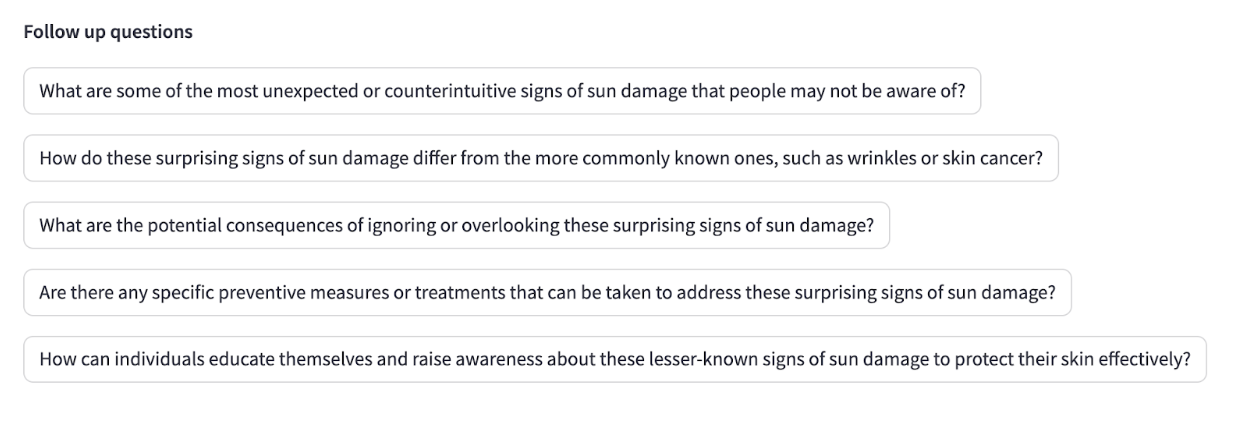
- Insight Generation: Ask questions to extract critical information from your data.
- For Product Idea generation, navigate to 'Product Generation' page
- Concept Creation: Initiate product generation using sample queries or create your own custom query.
- Refinement: Select features, experiment with combinations, and regenerate results until the desired product concept is achieved.
Application Workflow
-
Project Setup You have the option to either create a new project or select an existing project in the resources page of the application for generating product insights. Choose one of the following steps:
- New Project Creation:
- Initiate a new project within the application by giving it a descriptive name (e.g., "2024 Sunscreen Innovation" or "Hair care Line Extension").
- Once a project is created, the document upload process is mandatory before proceeding to analysis features.
- Existing Project Modification:
- Select an existing project from a list.
- View previously uploaded documents associated with the project.
- Use the following actions:
- Add Files: Upload new documents relevant to the project.
- Remove Files: Delete documents that are outdated or no longer relevant to the project goals.
- Delete Project: Entirely remove the project and all the resources associated with it.
- New Project Creation:
1. Document Upload
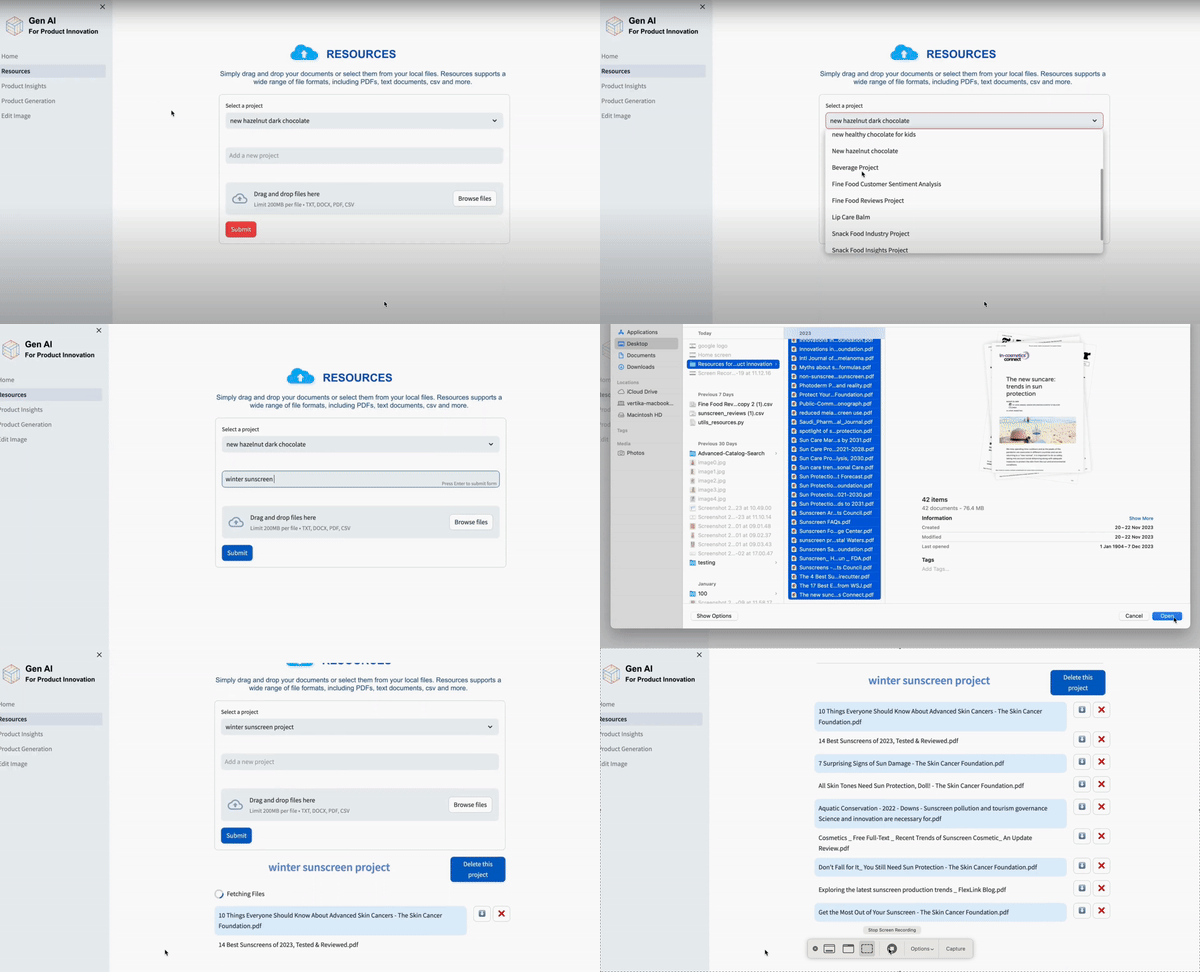
- Objective: Integrate your critical project data for analysis with the solution.
- Accepted File Formats:
Various types of documents such as market research reports, consumer feedback surveys, Internal trend analyses, regulatory guidelines can be uploaded. Accepted file formats include:
- Documents: .pdf, .doc, .docx
- Spreadsheets: .xlsx, .csv
- Text Files: .txt, .md
2. Product Insights
-
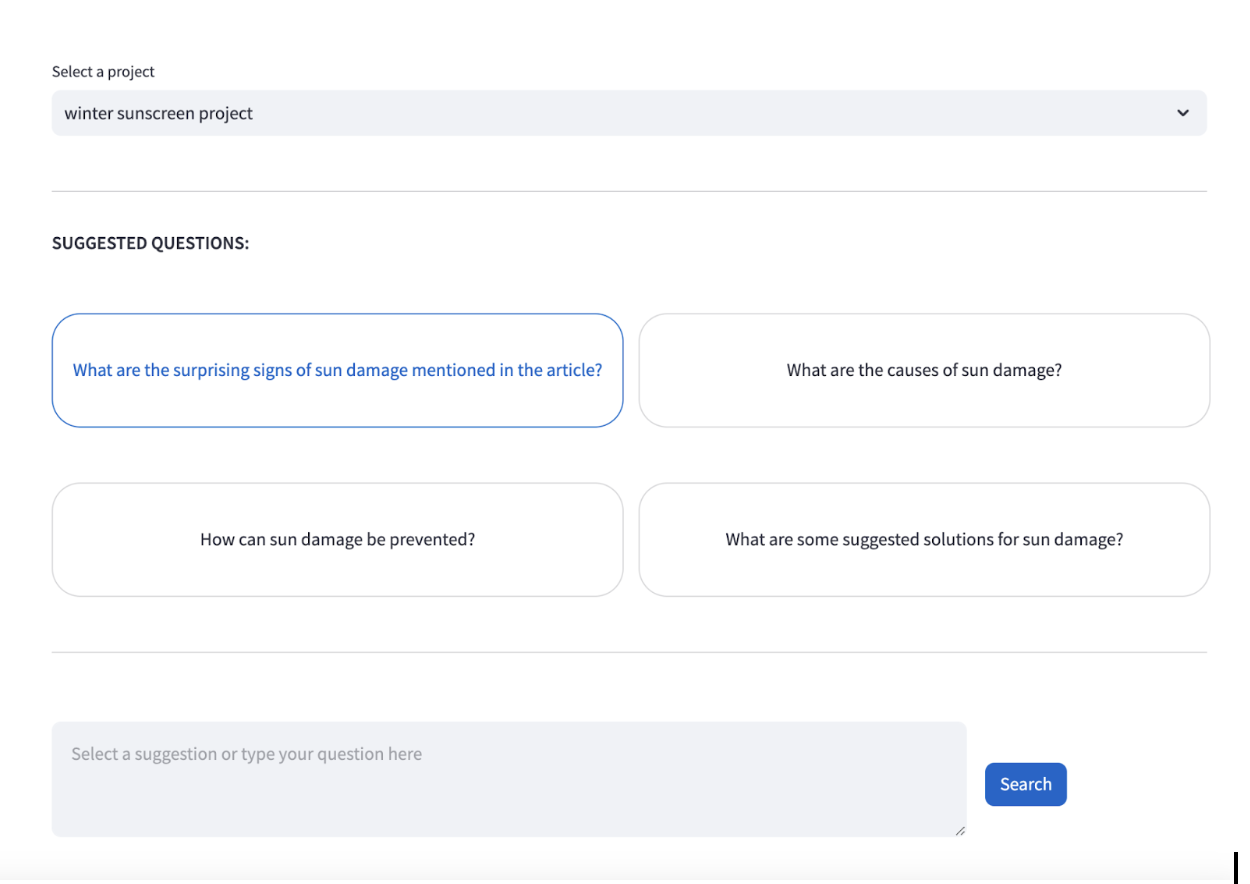
Dynamic Suggestions
-
Objective: This feature generates contextually relevant suggestions designed to extract essential product insights and attributes companies deem important.
-
Functionality: The system leverages information embedded in the documents you've uploaded (market research, surveys, etc.) to tailor sample queries.
-
Usage: Choose to utilize a suggested sample query for immediate results. Customize the sample query or input your own questions to drive a more focused analysis.
-
Generative AI Powered Product Insights
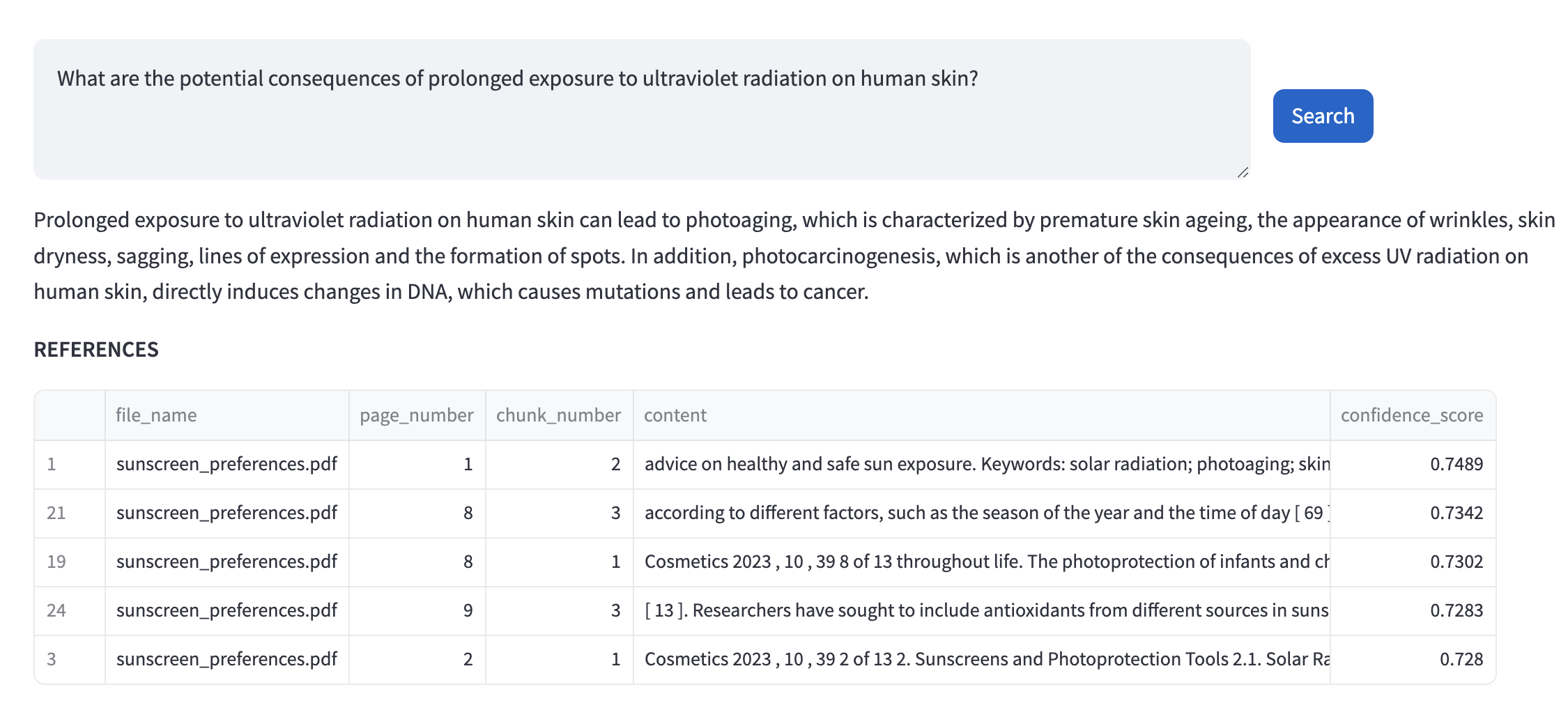
- Objective: This feature unlocks insights hidden within your uploaded documents. You pose questions in natural language, and the system retrieves contextually relevant answers.
- Functionality: Rapid insight extraction: Obtain actionable answers directly from your data without time-consuming manual analysis.
- Usage: Type your question in natural language as if you were asking a domain expert.
- Question Types:
- Facts
- Trends
- Relationships
- Comparisons
- Question Types:
- Benefits
- Document Compatibility: The AI-Powered Question Answering functionality is optimized for document types including: Market Research Reports, Consumer Feedback Surveys, Internal Trend Analyses.
3. Product Generation
-
Dynamic Sample Queries
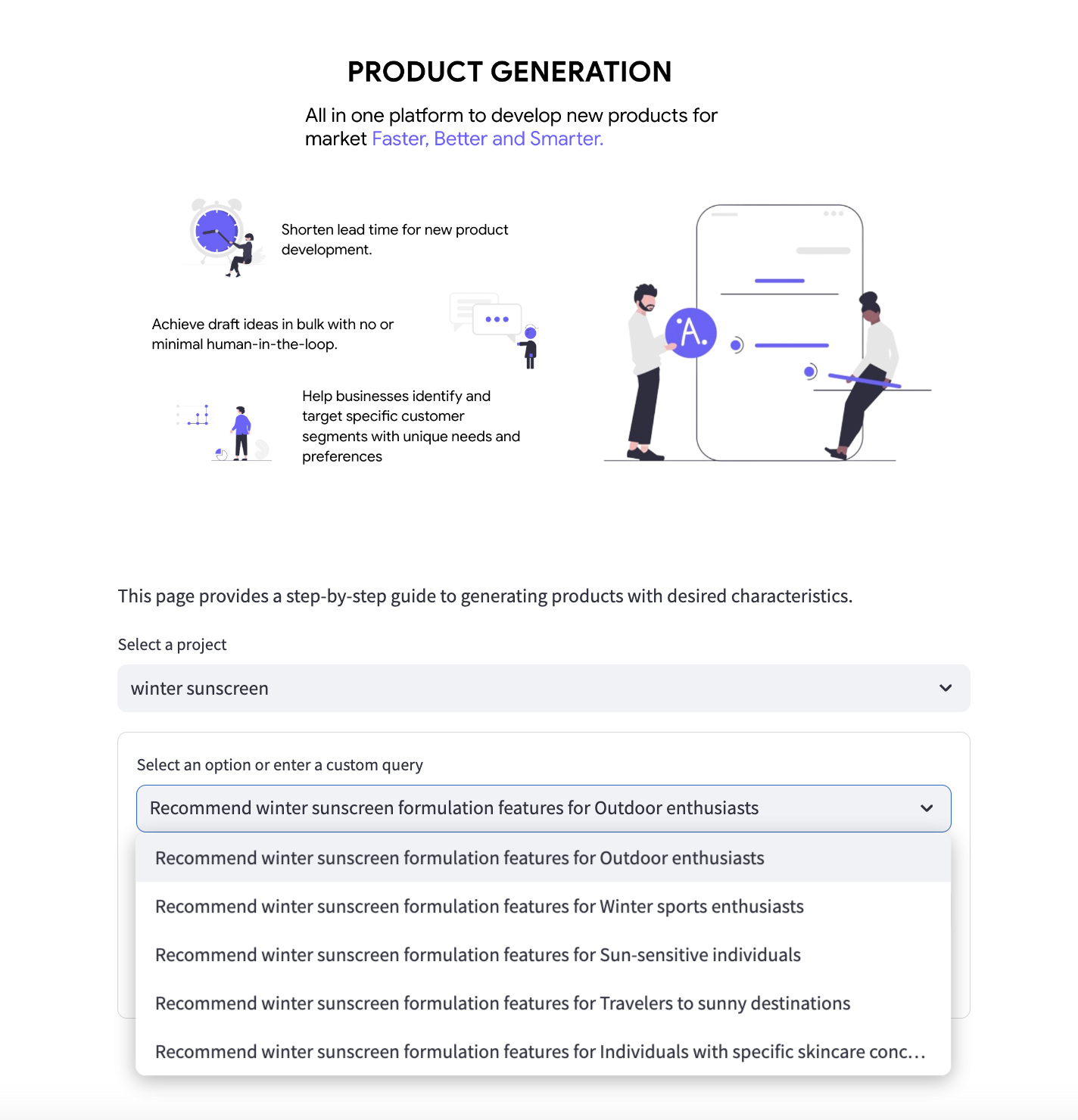
- Objective: This feature generates contextually relevant questions designed to extract essential product attributes consumers deem important within your chosen category.
- Functionality: The system leverages information embedded in the documents you've uploaded (market research, surveys, etc.) to tailor sample queries.
- Usage: Choose to utilize a suggested sample query for immediate results. Customize the sample query or input your own questions to drive a more focused analysis.
-
Key Feature Extraction
- Objective: Isolates the most frequently mentioned or prioritized product features that emerge from the analysis of your uploaded documents.
- Functionality: Employs text analysis techniques to extract key features. Extracts ingredients, benefits, claims, sensory terms, usage occasions, and more.
- Output: Creates a curated list of extracted features.
-
Feature Selection
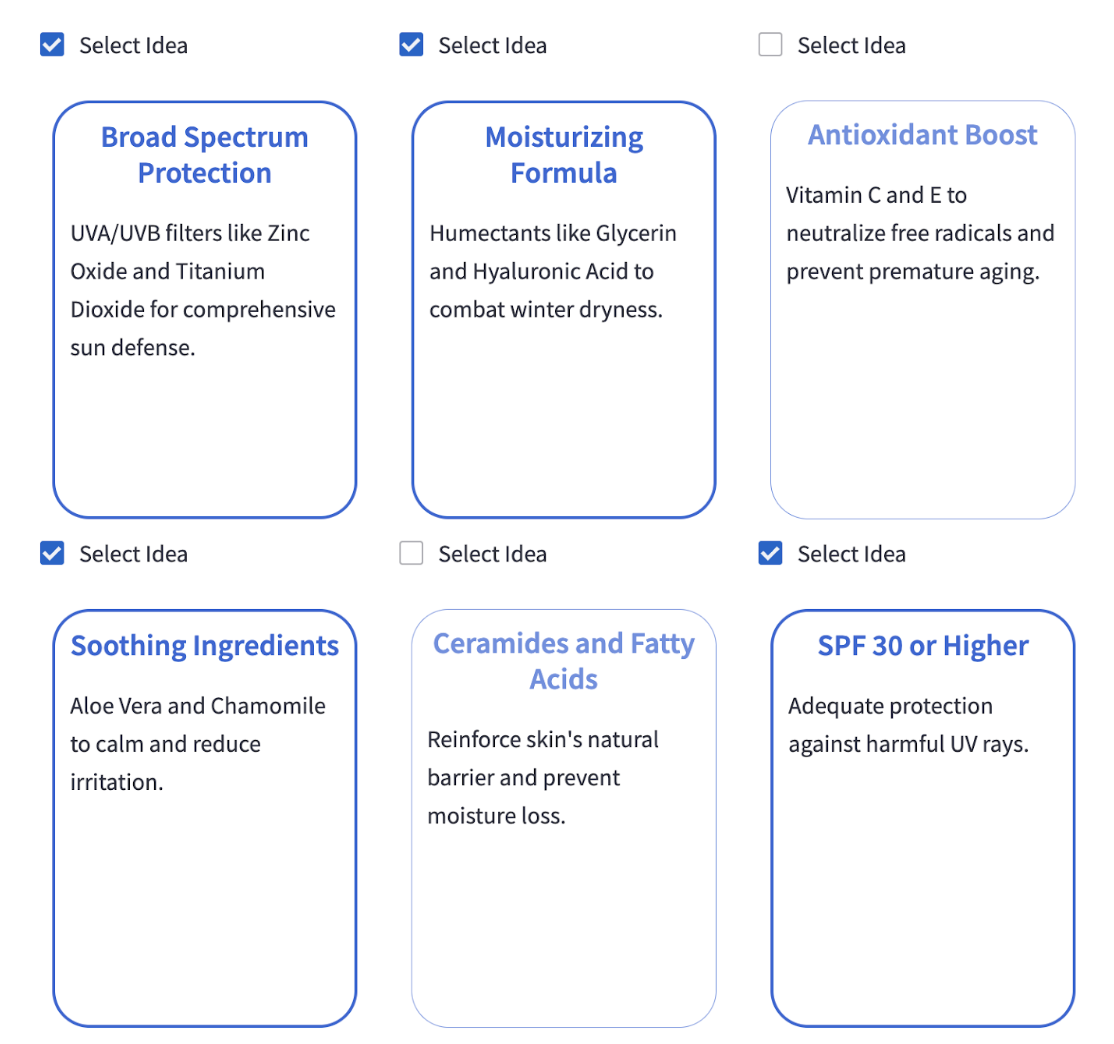
- Objective: Gives you direct control in constructing your ideal product concept.
- Functionality: Presents the extracted list of key features for selection. Enables both single feature selection and the creation of novel feature combinations.
-
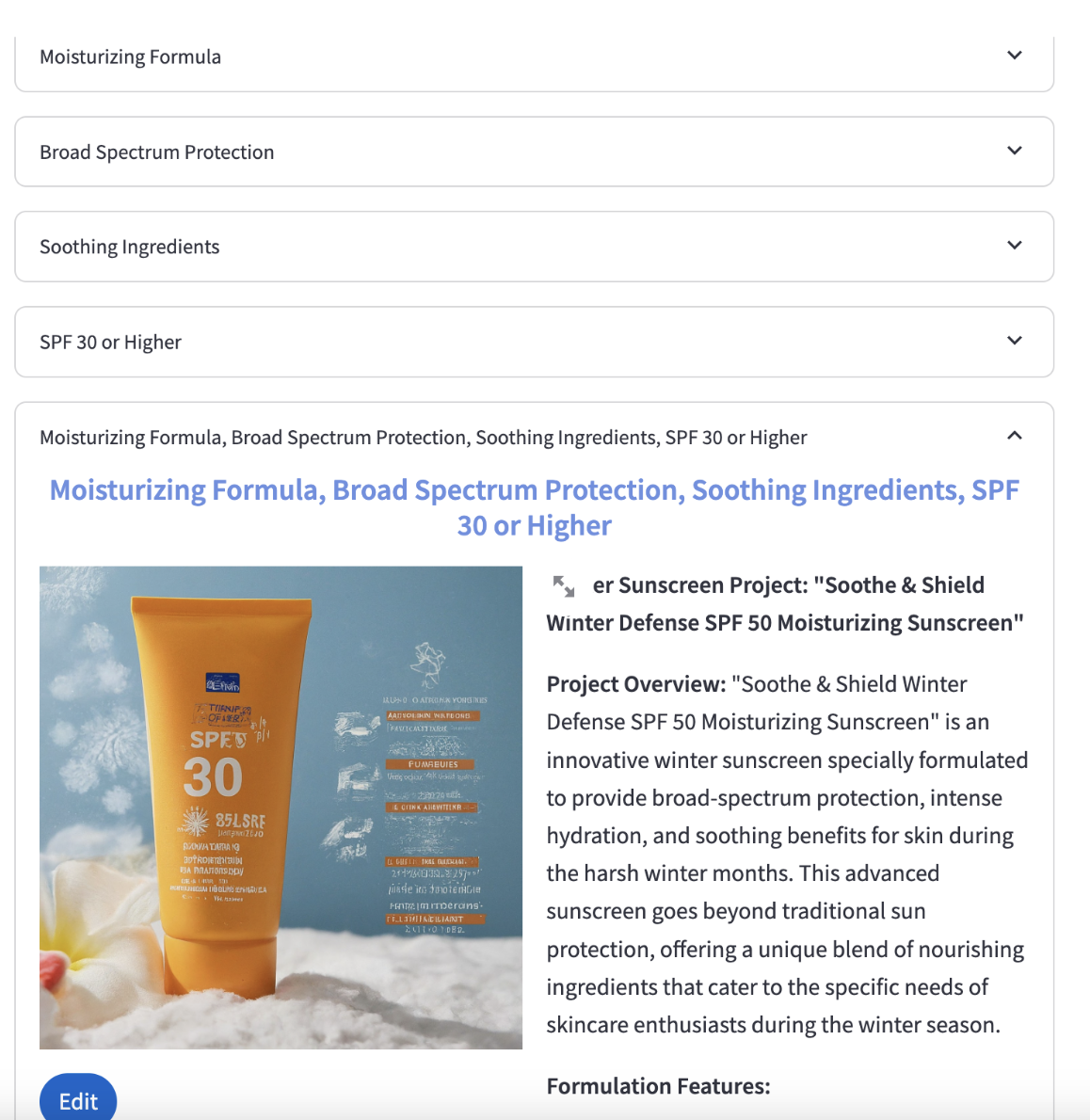
Product Concept Generation
- Objective: Transforms selected features into holistic product concepts, going beyond simply listing ingredients or attributes.
- Functionality: Utilizes Generative AI, trained on product descriptions, marketing material, and relevant category data. Presents multiple plausible product ideas based on your selections.
- Output: Presents a series of product ideas featuring the AI-generated concepts, helping to visualize the creative possibilities.
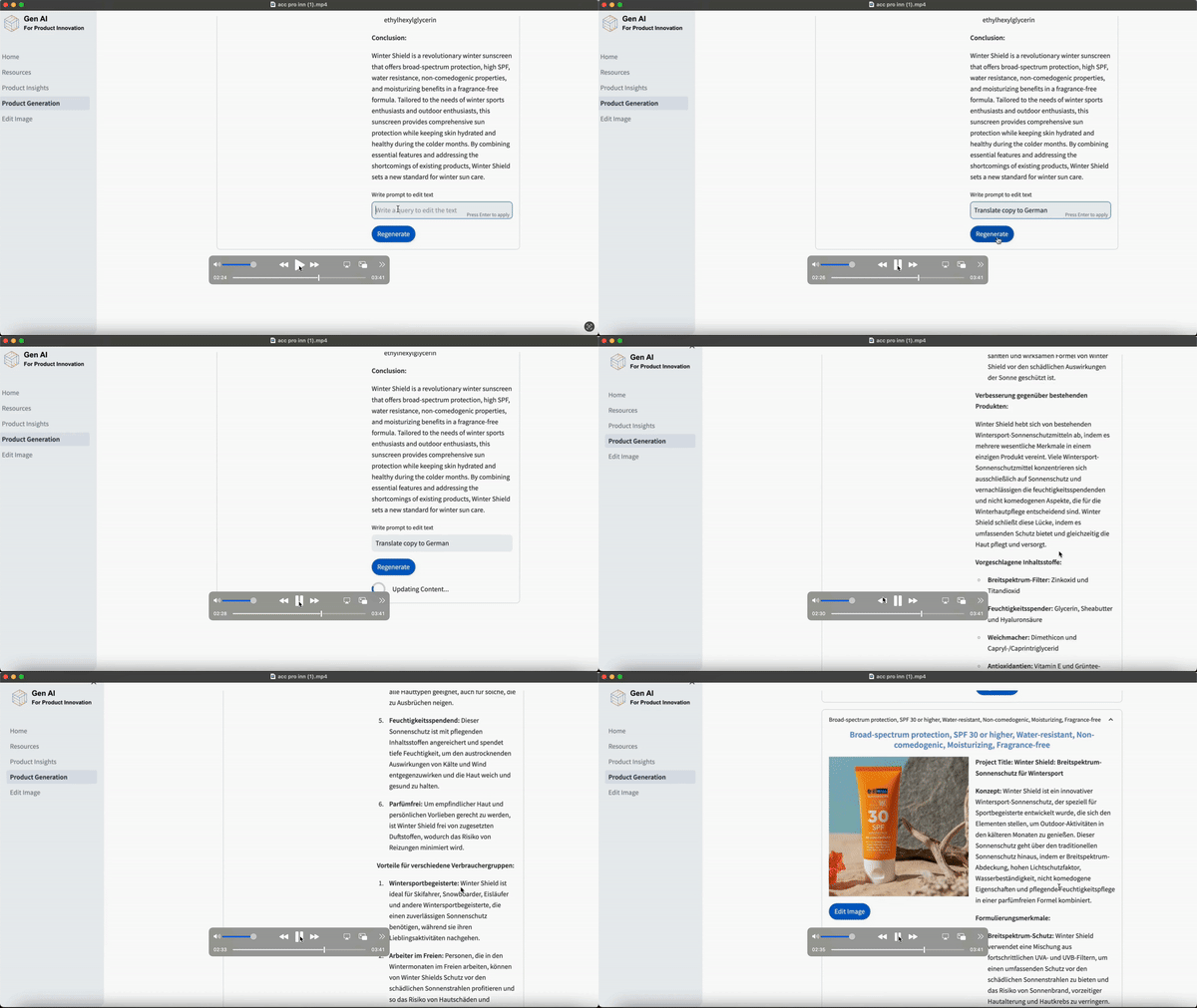
4. Selective Regeneration
-
Objective: Enables users to zero in on specific areas of the product concept that they wish to modify without re-generating the whole concept from scratch.
-
Functionality: Text Modification, Image Modification, Whole Product Regeneration.
5. Export Content
- Objective: Once you've refined your product concept through the iterative process, the solution provides seamless ways to share your work and integrate it into your broader product development workflows.
- Functionalities: PDF Export, Export/Download, Email Export.