 wehub-resource-sync
An ADK Agent integrated with MCP Client
This web application was developed using Google ADK (Agent Development Kit) and MCP (Model Context Protocol). Specifically, the Agent relies on the Google ADK. A local MCP server instance, established using custom server code designed for cocktail data management, facilitates data retrieval. The web application acts as an MCP client to fetch cocktail information via this local server.
Screenshot:
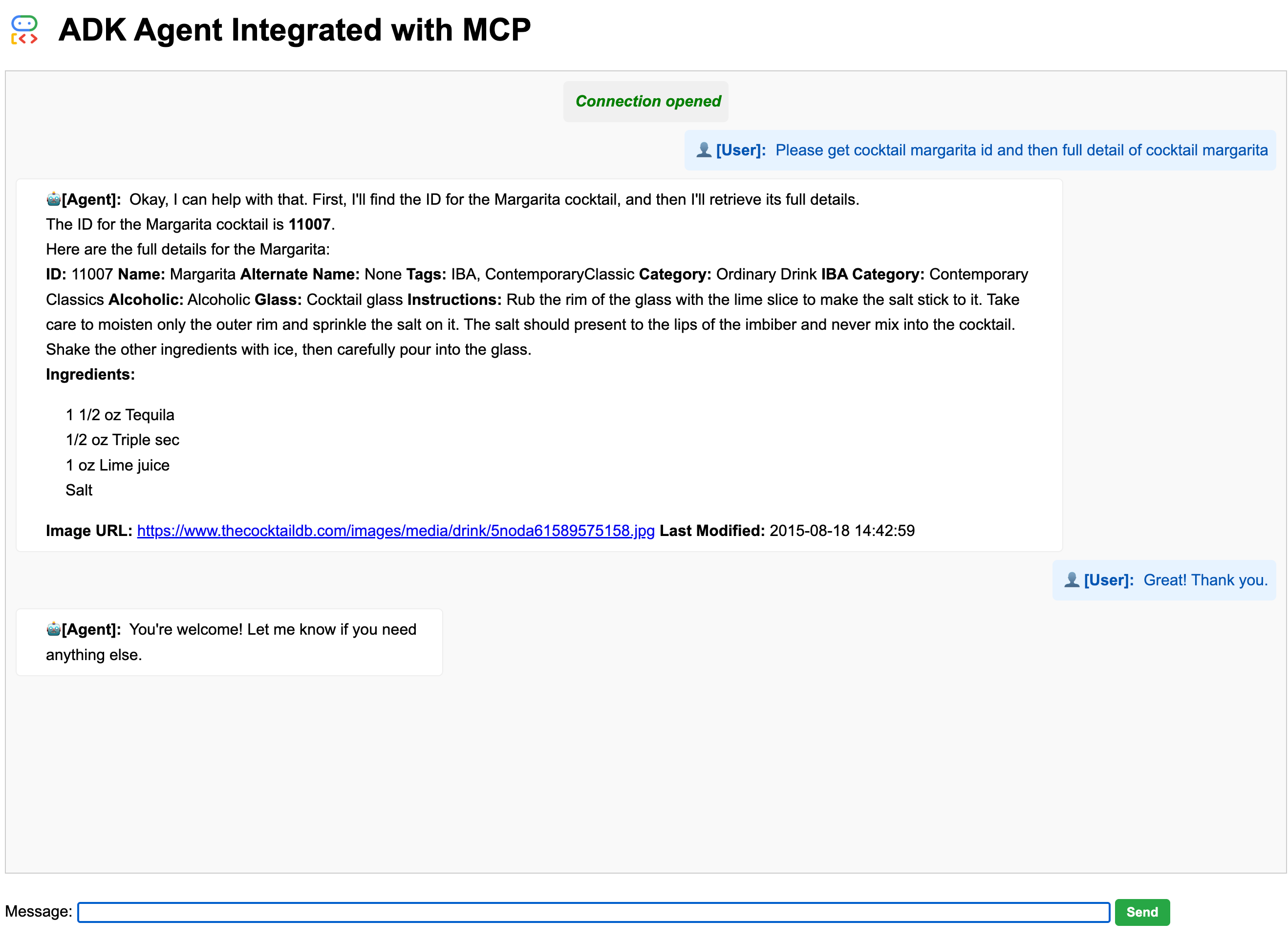
This example demonstrates how you can chat with the app to retrieve cocktail details from The Cocktail DB site using a local MCP server
Create & Activate Virtual Environment (Recommended)
python -m venv .venv
source .venv/bin/activate
Install ADK
pip install .
Project Structure
your_project_folder/  # Project folder
|── adk_mcp_app
    ├── main.py
    ├── .env
    ├── mcp_server
    │   └── cocktail.py
    ├── README.md
    ├── pyproject.toml
    ├── uv.lock
    └── static
        └── index.html
Run the app
Start the Fast API: Run the following command within the adk_mcp_app folder
- Create a .env file with the following contents:
# Choose Model Backend: 0 -> Gemini Developer API, 1 -> Vertex AI
GOOGLE_GENAI_USE_VERTEXAI=1

# Gemini Developer API backend config
GOOGLE_API_KEY=YOUR_VALUE_HERE

# Vertex AI backend config
GOOGLE_CLOUD_PROJECT="<your project id>"
GOOGLE_CLOUD_LOCATION="us-central1"
- Run the below command to start the app:
uvicorn main:app --reload