> **An open-source AI data assistant that connects to your data, writes SQL and code, runs skills in sandboxed environments, and turns analysis into reports, insights, and action.**

## What is DB-GPT?
DB-GPT is an open-source **agentic AI data assistant** for the next generation of **AI + Data** products.
It helps users and teams:
- connect to **databases, CSV / Excel files, warehouses, and knowledge bases**
- ask questions in natural language and let AI **write SQL autonomously**
- run **Python- and code-driven analysis** workflows
- load and execute reusable **skills** for domain-specific tasks
- generate **charts, dashboards, HTML reports, and analysis summaries**
- execute tasks safely in **sandboxed environments**
DB-GPT is also a platform for building **AI-native data agents, workflows, and applications** with agents, AWEL, RAG, and multi-model support.
## Why DB-GPT?
### 1. Agentic data analysis
Plan tasks, break work into steps, call tools, and complete analysis workflows end to end.

### 2. Autonomous SQL + code execution
Generate SQL and code to query data, clean datasets, compute metrics, and produce outputs.


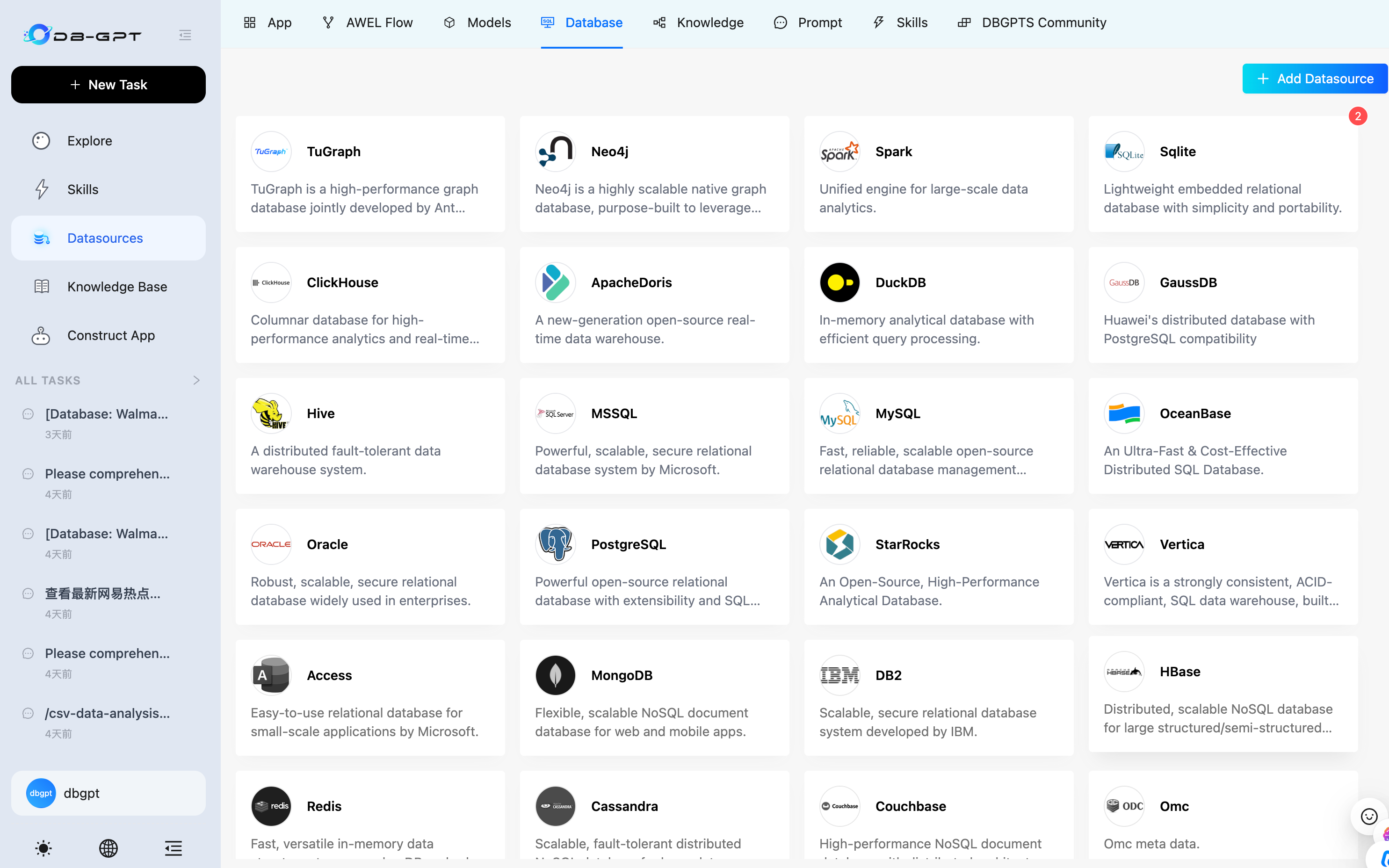
### 3. Multi-source data access
Work across structured and unstructured sources, including databases, spreadsheets, documents, and knowledge bases.
### 4. Skills-driven extensibility
Package domain knowledge, analysis methods, and execution workflows into reusable skills.

### 5. Sandboxed execution
Run code and tools in isolated environments for safer, more reliable analysis.

## What you can do with DB-GPT
- **Analyze CSV / Excel files** and generate visual reports
- **Connect to databases** and produce profiling reports
- Ask business questions in natural language and let AI **write SQL automatically**
- Perform **financial report analysis** with code, charts, and narrative summaries
- Create and reuse **SQL analysis skills** and domain workflows
- Combine **code, SQL, retrieval, and tools** in a single agentic workflow
- Build next-generation **AI + Data assistants** for your team or product
## Product Workflow
### Explore data
Connect files, databases, and knowledge bases in one workspace.
### Plan and execute
Let AI reason through the task, write SQL and code, and execute step by step.
### Use skills
Load reusable skills for repeatable business analysis workflows.
### Generate reports
Produce charts, dashboards, HTML reports, and decision-ready outputs.
## Quick Start
Get DB-GPT running in minutes with the one-line installer (macOS & Linux):
```bash
curl -fsSL https://raw.githubusercontent.com/eosphoros-ai/DB-GPT/main/scripts/install/install.sh | bash
```
Or specify a profile and API key directly:
```bash
curl -fsSL https://raw.githubusercontent.com/eosphoros-ai/DB-GPT/main/scripts/install/install.sh \
| OPENAI_API_KEY=sk-xxx bash -s -- --profile openai
```
For Kimi 2.5 via Moonshot API:
```bash
curl -fsSL https://raw.githubusercontent.com/eosphoros-ai/DB-GPT/main/scripts/install/install.sh \
| MOONSHOT_API_KEY=sk-xxx bash -s -- --profile kimi
```
For MiniMax via the OpenAI-compatible API:
```bash
curl -fsSL https://raw.githubusercontent.com/eosphoros-ai/DB-GPT/main/scripts/install/install.sh \
| MINIMAX_API_KEY=sk-xxx bash -s -- --profile minimax
```
Already have a local DB-GPT checkout? Reuse it instead of cloning `~/.dbgpt/DB-GPT`:
```bash
OPENAI_API_KEY=sk-xxx \
bash scripts/install/install.sh --profile openai --repo-dir "$(pwd)" --yes
```
Or reuse your local repo with Kimi 2.5:
```bash
MOONSHOT_API_KEY=sk-xxx \
bash scripts/install/install.sh --profile kimi --repo-dir "$(pwd)" --yes
```
Or reuse your local repo with MiniMax:
```bash
MINIMAX_API_KEY=sk-xxx \
bash scripts/install/install.sh --profile minimax --repo-dir "$(pwd)" --yes
```
After installation, start the server with the generated profile config:
```bash
cd ~/.dbgpt/DB-GPT && uv run dbgpt start webserver --profile 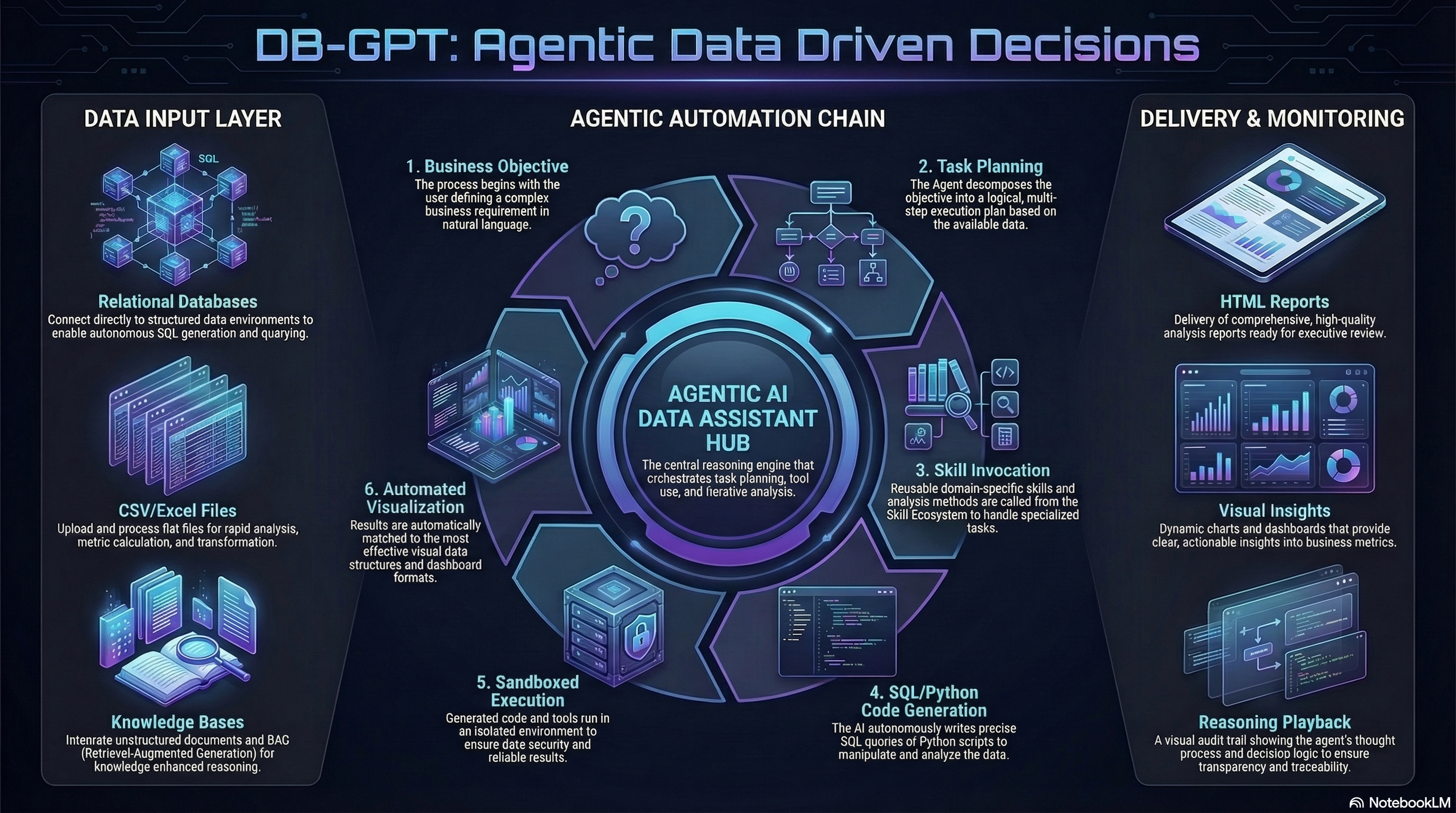
 DB-GPT: Open-Source Agentic AI Data Assistant









