---
description: "Directed Acyclic Graph (DAG) — understand how Conductor models workflows as DAGs for reliable task orchestration."
---
# Directed Acyclic Graph (DAG)
All Conductor workflows are directed acyclic graphs (DAGs). A directed acyclic graph (DAG) is a set of vertices where the connections are unidirectional without any repetition. DAG workflows can only "move forward" and cannot redo a step (or series of steps).
Here is a breakdown of what DAG means:
- **Graph**
For DAGs, a graph refers to "a collection of vertices (or points) and edges (or lines) that indicate connections between the vertices."
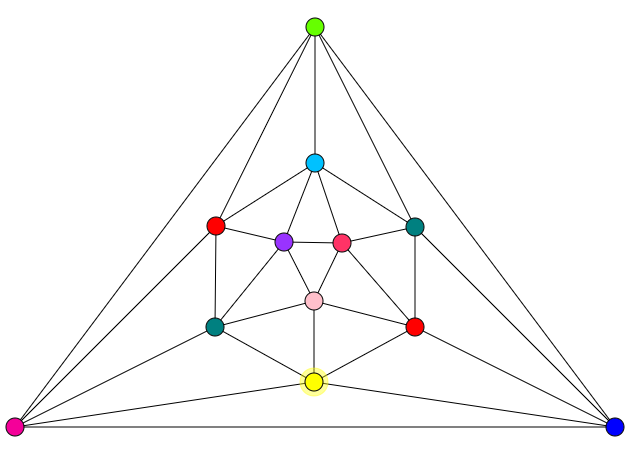 Imagine that each vertex in the graph above is a microservice. The lines represent a dependency relation between each microservice. However, this graph is not a directed graph, as there is no direction given to each dependency.
- **Directed**
A directed graph means that there is a direction to each connection. For example, this graph is directed:
Imagine that each vertex in the graph above is a microservice. The lines represent a dependency relation between each microservice. However, this graph is not a directed graph, as there is no direction given to each dependency.
- **Directed**
A directed graph means that there is a direction to each connection. For example, this graph is directed:
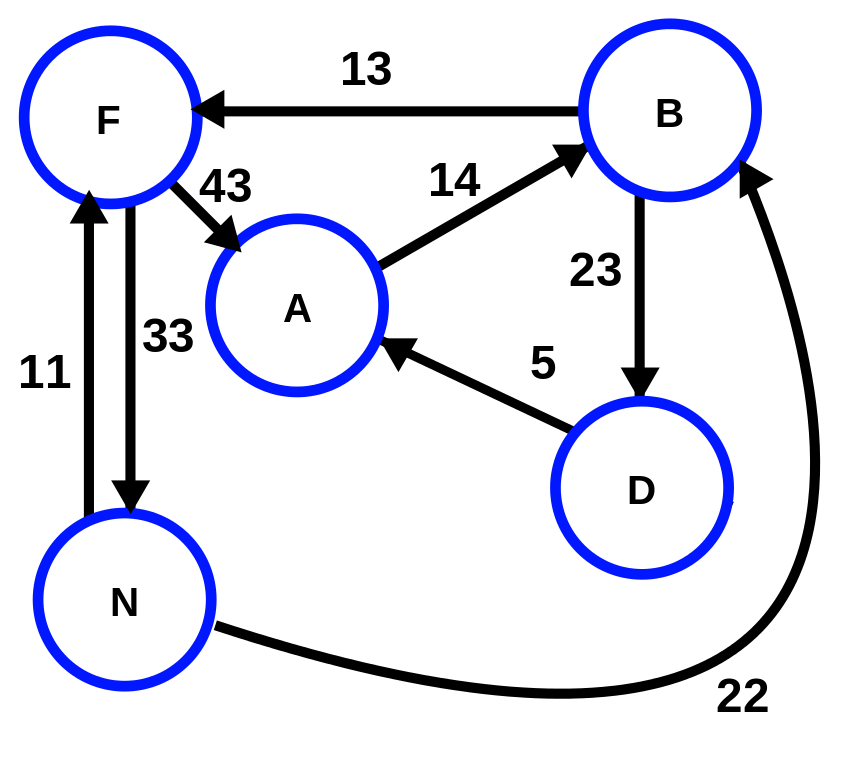 Each line has a direction. In the example above, Point N can proceed directly to B, but B cannot proceed directly to N.
- **Acyclic**
Acyclic means without circular or cyclic paths. The example shown above contains directed cyclic graphs, such as A -> B -> D -> A. In contrast, a directed acyclic graph can only begin at one point and end at a different point (A -> B -> D).
## Workflows as DAGs
Since a Conductor workflow is a series of tasks that can connect in only a specific direction and cannot loop, it is a directed acyclic graph:
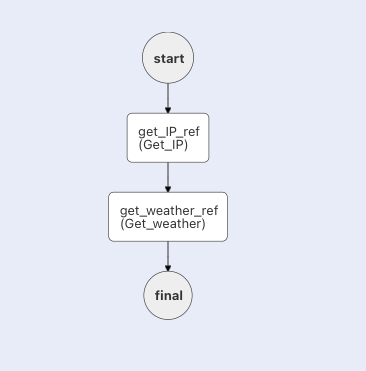
The flow of tasks is specified in a `tasks` array in a JSON file called a workflow definition, which can also be written in code (Python, Java, JavaScript, C#, Go, Clojure).
### Can a workflow contain loops and still be a DAG?
Yes. Take the following Conductor workflow, which contains Do While loops, for example:
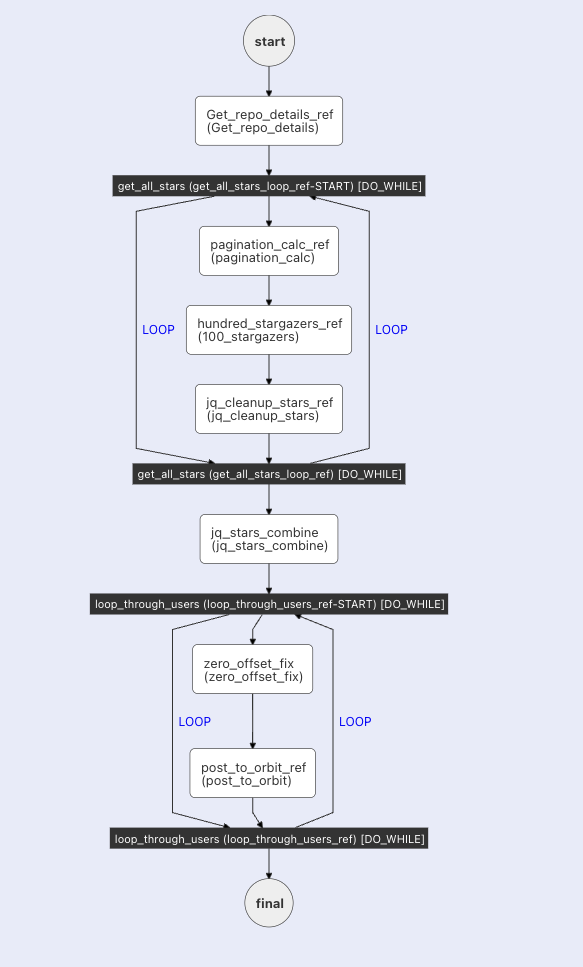
This workflow is still a DAG because the loop is just a simplified representation for running multiple instances of the same tasks repeatedly. For example, if the 2nd loop in the above workflow is run three times, the workflow path will be:
1. zero_offset_fix_1
2. post_to_orbit_ref_1
3. zero_offset_fix_2
4. post_to_orbit_ref_2
5. zero_offset_fix_3
6. post_to_orbit_ref_3
The path is directed forward to different task instances, each with its own unique inputs and outputs. The Do While loop simply makes it easier to represent this path.
Each line has a direction. In the example above, Point N can proceed directly to B, but B cannot proceed directly to N.
- **Acyclic**
Acyclic means without circular or cyclic paths. The example shown above contains directed cyclic graphs, such as A -> B -> D -> A. In contrast, a directed acyclic graph can only begin at one point and end at a different point (A -> B -> D).
## Workflows as DAGs
Since a Conductor workflow is a series of tasks that can connect in only a specific direction and cannot loop, it is a directed acyclic graph:

The flow of tasks is specified in a `tasks` array in a JSON file called a workflow definition, which can also be written in code (Python, Java, JavaScript, C#, Go, Clojure).
### Can a workflow contain loops and still be a DAG?
Yes. Take the following Conductor workflow, which contains Do While loops, for example:

This workflow is still a DAG because the loop is just a simplified representation for running multiple instances of the same tasks repeatedly. For example, if the 2nd loop in the above workflow is run three times, the workflow path will be:
1. zero_offset_fix_1
2. post_to_orbit_ref_1
3. zero_offset_fix_2
4. post_to_orbit_ref_2
5. zero_offset_fix_3
6. post_to_orbit_ref_3
The path is directed forward to different task instances, each with its own unique inputs and outputs. The Do While loop simply makes it easier to represent this path.