 wehub-resource-sync
11 KiB
Note
本文档由 WeHub 基于上游 README 翻译整理,属于社区翻译,非官方中文文档。
English · 原始项目 · 上游 README
原作者、版权与许可证归属以原始项目及本仓库 LICENSE 文件为准。
Freeze



生成代码和终端输出的图片。
示例
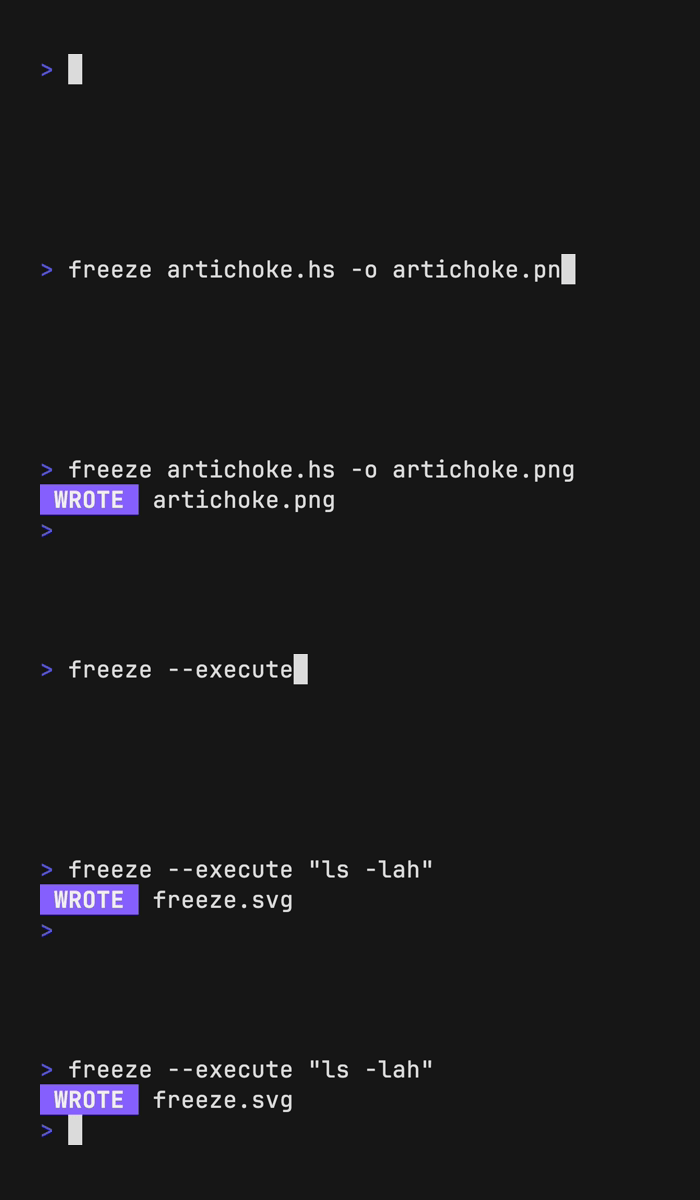
Freeze 可以同样生成代码和终端输出的 PNG、SVG 和 WebP 图片。
生成代码图片
freeze artichoke.hs -o artichoke.png

生成终端输出图片
你可以使用 freeze 配合 --execute 标志捕获终端命令的 ANSI 输出。
freeze --execute "eza -lah"

安装
# macOS or Linux
brew install charmbracelet/tap/freeze

# Arch Linux (btw)
yay -S freeze

# Nix
nix-env -iA nixpkgs.charm-freeze
或者,直接下载:
或者,使用 go 安装:
go install github.com/charmbracelet/freeze@latest
定制
交互模式
Freeze 提供完整的交互模式,便于轻松定制。
freeze --interactive
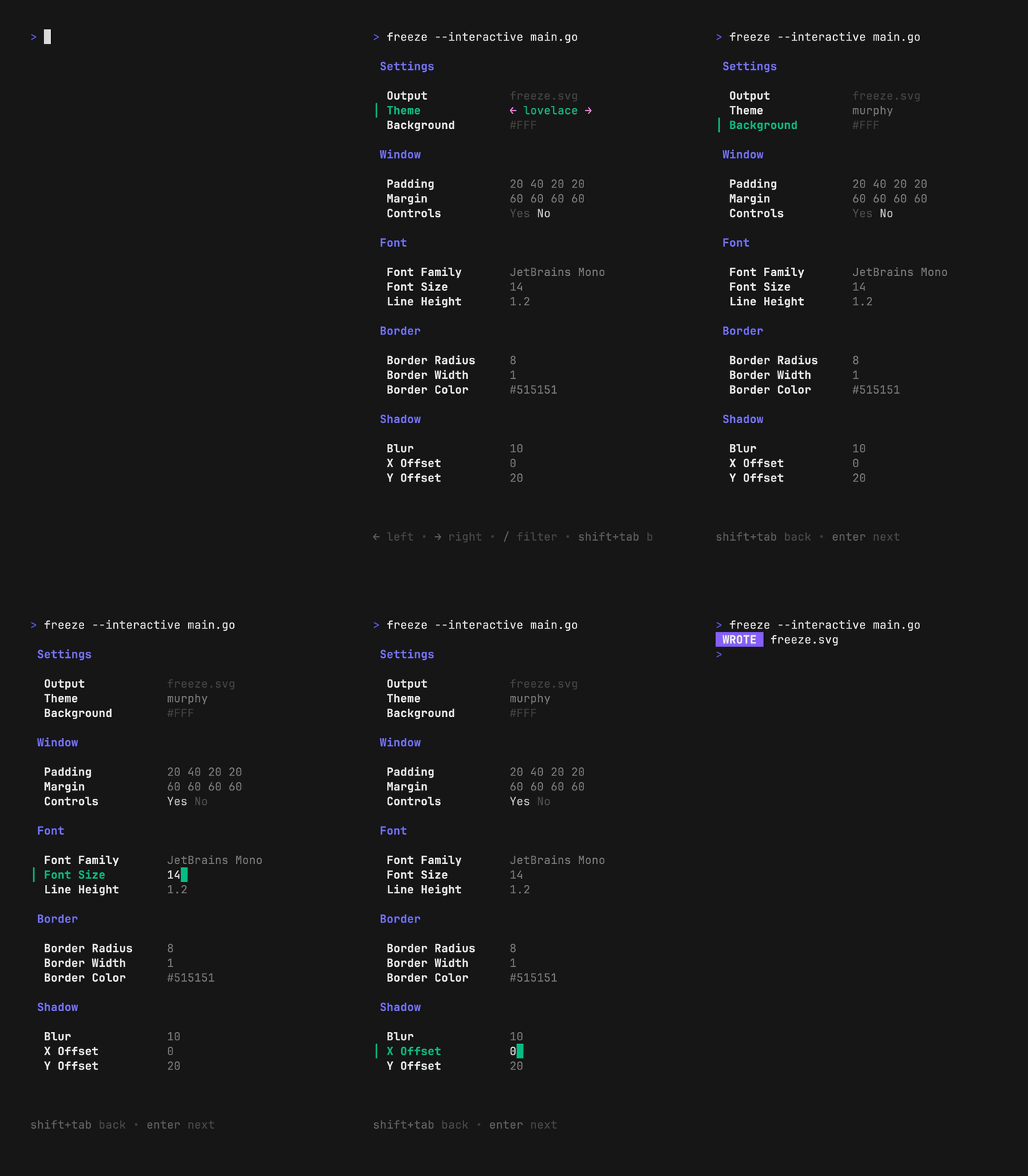
设置会写入 $XDG_CONFIG/freeze/user.json,可通过 freeze --config user 访问。
标志
可使用 --flags 或配置文件自定义截图。
Note
可使用
freeze --help查看所有 freeze 定制选项。
-b、--background:应用背景填充。-c、--config:基础配置文件或模板。-l、--language:应用于代码的语言-m、--margin:为窗口应用外边距。-o、--output:.svg、.png、.jpg 的输出位置。-p、--padding:为代码应用内边距。-r、--border.radius:窗口圆角半径。-t、--theme:用于语法高亮的主题。-w、--window:显示窗口控件。-H、--height:终端窗口高度。--border.width:边框宽度。--border.color:边框颜色。--shadow.blur:阴影高斯模糊。--shadow.x:阴影 x 轴偏移量。--shadow.y:阴影 y 轴偏移量。--font.family:代码所用字体族。--font.ligatures:在字体中使用连字(ligatures)。--font.size:代码所用字号。--font.file:所用字体文件路径(嵌入 SVG)。--line-height:相对于字号的行高。--show-line-numbers:显示行号。--lines:要捕获的行(起始,结束)。
语言
在可能的情况下,freeze 会根据文件名或分析文件内容自动检测语言。使用 --language 标志可覆盖此推断。
cat artichoke.hs | freeze --language haskell

主题
更改颜色主题。
freeze artichoke.hs --theme dracula

输出
更改输出文件位置,默认为 out.svg;若通过管道传输则默认为 stdout。该值支持 .svg、.png、.webp。
freeze main.go --output out.svg
freeze main.go --output out.png
freeze main.go --output out.webp

# or all of the above
freeze main.go --output out.{svg,png,webp}
字体
指定输出图片的字体族、字号和行高。默认为 JetBrains Mono、14(px)、1.2(em)。
freeze artichoke.hs \
  --font.family "SF Mono" \
  --font.size 16 \
  --line-height 1.4
也可使用 --font.file 标志嵌入字体文件(TTF、WOFF 或 WOFF2 格式)。
若要在字体中使用连字,可应用 --font.ligatures 标志。
行号
使用 --show-line-numbers 标志在终端窗口中显示行号。
freeze artichoke.hs --show-line-numbers
若只捕获特定范围的行号,可使用 --lines 标志。
freeze artichoke.hs --show-line-numbers --lines 2,3
圆角半径
为终端添加圆角。
freeze artichoke.hs --border.radius 8

窗口
为终端添加 macOS 风格的窗口控件。
freeze artichoke.hs --window

背景
设置终端窗口的背景颜色。
freeze artichoke.hs --background "#08163f"
高度
设置终端窗口的高度。
freeze artichoke.hs --height 400
边框宽度
为终端窗口添加边框轮廓。
freeze artichoke.hs --border.width 1 --border.color "#515151" --border.radius 8

内边距
为终端窗口添加内边距。可提供 1、2 或 4 个值。
freeze main.go --padding 20          # all sides
freeze main.go --padding 20,40       # vertical, horizontal
freeze main.go --padding 20,60,20,40 # top, right, bottom, left

外边距
为终端窗口添加外边距。可提供 1、2 或 4 个值。
freeze main.go --margin 20          # all sides
freeze main.go --margin 20,40       # vertical, horizontal
freeze main.go --margin 20,60,20,40 # top, right, bottom, left

Shadow
在终端窗口下方添加阴影。
freeze artichoke.hs --shadow.blur 20 --shadow.x 0 --shadow.y 10
Screenshot TUIs
使用 tmux capture-pane 为 TUI(Terminal User Interface,终端用户界面)生成截图。
在 tmux 中运行你的 TUI,并将其调整到你想捕获的状态。
接下来,使用 capture-pane 捕获该窗格,并将其管道输出到 freeze。
hx # in a separate pane
tmux capture-pane -pet 1 | freeze -c full

Configuration
Freeze 还支持通过 JSON 文件进行配置,可使用
--config / -c 标志传入。一般而言,所有 --flag 选项都会直接映射到配置文件中的键和值。
freeze 中还内置了一些默认配置,可按名称传入。
base:简单的代码截图。full:类似 macOS 的截图。user:使用~/.config/freeze/user.json。
如果你使用 --interactive 模式,系统会在
~/.config/freeze/user.json 为你创建一份配置文件。这将是你的截图默认使用的配置文件。
freeze -c base main.go
freeze -c full main.go
freeze -c user main.go # alias for ~/.config/freeze/user.json
freeze -c ./custom.json main.go
下面是一个配置示例:
{
  "window": false,
  "border": {
    "radius": 0,
    "width": 0,
    "color": "#515151"
  },
  "shadow": false,
  "padding": [20, 40, 20, 20],
  "margin": "0",
  "font": {
    "family": "JetBrains Mono",
    "size": 14
  },
  "line_height": 1.2
}
Contributing
请参阅 contributing。
Feedback
我们非常乐意听取你对本项目的想法。欢迎随时给我们留言!
License
Part of Charm.

Charm热爱开源 • Charm loves open source