 wehub-resource-sync
c3bf08ac8d
wehub-resource-sync
c3bf08ac8d
Agent Service
Agent service is a FastAPI-based, multi-tenant and multi-session service built with AgentScope 2.0.
This example demonstrates
- how to set up the agent service with Redis storage, and
- how to launch the service and its companion Web UI
Details about the agent service please refer to the tutorial.
Prerequisites
- Python ≥ 3.11
- Node.js ≥ 20 with
npx - [optional] Gaode/AMap API key in
AMAP_API_KEY(for theamapMCP)
Quickstart
Install AgentScope from PyPI or source:
uv pip install agentscope[full]
# or
# uv pip install -e [full]
Install Redis and start it as backend storage:
# macOS (Homebrew)
brew install redis
brew services start redis

# Linux (systemd)
sudo apt install redis-server
sudo systemctl start redis-server

# Docker (cross-platform)
docker run --rm -p 6379:6379 redis:7
Start the agent service:
cd examples/agent_service

python main.py
Launch the Web UI in a separate terminal to experience a chat-style interface:
cd examples/web_ui/

pnpm install
# or npm install

# Run in dev mode
pnpm dev
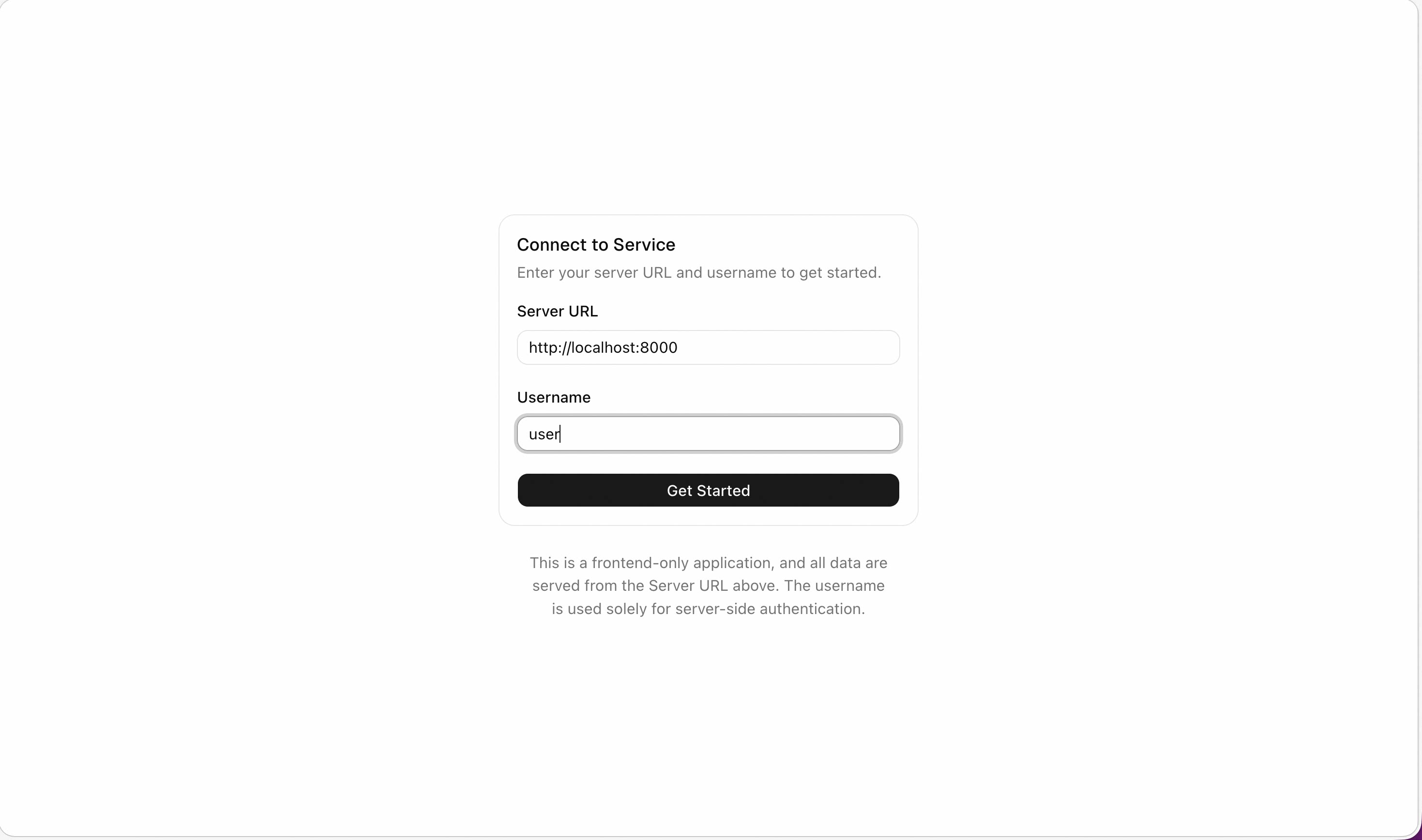
After that, you can set the API endpoint http://localhost:8000 in the Web UI and start experiencing the agent service.
What Next
-
You can customize the service in
main.pyby adding your own MCPs, middlewares, or workspace manager implementations. -
Experience the agent service, including
-
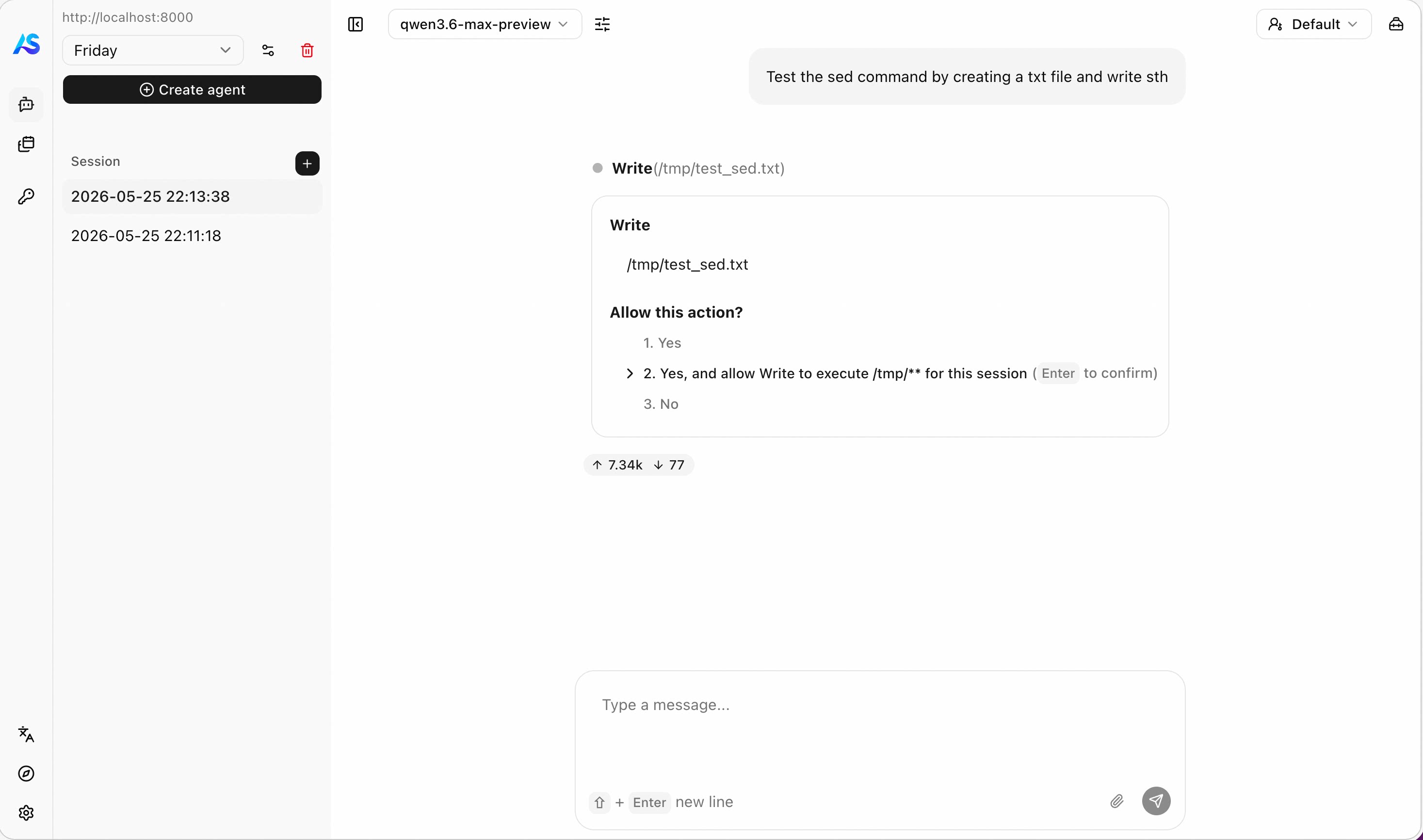
human-in-the-loop interactions & permission system
-
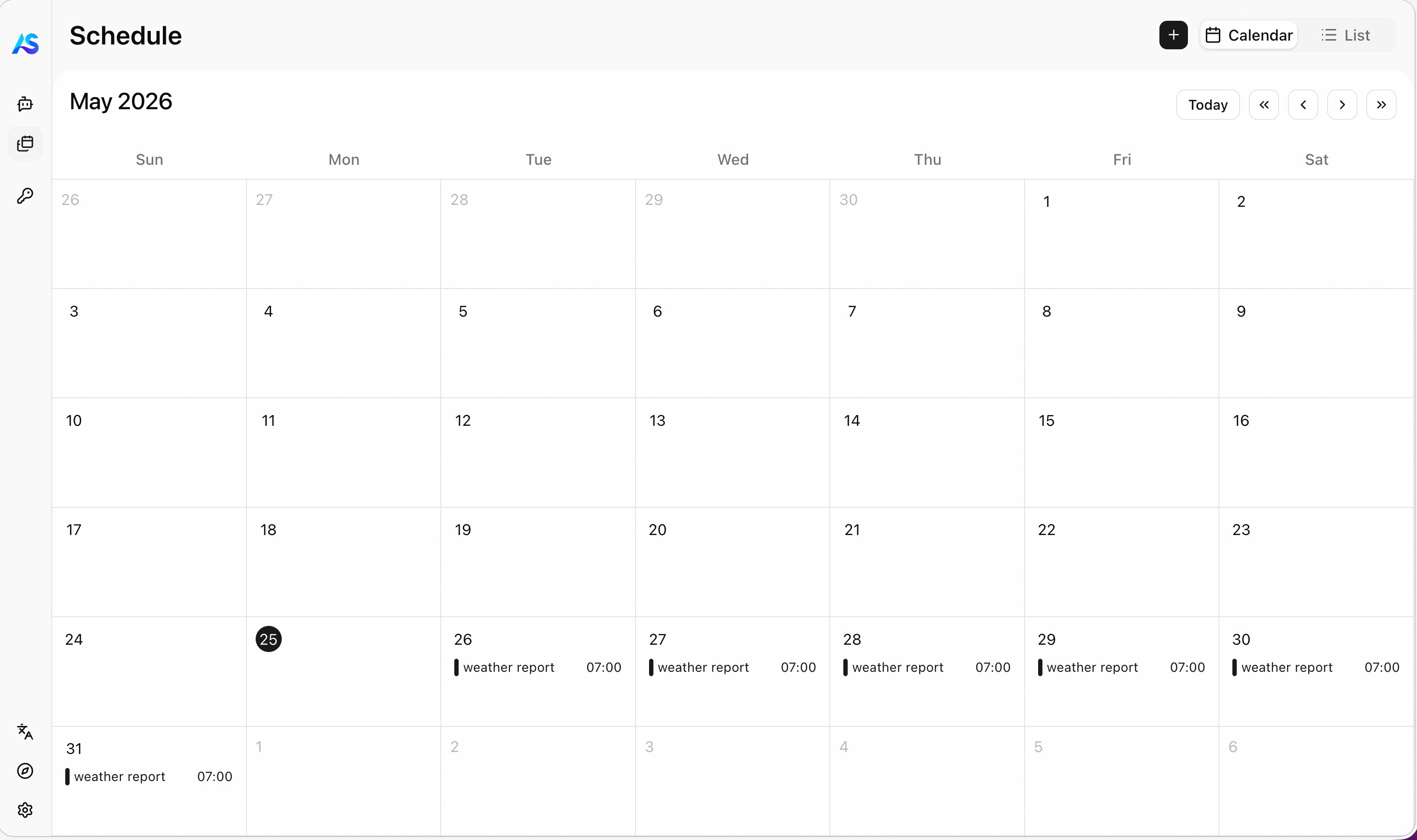
schedule tasks
-
and more! (stay tuned for future updates)
-